

Earnings Calendar: EPS Estimates, Actuals & Surprise
Pricing
from $1.00 / 1,000 upcoming earnings returneds
Earnings Calendar: EPS Estimates, Actuals & Surprise
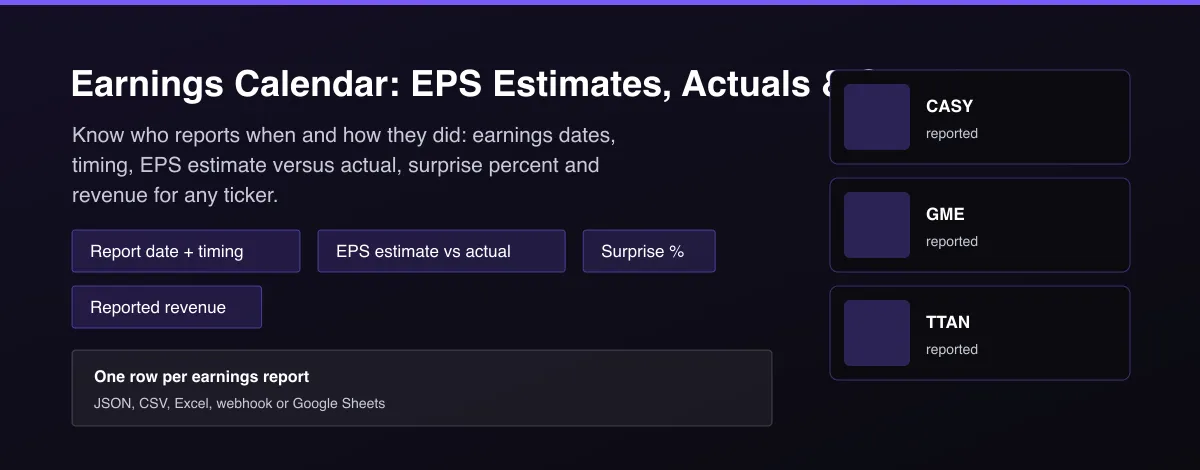
Earnings dates with before/after-market timing, consensus EPS estimate, actual EPS, surprise % and reported revenue for any tickers or the whole market. Chain-ready ticker + date key.

What does Earnings Calendar: EPS Estimates, Actuals & Surprise do?
Earnings Calendar Tracker returns one row per company earnings report: the ticker, the report date, whether it reports before or after the market, the consensus EPS estimate, the actual EPS once reported, the surprise percentage, the number of estimates and the reported revenue. Give it a list of tickers or leave the list empty for every company reporting in a date range of up to 186 days. Every row has a clean ticker and report_date key, so it joins directly with options flow, insider trading and other datasets.
Why use Earnings Calendar: EPS Estimates, Actuals & Surprise?
- Estimate, actual and surprise in one row, so a single run covers the calendar and the results.
- A stable ticker plus report_date key that other datasets can join on.
- Reported revenue is added from SEC filings, an official source, for reported quarters.
- Bulk watchlists or the whole market for any date window; delta mode returns only new results.
- No account or API key.
What makes this different
Free calendars show dates only and paid data feeds charge per seat. This Actor returns the calendar, estimate, actual and surprise together, adds SEC-reported revenue, and is built to be chained: the ticker and report date are clean join keys.
Who can use the Earnings Calendar Tracker and how?
- Earnings traders: see who reports before and after the bell and how the last quarter surprised.
- Options traders: build a pre-earnings volatility screen from report dates.
- Quant teams: join estimates, actuals and surprise to price and flow data.
- Retail investors: track your watchlist's report dates and results.
- Newsletter writers: publish a weekly earnings preview and results recap.
- Fintech developers: power an earnings calendar view or alert through the API.
- Analysts: compare estimates and revenue across sectors.
- Alert builders: notify when a watched company reports with delta mode.
How it works
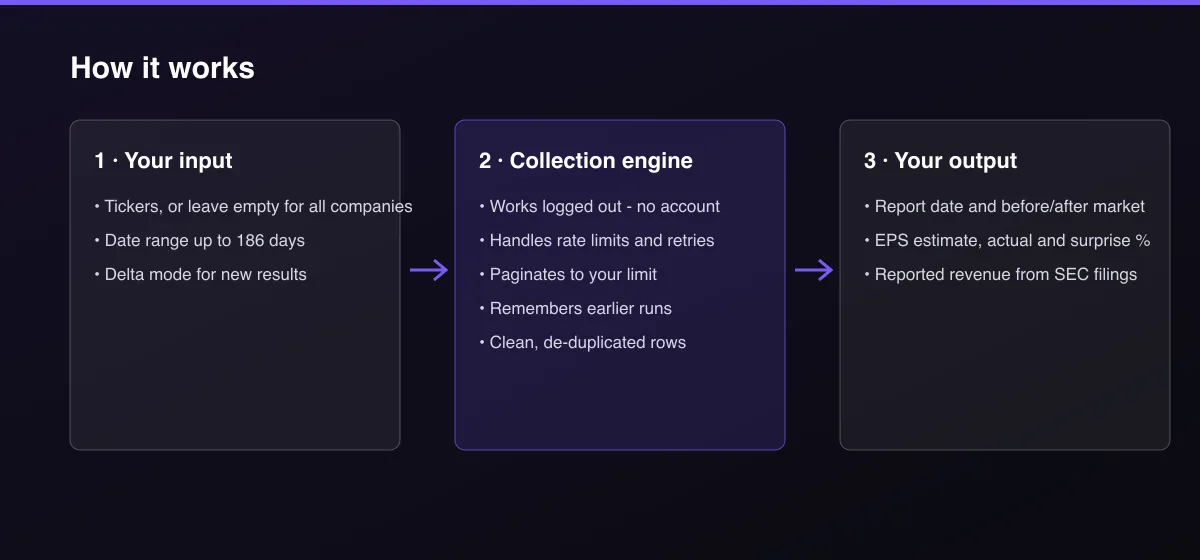
- Your input — enter tickers (or none for all companies) and a date range.
- The Actor collects it — the Actor reads each business day's earnings calendar and, for reported quarters, looks up revenue in SEC filings.
- Your output — you get one row per report with timing, estimate, actual and surprise.
What data can you extract?
The dataset has 19 fields per row:
| Field | Type | Description |
|---|---|---|
ticker | string | Stock ticker. |
company_name | string | Company name. |
report_date | string | Report date (YYYY-MM-DD). |
report_time | string | before_market or after_market, null when not announced. |
fiscal_quarter_end | string | Fiscal quarter the report covers, for example Sep/2026. |
eps_estimate | number | Consensus EPS estimate. |
eps_actual | number | Actual EPS, null before the report. |
surprise_pct | number | Actual versus estimate in percent. |
number_of_estimates | number | Number of analyst estimates behind the consensus. |
revenue_estimate | number | Always null: no free revenue consensus exists. |
revenue_actual | number | Reported quarterly revenue in USD from SEC filings. |
last_year_eps | number | EPS of the same quarter last year. |
last_year_report_date | string | Report date of the same quarter last year. |
market_cap_usd | number | Market capitalization in USD. |
status | string | scheduled or reported. |
fetch_path | string | nasdaq_calendar or nasdaq_calendar_and_sec_filing. |
source | string | Data source. |
scraped_at | string | Collection time (ISO 8601). |
actor_version | string | Output schema version. |
How to use Earnings Calendar: EPS Estimates, Actuals & Surprise
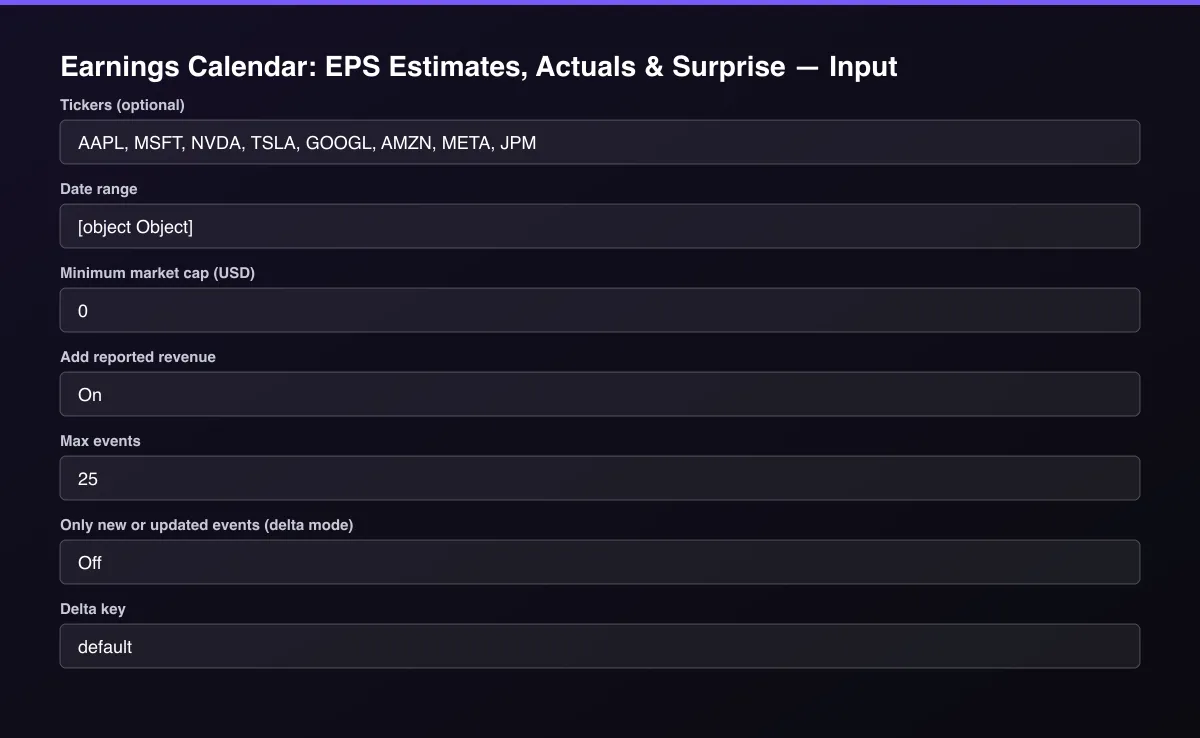
- Open the Actor and go to the Input tab.
- Enter Tickers (or leave empty), set a Date range and Max events, and run.
- Optionally set filters and a Max results limit.
- Click Start. A default run finishes in under a minute.
- Open the Output tab, then download the dataset or connect it to your tools.
Input Parameters
| Parameter | Type | Required | Default | Description |
|---|---|---|---|---|
tickers | array | No | [] | Only return these tickers, one per line. Leave empty for every company reporting in the date range. |
dateRange | object | No | {} | From and to dates (YYYY-MM-DD), at most 186 days. Default is 21 days back and 70 days ahead. |
minMarketCapUsd | number | No | 0 | Skip companies below this market cap. Useful for whole-market calendars. |
includeRevenue | boolean | No | true | Look up the reported quarterly revenue in SEC filings for reported events (up to 60 per run). |
maxItems | integer | No | 100 | Maximum number of events returned. Default is 100; set 0 for no limit. |
deltaMode | boolean | No | false | Return and bill only events not delivered before, or whose status or actual EPS changed (an event that just reported). |
deltaStateKey | string | No | "default" | Name of the tracked stream. Use a different key per watchlist. |
proxyConfiguration | object | No | {"useApifyProxy":false} | Optional proxy. The public calendar works without one from most networks. |
Output Data
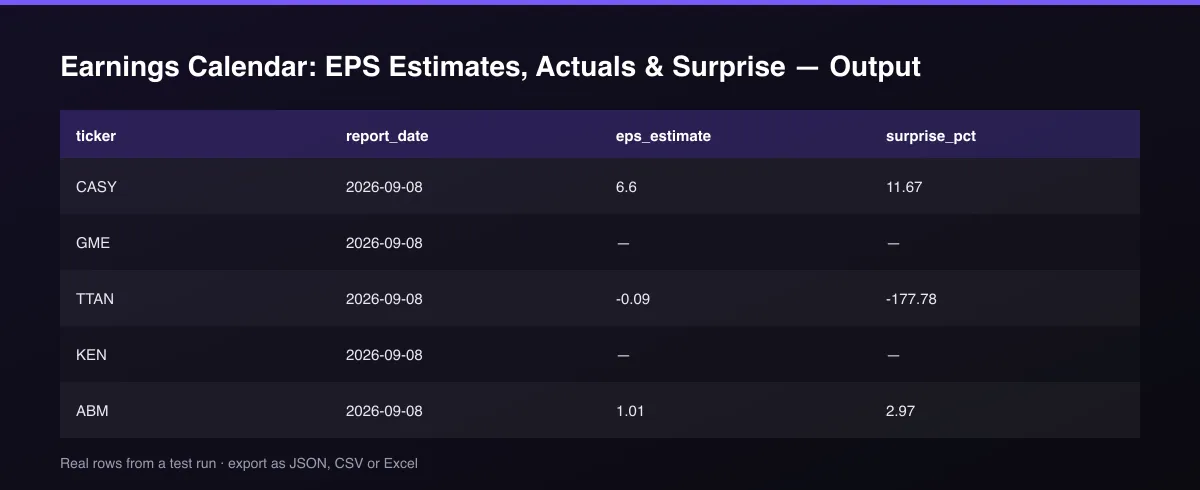
report_time is before_market or after_market, and null when the company has not announced a time. eps_estimate is the consensus before the report; eps_actual and surprise_pct are filled once reported. revenue_actual is the quarterly revenue in US dollars from the company's SEC filing; revenue_estimate is null because no free source publishes revenue consensus. status is scheduled or reported.
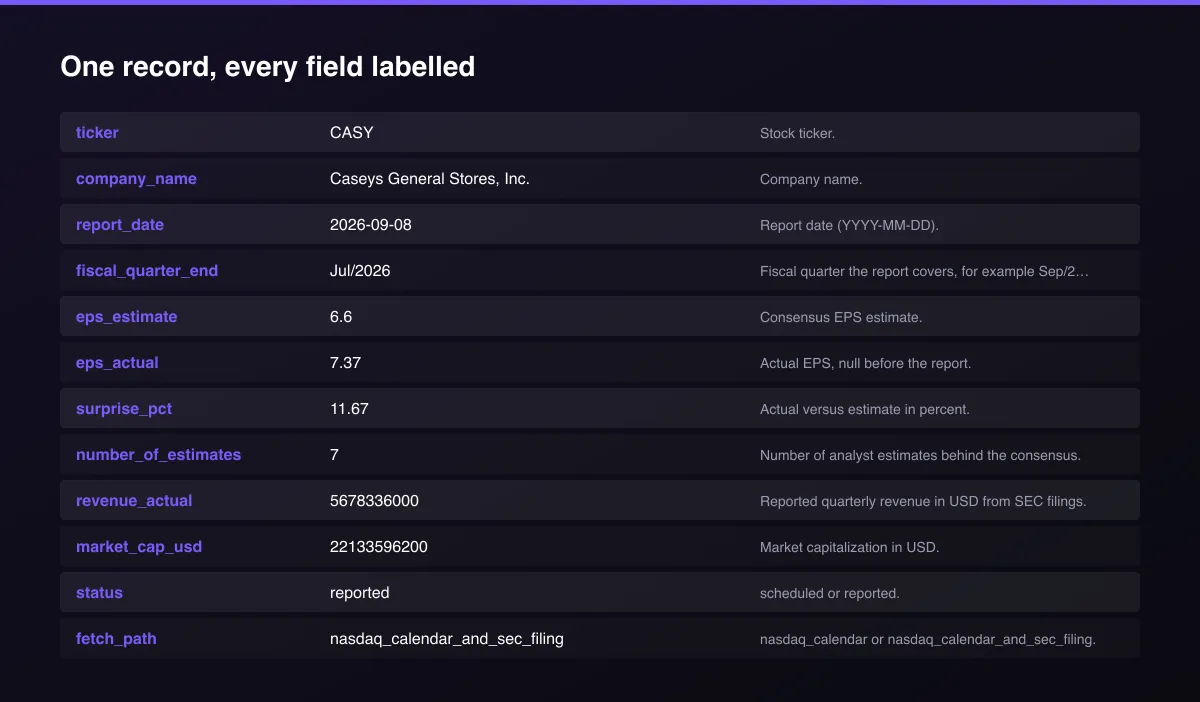
A real dataset item:
How to read and use the results
- Filter status = scheduled for what is coming and sort by report_date.
- Check report_time to know if it lands before or after the market.
- Read surprise_pct on reported rows: positive means a beat.
- Compare with last_year_eps for growth.
- Join on ticker and report_date with your other datasets.
- Automate with delta mode and a daily schedule.
Usage Examples
Earnings for a watchlist
Big companies reporting this week
Only newly reported results
Tips for Best Results
- Use the default window for a rolling view: three weeks of recent results and ten weeks of upcoming dates.
- Filter by minimum market cap to keep whole-market calendars readable.
- Schedule daily with delta mode to receive each result once.
- Join on ticker plus report_date with your options or insider data.
- Default is 5 results for a fast test. Set the max to 0 to return everything available.
Reliability by mode
| Mode | Status | Needs login or key? | Notes |
|---|---|---|---|
| Report dates and timing | ✅ | No | Nasdaq public calendar. |
| EPS estimate, actual, surprise | ✅ | No | Same source. |
| Reported revenue | 🟡 | No | SEC filings; first 60 reported rows per run. |
| Revenue estimate | ❌ | - | Not published for free. |
| Quarters whose revenue is reported only annually | 🟡 | No | Fourth quarter revenue can be null. |
| Source stability | 🟡 | No | Unofficial web service; can change. |
✅ works as described, 🟡 works with caveats, ❌ not supported.
Only new records (delta mode)
Turn on Only new or updated events (delta mode) and set a Delta key. A scheduled run returns, and bills, only events not delivered before or events that changed from scheduled to reported.
Known Limitations
- The calendar and estimates come from Nasdaq's public earnings calendar, which is not a documented API and can change without notice.
- Revenue estimate is not available (null); reported revenue comes from SEC filings and is looked up for up to 60 rows per run.
- Report time is null when the company has not published it.
- Estimates are consensus numbers from the calendar provider at the time of collection.
- Dates can move; run again for the latest schedule.
- For personal research use: Nasdaq's site terms restrict automated collection, so keep volumes low.
Integrations
Run it from the Apify API, on a schedule, or from a webhook. Send results straight to Google Sheets, Make, Zapier, Slack or your own database with Apify's built-in integrations.
Export Formats
Download the dataset as JSON, CSV, Excel, XML, HTML table or RSS from the Output tab or the API.
Frequently Asked Questions
Where does the data come from?
Dates, timing, estimates and actual EPS come from Nasdaq's public earnings calendar (a public web service, not an official documented API). Reported revenue comes from SEC EDGAR company filings, an official source.
Does it need an API key?
No.
What is surprise_pct?
Actual EPS compared with the consensus estimate, in percent, as reported by the calendar.
How do I get the next earnings date for a stock?
Enter the ticker and a date range covering the next three months; the row with status scheduled is the next report.
Can I chain it with other Actors?
Yes. Join on ticker and report_date.
Am I charged for failed results?
No. You are only charged for events written to the dataset.
Do I need an account or login?
No. The Actor reads public web services and needs no account or API key.
Am I charged for failed runs or empty results?
You are only charged for results that are actually written to the dataset.
Can I run it on a schedule?
Yes. Create a Task with your input and add a schedule in Apify Console. With monitor mode on, each scheduled run returns only what changed since the previous one.
Changelog
- 2026-09-26: First release: earnings calendar with estimate, actual, surprise, SEC reported revenue and delta mode.
Enterprise and custom work
Need higher volumes, a custom output schema, dedicated scheduling or a no-breaking-changes commitment for a production pipeline? Open an issue on the Actor page and describe your use case. Bulk terms and custom builds are available.
Support
Questions or a missing field? Open an issue from the Issues tab on this Actor's page and it will be looked at.
Legal / Responsible Use
For personal research use. Nasdaq's website terms restrict automated collection; you are responsible for complying with them and applicable law. SEC data is public. This is not investment advice and the Actor is not affiliated with Nasdaq or the SEC.


