

Flashscore Live Scores, Fixtures & Results Scraper
Pricing
from $1.10 / 1,000 results
Flashscore Live Scores, Fixtures & Results Scraper
Live scores, fixtures and finished results from Flashscore for football, tennis, basketball, ice hockey, baseball and more, for the past and next seven days, filterable by country, league, team and status.
Pricing
from $1.10 / 1,000 results
Rating
0.0
(0)
Developer

MrDoe
Maintained by CommunityActor stats
0
Bookmarked
3
Total users
2
Monthly active users
a month ago
Last modified
Categories
Share
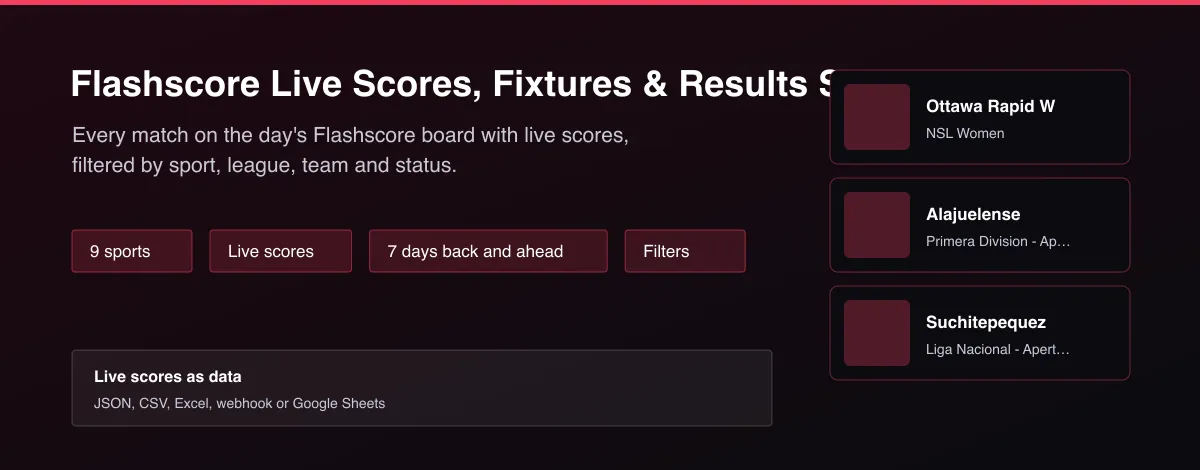
What does Flashscore Live Scores, Fixtures & Results Scraper do?
Flashscore Live Scores, Fixtures & Results returns the Flashscore match board as clean rows: for each match the sport, country, league, teams, start time, status (scheduled, live or finished), current or final score and the winner. Choose one or more sports and any window from seven days back to seven days ahead, then filter by country, league, team or live status. It covers football, tennis, basketball, ice hockey, American football, baseball, handball, rugby union and cricket.
Why use Flashscore Live Scores, Fixtures & Results Scraper?
- Nine sports in one Actor.
- Live, scheduled and finished matches.
- Seven days back and seven days ahead.
- Filter by country, league, team or status.
- Fast: a full day of football in seconds.
What makes this different
Live-score sites are built for reading, not exporting. This Actor returns the whole board as flat rows with the score, status and winner already worked out, so you can feed results into a model, settle bets or trigger alerts on live matches.
How it works
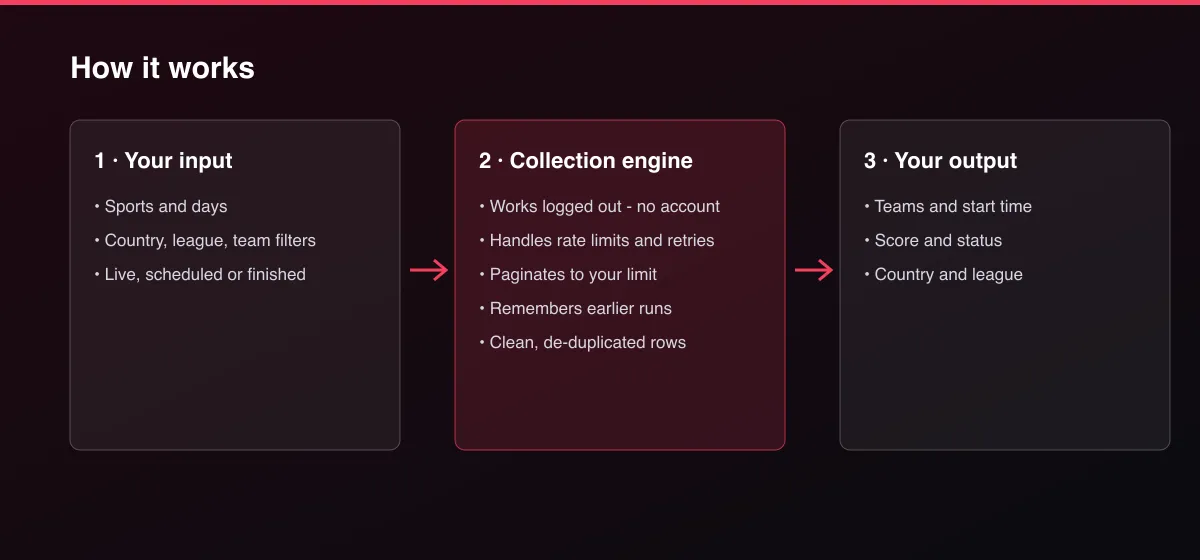
- Your input — choose the sports, days and filters.
- The Actor collects it — the Actor reads the board for each day.
- Your output — you get one row per match, earliest first.
What data can you extract?
The dataset has 16 fields per row:
| Field | Type | Description |
|---|---|---|
matchId | string | Match ID. |
url | string | Match page. |
sportId | integer | Sport ID. |
sport | string | Sport name for the common sports. |
country | string | Country or region of the competition. |
league | string | Competition name. |
leagueUrl | string | Competition page. |
home | string | Home team or player. |
away | string | Away team or player. |
startTime | string | Start time (ISO 8601, UTC). |
status | string | scheduled, live or finished. |
period | string | Current period of a live match when known, for example 2nd half. |
homeScore | integer | Home score (current or final). |
awayScore | integer | Away score (current or final). |
winner | string | home, away or draw once finished. |
scrapedAt | string | ISO timestamp of collection. |
How to use Flashscore Live Scores, Fixtures & Results Scraper
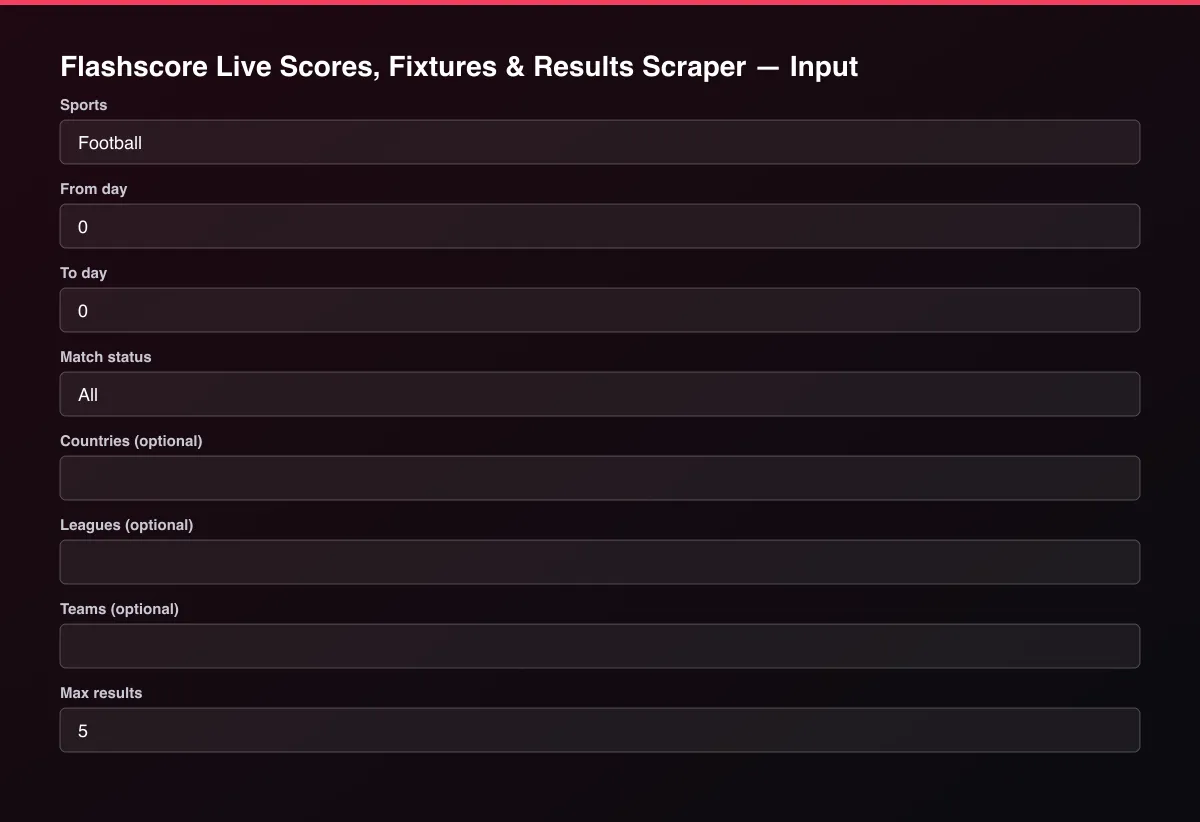
- Open the Actor and go to the Input tab.
- Pick Sports, set From day and To day (0 is today), narrow with Match status, Countries, Leagues or Teams, and set Max results to 0 for everything.
- Optionally set filters and a Max results limit.
- Click Start. A default run finishes in under a minute.
- Open the Output tab, then download the dataset or connect it to your tools.
Input Parameters
| Parameter | Type | Required | Default | Description |
|---|---|---|---|---|
sports | array | No | ["Football"] | Sports by name (Football, Tennis, Basketball, Ice Hockey, American Football, Baseball, Handball, Rugby Union, Cricket) or numeric sport ID. Leave empty for football. |
dayFrom | integer | No | 0 | First day as an offset from today: 0 is today, -1 yesterday, 1 tomorrow. Between -7 and 7. |
dayTo | integer | No | 0 | Last day as an offset from today. Leave equal to the first day for a single day. Between -7 and 7. |
status | string | No | "all" | Only matches in this state. |
countries | array | No | [] | Only competitions from these countries or regions, for example England, Spain, USA, World. |
leagues | array | No | [] | Only competitions whose name contains one of these words, for example Premier League or NBA. |
teams | array | No | [] | Only matches involving a team whose name contains one of these words. |
maxResults | integer | No | 5 | Maximum number of matches returned. Default is 5 for a quick test; set 0 to return everything available. |
proxyConfiguration | object | No | {"useApifyProxy":false} | Optional. The data is public and works without a proxy. |
Output Data
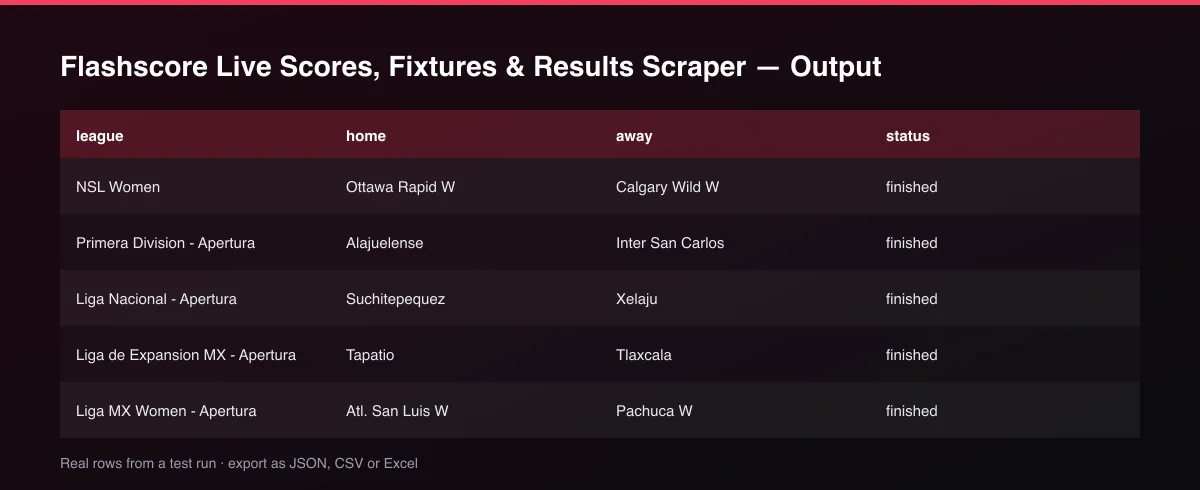
status is scheduled, live or finished, homeScore and awayScore hold the current or final score, and winner is set once the match has finished. league and country describe the competition and leagueUrl links to it.
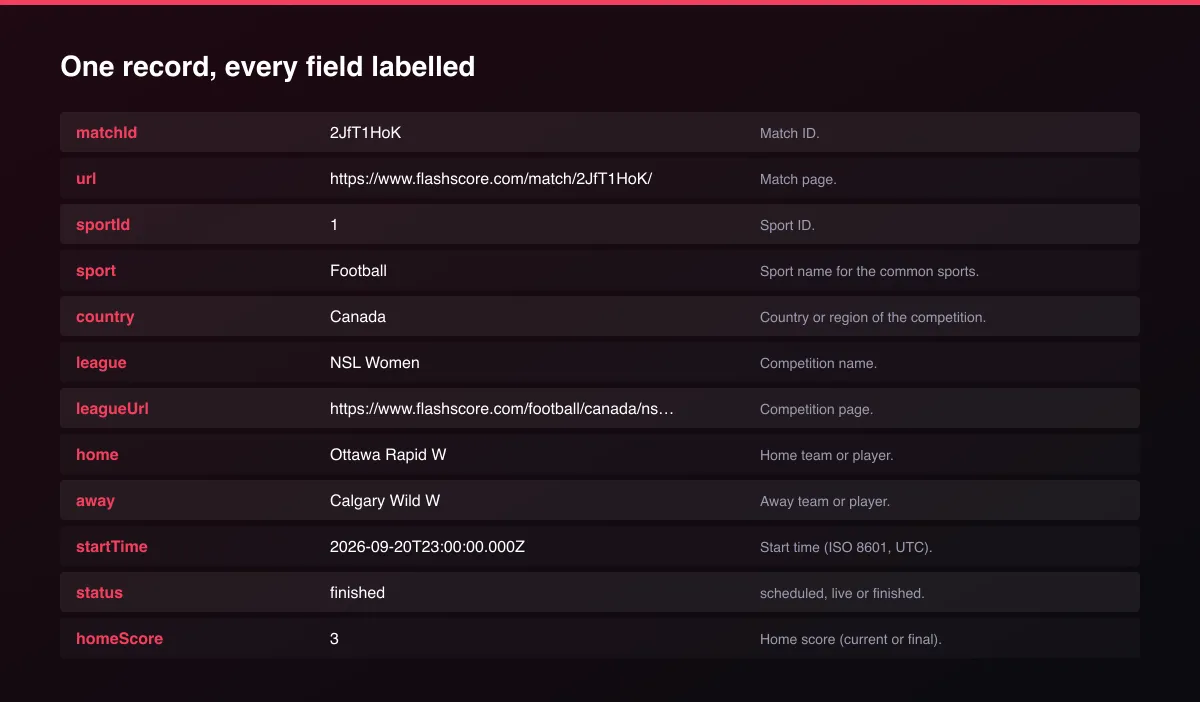
A real dataset item:
Usage Examples
Live football right now
Yesterday's results
This week's tennis fixtures
Tips for Best Results
- Default is 5 results for a fast test. Set the max to 0 to return everything available.
Known Limitations
- Only the board within seven days back and ahead is available.
- Odds, line-ups and match statistics are not included, only fixtures, scores and status.
- The day boundary follows the source's own day, so matches near midnight may appear on the adjacent day.
- Sport names are given for the common sports; others show only the sport ID.
Integrations
Run it from the Apify API, on a schedule, or from a webhook. Send results straight to Google Sheets, Make, Zapier, Slack or your own database with Apify's built-in integrations.
Export Formats
Download the dataset as JSON, CSV, Excel, XML, HTML table or RSS from the Output tab or the API.
Frequently Asked Questions
Does it need an account or API key?
No. The Actor reads public data and needs no account or key.
Am I charged for failed results?
No. You are only charged for results that are written to the dataset.
Do I need an account or login?
No. The Actor reads public data and needs no account or key.
Am I charged for failed runs or empty results?
You are only charged for results that are actually written to the dataset.
Can I run it on a schedule?
Yes. Create a Task with your input and add a schedule in Apify Console. With monitor mode on, each scheduled run returns only what changed since the previous one.
Support
Questions or a missing field? Open an issue from the Issues tab on this Actor's page and it will be looked at.
Legal / Responsible Use
You are responsible for using the data in line with the source's terms and applicable law. The Actor collects publicly available data only and is not affiliated with the source.


