

Gemini Exchange Market Data Scraper
Pricing
from $2.00 / 1,000 results
Gemini Exchange Market Data Scraper
Real-time crypto prices, order book depth, recent trades and daily candles from the Gemini exchange, for any tracked trading pair.
Pricing
from $2.00 / 1,000 results
Rating
0.0
(0)
Developer

MrDoe
Maintained by CommunityActor stats
0
Bookmarked
2
Total users
1
Monthly active users
6 days ago
Last modified
Categories
Features
Share
What does Gemini Exchange Market Data Scraper do?
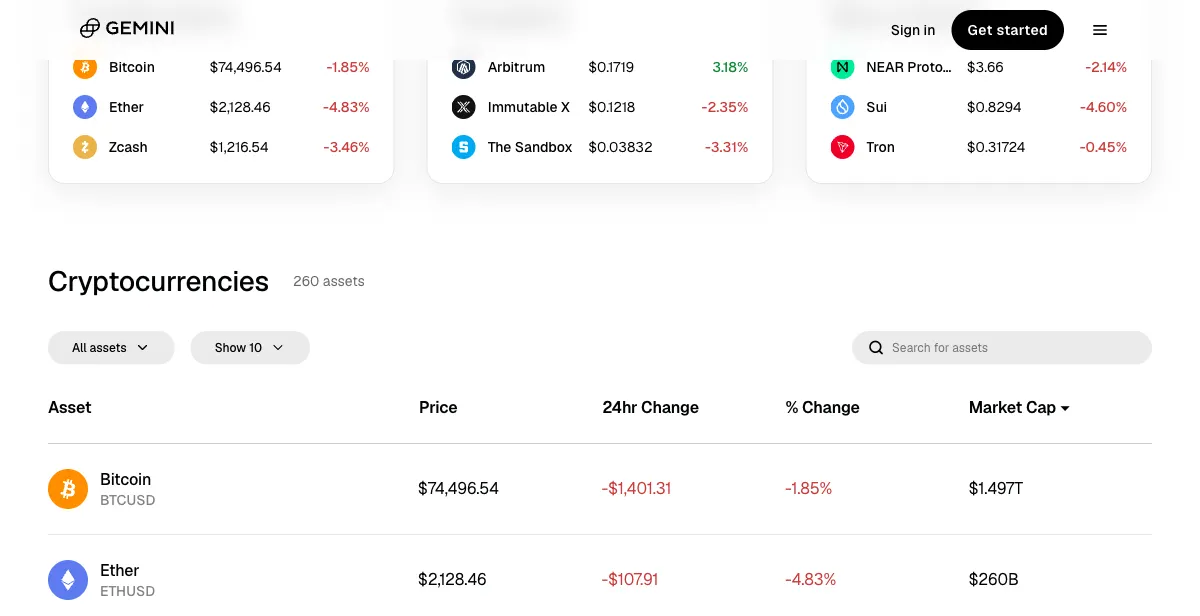
Gemini Exchange Market Data Scraper collects real-time cryptocurrency market data from the Gemini exchange for any trading pair you track - current bid/ask/last price, 24-hour open/high/low/close, order book depth, recent executed trades, and daily price candles. Point it at symbols like btcusd or ethusd and get structured, ready-to-use market data in seconds.
Why use Gemini Exchange Market Data Scraper?
- Live prices and 24-hour stats for any Gemini-listed trading pair, refreshed on every run.
- Real order book depth (best bids and asks) alongside the price ticker.
- Recent trade history with real trade IDs, prices, sizes and sides.
- Daily OHLC candles for quick historical context, no extra setup.
- One flat, consistent schema across prices, trades and candles - easy to filter and export.
Who can use this Actor?
- Traders and analysts: track live prices and spreads across multiple pairs in one place.
- Quant and data teams: build historical price/volume datasets for backtesting.
- Dashboards and bots: feed live Gemini market data into your own tools on a schedule.
- Researchers: study crypto market depth, trade activity and daily price behavior.
How to use Gemini Exchange Market Data Scraper
- Open the Input tab and list the trading pairs you want (e.g.
btcusd,ethusd,solusd). - Choose which data to include: price ticker (on by default), recent trades, and/or daily candles.
- Click Start.
- Download your results as JSON, CSV or Excel, or pull them via the API.
Input
| Field | Type | Description |
|---|---|---|
symbols | array | Trading pairs to track, e.g. btcusd. Defaults to btcusd and ethusd. |
includeTicker | boolean | Current price, 24h stats and order book snapshot. Default: on. |
includeTrades | boolean | Recent executed trades. Default: off. |
tradesLimit | integer | Trades to collect per symbol when enabled. Default: 20. |
includeCandles | boolean | Recent daily OHLC candles. Default: off. |
candlesLimit | integer | Candles to collect per symbol when enabled. Default: 30. |
bookDepth | integer | Order book price levels to include in the ticker row. Default: 5. |
maxResults | integer | Maximum total rows across all symbols and data types. Default: 500. |
Output
Each row is one of three types (recordType): ticker, trade, or candle. Fields not relevant to a row's type are null.
Dataset fields
| Field | Description |
|---|---|
exchange, symbol, recordType | Present on every row. |
bid, ask, last | Current price snapshot (ticker rows). |
open24h, high24h, low24h, close24h | 24-hour price stats (ticker rows). |
baseVolume24h, quoteVolume24h, volumeTimestamp | 24-hour trading volume (ticker rows). |
bids, asks | Order book price levels (ticker rows). |
tradeId, price, amount, side, tradedAt | Executed trade details (trade rows). |
candleTimestamp, candleOpen, candleHigh, candleLow, candleClose, candleVolume | Daily candle (candle rows). |
scrapedAt | When this Actor collected the row. |
API, scheduling and exports
Run this Actor via the Apify API or client libraries, or set up a Schedule in the Apify Console to track prices on a recurring basis (e.g. every few minutes for near-live tracking). Results export directly to JSON, CSV, Excel, or feed into other Actors and integrations.
Proxy and cost considerations
No proxy is required - Gemini's market data is publicly accessible. Cost scales with the number of symbols and data types you include; keep symbols, tradesLimit and candlesLimit tight for frequent scheduled runs.
Limitations and FAQ
Which trading pairs are supported?
Any pair currently listed on Gemini. Use the exact symbol as shown on Gemini (lowercase, no separator, e.g. btcusd).
Does this place trades or need an account?
No. This Actor only reads public market data - it never logs in, places orders, or touches any account.
Why did I get fewer rows than expected?
A symbol that isn't listed on Gemini, or has no recent trades, will simply return less data for that symbol - nothing is fabricated to fill the gap.
Responsible use and licensing disclaimer
This Actor reads publicly accessible market data from Gemini. You are responsible for using the collected data in line with Gemini's own terms of service and any applicable laws in your jurisdiction, particularly around financial data use.


