
TikTok Top Ads Scraper
Pricing
from $1.80 / 1,000 ad returneds
TikTok Top Ads Scraper
Returns TikTok's own current top-performing ads for a country, with likes, click-through rate and budget tier - no TikTok account needed.
Pricing
from $1.80 / 1,000 ad returneds
Rating
0.0
(0)
Developer

MrDoe
Maintained by CommunityActor stats
0
Bookmarked
2
Total users
1
Monthly active users
3 days ago
Last modified
Categories
Share
What does TikTok Top Ads Scraper do?
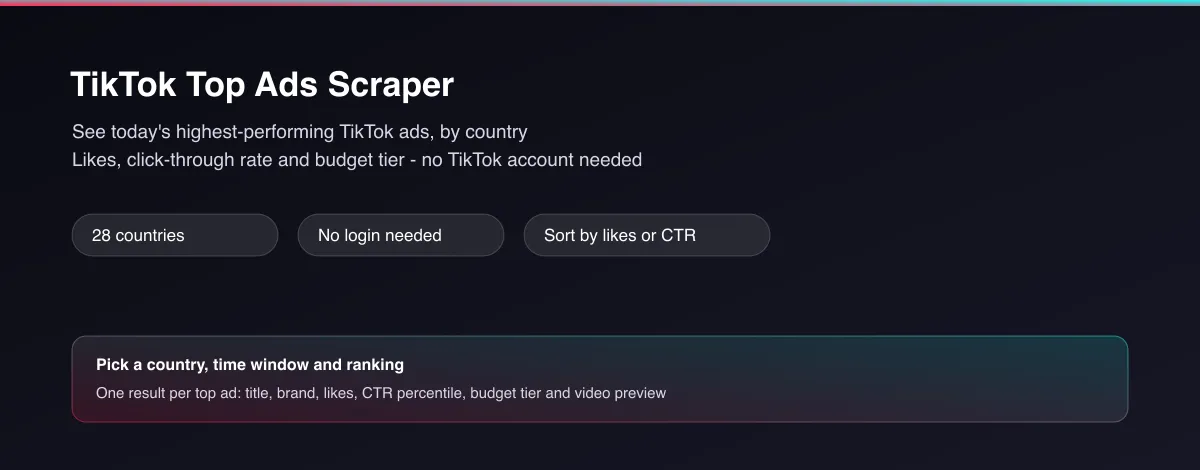
TikTok Top Ads Scraper returns TikTok's own current list of top-performing ads for a country, as clean structured data. Pick a country, a time window and how you want the ads ranked, and for each ad you get the title, brand, industry, campaign objective, likes, a click-through-rate percentile, a budget tier, and a direct video preview - no TikTok Business account, no login, and no manual browsing required.
Why use TikTok Top Ads Scraper?
- No TikTok account needed - works fully logged out, every run.
- Real performance signals, not just creatives - likes, a CTR percentile and a budget tier for every ad, so you can tell a genuinely high-performing ad from a random one.
- 28 countries - the same ad category can look completely different market to market.
- Three ways to rank - trending (TikTok's own blended relevance score), estimated reach, or click-through rate, depending on what "winning" means for your use case.
- Ready-to-use video previews - a direct link to each ad's video and cover image, so you can actually watch what's working, not just read a title.
What makes this different
Most "ad library" tools hand you a wall of creatives and leave you to guess which ones actually worked. This Actor surfaces TikTok's own top-ad rankings directly - the same ads TikTok itself highlights as high performers for a market - with the engagement and performance numbers already attached, so you can skip straight to "what's working right now" instead of scrolling.
Who uses TikTok Top Ads Scraper?
- Performance marketers and UGC/ad agencies - find proven ad angles and hooks for a market before briefing a new creative, instead of starting from a blank page.
- E-commerce and dropshipping sellers - spot which product categories and offers are currently resonating on TikTok in their target country.
- Growth and social media teams - track what style of ad (format, length, objective) is winning attention this week versus last month.
- Market researchers and consultants - benchmark advertising activity and creative trends across countries for a client report, without manually trawling TikTok.
How it works
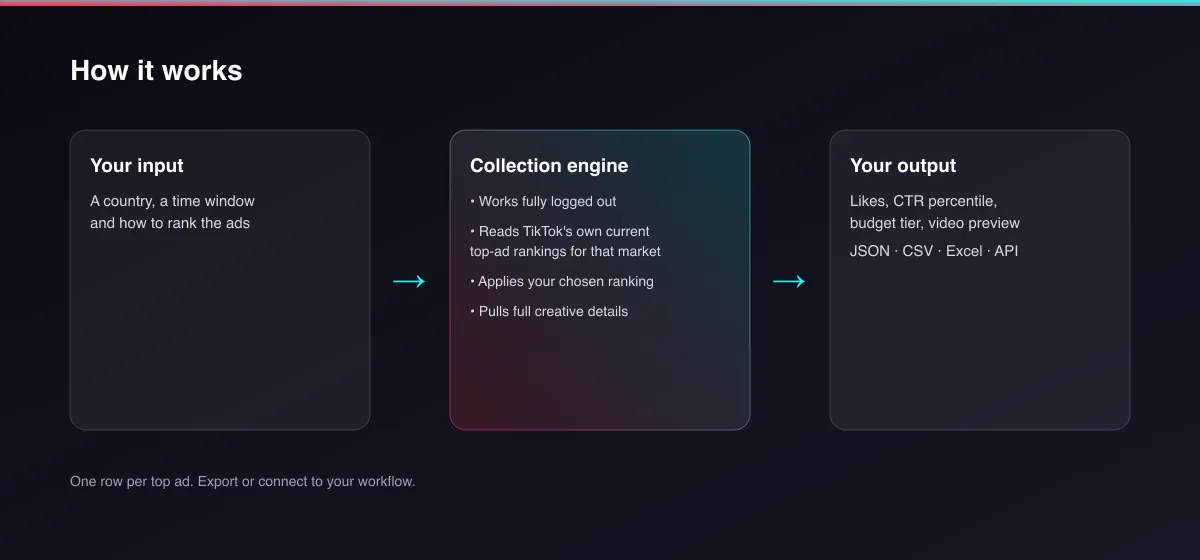
- Your input - a country, a time window, and how you want the ads ranked.
- The Actor collects it - it reads TikTok's own current top-ad rankings for that market, works fully logged out, and applies the ranking you chose.
- Your output - one structured record per top ad, with its performance numbers and a video preview, ready for a spreadsheet, dashboard or report.
What data can you extract?
| Field | Description |
|---|---|
adTitle | The ad's on-screen title or caption |
brandName | The advertiser's brand name, when TikTok shows one |
country | The country this ranking applies to |
periodDays | The time window used (7, 30 or 180 days) |
sortedBy | Which ranking was applied (trending, reach or CTR) |
objective | The advertiser's campaign objective (e.g. Conversions, Video Views) |
industry | TikTok's own industry category for the ad |
likes | Likes on the ad's video |
ctrPercentile | Click-through-rate percentile, as TikTok itself ranks it |
budgetTier | Relative spend tier: Low, Medium or High |
videoDurationSec | Video length in seconds |
videoCoverUrl | Cover image for the ad's video |
videoUrl | Direct playable video URL (best available quality) |
videoWidth / videoHeight | Video dimensions |
adDetailUrl | Link to the ad's own analytics page on TikTok |
scrapedAt | When this record was collected (ISO timestamp) |
How to use TikTok Top Ads Scraper
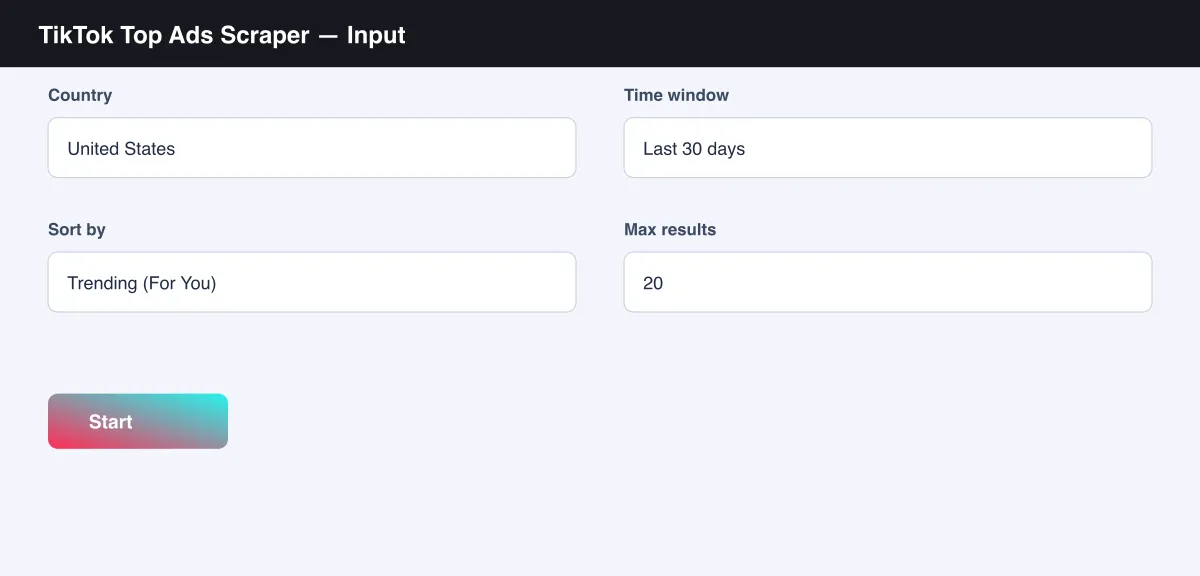
- Open the Actor and go to the Input tab.
- Pick a Country and a Time window (see the screenshot below).
- Choose how to Sort by - Trending, Estimated reach, or Click-through rate.
- Optionally set Max results.
- Click Start.
- Open the Dataset tab, or pull results via the API, once the run finishes.
Input Parameters
| Parameter | Type | Required | Default | Description |
|---|---|---|---|---|
country | String | No | "US" | Which country's top ads to return (28 supported) |
period | Integer | No | 30 | Time window in days: 7, 30 or 180 |
sortBy | String | No | "trending" | Ranking signal: "trending", "reach" or "ctr" |
maxItems | Integer | No | all available | Optional cap on how many ads to return (typically up to ~20 are available per combination) |
Output Data
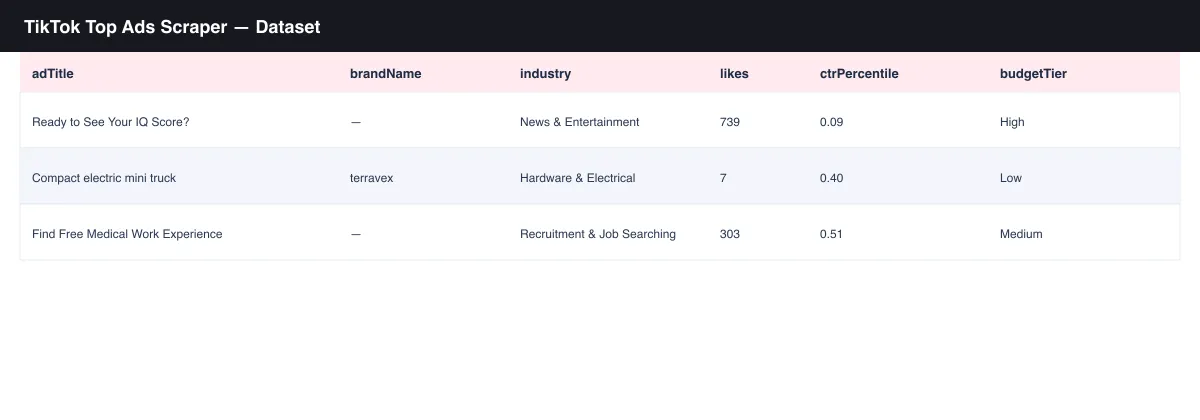
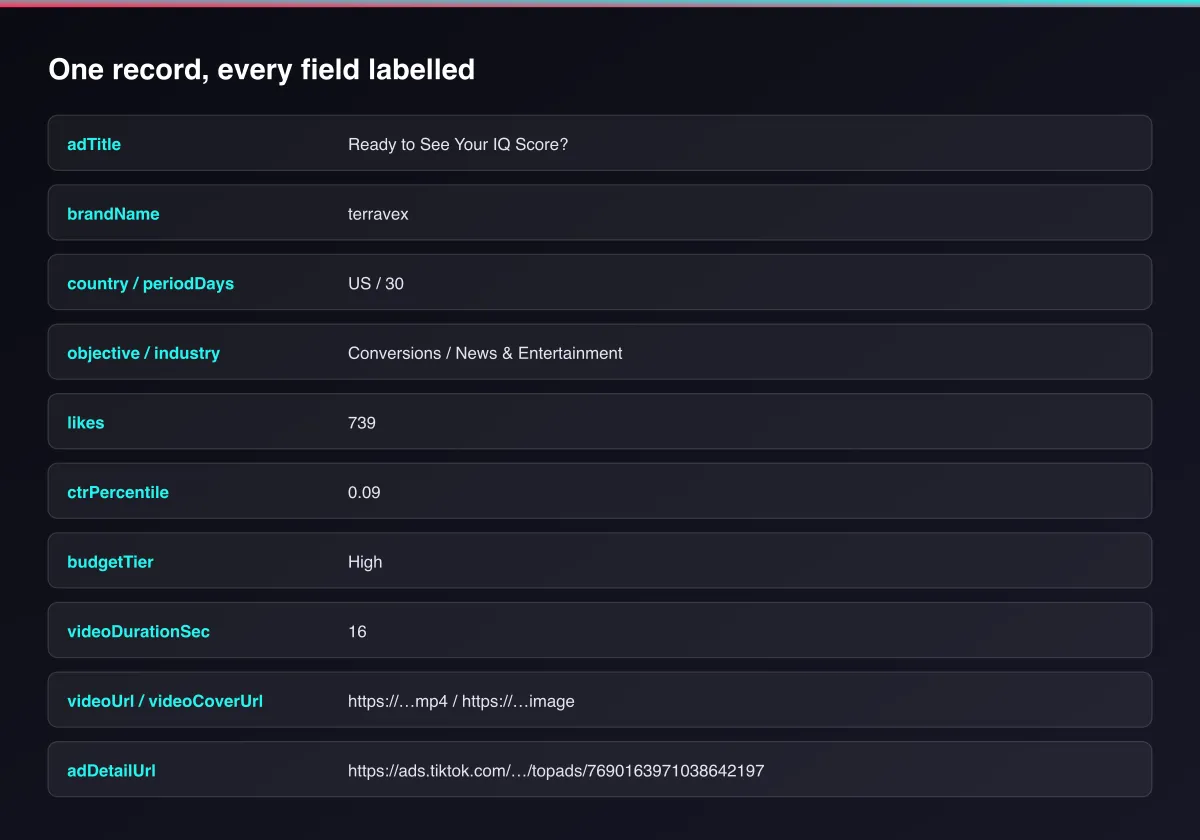
Each top ad produces one dataset record. Example:
Usage Examples
- Market pulse check - run
country: "US",sortBy: "trending"to see what's broadly winning attention on TikTok right now. - CTR-driven creative research - run with
sortBy: "ctr"to pull the ads with the strongest relative click-through rate in your market, as a source of hooks and angles. - Multi-market comparison - run the same
periodandsortByacross a few countries to see how creative trends differ by market. - Weekly trend tracking - schedule a
period: 7run to catch what's newly trending each week, separate from longer-running winners.
Tips for Best Results
sortBy: "trending"reflects TikTok's own blended relevance score - a good general-purpose default when you're not optimizing for one specific metric.- Run the same country and window on a schedule to see how the top-ad lineup shifts over time.
budgetTieris relative, not an exact spend figure - use it to separate clearly well-funded campaigns from smaller tests, not as a precise budget number.
Known Limitations
- Returns TikTok's own current top-ad list for the chosen country, time window and ranking - typically up to ~20 ads per combination, not an exhaustive archive of every ad running.
ctrPercentileandbudgetTierare relative signals exactly as TikTok itself presents them, not independently verified absolute numbers.videoUrlandvideoCoverUrlare temporary links issued by TikTok's video delivery network; download or re-host them promptly if you need to keep a copy.- Reflects a snapshot at the time of the run; TikTok's top-ad rankings change continuously.
Integrations
Connect TikTok Top Ads Scraper to the rest of your stack via the Apify API, webhooks, scheduled runs, or directly to Google Sheets, Make, and Zapier through Apify's built-in integrations.
Export Formats
Download results as JSON, CSV, Excel, or XML from the Dataset tab, or fetch them programmatically via the Apify API.
Frequently Asked Questions
Do I need a TikTok Business account or to log in?
No. Every run works fully logged out.
How many ads can I get per run?
Typically up to around 20 for a given country, time window and ranking - this reflects TikTok's own current top-ad list for that combination, not a fixed limit this Actor imposes.
What does ctrPercentile mean?
It's the click-through-rate percentile TikTok itself assigns the ad relative to other ads in that market and window - a relative performance signal, not a raw click rate.
Can I schedule this to run automatically?
Yes, use Apify's built-in Scheduler to re-check a country on any interval you choose and track how its top ads change over time.
Am I charged for a run that returns no ads?
You're only charged the run-start fee plus the per-ad fee for each ad actually returned.
Support
Found an issue or have a request? Open it on the Actor's Issues tab in the Apify Console.
Legal / Responsible Use
You're responsible for using this Actor in compliance with applicable laws and the target platform's terms of service. This Actor retrieves publicly viewable ad-performance information only; it does not collect personal data.


