

Youtube Insight Extractor
Pricing
from $1.20 / 1,000 results
Youtube Insight Extractor
Turn a YouTube video transcript into a structured briefing: summary, key takeaways, action items, timestamped quotes and a chapter outline. Full transcript included. No login.
Pricing
from $1.20 / 1,000 results
Rating
5.0
(1)
Developer

MrDoe
Maintained by CommunityActor stats
1
Bookmarked
4
Total users
1
Monthly active users
2 days ago
Last modified
Categories
Share
What does YouTube Insight Extractor do?
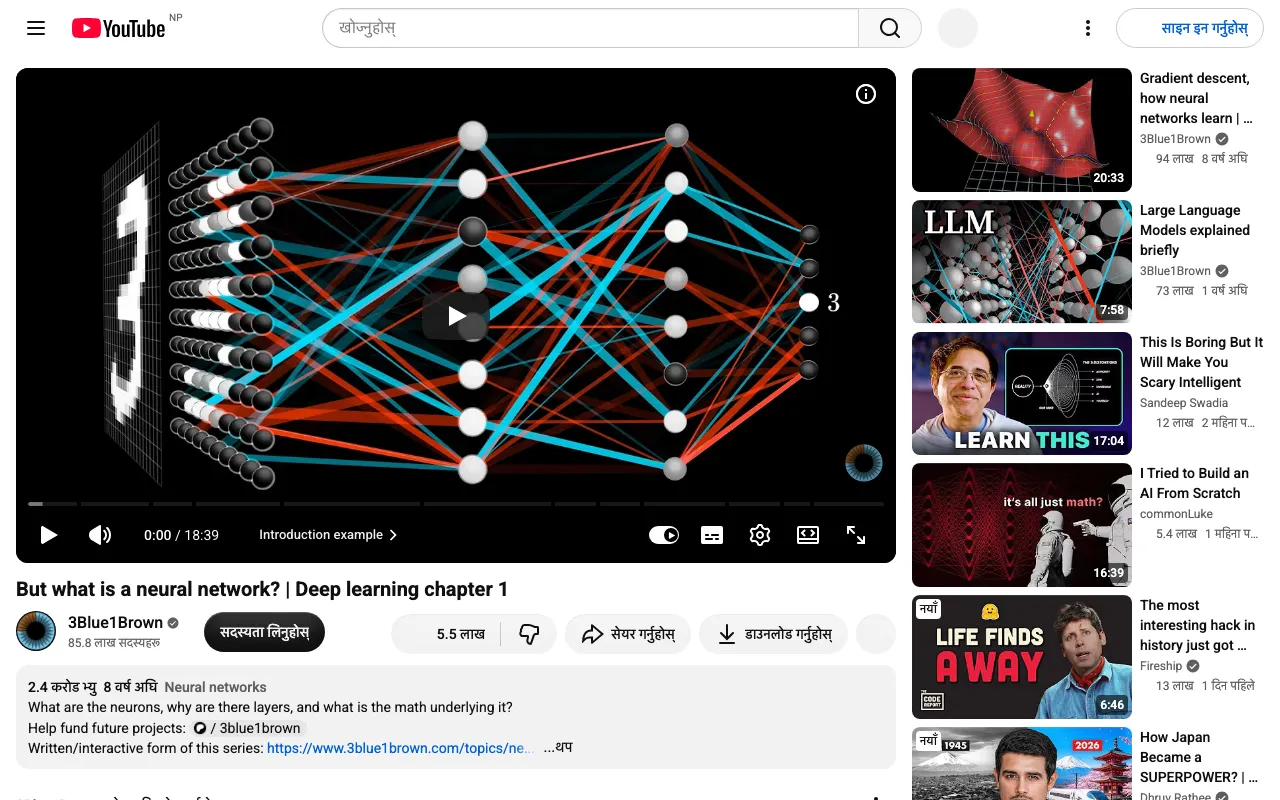
YouTube Insight Extractor reads a YouTube video's transcript and returns a structured briefing for each video: a short summary, key takeaways, action items, notable quotes with timestamps, an ordered chapter breakdown, topic tags, tone, and target audience. It also returns the full transcript, the timestamped transcript segments, and the video's metadata (title, channel, duration, view count, description, keywords, thumbnail). You give it a list of YouTube video URLs or IDs; it gives you one clean row per video that you can read, search, or feed into notes and research tools.
It is built for researchers, content teams, analysts, and anyone who needs the substance of a video without watching all of it.
Why use YouTube Insight Extractor?
- Substance, not a raw dump - you get takeaways and action items, not just an unformatted transcript.
- Timestamped - notable quotes and chapters carry offsets so you can jump straight to the moment.
- Full transcript included - the complete transcript and per-line segments are in every row for your own processing.
- Clean, structured output - one row per video, consistent field names, ready for CSV or API.
- Any available caption language - request a language, or fall back to the video's default track.
- Automatable - schedule runs over a channel's new uploads or a research list.
What makes this different
Most transcript tools return the transcript and stop. This Actor adds the briefing layer: it turns the transcript into a summary, a list of concrete takeaways, action items a viewer could act on, verbatim quotes with timestamps, and a chapter outline - while still returning the raw transcript and segments so nothing is lost. The briefing uses a no-cost default model, so the per-result cost stays low.
How it works

- Your input - a list of YouTube video URLs or IDs and a preferred transcript language.
- The Actor collects it - it reads each video's metadata and transcript, then writes one structured briefing per video.
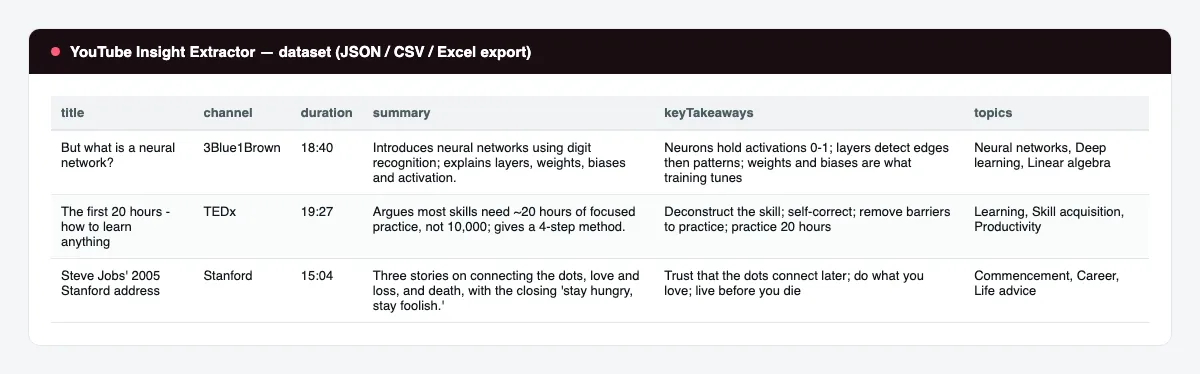
- Your output - a dataset with one row per video: summary, takeaways, action items, quotes, chapters, topics, and the full transcript. Export to JSON, CSV, or Excel, or read it from the API.
What data can you extract?
| Field | Description |
|---|---|
videoId | The 11-character YouTube video ID. |
url | Canonical watch URL. |
title | Video title. |
channel | Channel name. |
channelUrl | Channel URL. |
publishDate | Publish or upload date, when available. |
durationSeconds | Video length in seconds. |
viewCount | View count at read time. |
category | YouTube category, when available. |
keywords | Video keyword tags. |
description | Video description text. |
thumbnailUrl | Highest-resolution thumbnail URL. |
transcriptLanguage | Language code of the transcript used. |
transcriptStatus | ok, no-captions, or a short reason. |
summary | 3-6 sentence summary of the video. |
keyTakeaways | List of concise takeaway points. |
actionItems | Concrete things a viewer could do; empty for non-instructional videos. |
topics | Topic tags derived from the transcript. |
notableQuotes | List of { quote, approxOffsetSeconds, timestamp }. |
chapters | Ordered list of { title, summary, startOffsetSeconds, timestamp }. |
tone | The video's tone. |
targetAudience | Who the video is aimed at. |
transcript | The full transcript as one string. |
transcriptSegments | Per-line { text, offsetSeconds, timestamp }. |
enrichmentConfidence | Briefing confidence: high, medium, or low. |
enrichmentStatus | Whether the briefing was produced, and if not, why. |
scrapedAt | ISO timestamp of the run. |
How to use YouTube Insight Extractor
- Open the Actor in the Apify Console.
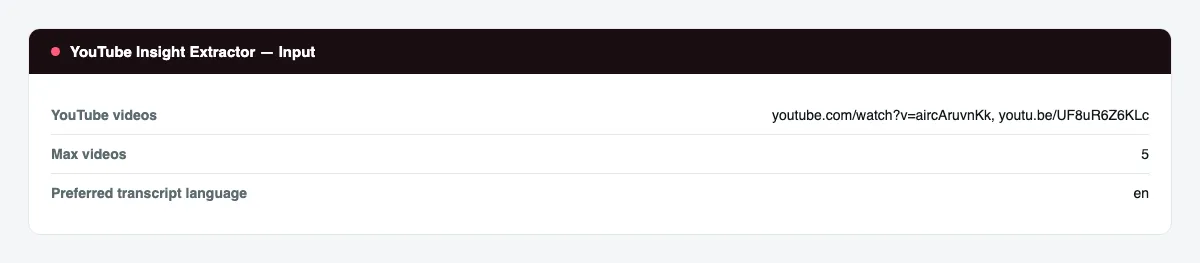
- In YouTube videos, paste one video URL or ID per line.
- Set Max videos and, if needed, a Preferred transcript language.
- Press Start.
- When the run finishes, open the Dataset tab and export to CSV, JSON, or Excel, or connect it to your workflow.
Input Parameters
| Parameter | Type | Required | Default | Description |
|---|---|---|---|---|
videoUrls | array | Yes | one example video | One entry per video: a watch URL, youtu.be link, Shorts link, or bare video ID. |
maxItems | integer | No | 5 | Stop after this many video reports. |
language | string | No | en | Two-letter language code for the transcript. Falls back to the default track if unavailable. |
openRouterApiKey | string (secret) | No | — | Optional key for the analysis service. Without it, the transcript and metadata are still returned and the briefing fields are left empty. |
proxyConfiguration | object | Yes | Apify residential | Proxy settings. A residential proxy is required; the default uses Apify's residential proxy. |
Output Data
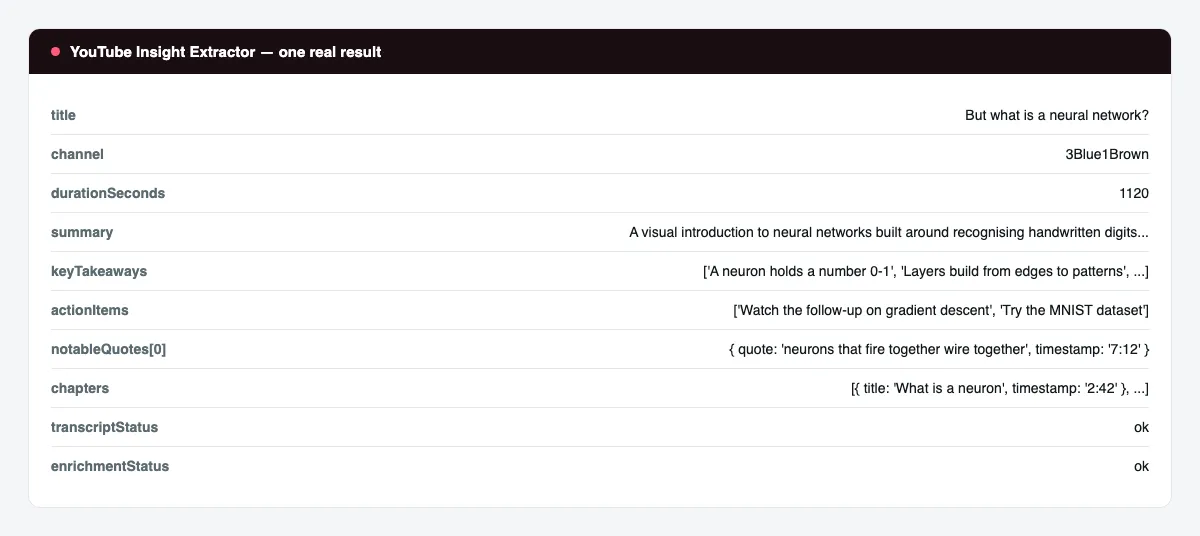
One dataset item per video. Real sample record (transcript trimmed for length):
Usage Examples
- Research digest - paste 20 talk URLs, run, and read the
summaryandkeyTakeawayscolumns. - Course notes - run a tutorial series and keep the
chaptersandactionItemsfor each video. - Quote sourcing - filter
notableQuotesfor a phrase and jump to thetimestamp. - Content repurposing - use
topicsandkeyTakeawaysas the outline for a blog post or newsletter.
Tips for Best Results
- Videos need captions (creator-provided or auto-generated).
transcriptStatustells you when a video has none. - Set
languageto match the spoken language for the cleanest transcript. - Long videos are summarized from the first portion of the transcript when it is very long; the full transcript is always returned in full.
- Provide an analysis service API key for the briefing fields; the transcript and metadata work without one.
Known Limitations
- A residential proxy is required; video data is not served to datacenter traffic.
- Videos with captions disabled return
transcriptStatusno-captionsand empty briefing fields. - Private, age-restricted, members-only, and region-blocked videos may return a status explaining why instead of a transcript.
publishDateandcategorydepend on the video page and can be null.- Auto-generated captions contain transcription errors that carry into the briefing.
- The briefing quality reflects the default no-cost model and can be terse on very long or highly technical videos.
Integrations
Connect the dataset to Google Sheets, Airtable, Make, Zapier, or n8n; call the Actor from the Apify API; trigger it with webhooks; or schedule recurring runs from the Apify Console.
Export Formats
JSON, CSV, Excel, and XML, from the Dataset tab or the Apify API.
Frequently Asked Questions
Do I need an account or login?
No. The Actor reads public video data and never logs in anywhere.
Which videos work?
Any public video that has captions - creator-provided or auto-generated. Shorts, youtu.be links, and bare IDs are all accepted.
What if a video has no captions?
The row is still written with metadata and transcriptStatus set to no-captions; the briefing fields are empty.
Can I get the transcript in another language?
Set language to the two-letter code you want. If that track does not exist, the video's default track is used and transcriptLanguage shows which one.
Is the full transcript included?
Yes. Every row contains the full transcript string and the transcriptSegments array with per-line timestamps.
Am I charged for failed results?
You are charged for video reports written to the dataset. Videos that fail before a report is written are not charged.
How fresh is the data?
Metadata and the transcript are read live at run time. viewCount is the value at read time.
Can it export to Google Sheets?
Yes. Connect the dataset to the Google Sheets integration or pull it from the API.
Does it handle duplicate videos?
Yes. Videos are keyed by ID; a duplicate entry is processed once.
Support
Questions and bug reports: use the Issues tab on the Actor's Console page. Include the input you ran and the run ID.
Legal / Responsible Use
You are responsible for complying with YouTube's Terms of Service, applicable law, and responsible data-use requirements. Transcripts and video metadata may include personal data; you are responsible for meeting any applicable privacy and data-protection obligations (for example GDPR) for personal data you collect and store, and for respecting the rights of content creators when reusing transcript text.


