Ireland Passport Application Status Tracker
Pricing
from $10.00 / 1,000 application lookups
Ireland Passport Application Status Tracker
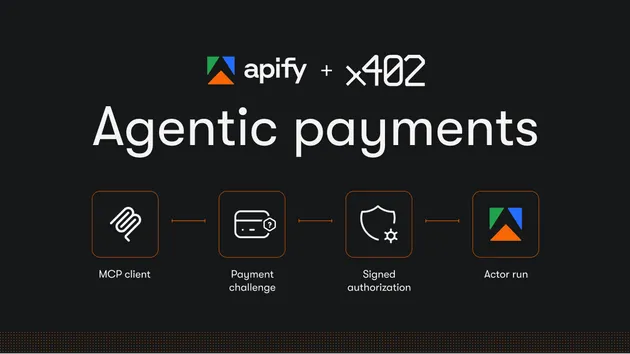
Returns the status of an Irish passport application from the DFA tracking tool (stage, target issue date, found or not), with a monitor mode alerting on stage or issue-date changes. Inputs: 11-digit application ID(s), monitorMode. Agent-ready: pay per event (x402 and MCP); not-found is charged.
Pricing
from $10.00 / 1,000 application lookups
Rating
0.0
(0)
Developer

Adam Pearce
Maintained by CommunityActor stats
0
Bookmarked
2
Total users
1
Monthly active users
8 days ago
Last modified
Categories
Share
What does Ireland Passport Application Status Tracker do?
Checks the real, official status of an Irish passport application, using the Department of Foreign Affairs' own Passport Tracking tool, the same tool you'd check by hand, automated. Give it an 11-digit application ID (the barcode number from your application form or An Post receipt) and it returns whatever DFA's tracker currently shows. Point it at several applications at once, or turn on Monitor mode and schedule it to run daily or weekly to get alerted the moment something actually changes, instead of checking the DFA site yourself.
This covers Irish citizenship-by-descent applicants too, once your application has reached the passport stage. If you came here through Foreign Birth Registration (FBR), see the FAQ below, that earlier stage has no online tracker at all, and this Actor is honest about that rather than pretending otherwise.
Run it directly from the Apify Console, schedule it, or call it via the Apify API from your own app or AI agent.
Why use Ireland Passport Application Status Tracker?
- You're one of the ~250,000 people a year applying from the UK. Irish passport applications from Britain hit a post-Brexit record in 2025, and keep climbing. If you're one of them (or helping someone who is), you've probably already refreshed the DFA tracker more times than you'd like to admit.
- Citizenship application services need this for every client. If you help people with Irish citizenship or passport applications, this turns "manually check the DFA site for each active client" into one scheduled run with an alert only when something actually moves.
- Bulk and repeat checks, without the manual clicking. Check a whole family's applications in one run, or set up Monitor mode and stop thinking about it until something changes.
How to use Ireland Passport Application Status Tracker
- Click Try for free or open the Actor in Apify Console.
- Enter your 11-digit application ID, from your application form or An Post receipt (or several, for a family).
- Click Start for a one-off check, or turn on Monitor mode and schedule the Actor (daily or weekly) for ongoing alerts.
- Read the result in the Output tab, or download it as JSON, CSV, or Excel.
Input
| Field | Type | Description |
|---|---|---|
applicationId | String | A single 11-digit application ID, for a one-off check. |
applicationIds | Array | A list of 11-digit application IDs, for a bulk check or Monitor mode. |
monitorMode | Boolean | When true, compares today's result against the last check and returns only the change (or a cheap no-change confirmation). Schedule the Actor to use this for real alerts. |
watchlistId | String | Only needed if you're tracking more than one independent set of applications (e.g. one per family) and want their history kept separate. |
Output
You can download the dataset in various formats such as JSON, HTML, CSV, or Excel.
Data table
| Field | Description |
|---|---|
applicationId | The 11-digit ID that was checked. |
found | Whether DFA's tracker recognized this application ID. |
notFoundReason | Plain-English explanation when not found (bad number, too new to appear, or a lookup error). |
rawStatusText | The full status text DFA returned, always included, so nothing is lost even where structured extraction below is uncertain. |
possibleStage | Best-effort extracted stage (see the honesty note below). |
possibleTargetIssueDate | Best-effort extracted target issue date. |
parseConfidence | not_found, low, or unconfirmed, see below. |
changeDetected / changeSummary | Monitor mode only: whether anything changed since the last check, and what. |
Pricing / Cost estimation
Pay-per-event, no subscription:
- $0.01 per application lookup (one-off mode). A confirmed not-found result is charged the same, it's still a real, useful answer.
- $0.05 per change detected in Monitor mode.
- $0.002 per no-change confirmation in Monitor mode, so a daily or weekly schedule stays cheap on the days nothing moved.
A single applicant checking one application costs a few cents total across the life of an application. Scheduling Monitor mode weekly for a full year costs under $2.50 even if every single check is billed, most will be far cheaper no-change confirmations.
Tips
- Use Monitor mode with a daily or weekly Apify Schedule rather than running it by hand, that's the whole point: you get told when something changes instead of having to go and look.
- Check several family members in one run with
applicationIdsrather than running the Actor once per person.
An honest note on parsing accuracy
DFA's tracking tool doesn't publish its result format anywhere, and there's no way to preview a real successful result without a real application ID (and it wasn't right to ask anyone for one just to test this). So this Actor's possibleStage and possibleTargetIssueDate fields are a best-effort extraction, not a guaranteed one. rawStatusText always carries the full text DFA actually returned, so even if the structured fields don't catch a particular wording, you'll still see exactly what DFA said. parseConfidence tells you how much to trust the structured fields at a glance. As more real results come through, structured extraction will keep improving.
FAQ
Does this cover Foreign Birth Registration (FBR)? Only once your application has reached the passport stage. FBR itself (the citizenship-by-descent step that comes first) has no online status tracker at all, confirmed directly against DFA's own FAQ, only phone and webchat are offered for FBR-specific queries. This Actor is honest about that limit rather than guessing at a status FBR doesn't publish.
Is this legal / official? Yes. This Actor only reads the same public DFA tracking tool anyone can use in a browser, no login, no API key, no data DFA doesn't already show you for your own application.
What if my application isn't found? Double-check the 11-digit number from your application form or An Post receipt. It can also take a few working days after posting for a new application to appear in DFA's system.
Something looks off, or you have feedback? Please open an issue on the Actor's Issues tab, checked daily, real replies from a real person.