🎬 YT-DLP Video Tools — YouTube Metadata & More avatar

🎬 YT-DLP Video Tools — YouTube Metadata & More

Pricing

from $2.00 / 1,000 results

Go to Apify Store
🎬 YT-DLP Video Tools — YouTube Metadata & More

🎬 YT-DLP Video Tools — YouTube Metadata & More

Extract video metadata, thumbnails & download links from YouTube & 1000+ sites via YT-DLP. Get titles, views, chapters & subtitles. Build video analysis & content tools. Pay per video.

Pricing

from $2.00 / 1,000 results

Rating

0.0

(0)

Developer

Stephan Corbeil

Stephan Corbeil

Maintained by Community

Actor stats

0

Bookmarked

6

Total users

3

Monthly active users

3 days ago

Last modified

Categories

Share

Video & Audio Toolkit (yt-dlp)

Downloading and processing video and audio content from various platforms requires navigating different APIs, authentication methods, and format specifications. Video & Audio Toolkit (yt-dlp) simplifies this process, downloading video and audio from all major platforms and providing flexible format options for different use cases. Content creators use this toolkit to archive videos, repurpose content across platforms, and create derivative works. Media companies extract audio from video content for podcast creation. Researchers download video content for analysis and archival. Educators record educational videos for offline study. The actor supports hundreds of platforms including YouTube, Vimeo, TikTok, Instagram, and many others, automatically handling platform-specific authentication and format requirements. Output formats support common codecs and containers suitable for editing, streaming, or archival.

What It Does

Video & Audio Toolkit (yt-dlp) accepts a media URL and downloads the associated video or audio content. The actor detects the media platform automatically, handling platform-specific authentication and API requirements transparently. For videos, the actor downloads video and audio tracks, optionally combining them into a single file. Format selection allows choosing specific video quality, resolution, and codec based on available formats. The actor supports extracting audio-only from video sources, producing MP3, AAC, or other audio formats. Subtitle extraction downloads available closed captions in various formats. Metadata extraction retrieves video title, description, upload date, creator information, and view counts. Playlist support enables downloading entire playlists or channel content. The actor automatically manages large files, supporting resume of interrupted downloads. Output naming uses templates allowing customization based on video metadata.

Who Uses This

Content creators repurpose videos across multiple platforms, downloading original content from one platform and uploading to others. Podcast creators extract audio from video interviews and YouTube content, creating audio-only versions for podcast listeners. News organizations archive video news content for future reference. Educational institutions download lecture videos and educational content for offline availability. Media production companies download reference footage for editing and production. Researchers download video content for analysis and academic study. Documentarians archive and organize video materials for documentary projects. Social media managers download content for reposting and cross-platform distribution. Archivists preserve digital media before content is removed or modified.

What You Get Back

Video & Audio Toolkit returns downloaded media files in specified output format. Video downloads produce files in MP4, WebM, MKV, or other specified video containers. Audio downloads produce MP3, AAC, OGG, or other audio formats. File naming follows specified templates, incorporating video metadata like title, uploader, and upload date. Metadata files capture video information including title, description, uploader, duration, and view count. Subtitle files capture closed captions in SRT, VTT, or other text formats. Thumbnail images extract video preview images in JPEG or PNG format. The actor provides download completion confirmation with file information including file size, duration, and format specifications. Progress information enables tracking download status for large files. Error reporting identifies issues like unavailable content, authentication failures, or unsupported formats.

Comparison to Alternatives

Platform-specific download tools require learning different interfaces and workflows for each platform. Manual browser developer tools downloading requires technical knowledge. Online download services lack privacy protection and may expose video metadata. Some download services inject advertisements or watermarks into downloaded content. Commercial media download software costs hundreds and often requires ongoing license renewals. Video & Audio Toolkit (yt-dlp) supports hundreds of platforms through a single unified interface, downloads directly without involving third-party services protecting privacy, produces clean output without watermarks or modifications, and operates at minimal cost. The toolkit handles platform changes automatically, ensuring continued functionality when platforms update their APIs. Output flexibility supports different use cases from archival to production workflows.

Sample JSON Output

{
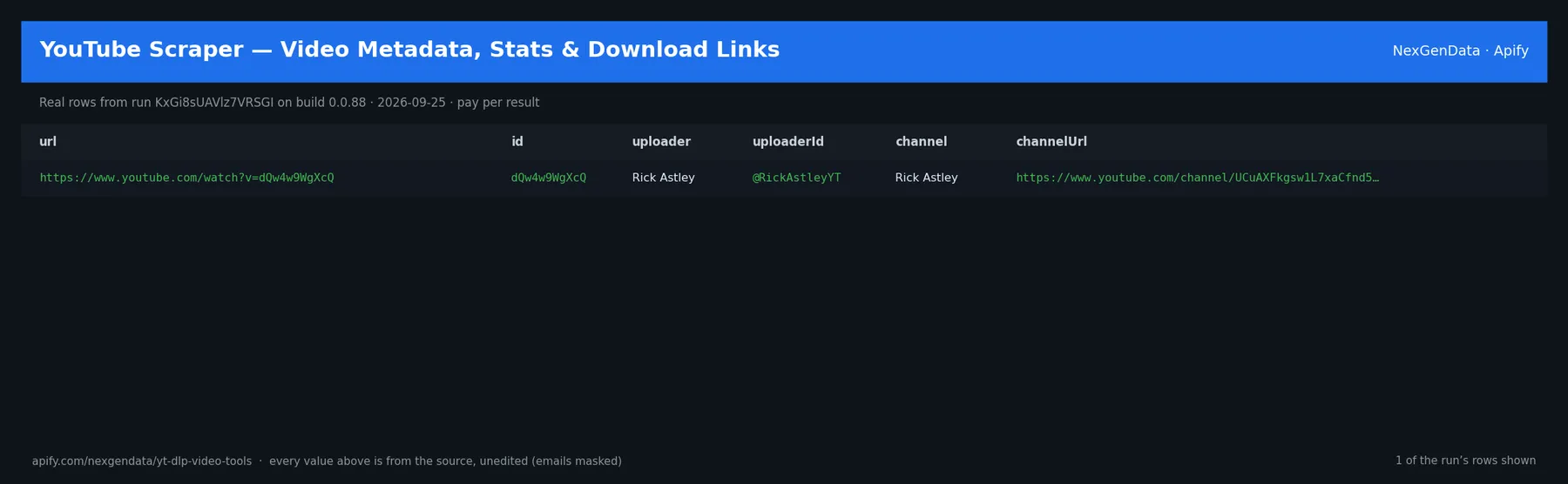
"url": "https://www.youtube.com/watch?v=dQw4w9WgXcQ",
"downloadedAt": "2026-03-28T14:22:15Z",
"metadata": {
"title": "Rick Astley - Never Gonna Give You Up",
"uploader": "Rick Astley",
"duration": 213,
"viewCount": 1200000000,
"uploadDate": "2009-10-25",
"description": "The official music video for Never Gonna Give You Up..."
},
"files": [
{
"name": "Rick Astley - Never Gonna Give You Up.mp4",
"size": 52428800,
"format": "mp4",
"resolution": "1920x1080",
"videoDuration": 213,
"videoCodec": "h264",
"audioCodec": "aac"
}
],
"subtitles": [
{
"language": "en",
"format": "srt",
"filename": "Rick Astley - Never Gonna Give You Up.en.srt"
}
],
"status": "completed"
}

Use Cases

Independent musicians download their own music videos for archival and backup purposes, ensuring permanent access to their content. Educational content creators download reference videos, analyzing production techniques and presentation methods. Filmmakers download reference footage for storyboarding and shot planning. Podcast networks extract audio from video interviews and conferences, expanding content distribution to audio-only audiences. Non-profit organizations download educational videos and documentaries for offline screening in areas without internet connectivity. News organizations archive video stories for future reference and analysis. Language learners download videos in target languages for study and immersion. Researchers download video content for analysis and academic research.

Pricing

Video & Audio Toolkit (yt-dlp) costs three dollars per one thousand videos or audio tracks downloaded, with a minimum charge of one dollar per actor run. Downloading a single video costs approximately one dollar. Downloading ten videos costs approximately one dollar. Downloading one hundred videos costs approximately three dollars. Downloading one thousand videos costs approximately three dollars. Most content archival projects download between ten and two hundred items, costing between one and three dollars. Large-scale content archival of thousands of videos costs three to fifty dollars depending on total content volume. Video processing typically completes quickly, with pricing based on download count rather than duration or file size.

FAQ

What platforms are supported? The toolkit supports YouTube, Vimeo, TikTok, Instagram, Twitter, Facebook, Dailymotion, and hundreds of other platforms. What video formats are supported? Output formats include MP4, WebM, MKV, and other containers with various video codecs. What audio formats are available? Audio output supports MP3, AAC, FLAC, OGG, and other audio formats. Can you download live streams? Live stream downloading is not currently supported; only completed videos. Are there quality limits? Video quality is limited by what the platform provides, typically up to 4K for YouTube. Can you modify downloaded video? The toolkit downloads video as-is without modifications. Does download preserve metadata? Yes, metadata is captured and can be embedded in output files. What about DRM-protected content? DRM-protected content cannot be downloaded. Does the toolkit support batch downloading? Yes, playlists and channel content can be downloaded in batches. Are downloads resumable? Yes, interrupted downloads can be resumed from where they stopped.