Output to Dataset
Pricing
from $0.02 / 1,000 results
Output to Dataset
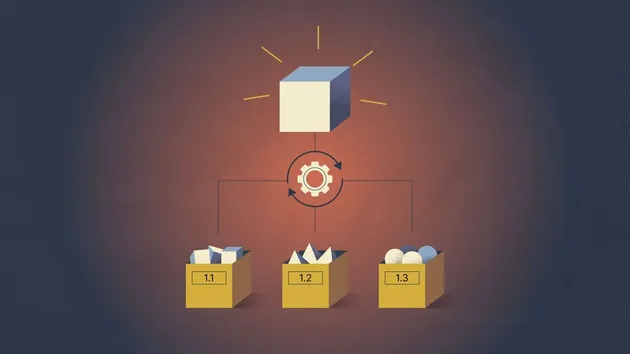
Merges outputs from multiple actors into a single dataset. Execute actors in series or parallel, combine data from datasets, key-value stores, webhooks, and export the final output in various formats.
Pricing
from $0.02 / 1,000 results
Rating
0.0
(0)
Developer

njoylab
Maintained by CommunityActor stats
1
Bookmarked
31
Total users
0
Monthly active users
6 months ago
Last modified
Categories
Share
Apify actor that merges outputs from multiple actors into a single dataset. Execute actors in series or parallel, combine data from datasets, key-value stores, and webhooks, and get ready-made JSON/CSV/XLSX download links straight from the run logs.
📋 Table of Contents
✨ Features
| Feature | Description |
|---|---|
| 🔗 Multiple Data Sources | Fetch data from existing datasets, key-value stores, actor runs, or webhook URLs |
| ⚡ Actor Execution | Run multiple actors and collect their outputs in parallel or series |
| 🔀 Merge Strategies | Append all data or deduplicate based on specified fields |
| 🔧 Transformations | Filter, remap, pick, or enrich records before merging |
| 📥 Instant Downloads | Every run logs dataset console link plus JSON, CSV, and XLSX download URLs |
🚀 Quick Start
Run this actor to merge data from multiple sources into a single dataset:
After the run completes, check the logs for direct download links in JSON, CSV, and XLSX formats.
📝 Input Configuration
Sources
Merge data from existing Apify resources. Specify an array of sources with their type and identifier:
| Type | Description | Required Fields |
|---|---|---|
dataset | Read items from an existing dataset | id - Dataset ID |
keyValueStore | Read a record from a key-value store | id - Store ID, key - Record name |
actorRun | Read output from a previous actor run | id - Run ID |
webhook | Fetch data from an external URL | id - Webhook URL |
Example:
Actor Runs
Execute actors before merging their outputs. Each actor run configuration supports:
| Field | Type | Description |
|---|---|---|
actorId | string | Required. Actor ID or username/actor-name |
input | object | Input object to pass to the actor |
outputType | string | "dataset" (default) or "keyValueStore" |
outputKey | string | Record name when using keyValueStore output type |
Example:
💡 Tip: Use
outputType: "dataset"(default) when the actor pushes items to its dataset. UseoutputType: "keyValueStore"when the actor saves data viaActor.setValue().
Execution Mode
Controls how actors are executed:
| Mode | Description |
|---|---|
parallel | Default. Run all actors simultaneously for faster results |
series | Run actors one after another (useful when order matters or for rate limiting) |
Merge Strategy
Determines how data is combined:
| Strategy | Description |
|---|---|
append | Default. Combine all items, keeping duplicates |
deduplicate | Remove duplicate items based on deduplicateBy fields |
Deduplication example:
Transformations
Apply transformations to each item before merging. Transformations run in the order provided.
| Type | Description | Parameters |
|---|---|---|
filter | Keep only items matching a condition | field, operator, value |
mapFields | Copy data from one field path to another | mapping, removeOriginal |
pickFields | Keep only specified fields | fields, dropUndefined |
setField | Set a static value on a field | field, value, overwrite |
Filter operators: equals, notEquals, contains, greaterThan, lessThan, exists
Example:
📦 Complete Example
This example runs two actors in parallel, merges their outputs with an existing dataset, and deduplicates by URL:
📤 Output
All merged records are saved to the actor's default dataset. After each run, the logs display:
- Console link - Direct link to view the dataset in Apify Console
- Download URLs - Ready-to-use links for JSON, CSV, and XLSX exports
You can also export the dataset manually from the Apify Console in any supported format.
💡 Use Cases
1. Merge Multiple Scraping Runs
Run the same scraper with different inputs and merge all results:
2. Combine Historical Data
Merge data from multiple previous actor runs:
3. Aggregate Multiple Datasets
Combine existing datasets into one unified dataset:
📄 License
This project is licensed under the ISC License.


![✨Leads Finder - $1.5/1k leads with Emails [Apollo Alternative] avatar](https://images.apifyusercontent.com/hQh95d2BMIK4aiNBVTAopmRKraOLFaDFmflsEsCTEKM/rs:fill:76:76/cb:1/aHR0cHM6Ly9hcGlmeS1pbWFnZS11cGxvYWRzLXByb2QuczMudXMtZWFzdC0xLmFtYXpvbmF3cy5jb20vaUpPU0hXZDl4ZmFoRzBTWm0tYWN0b3ItSW9TSHF3VFI5WUdoemNjZXotYmdMcjdPbmo0Qy1jb21wYW55X3NjcmFwZXIucG5n.webp)