Generic Articles Main Content Extractor
Pricing
from $0.002 / result
Generic Articles Main Content Extractor
Extract the main content of articles. Input can be article links or pages from which to identify and extract article links. Articles are scraped and cleaned to extract the main text and many useful metadatas. Search terms and date post filters can be applied and highlighted snippets produced.
Pricing
from $0.002 / result
Rating
0.0
(0)
Developer

LilaK
Maintained by CommunityActor stats
0
Bookmarked
1
Total users
0
Monthly active users
5 hours ago
Last modified
Categories
Share
Generic Articles Main Content Extractor
Description
The tool extracts the main content of articles. The input can be direct article urls or page urls from which to extract article links. The tool uses specific algorithms to identify relevant article links and discard navigation links. Each article is scraped and cleaned (remove unimportant text such as navigation links and menus) to extract the main text and many useful metadatas.
Main features
✅ Scrapes article urls
✅ Scrapes links pages and identify relevant article links (customizable feature)
✅ For each scraped article, extract main text (plain text or markdown format) and various metadata (title, description, author, data, categories, tags)
✅ Searches given terms within the content of each article and produce highlighted snippets
✅ Checks if an article has been published since a given date
✅ Outputs results in CSV/JSON
Usage
☑️ Monitor selected websites for technological or economic intelligence
☑️ Keep up to date with the latest trends on a particular topic by monitoring specific websites
☑️ Crawl news or blog websites and build text corpora for various purposes (academic research, machine learning, etc.)
Main Input
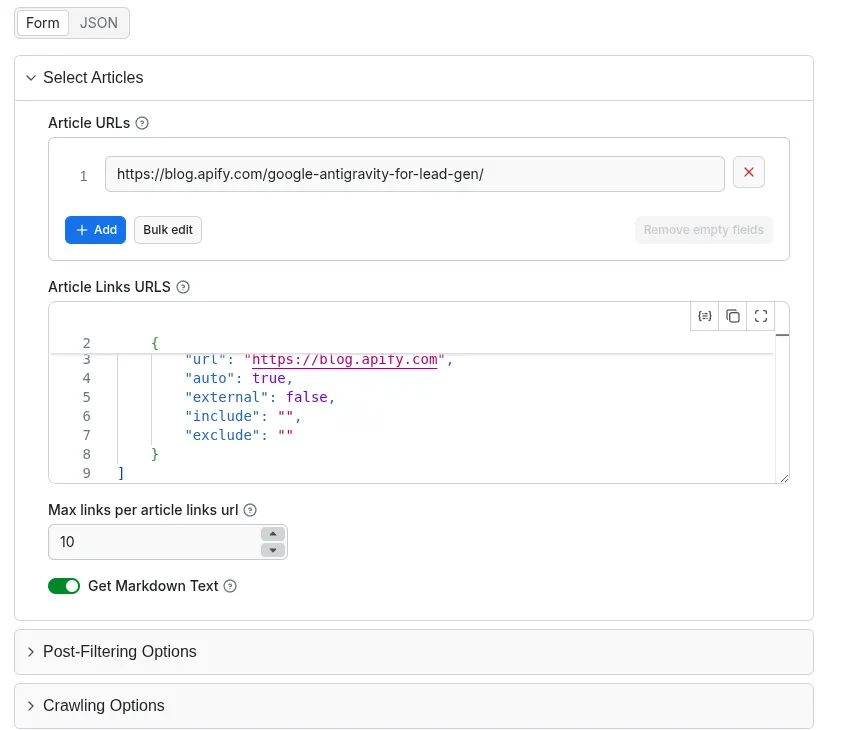
➡️ A list of article urls and/or a list of pages with article links (required)
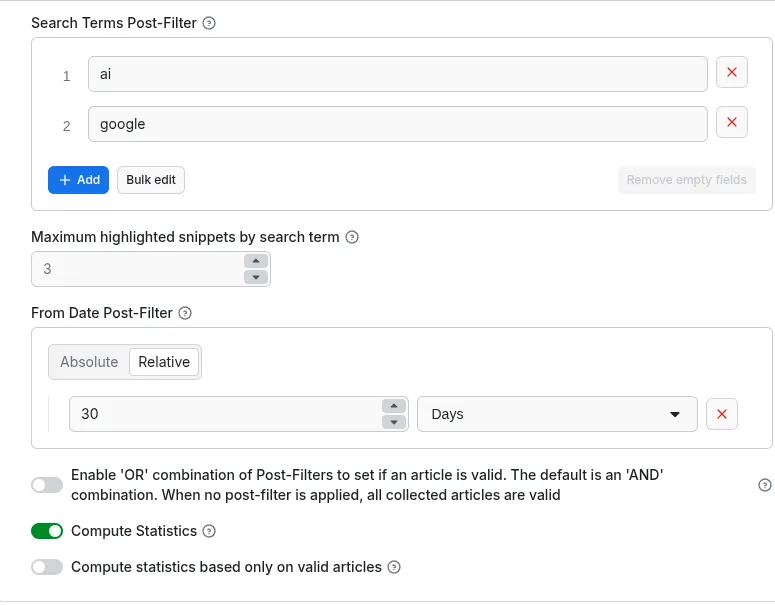
➡️ A set of search terms to look for in each article content (optional)
General Input Configuration
Post Filtering Options Configuration
Output
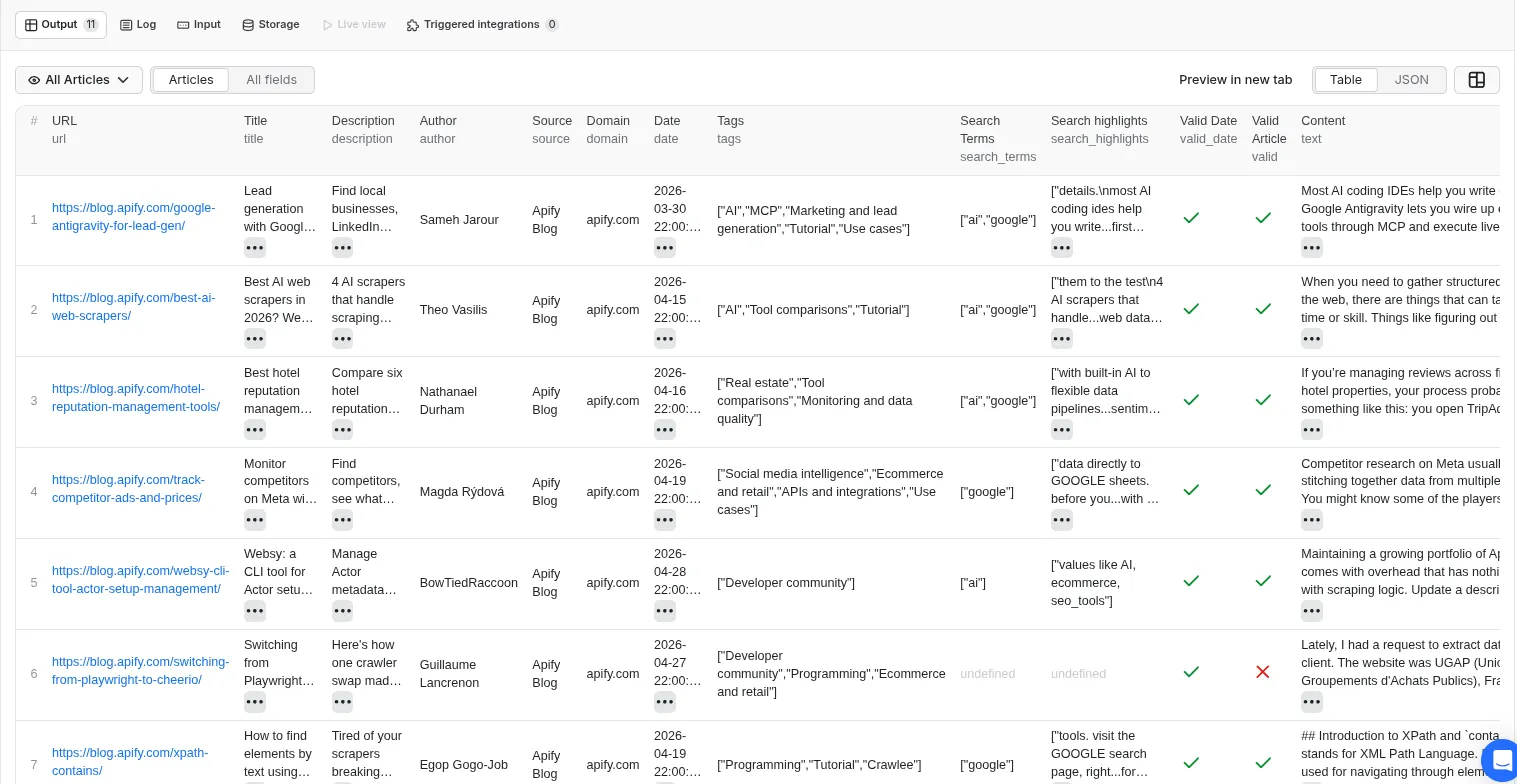
➡️ A dataset of articles including the main text content and various metadata. The output can be found in the default dataset storage in many formats (JSON, CSV, XML, Excel, RSS, etc).
➡️ Each article includes the following properties: url, title, description, author, source (source name), domain (website domain), date (publication or last updated date), categories (a list of detected categories), tags (a list of detected tags), search_terms (search terms found), search_highlights (highlighted text snippets), valid_date (Check if the article has been published since the given input date), valid (valid article according to the post-filters), text (main content in plain text or markdown format according to the input options)
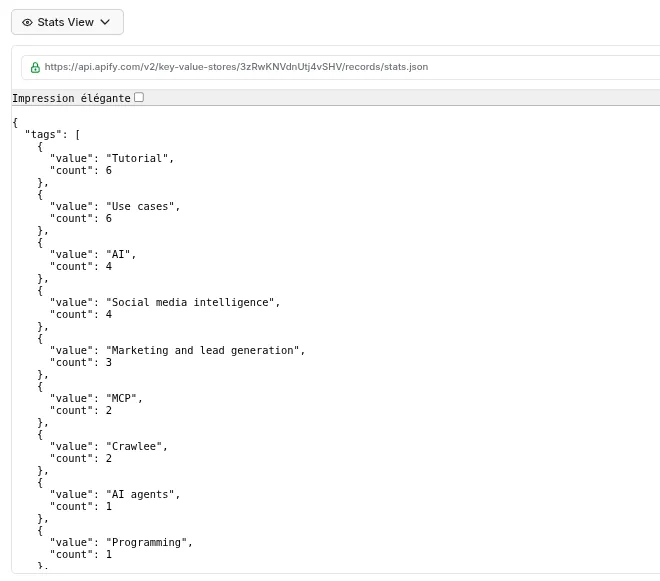
➡️ If the compute_stats option is set, a dataset including the total count (articles count) for each occuring category, tag or search term is built. The dataset can be displayed by selecting Stats View in Output tab.
Here are some output examples:
Your feedback
If you’ve got any technical feedback, a bug to report or any suggestion to improve the actor usage, please create an issue on the Actor’s Issues tab.