EU AI Act Image Labeler (Official Icons)
Pricing
from $2.00 / 1,000 image labeleds
EU AI Act Image Labeler (Official Icons)
Label AI generated and AI modified images with official EU AI Act icons. Stamp AI GENERATED, AI MODIFIED, or compact AI into JPEG, PNG, and WebP so the mark stays after download. Paste URLs or upload; Auto picks icon, colour, and corner. For newsrooms, marketers, and platforms.
Pricing
from $2.00 / 1,000 image labeleds
Rating
0.0
(0)
Developer

rainminer
Maintained by CommunityActor stats
0
Bookmarked
2
Total users
1
Monthly active users
21 days ago
Last modified
Categories
Security
Limited permissionsShare
What is EU AI Act Image Labeler?
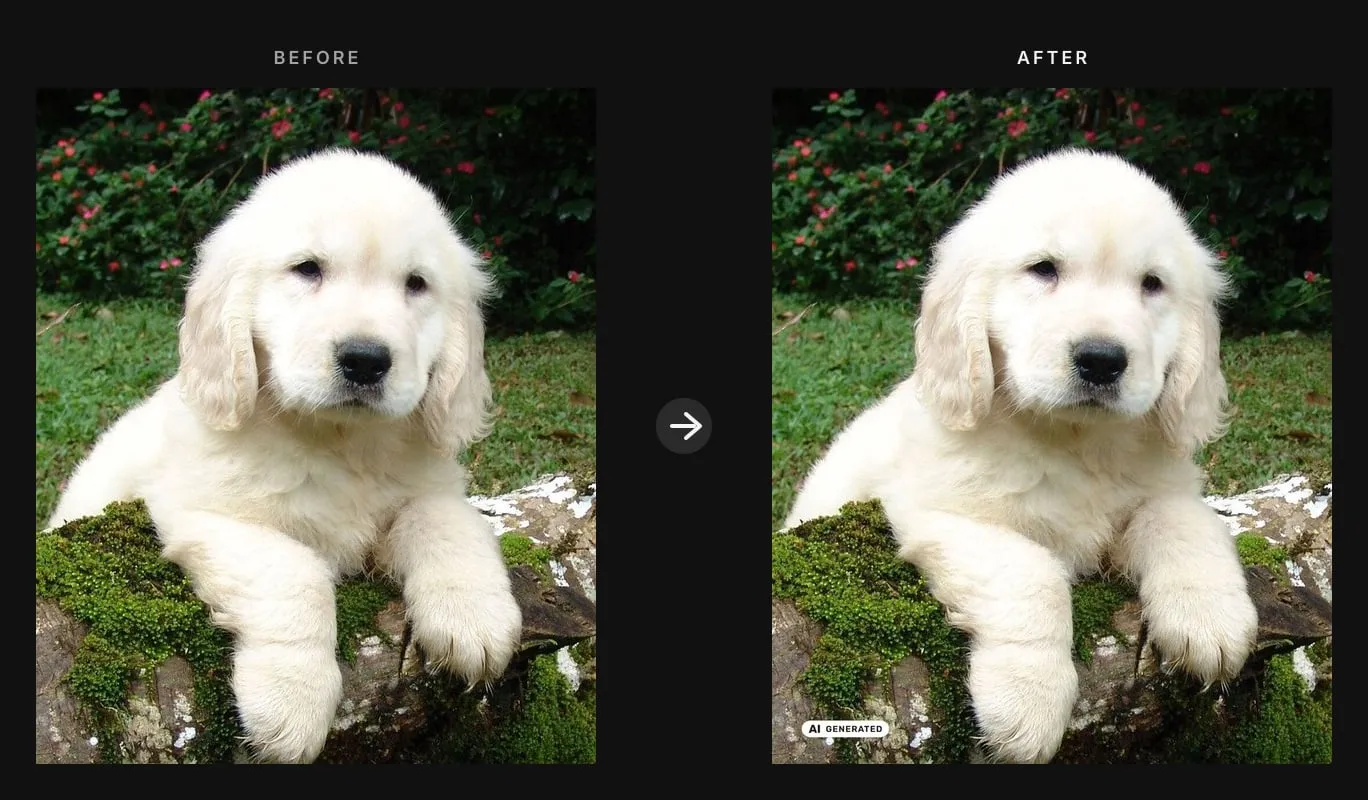
EU AI Act Image Labeler stamps official EU AI Act labels onto AI generated and AI modified images. Paste image URLs or upload JPEG, PNG, or WebP files. It embeds the Commission AI GENERATED, AI MODIFIED, or compact AI icon in the pixels so the label stays after download, forward, and screenshot.
Use it to disclose AI-generated content under Article 50: click Start and Auto recommends icon, colour, and corner — or pin generated, modified, or basic. Official icons are optional; the labelling duty is not. Using them does not by itself prove Article 50 compliance.
Also monitoring TikTok for existing AI disclosures? See TikTok AI-Generated Label Scraper — scrape platform AIGC labels for EU AI Act brand-safety checks, then come back here to stamp your own creatives.
What can EU AI Act Image Labeler do?
- Apply the official EU AI Act labels (AI GENERATED, AI MODIFIED, compact AI)
- Follow Commission placement rules: readable, not covered, embedded in the pixels so the mark survives download and reshare
- Auto — AI-powered: recommends which icon, colour treatment, and corner fit the pixels
- Auto-pick black or white from corner contrast when you choose the icon yourself
- Embed the label in the file (PNG, JPEG, or WebP) so it survives reshare and download
- Write plain-language alt text (
AI generated/AI modified/AI) plus an IPTC Digital Source Type URI in metadata - Batch-label public image URLs or uploaded files in one run
- Use a quieter 50% transparency mark for artistic, satirical, or fictional works
 | 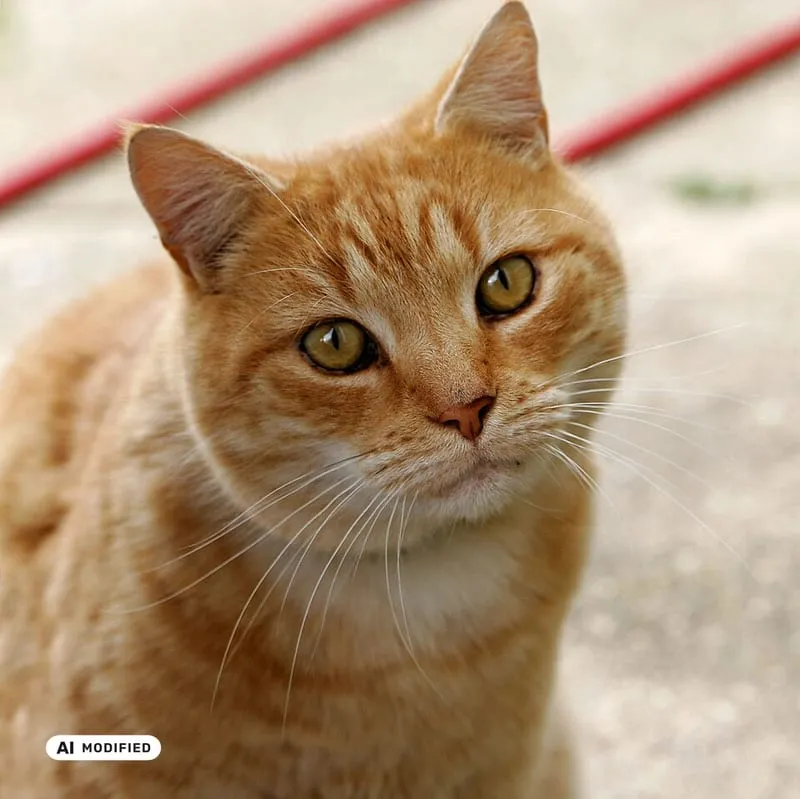 | 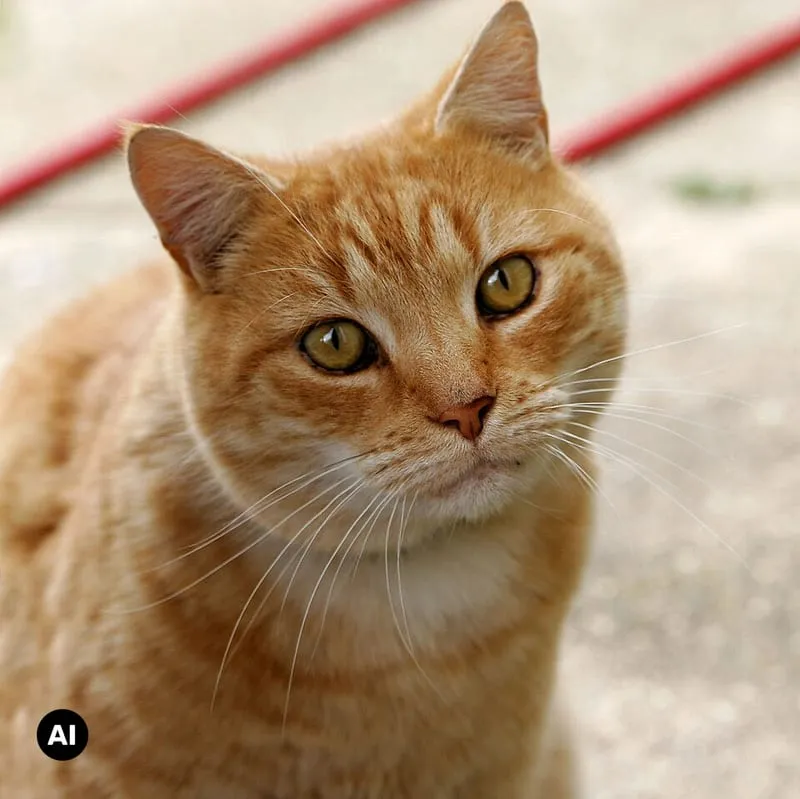 |
|---|---|---|
| AI GENERATED | AI MODIFIED | Basic AI |
| Whole image is AI | Real photo, AI-altered | Compact AI mark |
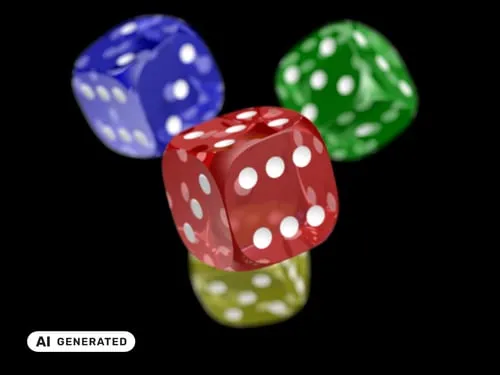
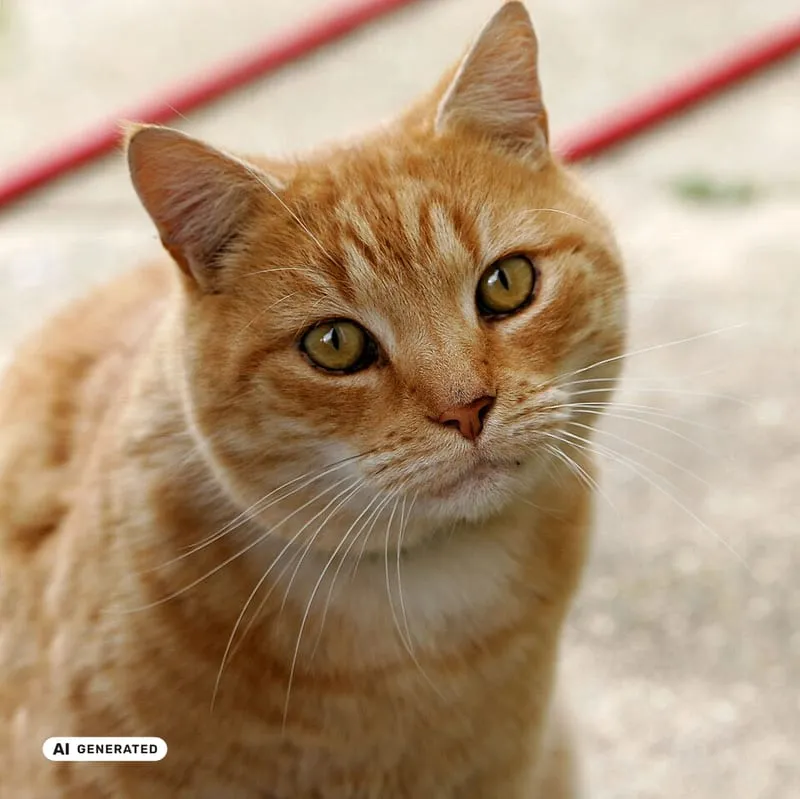
Official EU AI Act icons for images
The Actor uses the Commission’s free, user-tested icon set — the same artwork in Section 2 / Annex I of the Code of Practice. Anyone may use the icons; signatories commit to the placement specs. This tool burns them into the file so the label is still there after download, which is the placement rule people miss when they only overlay a UI badge.
Which EU label should I use?
Article 50(4) covers deepfakes: AI-generated or manipulated image, audio, or video that resembles existing persons, objects, places, entities, or events and would falsely appear authentic. Clearly fantastical images (for example a dragon) sit outside that definition.
Leave EU label on Auto (AI-powered) to get a recommended icon from the picture. Auto is a visual recommendation, not a legal classification — you remain responsible for whether the file is in scope and which disclosure fits. Pin generated, modified, or basic when you already know how the file was made.
| Official icon | Use when | Examples |
|---|---|---|
| AI GENERATED | The entire image is AI, with no human-made pixels besides the prompt | AI portraits, fully synthetic product shots, generated news illustrations |
| AI MODIFIED | A real photograph or artwork was partly changed with AI | Face swap, virtual furniture in an empty apartment, sky replacement |
| Basic AI | AI was involved and you add your own text, or you need a compact mark | Custom “voices generated with” layouts, small corner mark on a film still |
User testing by the Commission found people recognised the mark more reliably when the icon included a text label such as “generated” or “modified”. Prefer those two variants over the basic icon unless you have a reason not to.
How colour, variant, and corner are chosen
Two Auto paths — they are not the same:
-
EU label = Auto (AI-powered)
Auto looks at the image and recommends:- icon:
generated,modified, orbasic - official colour: black, white, black 50%, or white 50%
- corner: the emptiest of the four corners
- quieter artistic mark when the work looks satirical, fictional, or otherwise artistic
Explicit inputs win: if you pin colour, corner, or turn on artistic / satirical work, those values are not overridden. If Auto cannot choose, the Actor falls back to AI GENERATED, contrast colour, and bottom-left.
- icon:
-
Colour = Auto with a manual icon
The Actor samples the destination corner. Dark corner → solid white icon; light corner → solid black. This path never picks 50% transparency, because a faint mark is less likely to meet Article 50(5) “clear and distinguishable”.
The overlay is always burned into the pixels after the choice is made.
What the EU AI Act actually requires
A short, practical reading of the rules this Actor is built around (not legal advice):
- Article 50(4) — deployers (you, if you publish the image) must disclose that deepfake image/audio/video was artificially generated or manipulated. Disclosure must be clear and distinguishable and shown at first exposure (Article 50(5)), and it must meet accessibility requirements.
- Official EU icons are optional. The labelling duty is not. The icons are part of Section 2 / Annex I of the Code of Practice on transparency of AI-generated content. Signatories commit to the Code’s placement rules; everyone else can still use the icons as a consistent, user-tested mark.
- Placement (Commission summary of the Code): the icon should be perceivable at first exposure, sit where nothing else covers it, and be embedded in the content (or an equivalent UI overlay). It must remain visible when the file is downloaded or reshared.
- Article 50(2) — providers of generative systems must also apply machine-readable marking (watermarks, C2PA, and similar). This Actor helps with the visible deployer label. It is not a substitute for provider-side provenance.
- Carve-outs: authorised law-enforcement uses; evidently artistic, creative, satirical, fictional or analogous works (disclosure in a way that does not hamper enjoyment); AI-generated text on public-interest matters that had human review and editorial responsibility. Personal, non-professional use is outside the company-facing duty described in the Commission’s public guidance.
Sources: EU icons for labelling AI-generated content, Article 50, Code of Practice FAQ.
Who needs EU AI Act labels on AI generated images?
- Newsrooms and publishers — keep audiences from mistaking a synthetic still for a photograph
- Marketing and e-commerce teams — label AI product shots and campaign creatives before they go live in the EU
- Real-estate and interior — mark virtually staged apartments as AI modified
- Social and performance agencies — batch-stamp client assets before scheduling
- Political and public-interest campaigns — disclose deepfake-style portraits and event images
- Stock and AI image marketplaces — attach a consistent EU mark at export
- DAM / CMS pipelines — call the Actor from an integration and store the labeled file
- Legal and compliance ops — give deployers a repeatable way to apply the official EU AI Act labels
- Film, games, and satire — use artistic mode for a quieter mark that still discloses AI
- Brand safety reviewers — check that every hero image in a pack carries a visible label
- Creators selling into the EU — add
AI generatedon Midjourney / Flux / Imagen outputs - Platforms that host user images — offer a one-click EU label before publish
How to add an EU AI Act label to AI generated images
- Open EU AI Act Image Labeler and click Try for free.
- Paste one or more image URLs, or upload the files in the Images field.
- Click Start. Defaults apply an official icon (AI-powered Auto picks which one, where, and in which colour) following Commission placement rules.
- Download labeled files from the Key-Value Store, or use each dataset row’s
imageUrl.
Open Customize label (optional) only if you want to pin the icon, corner, colour, size, or output format.
How much does it cost to label AI images?
EU AI Act Image Labeler uses pay-per-event pricing on the Apify platform.
| Event | When it fires |
|---|---|
| Image labeled | Once per image successfully stamped. Failed downloads are not charged. |
| Auto mode (per 1K tokens) | When AI-powered Auto runs. ceil((tokens) / 1000), at least one unit after a successful Auto call. Pin generated / modified / basic to skip. |
| Actor start | Once when the run starts (depends on memory; minimum one event). |
A typical JPEG or PNG labels in a few seconds. Apify Free plans include monthly credits that cover small test batches.
Input
| Field | Type | Default | Description |
|---|---|---|---|
imageUrls | Array | — | Image URLs or uploads to label. Required. |
labelType | Enum | auto | auto, generated, modified, or basic. |
position | Enum | auto | auto, bottom-left, bottom-right, top-left, top-right. |
color | Enum | auto | auto, black, white, black-50, white-50. |
sizePercent | Integer | 20 | Icon width as % of image width (5–45). |
paddingPercent | Integer | 3 | Gap from the edge as % of the shorter side. |
artisticMode | Boolean | false | Smaller, 50% transparency mark for artistic/satirical works. |
outputFormat | Enum | png | png, jpeg, or webp. |
jpegQuality | Integer | 90 | Quality for JPEG/WebP. |
maxItems | Integer | 5 | Max images per run. |
proxyConfiguration | Object | no proxy | Only needed if image hosts block the fetch. |
Example input:
Output example
You can download the labeled files from the Key-Value Store tab, or via imageUrl on each dataset row.
FAQ
Does this make me compliant with the EU AI Act?
No. The Commission’s own icon page says the icons are optional, the labelling duty is not, and using the icons does not establish legal compliance by itself. Deployers stay responsible for Article 50.
What this Actor does do is apply the official EU AI Act labels the way the placement summary describes: readable, not covered, embedded in the file so the mark survives download. That is the visible labelling step. It does not decide if your file is a deepfake, whether you are a deployer or a provider, or whether your website shows the mark at first exposure.
What is the difference between AI generated and AI modified?
AI generated is for images that are fully synthetic. AI modified is for authentic images that AI partly changed — the Commission’s examples include swapping a face onto a real photograph and furnishing an empty apartment with AI. If you are unsure, use Auto for a visual recommendation, or pick the description that matches how the file was made. Auto is not a legal determination.
Does Auto mode classify my image under the EU AI Act?
No. Auto only recommends which official icon, colour, and corner will stay readable. You still decide whether Article 50 applies.
Will the label still show after someone downloads the image?
Yes. The icon is composited into the image bytes. A UI-only overlay on a website can vanish on save; an embedded mark travels with the file. That matches the Commission’s guidance that the icon should remain visible when content is reshared or downloaded.
Does this add C2PA or invisible watermarks?
No. Article 50(2) machine-readable marking is a provider obligation (watermarking, C2PA, and similar). This Actor is the visible deployer label. It writes an IPTC Digital Source Type URI and alt text into metadata as a helper, which is not a replacement for C2PA.
What about artistic, satirical, or fictional work?
Article 50(4) narrows the duty for evidently artistic, creative, satirical, fictional, or analogous works: disclose that AI was used in a way that does not hamper enjoyment. Turn on artistic / satirical work to use the official 50% transparency variant and a smaller default size. You still need a disclosure.
Can I label images that are not deepfakes?
Yes. Many teams stamp every AI image they ship so EU viewers are never left guessing. That is stricter than the legal minimum and is a product choice, not a requirement of this Actor.
Can I upload files instead of pasting URLs?
Yes. The Images field accepts public URLs and Console uploads. Each upload is stored on Apify and passed to the Actor as a file URL. You can mix URLs and uploads in the same run.
What image formats are supported?
Downloads: JPEG, PNG, WebP, GIF, AVIF, TIFF, and other rasters sharp can decode. Output: PNG (default), JPEG, or WebP. Animated GIF/WebP is flattened to a still.
Is this legal advice?
No. Read the Commission icon page, Article 50, and the Code of Practice, and take advice for your use case.
How do I check AI labels already on TikTok videos?
Use TikTok AI-Generated Label Scraper to read TikTok’s public creator and platform AIGC disclosures (isAiGenerated, label text, raw enums). That Actor monitors what the platform already shows — useful for EU AI Act brand-safety reviews. This Image Labeler is for stamping official EU icons onto your own images before you publish.
Other rainminer Actors
| Actor | Job |
|---|---|
| TikTok AI-Generated Label Scraper | Scrape TikTok AIGC disclosure labels for EU AI Act / Article 50 monitoring |
| URL to PDF Converter | Render public webpages to PDF |
| XML to JSON Converter | Convert XML feeds to JSON |
Learn more
Read EU AI Act labels are in force. Overlay badges vanish on save on rainminer.com for the problem this Actor solves, who it's for, and where it falls short.
Image Credit
Official EU AI labelling icons: European Commission, Shaping Europe’s digital future. Sample photos in the banner and default input: Wikimedia Commons.