

Website Contact & Tech Scraper | SiteSignal
Pricing
$3.00 / 1,000 website enricheds
Website Contact & Tech Scraper | SiteSignal
Extract public business emails, phones, social profiles and website technology signals. Source evidence for every finding, one row per website, failed domains free.
Pricing
$3.00 / 1,000 website enricheds
Rating
0.0
(0)
Developer

Trần Quốc Việt
Maintained by CommunityActor stats
0
Bookmarked
2
Total users
1
Monthly active users
9 days ago
Last modified
Categories
Share
Turn a list of business websites into structured contact and technology profiles, with source links you can check. One row per domain, ready for CRM enrichment, partner research or spreadsheet review.
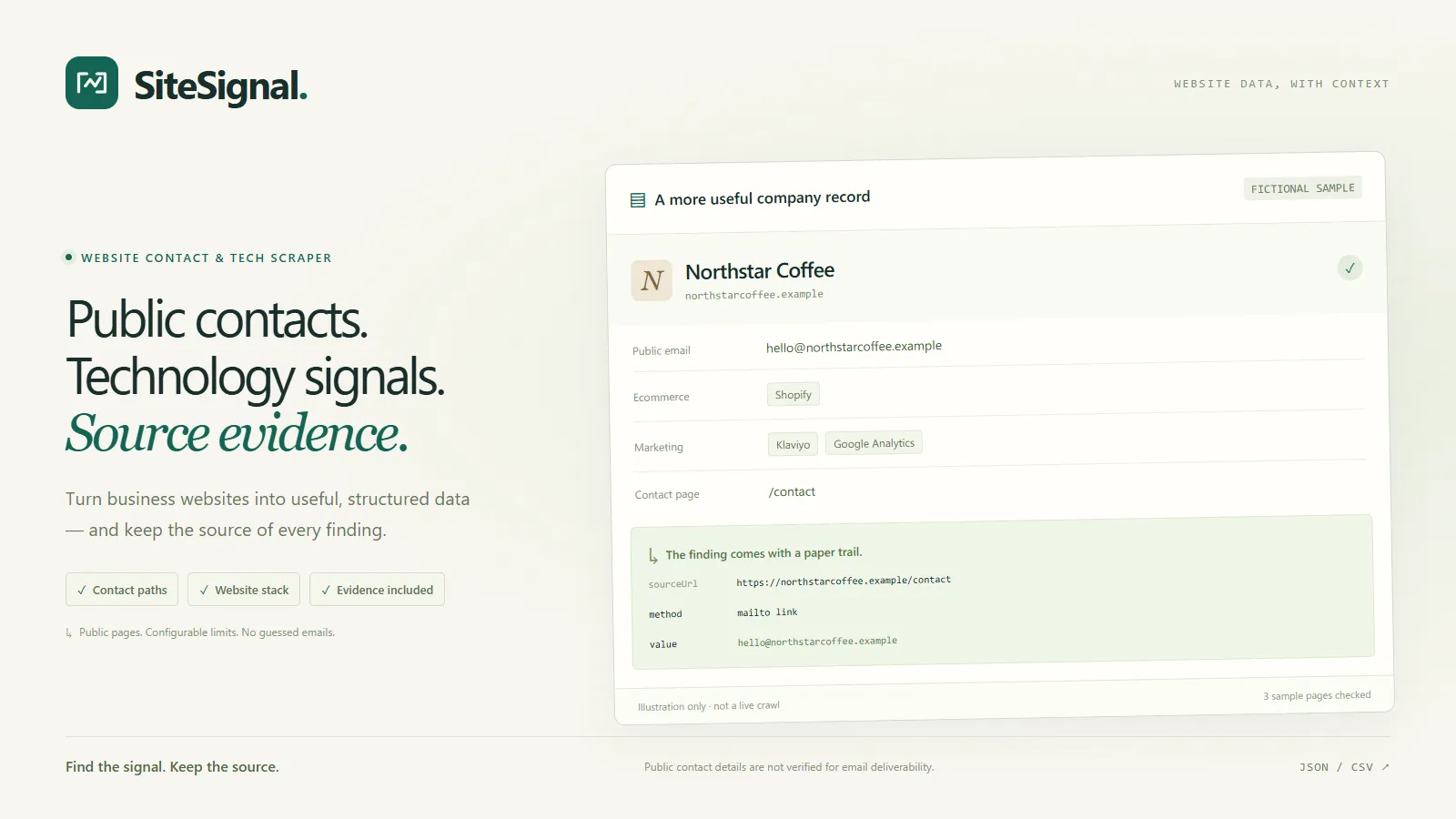
What SiteSignal extracts
- Public email addresses from mailto links, visible text and Organization JSON-LD.
- Published phone links and Organization JSON-LD telephone fields.
- Social profile links grouped by platform.
- Published business name, title, description and relevant contact pages.
- Contact forms observed on the fetched pages.
- Recognizable CMS, ecommerce, analytics and payment technology signatures.
- Evidence containing the observed value, source URL and extraction method.
- Flat company-field and contact exports for CRM mapping, with source pages.
- Per-page crawl diagnostics so a failed contact page is visible separately from a successful homepage.
Emails are observed addresses; mailbox existence and deliverability are not verified. Phones are published observations. SiteSignal does not guess either from company or person names.
Technology detection identifies signatures in fetched HTML. It is not a complete or verified inventory of a company's software.
How to use it
- Add business website URLs in the Input tab.
- Start with a few domains and the default three-page budget.
- Run the Actor and inspect the contacts and evidence dataset views.
- Choose Company fields for CRM mapping in the outputs for one flat row per saved website. Choose All retained contacts and source pages for one row per email, phone, social link or contact-form page. CSV and lossless JSON are provided. The regular dataset and spreadsheet-safe website CSV remain available.
The prefilled sample uses Python, Django and the Electronic Frontier Foundation. These are real public websites, not paying customers or endorsements. Some pages contain social links or contact forms without publishing an email; empty fields are valid observations.
Plain URL strings are also accepted. Duplicate domains are processed once. The maximum is 1,000 input websites and five HTML pages per site. Set concurrency, request timeout and per-site delay under Crawl limits. For remote API access, use the generated examples in this Actor's API tab and keep your token private.
Output
The default dataset contains one row per successfully processed website:
| Field | Meaning |
|---|---|
url, finalUrl, domain | Requested website, final landing URL and normalized domain |
companyName, title, description | Published organization and page metadata when available |
emails, phones, socials | Observed contacts and normalized social profiles |
contactPageUrls, contactFormUrls | Relevant contact pages and pages containing contact forms |
technologies | Technology names, categories, evidence and source URLs |
evidence | Contact values, source URLs and extraction methods |
pagesVisited, pagesChecked, observedAt | Observation scope and time |
pagesAttempted, pageDiagnostics | Attempt count and each requested page's status, final URL when available, HTTP status and failure message |
contactPageLimitReached | True when the attempt limit left discovered same-site contact links unvisited; false does not imply a whole-site crawl |
status, warnings | Result status and crawl limitations |
Failed websites are separate, nonbillable diagnostics. The Output tab includes a
run summary, diagnostics, a complete JSON report and spreadsheet-safe CSV.
Statuses can include blocked, timeout, robots_disallowed, http_error and
network_error. Check diagnostics when reconciling an input list.
Company and contact exports
CRM_COMPANIES / crm-companies.csv contain published company name, domain,
website, email, phone, source URLs, one link per social platform, contact-page
and form-page URLs, and technology names. Select the columns you want when
mapping your own CRM import. Company names are left empty when no published
organization name was found. The single email and phone are the first values
in deterministic alphabetical order, not a recommendation, ownership check or
deliverability result. Counts show when more contacts exist.
CONTACTS / contacts.csv retain all exported website contacts, with type,
platform, value, source pages and extraction methods. Email spelling variants
are deduplicated case-insensitively within a website; source evidence is kept.
The same contact on two different websites remains two observations. These
alternate exports use only saved website results and add no paid events.
CSV files escape formula-like values with an apostrophe; this includes a phone
beginning with +. Use the JSON versions to preserve exact contact strings in
an automated CRM integration. All contacts are marked not_verified. Review
the source pages and your CRM mapping before importing. No CRM is modified by
this Actor, and no messages or contact forms are submitted.
Pricing and limits
The Actor's Pricing tab shows the current tariff. In pay-per-event mode, one
website-enriched event is recorded when a successful website result is saved to
the dataset. Failed or blocked websites do not create this event. The Actor
respects the run's spending limit and exports only saved results.
The unit is a successfully enriched website, not an email address. An accessible site with no published email can still yield a completed result containing metadata, social links or empty contact arrays. No contact count is guaranteed.
Limitations
SiteSignal reads public HTML with ordinary HTTP requests. It does not execute JavaScript, log in, solve CAPTCHAs, bypass blocked access or use a private contact database. JavaScript-rendered details, externally embedded forms and obfuscated addresses may be missed. A detected contact form must have email and message fields and no password field. Its containing page is returned; form actions are never submitted or fetched, including actions hosted by an external provider.
Per HTML page, output is capped at 100 emails, 50 phone numbers, 10 social profiles per platform, 50 contact-page links, 50 contact-form page links and 500 evidence entries. Values are retained in deterministic discovery order, and redundant evidence methods may be omitted to retain evidence for each contact.
Robots.txt is respected by default. Requests are bounded and paced. Only process sites and data you are allowed to use. The Actor extracts information; it does not send messages or submit contact forms. Review source evidence before using the output in a business workflow.
Support
Open an issue in the Actor's Issues tab. Include the public website URL, run ID, expected field and observed behavior. Remove tokens and private customer data from your report.


