

Shopify Price & Restock Monitor | ShelfWatch
Pricing
$2.00 / 1,000 successful product check saveds
Shopify Price & Restock Monitor | ShelfWatch
Watch Shopify product prices and restocks on a schedule. Automatic per-user history, variant-level changes, overlap protection and CSV/JSON alerts. One fee per saved successful product check, including checks without alerts.
Pricing
$2.00 / 1,000 successful product check saveds
Rating
0.0
(0)
Developer

Trần Quốc Việt
Maintained by CommunityActor stats
0
Bookmarked
2
Total users
1
Monthly active users
5 days ago
Last modified
Categories
Share
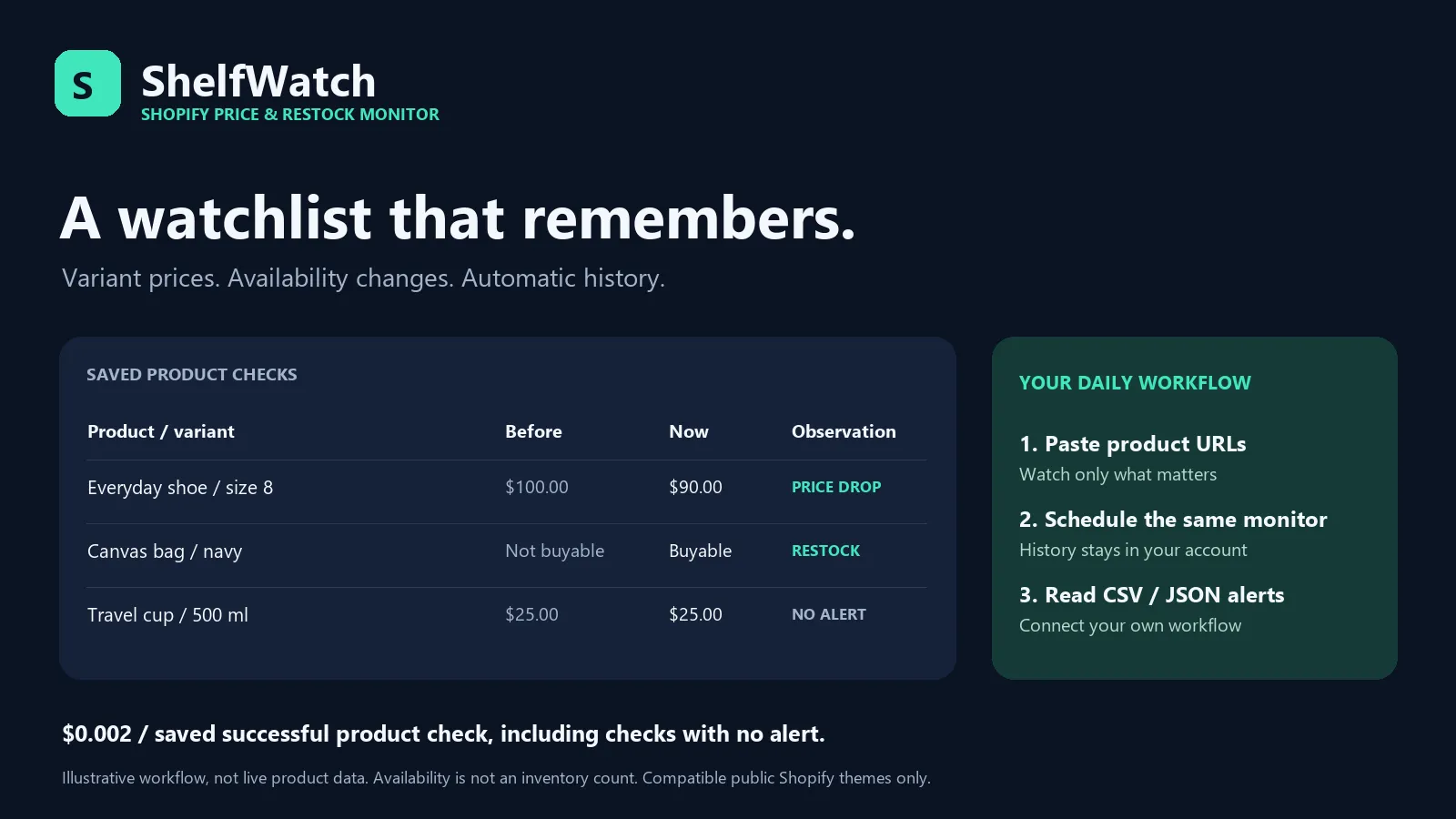
Check the Shopify products your business actually watches. Get variant-level price drops/rises, restocks and sold-out observations, with a persistent baseline that the Actor remembers between scheduled runs in your Apify account.
$2 per 1,000 saved successful product checks ($0.002 each), including checks with no alerts. One product with many variants is still one check. No start fee or separate alert/export fee. Failed/blocked products have no check event.
Built for e-commerce teams watching competing products, agencies maintaining client watchlists, and deal/newsletter publishers who need a recurring shortlist rather than another full catalogue dump.
Start in a minute
- Paste HTTPS Shopify product page URLs into
productUrls, one per line. - Choose a unique
monitorName, such ascompetitor-shoes. - Run once. The first successful check returns
FIRST_OBSERVATION, establishing a baseline; it does not claim that a product was just launched. - Save as an Apify task and schedule it daily with the same monitorName.
- Read
ALERTS,alerts.csv,alerts.ndjsonordigest.md. The main dataset includes every paid check, with achangesarray and source evidence.
Examples are independently operated public stores, not customers or endorsements.
Products, store technology and access can change. Use your own watched products
for production. Store roots, collection URLs and URL query parameters are rejected;
remove tracking/variant parameters to check all exposed variants together.
Locale paths such as /en-gb/products/handle are supported.
What you receive
| Output | Purpose |
|---|---|
Dataset / RESULTS / checks.csv | Current prices, availability, variant details, previous observation time, currency evidence and embedded changes for saved checks |
ALERTS / alerts.csv / alerts.ndjson | Flattened change observations only; empty if no alert conditions match |
digest.md | A short human-readable briefing of the saved sample |
SUMMARY | Saved checks, charged checks, baseline writes, alert counts and state store ID |
DIAGNOSTICS | Blocked pages, unavailable feeds, malformed state and other failures |
Change types: FIRST_OBSERVATION, PRICE_DROP, PRICE_RISE, BACK_IN_STOCK,
OUT_OF_STOCK, COMPARE_AT_PRICE_CHANGED, VARIANT_FIRST_OBSERVATION,
CURRENCY_CONTEXT_CHANGED, PRODUCT_REPLACED.
minPriceChangePercent affects only price-drop/rise alerts. Availability changes
are still reported, and all saved checks update the next baseline. The threshold
is measured against the previous saved check, not a cumulative price move.
NO_ALERT means no emitted alert; small price changes or unknown currency can
still exist. A zero-to-nonzero price has no finite percentage and is always reported
when currency is comparable.
Scheduling and state
The Actor creates a private named key-value store and lock queue for this monitor in the running user's account. You do not pass a snapshot manually. Different monitor names keep independent histories. A server-side queue lease prevents overlapping runs of the same monitor from overwriting its baseline. A busy run fails before product requests or check charges; a crashed lease expires within 10 minutes. Use separate monitor names for independent tasks.
Baseline writes happen only after a successful paid dataset save. Errors,
blocked products and products outside the run spending limit keep their old state.
Storage and dataset writes are separate operations: if a state write fails after a
paid save, the run fails and preserves dataset evidence. Reprocessing may emit the
same observation again; use stable eventId to deduplicate downstream deliveries.
This is not an exactly-once notification service. A successful run does not send
email/Slack messages; connect outputs through your own Apify/n8n/Make workflow.
Named state persists until you delete it. Unwatched products are not automatically removed from state; re-adding the same URL resumes its last baseline. Start a new monitorName to reset history. State is URL-specific, so canonical URL/locale/domain changes create separate baselines. Additional named storage has normal Apify storage costs; see your plan and storage retention settings.
Accuracy and access limits
- Reads public Shopify-theme HTML and the public Ajax
products/handle.jsresponse. Supports compatible storefronts, not every website or headless Shopify site. - Honors published robots rules, TLS verification, one-second minimum host pacing, redirects within the selected store, response limits and public-only DNS. No cookies/logins, proxies, CAPTCHA bypass or private/admin data.
- Shopify Ajax exposes up to 250 variants. A 250-row window is flagged as potentially truncated. Missing products/variants never become removal alerts. Invalid variant records fail the whole product rather than inventing stockouts.
availableis the source's storefront buyability flag; preorders/backorders may be buyable. It is not exact inventory, sales volume or guaranteed checkout stock.- Prices are strings derived from Shopify Ajax integer values at scale 100; raw values and scale are preserved. Currency evidence comes from the product's public HTML. Unknown/conflicting currency suppresses price-change alerts. Changed known currency creates a context alert, never a false price comparison. Markup and Ajax are separate observations; geo/market context can vary. No currency conversion.
- Compare-at is the merchant's reference price, not proof of a historical sale. Subscription/selling-plan, quantity, checkout, shipping and tax adjustments are not calculated. Prices are observed from the run's region without custom market headers or a logged-in shopper context.
- Up to 100 URLs per input;
maxProductsdefaults to 20. Input order, a 240-second pipeline deadline and your charge cap bound work. Split slow/large lists into separate monitors. Checks skipped by caps are not billed and keep their baseline.
Pricing examples
Two successful product checks cost $0.004, whether they yield zero or several alerts. Fifty products checked daily for 30 days generate 1,500 checks, or $3 in Actor check charges, assuming all checks succeed and the configured price stays the same. Platform/account storage and current plan terms still apply. This is a customer usage illustration, not a promise of developer revenue or profit.
Local use
Local CLI has no Actor check charges; network/hosting costs are yours. It uses an
exclusive checkpoint lock and replaces the state file atomically after exports.
Do not run several processes against the same state file. Remove a stale .lock
only after confirming the previous process stopped. The Actor entrypoint is cloud
only; use the CLI above locally.
Vietnamese quick start · Integration · Research and source limits
MIT licensed. Independent project; not affiliated with Shopify or the example stores.


