

Booking.Com Hotel Scraper
Under maintenancePricing
from $2.00 / 1,000 results
Booking.Com Hotel Scraper
Under maintenanceTurn Booking.com searches and hotel pages into clean, structured data with price history and drop/bargain flags — no browser required.
Pricing
from $2.00 / 1,000 results
Rating
0.0
(0)
Developer

REXREUS D.O
Maintained by CommunityActor stats
0
Bookmarked
2
Total users
1
Monthly active users
23 days ago
Last modified
Categories
Security
Limited permissionsShare
Booking.com Hotel Scraper
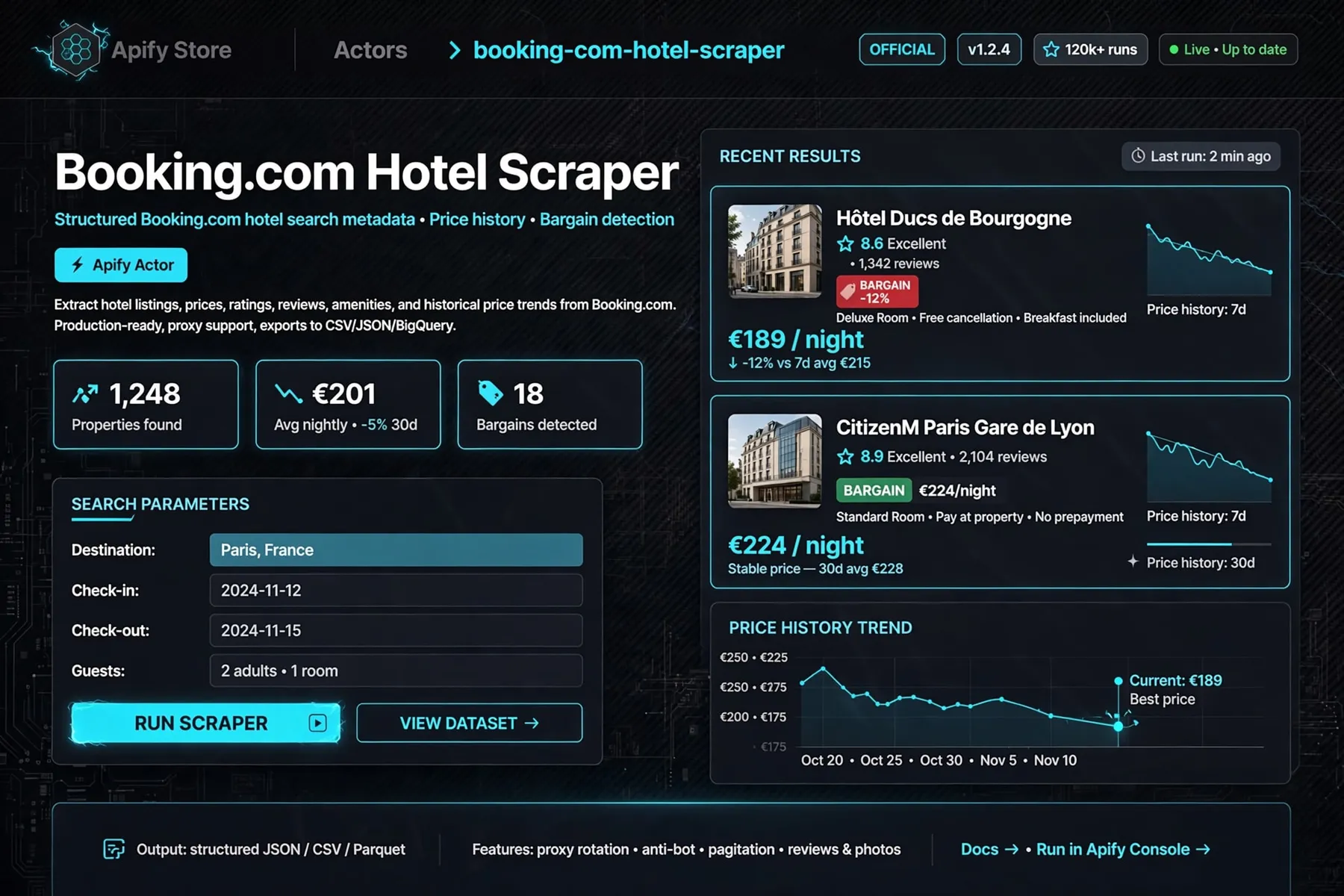
Turn Booking.com searches and hotel pages into clean, structured data with price history and drop/bargain flags — no browser required.
HTTP-first · runs on Apify · datacenter proxy by default, residential opt-in · local runs without proxy may be PARTIAL



Why this Actor?
| Feature | What you get |
|---|---|
| HTTP-first scraping | No browser, no heavy infrastructure. Bookings public pages are fetched directly, so runs are fast and cheap. |
| Search + direct hotel URLs | Paste a Booking.com search results URL, a list of hotel URLs, or both — scrape the properties you actually care about. |
| Date-scoped prices | Prices are quoted for your specific check-in/check-out dates via searchresults.html, or labeled city_indicative when only indicative nightly rates are available. |
| Price history (cross-run) | The Actor stores a 90-day price history per hotel and flags drops with priceDropped + priceChangePct compared with the previous snapshot. |
| Bargain flag | Optionally flags properties priced at or below the destination cohort median — spot the best value in a market at a glance. |
| 20 currencies | USD, EUR, IDR, SGD, JPY, GBP, AUD, THB, MYR, CNY, INR, KRW, VND, PHP, HKD, TWD, BRL, MXN, CAD, CHF. |
| Detail enrichment | Fetches each hotel page for JSON-LD details — address, amenities, geo, rating — as an opt-in per-result add-on. |
| Clean, typed dataset | One buyer-friendly row per hotel with null for absent data and a status enum that classifies every row (SUCCESS / PARTIAL / NOT_FOUND / BLOCKED / ERROR). |
| Export anywhere | Results export natively to JSON, CSV, or Excel from the Apify Console — schedule reruns, or pipe to a webhook. |
| Affordable | Search + history + flags at $0.002/result; detail enrichment is a separate line item you can leave off entirely. |
Note on proxy: the Actor defaults to Apify Residential proxy — Booking.com's AWS WAF blocks datacenter/AUTO traffic with 202 stubs, so Residential is required for reliable results. A local run without proxy may return PARTIAL rows.
Quick start
- Open the Actor in the Apify Console and click Start.
- Easiest input — just set Destination (e.g.
Bandung) plus dates. Or paste a full Booking.com search results URL (or hotel URLs) if you prefer. - Optionally customize currency, language, and flags, then click Start.
- When the run finishes, open the Dataset tab and download as JSON, CSV, or Excel.
Simplest input — just a destination (no URL needed):
Advanced — full search URL (any variant accepted, e.g. searchresults.en-gb.html):
How it works
- You paste a
searchresults.htmlsearch URL (or direct/hotel/{cc}/{slug}.htmlURLs, or both). - The Actor fetches the public pages over HTTP and parses each hotel card — name, URL, price, currency, rating, reviews, stars, free-cancellation status.
- Optional detail pass: each hotel's own page is fetched for richer JSON-LD data (address, amenities).
- Price snapshot is saved to history; the row's
priceDropped,priceChangePct, andbargainflags are computed against the 90-day history. - Each property becomes one dataset row, classified by a
statusenum.
Input
Three ways in — pick whichever fits:
destination(easiest) — just a place name, the Actor builds the search URL.searchUrl— a full Booking.com search URL (anysearchresults[.lang].htmlvariant).hotelUrls— a list of hotel page URLs.
| Field | Type | Required | Default | Description |
|---|---|---|---|---|
destination | string | No* | — | City or area name, e.g. Bali, Bandung. Builds the search URL for you. Ignored when searchUrl is set. |
searchUrl | string | No* | — | Full Booking.com search URL. Any searchresults[.lang].html variant accepted. Overrides destination if both set. |
hotelUrls | array | No | — | https://www.booking.com/hotel/{cc}/{slug}.html URLs to scrape directly. |
maxResults | integer | No | 25 | Maximum number of results (1..5000). |
selectedCurrency | string | No | USD | Currency for prices: USD, EUR, IDR, SGD, JPY, GBP, AUD, THB, MYR, CNY, INR, KRW, VND, PHP, HKD, TWD, BRL, MXN, CAD, CHF. |
checkin | string | No | — | Check-in date, YYYY-MM-DD. Overrides the date in searchUrl. |
checkout | string | No | — | Check-out date, YYYY-MM-DD. Overrides the checkout in searchUrl. |
lang | string | No | en-us | Language/locale tag, e.g. en-us, id-id, de. |
enableDetail | boolean | No | true | Fetch each hotel's /hotel/ page for JSON-LD details (address, rating, amenities). Adds a $0.006/result add-on. |
bargain | boolean | No | false | Flag properties priced at or below the destination cohort median (needs ≥ 3 priced results). |
proxy | object | No | {useApifyProxy: true, apifyProxyGroups: ["RESIDENTIAL"]} | Proxy config. Defaults to Residential — required for Booking.com's WAF. |
At least one of destination, searchUrl, or hotelUrls is required. searchUrl wins over destination; dates/currency from input fields override those in the URL.
Output
One real record from a live run (Bandung search, priceBasis: date_scoped):
Download the dataset as JSON, CSV, or Excel directly from the Apify Console.
| Field | Type | Description |
|---|---|---|
name | string | null | Hotel name. |
url | string | null | Booking.com page URL. |
hotelId | string | null | Stable hotel identifier. |
city | string | null | City (when available). |
country | string | null | Country (when available). |
price | number | null | Numeric price. |
priceDisplay | string | null | Display-formatted price, e.g. Rp 281,250. |
currency | string | null | Currency code, e.g. IDR. |
pricePerNight | number | null | Price divided by nights. |
rating | number | null | Guest rating (0–10 scale). |
reviewCount | number | null | Number of reviews. |
stars | number | null | Hotel star rating. |
location | string | null | Location string (detail pass). |
distance | string | null | Distance text, e.g. 3.3 miles from downtown. |
address | string | null | Street address (detail pass). |
amenities | array | Amenity list (detail pass). |
images | array | Image URLs. |
freeCancellation | boolean | null | Whether free cancellation is offered. |
priceBasis | string | null | date_scoped (your dates) or city_indicative (indicative nightly price). |
priceDropped | boolean | null | Whether price is lower than the prior snapshot. |
priceChangePct | number | null | Percent change vs prior snapshot. |
bargain | boolean | null | Flagged as at/below destination median (opt-in). |
parsedScrapedAt | string | null | ISO timestamp of when the row was parsed. |
httpStatus | number | null | HTTP status of the page fetch. |
status | string | Row classification: SUCCESS, PARTIAL, NOT_FOUND, BLOCKED, ERROR. |
error | string | null | Error detail when status is not SUCCESS. |
Fields are null when absent; amenities and images are always present (may be empty arrays).
Cost, limits, proxy
- Memory: 512 MB (fixed).
- Pricing: pay-per-result.
$0.002per hotel result (search + history + flags).$0.006per hotel detail enrichment whenenableDetailis on. - Proxy: defaults to Apify Residential proxy (required — Booking.com's WAF returns 202 challenge stubs to datacenter/AUTO traffic). Residential transfer is billed by Apify at plan rates (see
maxMonthlyResidentialProxyGbyteson your plan). Local runs without a proxy may returnPARTIALrows. - Concurrency / limits:
maxResultsup to5000;bargainflag needs ≥ 3 priced results in the destination cohort. Price history is kept for 90 days / last 30 runs. - Expected runtime: a small run (25 hotels, no detail) takes roughly a minute; a large run (e.g. 1,000+ hotels with detail enrichment over residential proxy) takes significantly longer and costs more via the detail add-on. Plan small runs first to gauge timing for your workload.
Recipes
Daily market scan with bargain flags
Track value properties in a destination and watch for drops:
Direct hotel list, no search
Scrape exactly the properties you care about. Get URLs from a prior search run's url field — don't guess slugs:
Cross-currency planning
Scan the same destination in a different currency:
Troubleshooting
| Symptom | Cause | Fix |
|---|---|---|
Row shows PARTIAL | Page returned but could not be fully parsed | Rerun in the Apify Console (proxy enabled). Check the destination/country is reachable. |
Row shows BLOCKED | Booking.com refused the request (WAF / rate limit) | Ensure proxy.apifyProxyGroups is ["RESIDENTIAL"] (the default). Datacenter/AUTO traffic is blocked by Booking.com's WAF. |
Row shows NOT_FOUND | Hotel page no longer exists or URL is wrong | Verify the /hotel/{cc}/{slug}.html URL is live — best source is the url field of a prior search run, not a hand-typed slug. |
Run fails with Invalid search URL | searchUrl is not a Booking search URL | Use destination instead (e.g. "destination": "Bandung") — the Actor builds the URL for you. Any searchresults[.lang].html variant is accepted for searchUrl. |
Row shows ERROR | Server error or unexpected failure | Check httpStatus / error; retry after a moment. |
bargain is false everywhere | Cohort median could not be computed (< 3 priced results) | Run with a broader search or a destination with more hotels. |
| Prices look like landing-page rates, not your dates | priceBasis is city_indicative | Provide a checkin/checkout so prices are quoted for your stay. |
| Local run returns partial/unreliable data | Running without a proxy | Run in the Apify Console where the Residential proxy is enabled. |
FAQ
Q: How much does it cost?
A: $0.002 per hotel result, plus $0.006 per hotel detail enrichment when enableDetail is on. A 25-hotel search without detail costs about $0.05 before platform usage.
Q: How fast is it? A: It's HTTP-first, so it's fast and light — a small run completes in about a minute. Large runs (thousands of hotels with detail enrichment) take longer and cost more via the detail add-on.
Q: Can I scrape private or protected content? A: No. Only public Booking.com pages. You are responsible for complying with Booking.com's terms and applicable privacy/consumer law.
Q: Is this legal? / What about the Booking.com ToS? A: You are responsible for the legality of your use in your jurisdiction and for respecting Booking.com's terms of service. This Actor only accesses public pages.
Q: Can I run it on a schedule? A: Yes — the Apify Console supports scheduled runs. This also powers the cross-run price history: each scheduled rerun compares prices against the 90-day history.
Q: Can I download the results? A: Yes — export the dataset as JSON, CSV, or Excel from the Apify Console, or pipe it to a webhook.
Q: Can I copy or republish this Actor? A: No. This Actor is proprietary. You may run it on Apify. You may not rebrand, republish, or claim authorship. See ./LICENSE.
Limitations
- Public data only. You are responsible for ToS and privacy law.
- Prices that cannot be quoted for your exact dates are marked
priceBasis: city_indicative— indicative nightly rates, not stay quotes. bargainrequires ≥ 3 priced results in the same destination cohort to compute a median.- Booking.com's WAF can block datacenter traffic; if you hit
BLOCKEDrows, use the residential proxy opt-in (more expensive). - Detail fields (
address,amenities,location,distance) come from the optional detail pass; they arenullor empty when disabled or unavailable.
Run it
Open the Actor on Apify Console and click Start.
License
Proprietary. All rights reserved. Copyright (c) 2026 REXREUS.
You may run this Actor on Apify. You may not copy, rebrand, republish, or claim this Actor as your own. See ./LICENSE.


