

AI Image Upscaler (Real-ESRGAN) 2x 3x 4x
Pricing
$20.00 / 1,000 image upscaleds
AI Image Upscaler (Real-ESRGAN) 2x 3x 4x
Upscale images 2x, 3x or 4x with Real-ESRGAN AI. Removes JPEG artifacts and noise, sharpens edges, keeps transparency. Give image URLs, get high-resolution PNG/JPEG/WebP links. Pay only per upscaled image, never for failures.
Pricing
$20.00 / 1,000 image upscaleds
Rating
0.0
(0)
Developer

Dmitry Kvitka
Maintained by CommunityActor stats
0
Bookmarked
2
Total users
1
Monthly active users
10 days ago
Last modified
Categories
Security
Limited permissionsShare
AI Image Upscaler (Real-ESRGAN) — 2x / 3x / 4x
Upscale any image 2x, 3x or 4x with Real-ESRGAN, a neural super-resolution model. It removes JPEG artifacts and noise, sharpens edges and text, and keeps PNG/WebP transparency.
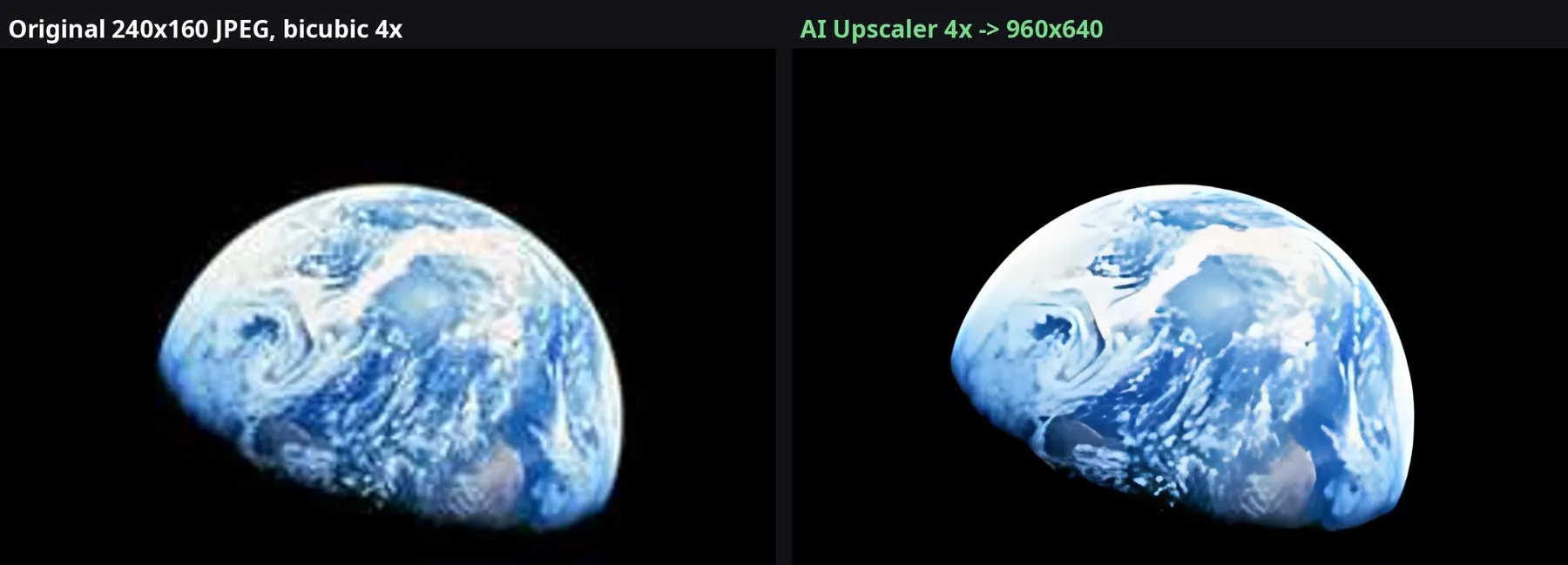
Real run of this Actor: a 240×160 JPEG (NASA Earthrise, public domain). Left: ordinary bicubic 4x resize. Right: AI Upscaler 4x.
Give a list of image URLs and get high-resolution PNG, JPEG or WebP files back. It works from the Console, the API, schedules, integrations (Make, Zapier, n8n) and AI agents over MCP.
What it's good for
- Product photos and thumbnails that are too small for a marketplace listing
- Old or heavily compressed photos (removes blockiness from JPEG compression)
- Screenshots, logos and illustrations for print or retina screens
- Batch processing of whole image sets, such as scraped catalog images from another Actor
Input
| Field | Description |
|---|---|
imageUrls | Direct links to images (JPEG, PNG, WebP, BMP, GIF first frame). Up to 30 MB and 16 megapixels per image. |
scale | 2, 3 or 4 (default 4) |
outputFormat | png (default, lossless), jpeg or webp |
Output
Each image becomes one dataset item. The upscaled file is in the run's key-value store, and outputUrl is a direct download link.
If an image can't be downloaded or decoded, you get an item with an error field and are not charged for it.
Use it from AI agents (MCP and x402)
This Actor works as a tool for AI agents with no extra setup:
- MCP: add
https://mcp.apify.com/?tools=roark/ai-image-upscaleras a remote MCP server in Claude, Cursor, VS Code or any MCP client. The agent gets anai-image-upscalertool that takes image URLs. - x402 / agentic payments: agents without an Apify account can run it and pay per image in USDC (see Apify's agentic payments docs).
- API:
POST https://api.apify.com/v2/acts/roark~ai-image-upscaler/run-sync-get-dataset-items?token=<TOKEN>with the JSON input above returns the results in one call.
Pricing
Pay per image. One event covers an input image of up to 0.5 megapixels, which is most web images: 800×600 counts as one event. Larger inputs count one event per started 0.5 MP. You never pay for failed images, and the run stops cleanly when it reaches your spending limit.
Model
Real-ESRGAN realesr-general-x4v3 (BSD-3-Clause, © Xintao Wang et al.), running on CPU with ONNX Runtime and tiling, so large images don't run out of memory.


