

Weather Forecast Search
Pricing
from $1.00 / 1,000 forecast fetcheds
Weather Forecast Search
Get current weather conditions and multi-day forecasts for any location worldwide using the free Open-Meteo API. Search by city name (auto-geocoded) or direct latitude/longitude coordinates.
Pricing
from $1.00 / 1,000 forecast fetcheds
Rating
5.0
(1)
Developer

Ryan Clinton
Maintained by CommunityActor stats
0
Bookmarked
32
Total users
2
Monthly active users
2 months ago
Last modified
Categories
Share
Weather Forecast & Operational Intelligence
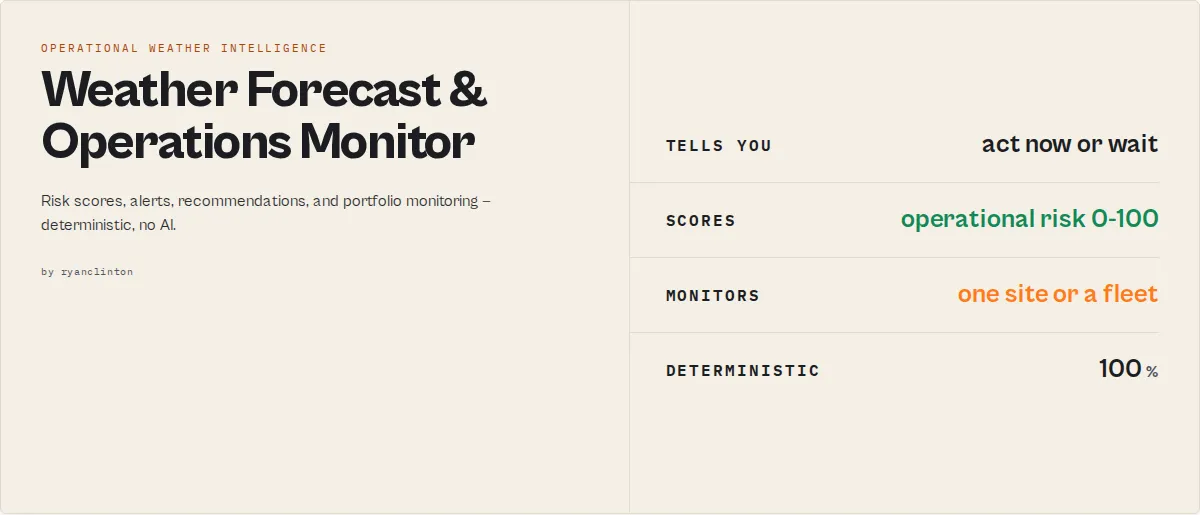
Monitor weather-driven operational risk across one site or an entire portfolio. Track changes run-to-run, rank locations, detect threshold crossings, surface the sites that need attention, and follow a feed of what changed — all powered by deterministic weather intelligence. Underneath it is a full forecast (current conditions, multi-day, hourly), but the output is built for decisions: a 0-100 risk score, recommended actions, exceptions, escalations, and site health. No API key required for the default data source.
Weather Forecast Search is an Apify actor that turns a place name or a pair of coordinates into a complete weather picture plus the decisions that come with it. By default it draws from the MET Norway weather API (the Norwegian Meteorological Institute), which is free and licensed for commercial use. Type a city like "London" or "Tokyo" and the actor resolves it to coordinates through OpenStreetMap, fetches the forecast, and returns temperature, feels-like, humidity, wind, precipitation, UV index, cloud cover, sunrise/sunset, threshold-based weather alerts, a deterministic risk score, operational-impact tags (travel-delay, frost, heat-stress, ideal-conditions…), forecast trend, and per-day confidence — ready for dashboards, automations, agents, or alerting pipelines.
Monitoring a fleet of sites? Pass a locations list and the actor returns one forecast record per location plus a ranking summary — best location, highest-risk location, and a portfolio risk-band breakdown — turning it into a weather operations center, not just a forecast API. Add a watchlistName to track what got worse since the last run, or watchFor thresholds to catch the day a limit is crossed. Have your own Open-Meteo commercial API key? Drop it in for full native fidelity — your subscription, your bill.
Why use Weather Forecast Search?
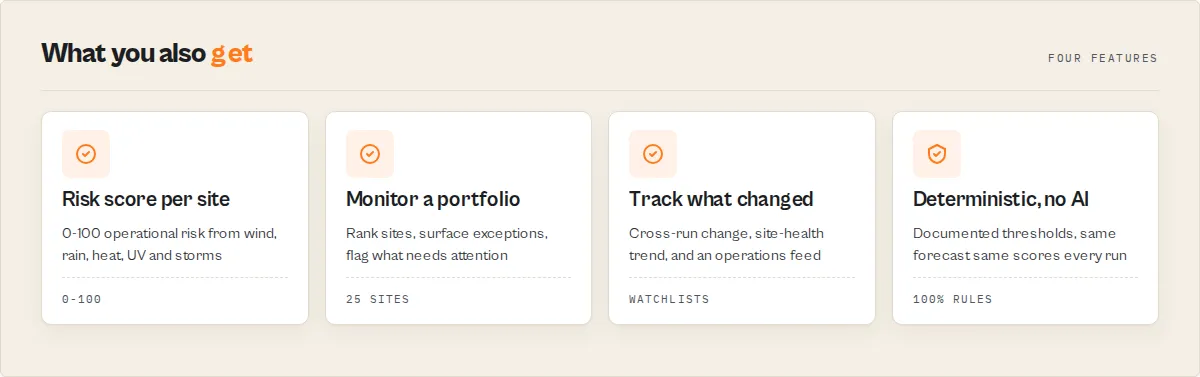
- No API key needed to start — the default MET Norway data source is free and commercially licensed (CC BY 4.0 / NLOD 2.0). Run it immediately, no signup.
- Worldwide coverage — any city name or any latitude/longitude on the planet, from capital cities to remote farms, airports, and offshore sites.
- Weather alerts built in — every run computes deterministic advisories for severe weather, extreme heat/cold, high wind, heavy precipitation, and high UV, so downstream automations can branch on conditions without parsing raw numbers.
- Agent- and automation-ready — a one-line
summarystring plus stable enum fields (recordType,alerts[].severity) drop straight into Dify, Zapier, Make, n8n, Slack rules, and AI agent tool calls. - Bring your own provider — supply an Open-Meteo commercial key for full native fidelity and up to 16 forecast days; otherwise the free MET Norway source covers ~10 days.
- Lightweight and cheap — a run completes in seconds with minimal memory and one or two HTTP calls.
Key features
- Current conditions — temperature, feels-like (apparent) temperature, humidity, precipitation, weather description, wind speed, wind direction, wind gusts (where available), cloud cover, and a day/night indicator.
- Daily forecast — high/low temperatures, feels-like range, sunrise, sunset, max UV index, precipitation totals, max wind speed and gusts, and dominant wind direction per day.
- Weather intelligence layer — a deterministic 0-100
riskScoreandriskLevel(severe/high/moderate/low/minimal) on current and every day, plusweatherImpacts[]tags (travel-delay-risk, frost-risk, heat-stress-risk, high-uv-exposure, outdoor-event-risk, ideal-conditions…) and a top-leveloverallRiskyou can branch on at a glance. - Recommended actions — a
recommendations[]array of deterministic action enums (avoid-outdoor-events, delay-high-wind-operations, uv-protection-recommended, frost-protection-recommended, conditions-favourable…). - Forecast outlook and stability — a run-level
forecastOutlook(0-100 + rating: is the week good or bad?) and astabilityrating (stable/variable/volatile from day-to-day swings). - Prioritization layer —
topRisksdecomposes each score into its biggest drivers (so you know why),recoverytells you the first day an elevated-risk forecast eases, and the multi-locationsummarysurfaces anexceptionslist (only the sites that need attention) plus acomparisonexplaining why the best site won. - Multi-location ranking + portfolio — pass a
locationslist and get asummaryrecord that ranks sites best-first, names thebestLocationandhighestRiskLocation, and counts how many fall in each risk band. Monitor depots, stores, sites, or farms as one portfolio. - Persistent site intelligence — set a
watchlistNameand the actor keeps a rolling history per location: each record gains achangeblock (deteriorating / improving / stable vs the prior run) and asiteHealthblock (multi-runtrend,riskAverage,daysInHighRisk). The multi-locationsummaryadds an operationsfeed— a changelog of risk increases and threshold crossings across your sites. Answers "what has been happening?", not just "what's next?" - Threshold watch — pass
watchForthresholds (e.g. temperature above 30, wind above 50) and the actor reports the first day each is crossed inwatchEvents. - Industry lens (opt-in) — set
industryModetotravel,agriculture,construction,events,drone, orlogisticsfor a deterministic sector assessment (flight-delay risk, frost/spraying/irrigation, crane risk, outdoor suitability, drone flight conditions, delivery disruption). - Trend and confidence — a
trendblock (warming/cooling, wetter/drier across the window) and a lead-timeconfidenceper day. - Best-time windows — when hourly data is on, the actor surfaces favourable daytime windows (dry, light wind, comfortable) for outdoor work, events, and photography.
- Multi-location batch mode — pass a
locationslist and get one forecast record per place in a single run. - Optional hourly breakdown — temperature, humidity, precipitation, weather code, wind speed, and wind direction for each hour.
- Deterministic weather alerts — threshold-based advisories and warnings for thunderstorms, extreme heat/cold, freezing, high/strong wind, heavy precipitation, snow, and high/very-high/extreme UV.
- One-line summary — a plain-English
summaryan LLM, agent, or dashboard can quote verbatim. - City geocoding or direct coordinates — resolve any place name via OpenStreetMap Nominatim, or pass exact latitude (-90 to 90) and longitude (-180 to 180).
- Celsius or Fahrenheit, plus a configurable IANA timezone (or
auto, derived from the location). - Stable, versioned output — every record carries a
schemaVersionand arecordTypediscriminator for clean downstream filtering.
All intelligence is deterministic — computed from documented thresholds, no AI and no fabrication. The same forecast always produces the same scores and tags.
How to use Weather Forecast Search
Using the Apify Console
- Open the Weather Forecast Search actor on the Apify Store.
- Click Try for free to open it in Apify Console.
- Enter a Location (a city such as "London", "Tokyo", or "San Francisco") or provide Latitude and Longitude directly.
- Set the number of Forecast Days (1 to 16; default 7).
- Optionally enable Include Hourly Forecast.
- Choose your Temperature Unit (Celsius or Fahrenheit) and a Timezone (or leave
auto). - (Optional) Under Advanced, paste an Open-Meteo API key to use your own commercial subscription.
- Click Start, then read or download the result from the Dataset tab as JSON, CSV, or Excel.
Using the Apify API
Using the Apify CLI
Input parameters
| Parameter | Type | Required | Default | Description |
|---|---|---|---|---|
location | String | No* | "New York" | City name to search for. Geocoded to coordinates via OpenStreetMap. Ignored if locations is set or if latitude/longitude are provided. |
locations | String[] | No* | — | Batch mode: a list of city names (up to 25). Returns one forecast record per location. Overrides location when set. |
latitude | Number | No* | — | Direct latitude (-90 to 90). Overrides location when both lat and lon are set. |
longitude | Number | No* | — | Direct longitude (-180 to 180). Overrides location when both lat and lon are set. |
forecastDays | Integer | No | 7 | Number of forecast days (1 to 16). MET Norway provides ~10 days; an Open-Meteo key reaches 16. |
includeHourly | Boolean | No | false | Include an hourly weather breakdown. |
temperatureUnit | String | No | "celsius" | "celsius" or "fahrenheit". |
timezone | String | No | "auto" | IANA timezone (e.g. "America/New_York"). "auto" derives it from the location's coordinates. |
industryMode | String | No | "none" | Optional sector lens: travel, agriculture, construction, events, drone, or logistics. Adds an industry assessment block. |
watchFor | Object | No | — | Threshold watch. Keys: temperatureAbove, temperatureBelow, windSpeedAbove, precipitationAbove, uvIndexAbove. Reports the first day each is crossed in watchEvents. |
watchlistName | String | No | — | Turns on cross-run change detection. Each location record gains a change block vs the prior run on this watchlist. |
openMeteoApiKey | String (secret) | No | — | Your own Open-Meteo commercial API key. When set, forecasts come from Open-Meteo at full native fidelity. When blank, the free MET Norway source is used. |
*You must provide either location or both latitude and longitude.
Input example
Batch input example (multiple locations)
Industry-lens example (agriculture)
Operations-monitoring example (fleet of sites, with change detection)
A multi-location run also emits one recordType: "summary" record:
Output
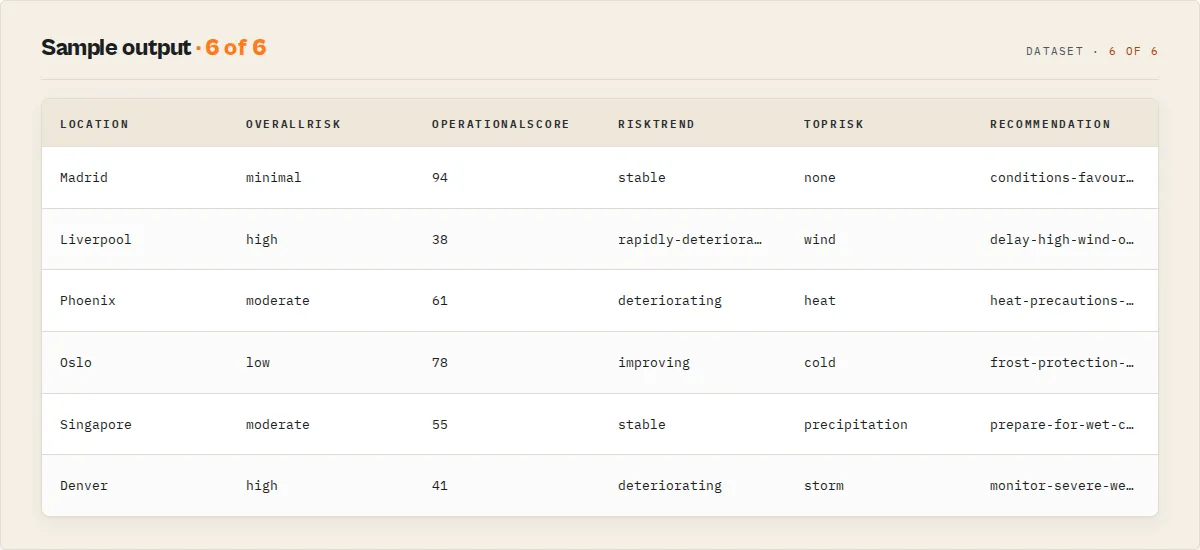
The actor outputs a single structured JSON record per run to the default dataset.
Output example
Output fields
| Field | Type | Description |
|---|---|---|
schemaVersion | String | Output contract version. Branch on this to detect shape changes. |
recordType | String | forecast for results, notice or error for diagnostics. |
summary | String | One-line plain-English summary of conditions, range, and alert count. |
overallRisk | String | Worst risk level across current + daily: severe/high/moderate/low/minimal. The at-a-glance status. |
forecastOutlook | Object | { score: 0-100, rating: excellent/good/fair/poor } — is the window good or bad? |
stability | Object | { score: 0-100, rating: stable/variable/volatile } from day-to-day temperature, wind, and precipitation swings. |
recommendations | Array | Deterministic recommended-action enums (e.g. avoid-outdoor-events, uv-protection-recommended, conditions-favourable). |
industry | Object | Present only when industryMode is set. Sector assessment with a mode discriminator (travel/agriculture/construction/events/drone/logistics). |
watchEvents | Array | Present only when watchFor is set. First forecast day each threshold is crossed: { type, threshold, day, value }. |
change | Object | Present only when watchlistName is set. Cross-run change vs the prior run: { status, changeType, riskDelta, previousRiskScore, previousSeenAt }. |
siteHealth | Object | Present only when watchlistName is set. Longitudinal: { runsTracked, riskAverage, daysInHighRisk, trend }. |
recovery | Object | Present only when overallRisk is high/severe: { expectedDay, riskAfterRecovery }. |
timeline | Array | Present only when hourly is on: daytime good/fair/poor segments { day, from, to, status }. |
current.topRisks / daily[].topRisks | Array | The biggest drivers of each risk score: [{ type, contribution, reason }]. |
riskTrajectory | Array | Day-by-day risk series [{ day, riskScore }]. |
riskTrend | String | Risk direction over the window: rapidly-deteriorating / deteriorating / stable / improving / rapidly-improving. |
trend | Object | temperature (warming/cooling/stable) and precipitation (increasing/decreasing/stable) over the window. Null if too few days. |
Summary record (recordType: "summary", multi-location only) | — | actionRequired, criticalSites, topOperationalRisk, bestLocation, highestRiskLocation, portfolioSummary, rankings[], exceptions[], comparison, and — on watchlist runs — escalations[] (band transitions), feed[] (operations changelog), watchlistHealth, portfolioMovement. |
bestWindows[] | Array | Favourable daytime windows (dry, light wind, comfortable), present only when includeHourly is true. Each has day, start, end, reason. |
alerts[] | Array | Deterministic threshold advisories. Each has type, severity (warning/advisory), message, and day. |
location | Object | Resolved location: name, country, latitude, longitude, elevation, timezone. |
current.* | Object | Current conditions plus riskScore (0-100), riskLevel, and weatherImpacts[]. |
daily[] | Array | Per-day forecast plus riskScore, riskLevel, weatherImpacts[], and confidence (lead-time, 0-100). |
hourly[] | Array | Per-hour forecast (optional, when includeHourly is true). |
dataSource | String | Upstream provider: MET Norway or Open-Meteo (commercial). |
attribution | String | Required data-provider attribution (CC BY 4.0 / ODbL). |
extractedAt | String | ISO 8601 timestamp of when the data was collected. |
failureType | String | Present only on notice/error records: no-data, invalid-input, upstream-unreachable, or unknown. |
Weather alerts
The actor scans the forecast and emits deterministic alerts using documented meteorological thresholds — no AI, no fabrication:
| Alert type | Severity | Fires when |
|---|---|---|
thunderstorm | warning | Current or forecast thunderstorm conditions |
extreme-heat / heat | warning / advisory | Daily high ≥ 35°C / ≥ 30°C (95°F / 86°F) |
extreme-cold / freezing | warning / advisory | Daily low ≤ -10°C / ≤ 0°C (14°F / 32°F) |
high-wind / strong-wind | warning / advisory | Max wind ≥ 75 / ≥ 50 km/h |
heavy-precipitation / precipitation | warning / advisory | Daily precipitation ≥ 50 / ≥ 20 mm |
extreme-uv / very-high-uv / high-uv | warning / advisory | Max UV index ≥ 11 / ≥ 8 / ≥ 6 |
snow | advisory | Snow in the daily forecast |
Weather intelligence
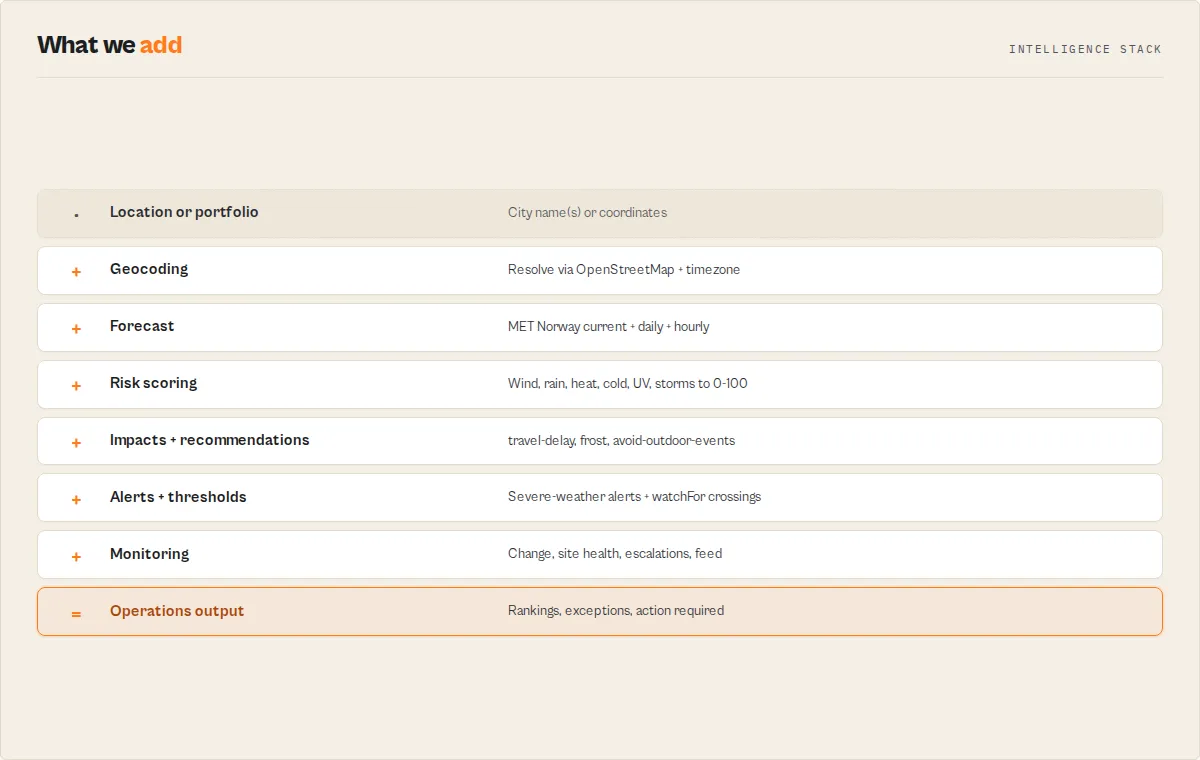
Beyond raw numbers, every record carries a deterministic decision layer so your automation does not have to interpret the forecast itself.
riskScore(0-100) andriskLevel— a composite of wind, precipitation, temperature extremes, UV, and severe-weather codes, oncurrentand everydailyentry. Bands:severe≥ 70,high≥ 50,moderate≥ 30,low≥ 12, elseminimal.overallRisk— the worstriskLevelacross the whole forecast: one field to branch on for "is this location a problem?"weatherImpacts[]— stable enum tags describing what the weather means:travel-delay-risk,outdoor-event-risk,frost-risk,heat-stress-risk,extreme-heat-risk,high-wind-risk,heavy-rain-risk,snow-risk,thunderstorm-risk,high-uv-exposure, orideal-conditions.topRisks— the score's biggest drivers, each with a plain-English reason, e.g.[{ "type": "wind", "contribution": 40, "reason": "forecast winds up to 72 km/h" }]. Answers "why is this risky?"recovery— whenoverallRiskis high or severe, the first forecast day risk eases to low/minimal and the level then. Answers "when does it improve?"riskTrajectory+riskTrend— the day-by-day risk score as a series, plus a direction (rapidly-deteriorating…rapidly-improving). See risk evolve, not just a snapshot.timeline— when hourly is on, the day split intogood/fair/poorsegments for scheduling operations.escalations(watchlist summary) — band-level state transitions across the portfolio (entered-high-risk-band/left-high-risk-band). Operations think in transitions, not values.recommendations[]— recommended-action enums derived from those impacts:avoid-outdoor-events,delay-high-wind-operations,prepare-for-wet-conditions,allow-extra-travel-time,frost-protection-recommended,heat-precautions-recommended,uv-protection-recommended,monitor-severe-weather, orconditions-favourable.forecastOutlook— a run-level 0-100 score + rating answering "is the next few days good or bad?" — this is the operational score (100 = perfect operating conditions, 0 = impossible). The dashboard headline metric.stability— 0-100 +stable/variable/volatilefrom how much temperature, wind, and precipitation swing day to day. Operations teams care about predictability.industry(opt-in viaindustryMode) — a sector assessment from the same engine.travel:flightDelayRisk+drivingConditions.agriculture:frostRisk+heatStressRisk+sprayingConditions+irrigationNeed.construction:workability+concretePourRisk+craneRisk.events:outdoorSuitability+weatherRisk.trend— whether temperature iswarming/coolingand precipitationincreasing/decreasingacross the window.confidence— a per-day lead-time confidence (near-term days score higher than long-range; a documented heuristic, not an ensemble spread).bestWindows[]— when hourly is on, the favourable daytime windows for outdoor activity.
All of it is computed from documented thresholds — deterministic, reproducible, and free of AI.
Data sources and attribution
This actor uses openly licensed data. When you republish or display the output, keep the attribution string the actor provides.
- Weather (default): MET Norway — the Norwegian Meteorological Institute, licensed under NLOD 2.0 and CC BY 4.0. Commercial use is permitted with credit to "MET Norway".
- Weather (optional): Open-Meteo commercial API, used only when you supply your own API key. Billed to your Open-Meteo subscription.
- Geocoding: OpenStreetMap Nominatim, © OpenStreetMap contributors, licensed under the ODbL.
Use in Dify
Weather Forecast Search returns decisions, not just raw numbers — a top-level overallRisk enum, a recordType discriminator, and an alerts[] array whose entries carry a stable severity (warning / advisory) and type. Dify's if/else branching nodes route on equality matches, so a weather-monitoring agent plugs in cleanly: pull the forecast, branch on overallRisk, and act. Competitors pointed at the same source return raw numbers; this returns the risk call your downstream node branches on.
- Actor ID:
TpfQHy4R1EZT3ZqOp
Sample input for a scheduled multi-location watch:
Branching example (Dify if/else node):
- If
recordTypeequalserror→ notify the operator that the forecast run failed (readfailureType). - Else if
overallRiskequalssevereorhigh→ send a severe-weather alert to Slack with thesummaryand anyalerts[].message. - Else if
overallRiskequalsmoderate→ log a heads-up for review. - Else → store the
summaryand continue.
The summary, weatherImpacts[], and alerts[].message values are usable verbatim — no LLM rewriting needed.
Use cases
- Daily weather briefings — schedule a morning run and push the
summaryand any alerts to Slack, email, or a dashboard. - Severe-weather monitoring — branch automations on
alerts[].severityto notify teams about heat, cold, wind, or storms. - Travel planning — check destination conditions 1–16 days ahead before booking or packing.
- Agriculture and field operations — track temperature extremes, precipitation totals, UV, and wind for planting, irrigation, and harvest decisions.
- Event and construction planning — watch the forecast leading up to outdoor work and flag weather risk early.
- Energy and demand forecasting — feed temperature forecasts into heating/cooling demand models.
- AI agents and pipelines — give an agent a single tool that turns a place name into structured weather plus a quotable summary.
API and integrations
Python
JavaScript
cURL
Integrations
Works with all native Apify integrations: Google Sheets, Slack, Zapier, Make (Integromat), n8n, and webhooks/REST API. Schedule recurring runs to build weather-monitoring pipelines on autopilot.
How it works
- Input validation — the actor checks for a city name or latitude/longitude. At least one is required.
- Geocoding (if needed) — a city name is resolved to coordinates via OpenStreetMap Nominatim; the timezone is derived from those coordinates (or taken from your
timezoneinput). - Forecast fetch — with no API key, the actor calls MET Norway (
api.met.no); with an Open-Meteo key, it callscustomer-api.open-meteo.com. Both calls retry transient network errors with exponential backoff. - Normalisation — the provider response is mapped to a single, consistent output shape (units converted, weather codes resolved, daily values aggregated, sunrise/sunset computed).
- Alerts and summary — deterministic threshold alerts and a one-line summary are computed from the forecast.
- Output — the structured record is written to the Apify dataset with attribution.
Performance and cost
| Metric | Value |
|---|---|
| Average run time | 3 to 8 seconds |
| Memory | 256 MB default |
| External API cost | Free (MET Norway), or billed to your own Open-Meteo subscription |
| Max forecast range | ~10 days (MET Norway) / 16 days (Open-Meteo key) |
What this actor does NOT do
Honest scope so you know what you are getting:
- Not real-time severe-weather warnings. The
alertsare computed from forecast thresholds, not official government warnings. For life-safety alerts, use your national meteorological agency. - Not historical weather. It returns current conditions and forecasts only, not past observations.
- Up to 25 locations per run. Pass a
locationslist to monitor a portfolio in one run; for larger fleets, split across multiple runs (via API or scheduled tasks). - Wind gusts and UV can be null on the free source. MET Norway does not provide wind gusts for every location, and clear-sky UV is populated mainly for the near-term days. On the free source, feels-like temperature is computed (Bureau of Meteorology apparent-temperature formula) rather than supplied. For complete native fields, use an Open-Meteo commercial key.
- Geocoding returns the top match. Ambiguous names (e.g. "Springfield") may resolve to an unintended place — pass coordinates directly for precision.
- Change detection needs at least two runs. The first run on a new
watchlistNamemarks every locationchange.status: "new"; deltas appear from the second run onward. Schedule the actor for it to be useful.
Responsible use
- Keep the attribution. When you republish or display this data, credit MET Norway and OpenStreetMap as the actor's
attributionfield states (a licence requirement). - Do not rely on it alone for safety-critical decisions. Supplement with official warnings for severe weather, evacuations, and emergencies.
- Rate-limit your runs. Once per hour or a few times per day is plenty for most monitoring; avoid excessive polling.
FAQ
Does this actor require an API key? No. The default MET Norway data source is free and needs no key. You can optionally supply your own Open-Meteo commercial key for full native fidelity and up to 16 days.
Where does the weather data come from? By default, MET Norway (the Norwegian Meteorological Institute), which is free and licensed for commercial use. If you supply an Open-Meteo commercial key, data comes from Open-Meteo instead.
How many forecast days can I get? Up to ~10 days on the free MET Norway source, or up to 16 days with your own Open-Meteo key.
What are the weather alerts? Deterministic advisories computed from documented thresholds (severe weather, extreme heat/cold, high wind, heavy precipitation, high UV). They are signals for automation, not official government warnings.
Why is windGusts or uvIndexMax sometimes null?
MET Norway does not provide wind gusts for every location, and clear-sky UV is mainly available for the near-term days. Use an Open-Meteo key for fuller native coverage.
Can I get weather for exact coordinates?
Yes. Provide latitude and longitude and the actor skips geocoding.
Celsius or Fahrenheit?
Both. Set temperatureUnit to "celsius" or "fahrenheit"; all temperatures use your choice.
Can I set a custom timezone?
Yes. Pass any IANA timezone (e.g. "Asia/Tokyo"), or use "auto" to derive it from the location.
Is this good for AI agents and automations?
Yes. The summary string, recordType, and alerts[].severity are designed for tool calls and if/else routing in Dify, Zapier, Make, and n8n.
Related actors
| Actor | Description |
|---|---|
| Nominatim Geocoder | Convert place names to coordinates, or reverse-geocode, using OpenStreetMap data. |
| NOAA Weather Alert Monitor | Monitor official severe-weather alerts and warnings for United States locations. |
| Sunrise Sunset Search | Detailed sunrise, sunset, and twilight phase data for any location worldwide. |
| OpenStreetMap POI Search | Search points of interest, businesses, and landmarks with geographic filtering. |


