
LinkedIn Company Scraper — Details, Posts & Similar Companies
Pricing
from $3.00 / 1,000 companies
LinkedIn Company Scraper — Details, Posts & Similar Companies
LinkedIn company pages by link, name or website: about, website, industry, size, employees, followers, headquarters, founded, specialties, locations, products, similar companies and recent posts. Bulk, no login, no cookies, no personal data.
Pricing
from $3.00 / 1,000 companies
Rating
0.0
(0)
Developer

Salih Küçükkayış
Maintained by CommunityActor stats
0
Bookmarked
2
Total users
1
Monthly active users
a day ago
Last modified
Categories
Share
Get LinkedIn company data in bulk: paste company links, page names or just websites, and get one clean row per company with the about text, website, industry, company size, employees on LinkedIn, followers, headquarters and full address, founded year, specialties, every office location, products, similar companies and the company's recent posts with reactions and comments. No login, no cookies, no LinkedIn account needed.
What you get that other LinkedIn company scrapers leave to you:
- Start from websites. Have a list of domains from a CRM or a spreadsheet? Put them in websites: the Actor finds the LinkedIn page each site links to, or the page whose name matches the domain and lists the same website, and reads it.
foundBytells you which. - Recent posts included. Up to 10 latest posts per company (text, date, reactions, comments, images) in the same row, at no extra cost. Or switch Output to Posts for one row per post.
- New posts monitor. Schedule it with Only new posts since the last run to follow what competitors, customers or prospects post on LinkedIn.
- Numbers as numbers.
companySizeMin/companySizeMax,employeesOnLinkedIn,followers,foundedYear, specialties as a list, the address split into street, city, region, postal code and country. - Similar companies. LinkedIn's "Similar pages" and "Affiliated pages" for each company: a ready lookalike list for prospecting.
- No personal data. Employee lists and posts written by people are skipped on purpose.
What you can use it for
- Lead enrichment: add size, industry, headquarters, website and LinkedIn followers to a list of accounts.
- Prospecting: start from your best customers and collect their similar companies.
- Competitor tracking: follow competitors' LinkedIn posts every day or week.
- Market research: compare company sizes, locations and growth signals across a sector.
- Data cleaning: match domains to LinkedIn pages and fill in missing company fields.
Quick start
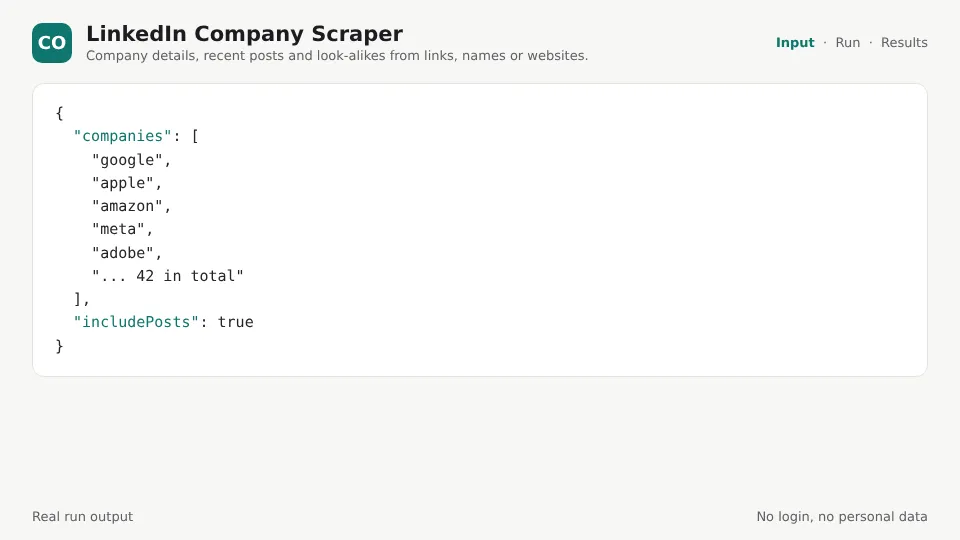
Press Start with the example input, or give your own:
From websites only:
Output
One row per company (fields LinkedIn does not show for a company are left out):
With Output: Posts, one row per post with company, companyUrl, companyId and companyFollowers added.
Input
| Field | What it does |
|---|---|
| LinkedIn companies | Links (linkedin.com/company/stripe), page names (stripe) or websites (stripe.com). Showcase and school pages work too. |
| Websites | The Actor finds the LinkedIn page each website links to, or a page with a matching name that lists the same website. |
| Include recent posts, Max posts per company | Up to 10 latest posts in each company row. |
| Only the company's own posts | Leave out reposts from the company's other pages. |
| Output | Companies, or Posts (one row per post). |
| Only new posts since the last run, Monitor name | Follow companies: only posts not returned before. |
Pricing
You pay per company in the Companies output (recent posts included) or per post in the Posts output, plus a tiny fee per run. Companies that are not found, websites without a LinkedIn link, failures and posts seen in earlier runs are free. Apify's free plan credit covers a first test.
Run it on a schedule
For competitor or prospect tracking, create a task with Output: Posts and Only new posts since the last run on, then schedule it daily or weekly. Send results to Slack, Google Sheets, email, Zapier, Make or n8n with integrations, or call it from your own code through the Apify API.
FAQ
Do I need a LinkedIn account or cookies? No. The Actor reads the public company page LinkedIn shows to visitors who are not signed in.
Does it return employees or people? No. Employee lists, profile photos and posts written by people are skipped on purpose. You get company data and the company's own posts.
What is employeesOnLinkedIn vs companySize? companySize is the range the company chose on its page (for example 51-200). employeesOnLinkedIn is how many LinkedIn members list the company as their employer, a good growth signal when you compare runs over time.
Why only 10 posts? LinkedIn shows visitors who are not signed in about the 10 latest posts. Schedule the Actor with the new posts monitor to build a full history.
A company has fewer fields than another. Fields the company did not fill in (founded, specialties, locations) are left out instead of being empty. LinkedIn also hides the follower count on some large pages for visitors who are not signed in; followers is then left out.
I gave a name and got a different company. A page name is the part after /company/ in the link, and short names often belong to someone else ("uber" is a small agency, Uber is "uber-com"). Use the full link or the website to be sure.
Some companies fail with "sign-in wall". LinkedIn limits how often one address can ask. The Actor retries from other proxy addresses; if many still fail, choose the RESIDENTIAL proxy group under Advanced. Failed companies are free.
How do I get the company's jobs? Use jobsUrl in LinkedIn Jobs Scraper (paste it in LinkedIn job search links).
Related Actors
- LinkedIn Jobs Scraper: jobs with full job pages, salary, agency flag and a hiring companies list.
- Career Site Jobs: jobs straight from company career sites.
- Tech Stack Detector: which technologies a company's website uses.
- Dataset Merge & Dedupe: join company rows with your own lists and export to CSV or Excel.


