

TikTok Creator & Competitor Intelligence
Pricing
Pay per usage
TikTok Creator & Competitor Intelligence
Compare TikTok creators with engagement rates, median views, viral outliers, content patterns, posting consistency, comments, and change tracking. Export clean data through API, schedules, JSON, CSV, or Excel.
Pricing
Pay per usage
Rating
5.0
(2)
Developer
Scrape Lads
Maintained by CommunityActor stats
3
Bookmarked
4
Total users
1
Monthly active users
a month ago
Last modified
Categories
Share
TikTok Scraper API for Creator & Competitor Analysis
Search TikTok videos by keyword, compare creators, find viral content patterns, and track performance changes in one run.
Use this TikTok scraper and analytics API to compare public creators, rank performance, analyze videos and comments, and export normalized TikTok profile data. The Actor returns creator rankings, engagement rates, viral outlier scores, content patterns, historical changes, and an optional executive report alongside raw records.
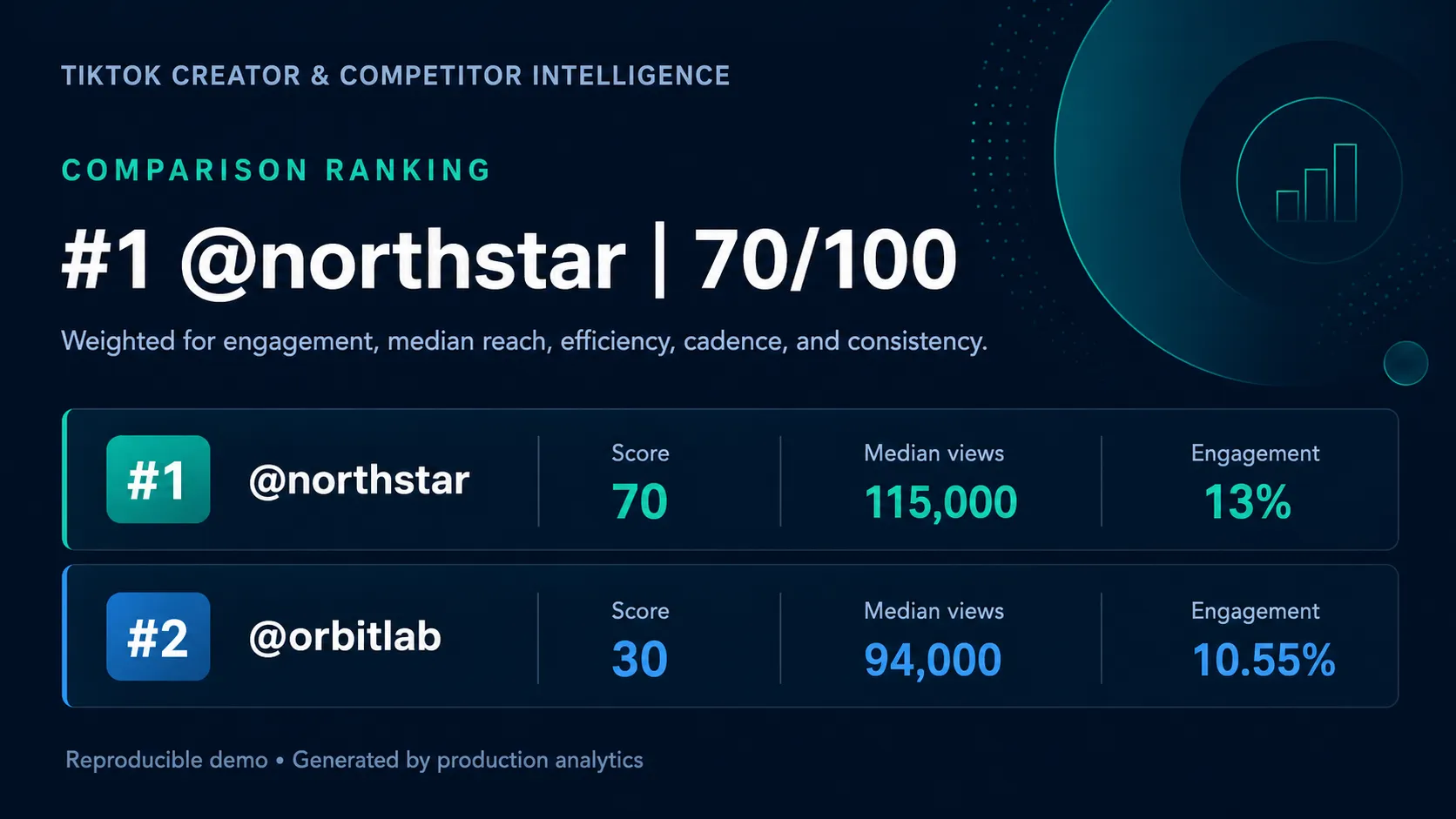
Watch the 60-second demo · Open the sample report · Inspect the generated JSON
TikTok scraper features
- Compare TikTok creators: rank public accounts by engagement, reach, posting frequency, and consistency.
- Search videos by keyword: collect public TikTok videos for topics, products, trends, and phrases.
- Analyze competitor content: find recurring hashtags, sounds, video lengths, posting days, and posting times.
- Detect viral TikTok videos: score every sampled post against the creator's median performance.
- Research TikTok audiences: extract public comments, replies, engagement signals, and author metadata.
- Track creator growth: compare followers, median views, engagement, and cadence with a previous scheduled run.
- Export TikTok data: download structured results as JSON, CSV, Excel, XML, RSS, or HTML, or use them through an API.
Quick navigation
- How to scrape and compare TikTok creators
- How to search TikTok videos by keyword
- TikTok scraper input example
- TikTok analytics output
- TikTok data extraction modes
- TikTok scraper API example
- TikTok scraper pricing
- Frequently asked questions
What can this TikTok scraper analyze?
| Question | Derived result |
|---|---|
| Who performs best? | Comparative creator ranking and weighted score |
| What is normal performance? | Median views and average views |
| Is the audience reacting? | View-weighted engagement rate |
| Does reach exceed audience size? | Median views-to-followers ratio |
| How often and consistently do they post? | Posts per week and consistency score |
| Which patterns repeat? | Top hashtags, sounds, video-length formats, posting days, and UTC hours |
| Which posts broke out? | Per-video outlier multiple and viral flag |
| What changed? | Followers, median views, engagement, and cadence deltas versus the previous scheduled snapshot |
Raw videos can stay in the same dataset, and a readable Markdown report can be saved beside them.
How to scrape and compare TikTok creators
- Select Compare creators.
- Paste two or more handles such as
@tiktokand@nba. - Choose Videos per creator.
- Set the Maximum provider spend. The form shows the complete maximum-price formula.
- Click Start. The populated Results view opens first, with specialized views for comments, profiles, followers, videos, rankings, and creator insights.
No TikTok login or cookies are required for public data.
How to search TikTok videos by keyword
- Select Search videos by keyword.
- Enter one or more keywords or phrases, such as
small business tipsorsummer fashion. - Choose the Maximum raw results and Maximum provider spend.
- Click Start to receive matching videos with captions, creators, hashtags, views, likes, comments, shares, duration, sound, and publication time.
Each record keeps the originating search phrase in sourceInput, making multi-keyword exports easy to filter and compare. Keyword search uses public TikTok data and does not require a TikTok account.
One-click presets
| Preset | Best for | Public example |
|---|---|---|
| Compare creators | Rankings, content strategy, influencer shortlists | Open preset |
| Search videos by keyword | Trend research, social listening, content ideas | Open preset |
| Analyze competitor videos | Raw competitor catalogs and post metrics | Open preset |
| Research comments | Audience language, objections, and sentiment | Open preset |
These presets are live public Actor Tasks. Open any preset to review its input or run a copy in your own Apify account.
TikTok scraper input example
For that example, the maximum is shown before starting as:
The provider amount is a hard ceiling, not an estimate of what the provider will necessarily charge. The calculated breakdown is saved as COST_ESTIMATE.json on every run.
TikTok analytics output
The default dataset opens on a universal Results view that works for every mode. Dedicated views expose comments, profiles, followers, videos and viral scores, creator rankings, creator insights, and compact raw records.
Creator summary
Scored video
Every sampled video keeps its raw metrics and adds:
The viral flag means views are at least 2.5 × that creator's sampled median. It is a transparent statistical outlier rule, not a claim about future virality.
Creator ranking
The comparative score weights:
- engagement rate: 35%;
- median views: 25%;
- views-to-followers ratio: 20%;
- posting frequency: 10%;
- posting consistency: 10%.
Each metric is normalized inside the creators in the current run. Use the rank to compare that cohort, not as an absolute creator-quality score.
How to track TikTok creator growth
Default Apify datasets are unique to each run, so comparison history is written to the named dataset in historyDatasetName. Create a weekly or daily schedule with the same handles. Each new run finds the most recent summary per creator and calculates deltas automatically.
Set historyDatasetName to an empty string to disable persistent snapshots.
TikTok data extraction modes
| Mode | Input | Result |
|---|---|---|
keywordVideos | Keywords | Matching public videos, creators, captions, and metrics |
profileVideos | Handles | Normalized video catalog and metrics |
comments | Video URLs | Comment text, author, likes, replies, and flags |
profile | Handles | Followers, following, likes, post count, bio, verification |
video | Video URLs | Metrics and metadata for specific posts |
followers | Handles | Normalized public follower profiles |
Keyword search, comments, followers, profile videos, and creator intelligence delegate signed-access collection to maintained provider Actors. Their spend is separately capped by maxProviderSpendUsd.
TikTok scraper API example
Search TikTok videos by keyword:
Compare TikTok creators:
TikTok scraper pricing
| Event | Actor fee |
|---|---|
| Run start | $0.005 once |
| Creator/profile/keyword video | $0.0005 per returned video |
| Profile, specific video, comment, follower | $0.001 per returned record |
Provider-backed modes also incur the provider Actor's charge, up to the exact cap you choose. The publisher currently absorbs Apify platform usage for this pay-per-event Actor, so users pay the listed Actor events plus any separately disclosed provider charge-not this Actor's compute and storage usage.
See benchmark evidence and methodology. The current cloud baseline contains five runs and is clearly labeled as a small pre-release sample.
Frequently asked questions
How can I compare TikTok creators?
Run creatorIntelligence with two or more public handles. The output ranks the creators using engagement rate, median views, views-to-followers ratio, posting frequency, and posting consistency, then returns the underlying metrics used for every score.
Can I search TikTok videos by keyword?
Yes. Run keywordVideos with one or more phrases in keywords. The Actor returns matching public videos with creator details, captions, hashtags, engagement metrics, sounds, duration, cover images, and posting time. Use sourceInput to identify which keyword produced each result.
How is TikTok engagement rate calculated?
The Actor calculates view-weighted engagement from the sampled public videos. It reports the calculation beside median views and sample size so the result can be interpreted in context rather than treated as an isolated percentage.
Can I analyze a competitor's viral TikTok posts?
Yes. Each sampled video receives an outlier score relative to that creator's median views. A viral outlier flag is applied when views reach at least 2.5 times the sampled median; it describes past performance and does not predict future virality.
Can I extract TikTok comments for audience research?
Yes. Comments mode returns comment text, author, likes, reply count, reply status, pinned status, creator-like status, posting time, and source video URL. The dedicated Comments dataset view is ready for audience-language and sentiment workflows.
Can I use the results through an API or automation?
Yes. Run the Actor through the Apify API, JavaScript or Python clients, schedules, webhooks, integrations, or MCP. Results can be downloaded from the default dataset as JSON, CSV, Excel, XML, RSS, or HTML.
Does this Actor require a TikTok login?
No TikTok login or cookies are required for public data. Availability and completeness can still change when TikTok pages or upstream provider schemas change.
TikTok scraping reliability and responsible use
- Global result limits prevent accidental over-collection. Multi-URL comments and multi-profile followers split the requested ceiling across inputs.
- Provider calls receive the remaining USD ceiling via
maxTotalChargeUsd. - Output records include
resultTypeandsourceInputfor mixed-run traceability. - Public TikTok pages and provider schemas can change. Schedule canaries and monitor completeness, not only run status.
- Only collect public data and follow TikTok's terms, applicable privacy laws, and Apify's platform rules.
Store release
The intelligence build, schemas, presets, demo assets, benchmark documentation, public listing, and publisher-paid platform usage are maintained together. Public example runs are refreshed after output-schema releases and checked for populated datasets and required key-value-store records.


