Meta Ads Scraper
Scrape Meta Ads from any page, using an advertiser or a keyword URL in the Meta Ad Library. Get data like media, captions, targeting data, timestamps, and ad spend in just seconds.
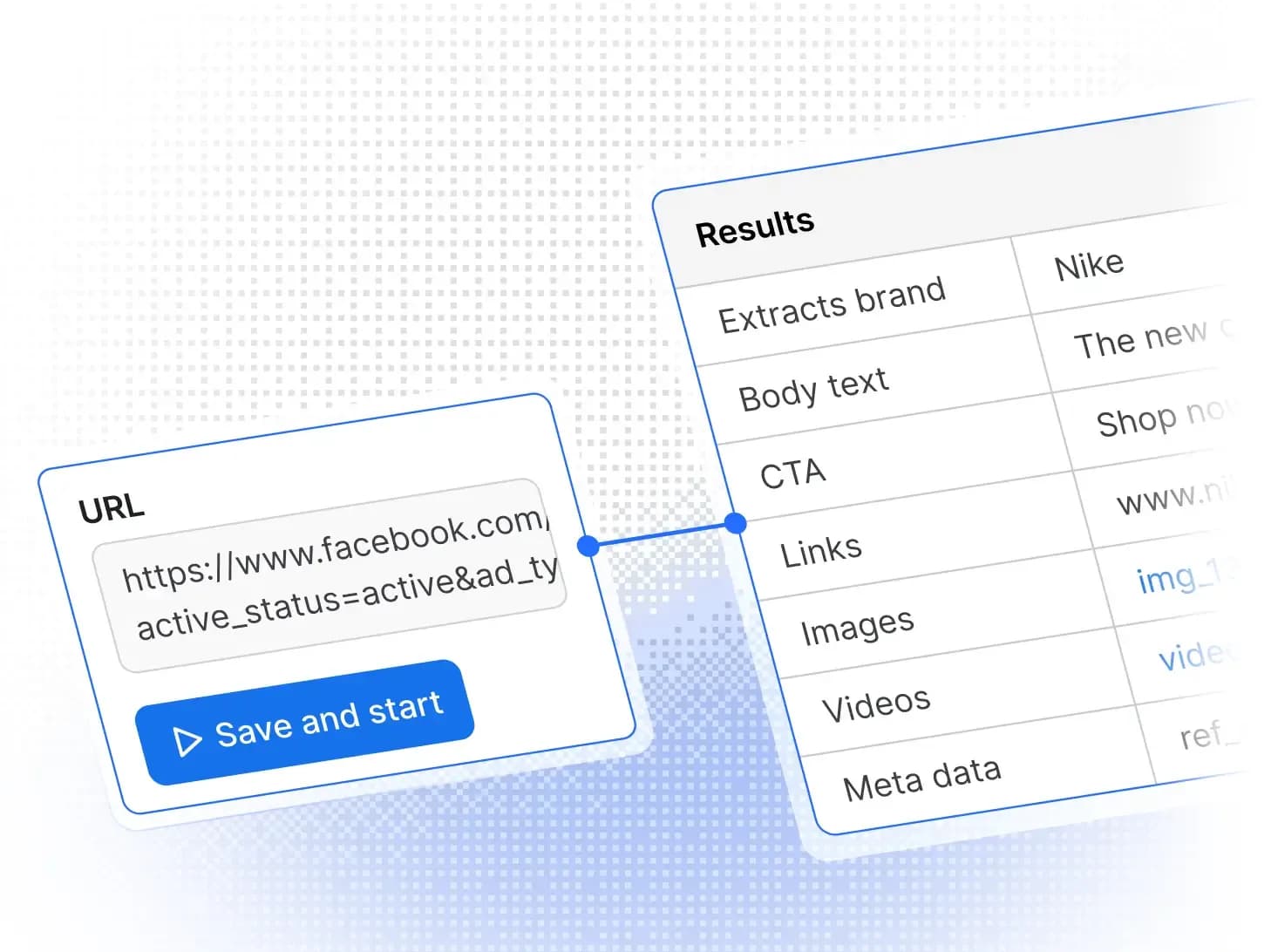
Publicly accessible, real-time data from ads across all Meta platforms

What data can Meta Ads Scraper extract?
Scrape live or historical ads from any Meta platform without login or rate limits. Extract structured data using unofficial Meta Ad Library APIs. Perfect for scraping Meta ads and getting clean results in JSON, CSV, Excel, or via API.
Input
Output
[ { "adId": null, "endDate": 1730185200, "currency": "USD", "inputUrl": "https://www.facebook.com/ads/library/?active_status=all&ad_type=political_and_issue_ads&country=US&is_targeted_country=false&media_type=all&search_type=page&view_all_page_id=6815841748", "isActive": false, "gatedType": "ELIGIBLE", "menuItems": [], "startDate": 1730098800, "categories": [ "POLITICAL" ], "adArchiveID": "1181364629627816", "adArchiveId": "1181364629627816", "collationId": "1082051540182368", "reportCount": null, "archiveTypes": [], "collationCount": 43, "hideDataStatus": "NONE", "hasUserReported": false, "endDateFormatted": "2024-10-29T07:00:00.000Z", "hiddenSafetyData": false, "politicalCountries": [ "US" ], "startDateFormatted": "2024-10-28T07:00:00.000Z", "stateMediaRunLabel": null, "regionalRegulationData": { "finserv": { "isDeemedFinserv": false, "isLimitedDelivery": false }, "twAntiScam": { "isLimitedDelivery": false } }, "verified_voice_context": { "types": [ "POLITICAL" ] }, "containsSensitiveContent": false, "containsDigitalCreatedMedia": false }, { "adId": null, "endDate": 1730185200, "currency": "USD", "inputUrl": "https://www.facebook.com/ads/library/?active_status=all&ad_type=political_and_issue_ads&country=US&is_targeted_country=false&media_type=all&search_type=page&view_all_page_id=6815841748", "isActive": false, "gatedType": "ELIGIBLE", "menuItems": [], "startDate": 1730098800, "categories": [ "POLITICAL" ], "adArchiveID": "471514839264687", "adArchiveId": "471514839264687", "collationId": "2195727750828998", "reportCount": null, "archiveTypes": [], "collationCount": null, "hideDataStatus": "NONE", "hasUserReported": false, "endDateFormatted": "2024-10-29T07:00:00.000Z", "hiddenSafetyData": false, "politicalCountries": [ "US" ], "startDateFormatted": "2024-10-28T07:00:00.000Z", "stateMediaRunLabel": null, "regionalRegulationData": { "finserv": { "isDeemedFinserv": false, "isLimitedDelivery": false }, "twAntiScam": { "isLimitedDelivery": false } }, "verified_voice_context": { "types": [ "POLITICAL" ] }, "containsSensitiveContent": false, "containsDigitalCreatedMedia": false }, { "adId": null, "pageId": "117696581735620", "endDate": 1758610800, "currency": "", "inputUrl": "https://www.facebook.com/ComplexSneakers/", "isActive": true, "pageName": "Complex Sneakers", "gatedType": "ELIGIBLE", "menuItems": [], "startDate": 1757574000, "categories": [ "UNKNOWN" ], "entityType": "person_profile", "adArchiveId": "1814910052456883", "collationId": "1333359938302400", "impressions": { "text": null, "index": -1 }, "reportCount": null, "archiveTypes": [], "isAaaEligible": false, "isProfilePage": false, "reachEstimate": null, "collationCount": 1, "hideDataStatus": "NONE", "hasUserReported": false, "totalActiveTime": null, "endDateFormatted": "2025-09-23T07:00:00.000Z", "hiddenSafetyData": false, "publisherPlatform": [ "FACEBOOK" ], "politicalCountries": [], "startDateFormatted": "2025-09-11T07:00:00.000Z", "stateMediaRunLabel": null, "containsSensitiveContent": false, "containsDigitalCreatedMedia": false }, { "adId": null, "pageId": "117696581735620", "endDate": 1758610800, "currency": "", "inputUrl": "https://www.facebook.com/ComplexSneakers/", "isActive": true, "pageName": "Complex Sneakers", "gatedType": "ELIGIBLE", "menuItems": [], "startDate": 1758265200, "categories": [ "UNKNOWN" ], "entityType": "person_profile", "adArchiveId": "2247806062355115", "collationId": "25080812954836902", "impressions": { "text": null, "index": -1 }, "reportCount": null, "archiveTypes": [], "isAaaEligible": false, "isProfilePage": false, "reachEstimate": null, "collationCount": 1, "hideDataStatus": "NONE", "hasUserReported": false, "totalActiveTime": null, "endDateFormatted": "2025-09-23T07:00:00.000Z", "hiddenSafetyData": false, "publisherPlatform": [ "INSTAGRAM" ], "politicalCountries": [], "startDateFormatted": "2025-09-19T07:00:00.000Z", "stateMediaRunLabel": null, "containsSensitiveContent": false, "containsDigitalCreatedMedia": false }, { "adId": null, "spend": null, "pageId": "262228993842853", "endDate": 1767686400, "currency": "", "inputUrl": "https://www.facebook.com/ads/library/?active_status=active&ad_type=all&country=ALL&is_targeted_country=false&media_type=all&search_type=page&view_all_page_id=262228993842853", "isActive": true, "pageName": "Lidl Polska", "gatedType": "ELIGIBLE", "startDate": 1767340800, "categories": [ "UNKNOWN" ], "adArchiveId": "865666573045422", "collationId": "873168848695068", "impressions": { "text": null, "index": -1 }, "reportCount": null, "archiveTypes": [], "isAaaEligible": true, "reachEstimate": null, "collationCount": 1, "hideDataStatus": "NONE", "hasUserReported": false, "totalActiveTime": null, "endDateFormatted": "2026-01-06T08:00:00.000Z", "hiddenSafetyData": false, "publisherPlatform": [ "FACEBOOK" ], "politicalCountries": [], "startDateFormatted": "2026-01-02T08:00:00.000Z", "stateMediaRunLabel": null, "regionalRegulationData": { "finserv": { "isDeemedFinserv": false, "isLimitedDelivery": false }, "twAntiScam": { "isLimitedDelivery": false } }, "containsSensitiveContent": false, "targetedOrReachedCountries": [], "containsDigitalCreatedMedia": false }, { "adId": null, "spend": null, "pageId": "262228993842853", "endDate": 1767686400, "currency": "", "inputUrl": "https://www.facebook.com/ads/library/?active_status=active&ad_type=all&country=ALL&is_targeted_country=false&media_type=all&search_type=page&view_all_page_id=262228993842853", "isActive": true, "pageName": "Lidl Polska", "gatedType": "ELIGIBLE", "startDate": 1767427200, "categories": [ "UNKNOWN" ], "adArchiveId": "1375284784132814", "collationId": null, "impressions": { "text": null, "index": -1 }, "reportCount": null, "archiveTypes": [], "isAaaEligible": true, "reachEstimate": null, "collationCount": null, "hideDataStatus": "NONE", "hasUserReported": false, "totalActiveTime": null, "endDateFormatted": "2026-01-06T08:00:00.000Z", "hiddenSafetyData": false, "publisherPlatform": [ "FACEBOOK", "INSTAGRAM" ], "politicalCountries": [], "startDateFormatted": "2026-01-03T08:00:00.000Z", "stateMediaRunLabel": null, "regionalRegulationData": { "finserv": { "isDeemedFinserv": false, "isLimitedDelivery": false }, "twAntiScam": { "isLimitedDelivery": false } }, "containsSensitiveContent": false, "targetedOrReachedCountries": [], "containsDigitalCreatedMedia": false }] Range of scraping features
Pull detailed data and creatives from all major Meta platforms, giving you full historical insights, targeting info, and complete ad intelligence.
 Scalable ad scraping
As your projects grow, scale seamlessly. Scrape a few ads or thousands effortlessly. Perfect for one-time campaigns or ongoing monitoring.
 Reliable and automated scraping
Scrape Meta ads on a schedule and take advantage of automated proxy rotation to maintain uninterrupted scraping.
Powered by the Apify platform
Features of Meta Ads Scraper
Flexible ad sourcing
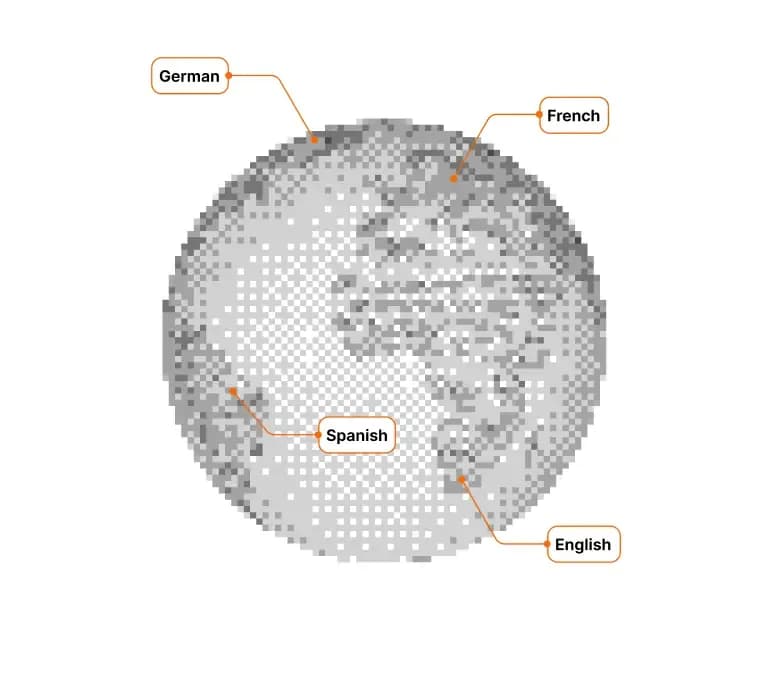
Scrape ads directly from Facebook Pages or from the Meta Ad Library. Using the Ad Library gives you advanced options: you can filter by country, language, ad type, media type, and activity status. You can set a date range for precise, targeted results.
Cross-platform, historical ad tracking
Scrape ads published across all major Meta platforms: Facebook, Instagram, Messenger, Threads, WhatsApp, and Audience Network. Collect both active and inactive ads to track campaign history, spot regional trends, and build long-term datasets for performance comparison.
In-depth ad intelligence
Access structured, detailed ad data, including advertiser name, total number of ads, ad ID, verified status, start & end dates, and visibility timeframe. Check targeting info, spend indicators, and reach metrics when available.
Complete creative analysis
Extract all ad data: images, videos, carousels, text, CTAs, and multiple creative versions of the same campaign. Analyze how brands communicate, test variations, and engage audiences across different markets and languages.
How to scrape Meta ads
Scraping Meta ad data for your research or marketing projects is quick and simple. No fiddling with APIs - you can start scraping with just a short setup, using the URLs of either Facebook pages or a Meta Ad Library page. Export in any format you need: CSV, JSON, Excel, or via API.
Sign up for an Apify account01
Add your email or GitHub address. Creating an account is quick and free, no credit card required. Your account gives you access to thousands of scrapers.
Find Meta Ads Scraper02
In Apify Store, search for the scraper, or go directly to Meta Ads Scraper.
Head over to Meta Ad Library03
Choose the country, advertisement category, and page name or keyword. Then filter the results by platform, language, activity, media type, timeframe, or audience size before scraping them.
Paste the URLs from the Meta Ad Library and click "Start"04
Enter the resulting URL of the Meta Ad Library pages you want to scrape.
Download your data in JSON, CSV, Excel, or via API05
View your data in the UI, or export it into any popular format.
Yes, scraping publicly available information, such as ads, is legal; what’s illegal is scraping personal information. This can include, but is not limited to, people’s names, addresses, genders, etc., depending on jurisdiction. Read more in our blog post on the legality of web scraping.
No, you do not need to log in to your Meta accounts to use Meta Ads Scraper. It gets publicly available information from Meta Ad Library. So no logins or cookies are necessary.
Yes, Meta Ads Scraper extracts data in real time. You can update your database at any time and automatically using scheduling. The Actor can even use Meta Ads search to scrape old, inactive ads as well as new ones.
Yes, you can scrape political ads with the Meta Ad Library scraper. It works the same as any other ad, just pick the ads’ country, then choose issues, elections, or politics in the ad category, you'll get information about when it ran, which platforms it appeared on, what it looks like, the CTA, how many people saw it, how much money was spent on it, and other data points.
Meta Ads Scraper uses the pay-per-result (PPR) model. You are not charged for platform usage, but only a fixed price for the dataset items the Actor outputs. The price per 1,000 results varies per payment plan; on the Free plan, you can scrape about 850 ads every month, while on the Starter plan, you can scrape up to 10,000 ads. For more information, check Meta Ads Scraper’s pricing tab.
Yes, but you’re relying on the Meta Ad Library search when doing so. The scraper accepts just one URL per run, but if you search for a keyword instead of a page (for example, electrical tools instead of Makita), you'll get ads from various pages corresponding to that keyword. Currently, this is the best way to scrape multiple Meta ad profiles at the same time.
Yes, for example, you can search for brands using Facebook Search Scraper. All the pages it finds can then be scraped in turn using Meta Ads Scraper. Here's a video that goes over the process using MCP as a middleman between different Facebook Actors.
Yes, we can customize Meta Ads Scraper. To find out more, you can contact Apify’s Sales department. Alternatively, if you already have technical questions about customizing the Meta Ads Scraper, you can reach out to our developers through the Issues tab. They’ll point you to the right team to help you move your project forward.
Once you’ve scraped the data you need with Meta Ads Scraper, you can download all your data via the overview of your run or via the Storage tab. In either case, click on the button that says Export. Then, select the format of your choice - you can pick from JSON, Excel, and XML, and more - and then wait for the download to finish.
Yes, currently, you can scrape image URLs and video URLs with the Meta Ads Scraper. They will show up as originalImageUrl, videoSdUrl, and videoHdUrl in your dataset. You can also set up the scraper to extract ads specifically by media type: images, videos, or even memes. Meta Ad Library allows those filters in the Media type section.
If you also need to extract the images themselves, you can then download them from your dataset with the Dataset Image Downloader & Uploader. This step will transfer all files to your drive.
Yes, you can choose a country in the Meta Ad Library, and then add a keyword or advertiser. Then, copy and paste that URL to Meta Ads Scraper. You can specify the Meta Ads extraction by location even more by choosing a language in the filter. This should give you a number of Meta advertising examples from the country and language you selected.
Meta is probably the largest seller of ads in the world. Knowing who is advertising what, what they’re spending, and similar data points should give you a good idea of what’s happening in your industry. This data is a good jumping-off point to decide on your own advertising strategy or to determine your market position.
No, this scraper is its own alternative Meta Ad Library API. The official Facebook/Meta Ad Library is quite limited in what it can do, so Apify developed its own version.


Integrate Meta Ads data with apps and platforms
With Apify, you can schedule scrapers automatically and integrate them into your workflows. You can connect them to other Apify Actors, or use services like Make, n8n, Airtable, Zapier, Google Drive, or GitHub.
I don't see a situation where you shouldn't use social media scrapers from Apify. Given the cost and quality

Ahmed Gaber
Co-Founder & CTO @ Diligent AI
Social media scraping made simple
Get full access to social media APIs for platforms like TikTok, YouTube, BlueSky, X (Twitter), Mastodon, and more. Extract posts, videos, comments, and insights for analysis, lead generation, or market research. No coding knowledge required.
Using Apify has helped us focus on the problem we're trying to solve, and it's been a home run. The infrastructure positions Apify as a unique player in this [scraping] space, especially with their ability to handle the complexities of scraping and data processing.

Ted Benson
Founder @ Steamship
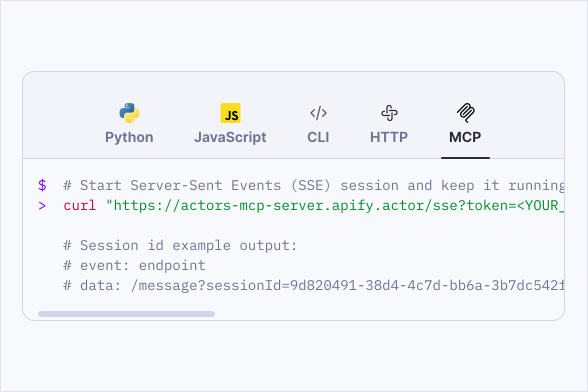
Agent-ready Meta scraping
Connect Meta Ads Scraper to your AI tools using Apify's MCP server. Process the data for automation, research, or model training. Setup takes one click.