

Fluid Player Video Downloader | Download Fluid Player Videos
Pricing
Pay per usage
Fluid Player Video Downloader | Download Fluid Player Videos
Save a Fluid Player video from the very tab where it's playing, with no link-copying and no third-party site in the loop.
Pricing
Pay per usage
Rating
0.0
(0)
Developer

SERP Downloaders
Maintained by CommunityActor stats
0
Bookmarked
24
Total users
1
Monthly active users
18 days ago
Last modified
Categories
Share
Fluid Player Video Downloader | How to Download Fluid Player Videos
Save a Fluid Player video from the very tab where it's playing, with no link-copying and no third-party site in the loop.
Load your video, and the extension handles the rest from inside that tab by searching the page for a source worth saving. Copying URLs or visiting a second website never comes into it.
Get it Here
👉 Get it here: Fluid Player Downloader
- ✅ Saved files never pass through our servers
- ✅ Contains no ads, tracking or analytics
- ✅ Compatible with Windows, macOS and Linux computers
Preview
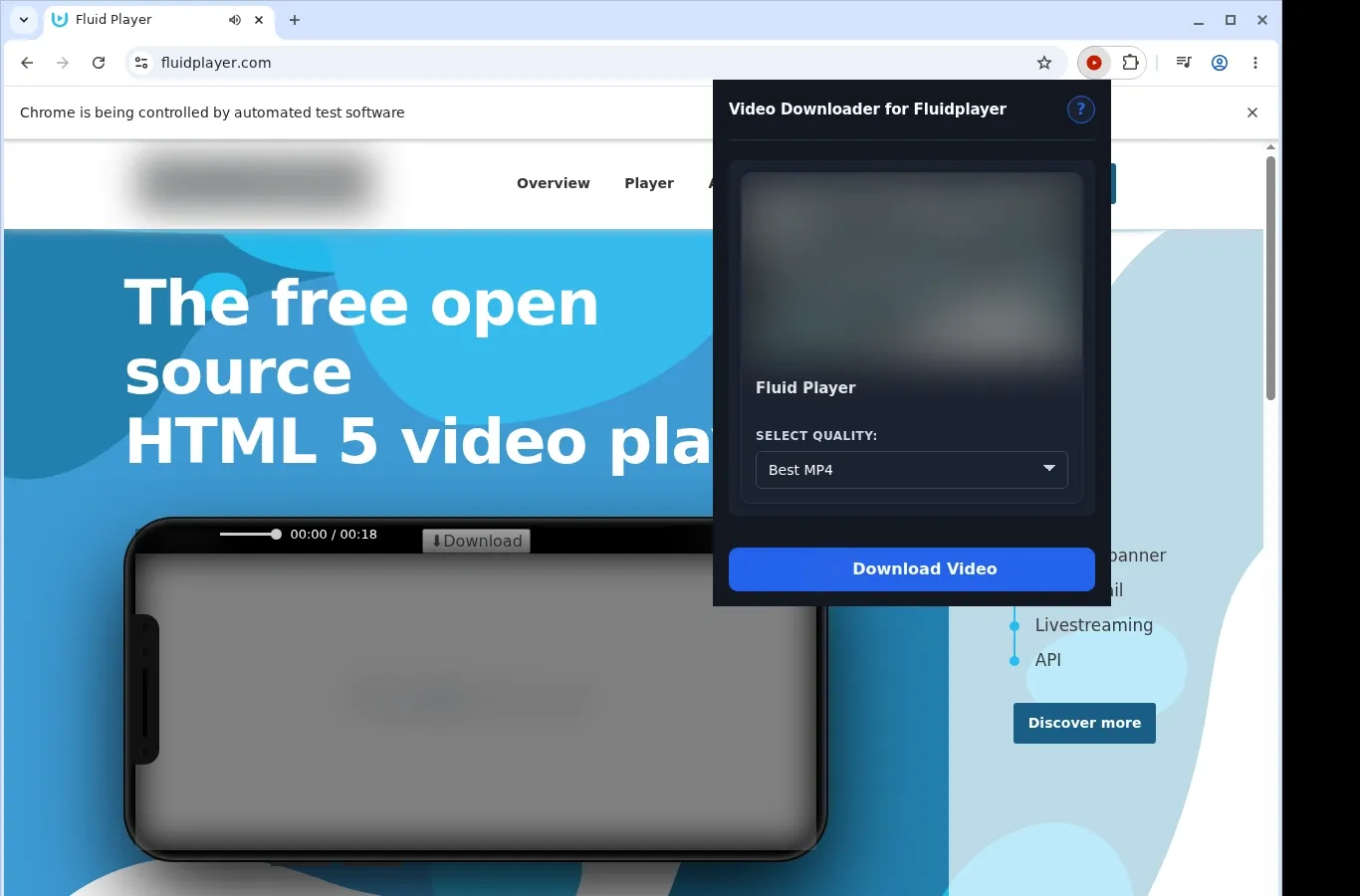
How It Works
- Open the Fluid Player page: Navigate to the page with the video you want to keep and allow it to load the way it normally would.
- Let the extension look: Start the extension. It checks the page for a video source it can save and lists a download option for it.
- Select a format and save: Pick one of the file options from the format menu, and the completed video lands on your device.
What It Does
- Keeps Fluid Player videos available offline, straight from the page you have open.
- Starts saving from the button over the video you're watching, or from the toolbar popup if you prefer that.
- Takes one video per download, so you can easily follow what's happening.
- Hands the save to your browser's usual download machinery, and its panel shows the progress.
- Stores MP4 files from the site as MP4, with no conversion step, in a Fluidplayer folder.
- Opens finished files in any compatible player.
Fluid Player Downloader vs. Online Downloader Website
On one side, an MP4 saved locally in a folder of its own; on the other, results that depend entirely on how a website processes your request.
| Fluid Player Downloader | Online Downloader Website |
|---|---|
| A Fluidplayer folder holds every saved file | Expect filenames the website chose, which may be generic or changed |
| The file remains an MP4 from start to finish | Websites sometimes switch the format or lower the quality |
| Any compatible player opens the finished MP4 | Another format might need converting before it plays |
| Videos sit on your own device, ready for later | A web service may leave you without a copy on your machine |
| Takes MP4 video from the Fluid Player page itself | Results differ according to how the site handles processing |
Compatibility
Browsers: Chrome, Firefox, Edge, Brave, Opera, Whale, Yandex
Suitable for:
- Open pages built on Fluid Player that expose video options
- Anything your current browser session is already able to reach
- Brave, Chrome, Edge, Firefox, Opera, Whale and Yandex
- Computers on macOS, Windows or Linux
Outside the scope:
- Safari, along with every mobile browser
- Streams that are protected, whether by DRM encryption or another method
- Working around sign-ins, paywalls, age gates, region limits or site permissions
- Videos that were removed, are private, can't be reached, or never get exposed to the browser
- A guarantee that each site using Fluid Player will be saveable
FAQ
What starts the download of a Fluid Player video? Wait for the page to load, then use the download button on the video itself or the popup under the extension's toolbar icon.
Which folder will I find my files in? Every file goes into a Fluidplayer folder located under the standard downloads location of your browser.
Can several videos be downloaded together? No. Only one video is processed at a time, so let the running download finish before beginning another.
Will the files be MP4? They will, provided the site itself offers MP4. No conversion happens along the way, so the saved file keeps that format.
Know Before You Use It
- Hosting isn't something Fluid Player does: it's a library for building players, so the media comes from the individual sites that use it
- The page you have open needs to make a saveable video source reachable by your browser
- Saving only works for media you're already able to watch in your current session
- Seeing a Fluid Player embed on a page tells you nothing about whether its media can be saved
Only download videos you own or have permission to save.


