FappTime Video Downloader | How to Download FappTime Videos
Pricing
Pay per usage
FappTime Video Downloader | How to Download FappTime Videos
Keep the FappTime videos you watch by using the normal browser download process, with no extra tools to juggle.
Pricing
Pay per usage
Rating
0.0
(0)
Developer

SERP XXX
Maintained by CommunityActor stats
0
Bookmarked
2
Total users
1
Monthly active users
13 days ago
Last modified
Categories
Features
Share
Keep the FappTime videos you watch by using the normal browser download process, with no extra tools to juggle.
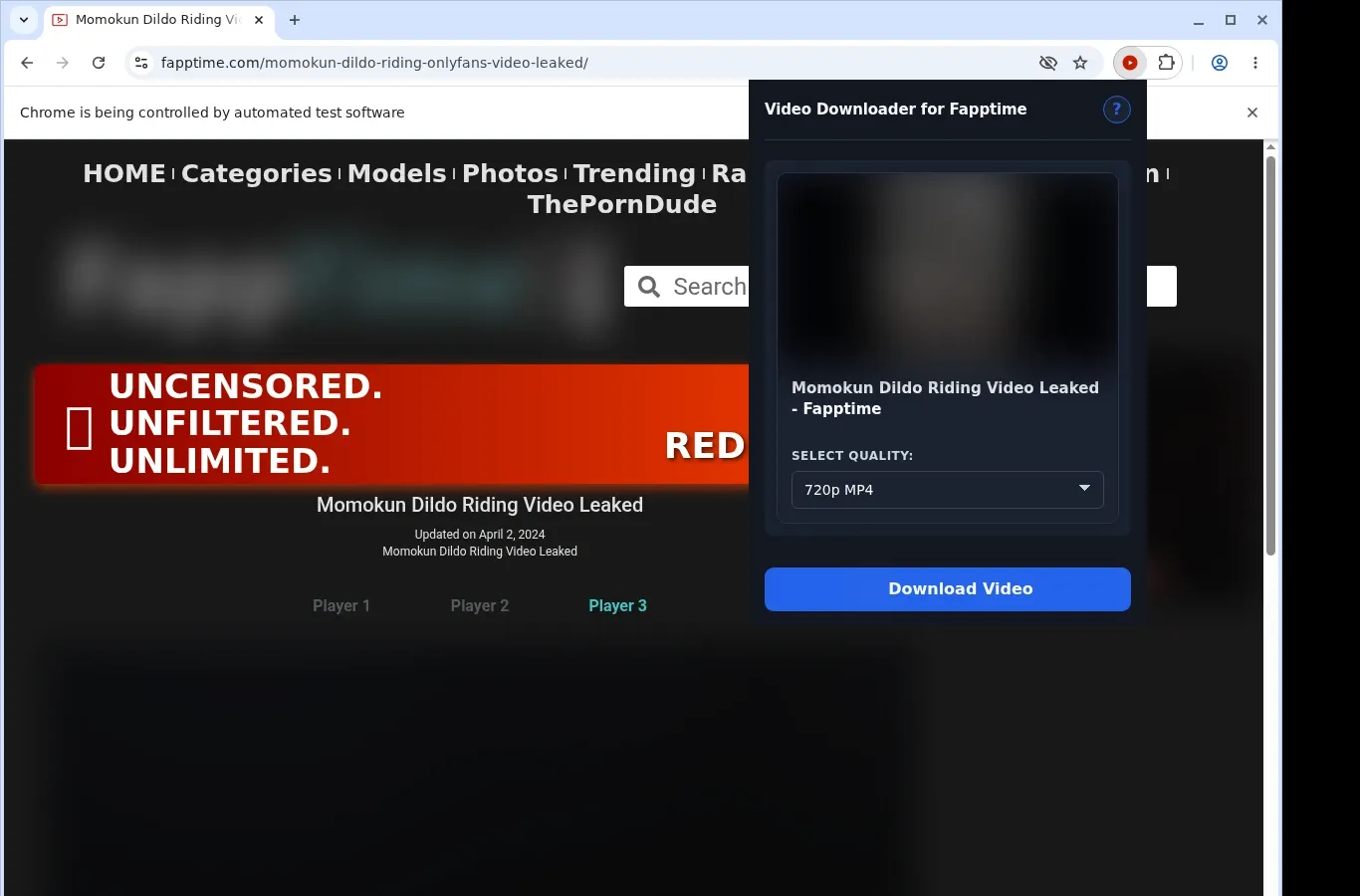
Load the FappTime page that holds the video and wait for the player. You stay inside your browser the whole time, and your session isn't interrupted. When the player is ready, click the extension and it looks for the video source on that page.
Get it Here
👉 Get it here: FappTime Video Downloader
- ✅ Downloads go straight to your device, not through our servers
- ✅ Ad-free, with no tracking or analytics
- ✅ Runs on Windows, Mac, and Linux
- ✅ Email support from the team that built it
Preview
How It Works
- Go to the video: Visit the FappTime page you want to save from and give it a moment to load in your browser.
- Let it find the source: Click the extension. It scans the page for a video source and lists a download choice for it.
- Pick and save: Choose a file option from the format menu, and the finished video lands on your device.
What It Does
- Pull FappTime videos onto your device for watching later.
- Begin a download from the button shown on the video page.
- Or start it from the popup under the extension's toolbar icon.
- Handles a single video per run, which keeps things uncomplicated.
- Hands the file to the download manager your browser already has.
- Follow progress in the browser's downloads list.
FappTime Video Downloader vs. Online downloader website
Stay on the video page and use the downloads list you already know, rather than a third-party site.
| FappTime Video Downloader | Online downloader website |
|---|---|
| Hands the file to your browser's own download manager | Progress is shown in the interface of another site |
| Status sits in the browser's downloads list | You have to switch away from FappTime to see how it's going |
| No additional tabs to track a download | Often means going back to the online tool |
| Pause, resume, and cancel work like any other download | External sites may offer different controls, or none |
| You remain on the current FappTime video page | You copy the page address and paste it elsewhere |
Compatibility
Browsers: Chrome, Edge, Brave, Opera, Whale, Yandex
Works With:
- Video pages on FappTime
- Desktop browsers that allow extensions
- Any video your browser session can already open
- Pages exposing a video source the extension can use
- Windows, macOS, and Linux
Not Designed For:
- Mobile browsers
- Safari
- Streams protected by DRM or encryption
- Videos that were taken down or can't be reached
- Crawling in bulk or scraping galleries
- Getting around private, paid, regional, or age-gated limits
FAQ
How do I begin saving a FappTime video? Open the page with your video and let it finish loading. Then use the download button on the page, or open the toolbar popup so the extension can detect the video and save it.
Which file format do I get? MP4, as provided by the site. The extension doesn't convert anything, so the file matches what the player gives you.
Where do the saved videos end up? Your browser's normal download system puts them in a Fapptime folder on your device. They also show in the browser's downloads list.
Is it possible to save several videos simultaneously? No. The extension takes one video at a time, which helps avoid errors and lets each download finish properly.
Know Before You Use It
- The page has to offer a video option that can be saved
- The video must already play in your own browser
- You might need to start playback before the active source is detected
- The player or host decides which quality options exist
Only download videos you own or have permission to save.