
Google Maps Scraper — Leads, Emails, Reviews & Local SEO
Pricing
from $1.50 / 1,000 business saveds
Google Maps Scraper — Leads, Emails, Reviews & Local SEO
Turn Google Maps searches into business leads with phones, websites, public emails, social profiles, reviews and owner replies. Choose Fast or Full, explore results on a map and measure local search rankings.
Pricing
from $1.50 / 1,000 business saveds
Rating
0.0
(0)
Developer

Shadow Extractor
Maintained by CommunityActor stats
0
Bookmarked
2
Total users
1
Monthly active users
2 days ago
Last modified
Categories
Security
Limited permissionsShare
📍 Google Maps Scraper — Leads, Emails, Reviews & Local SEO
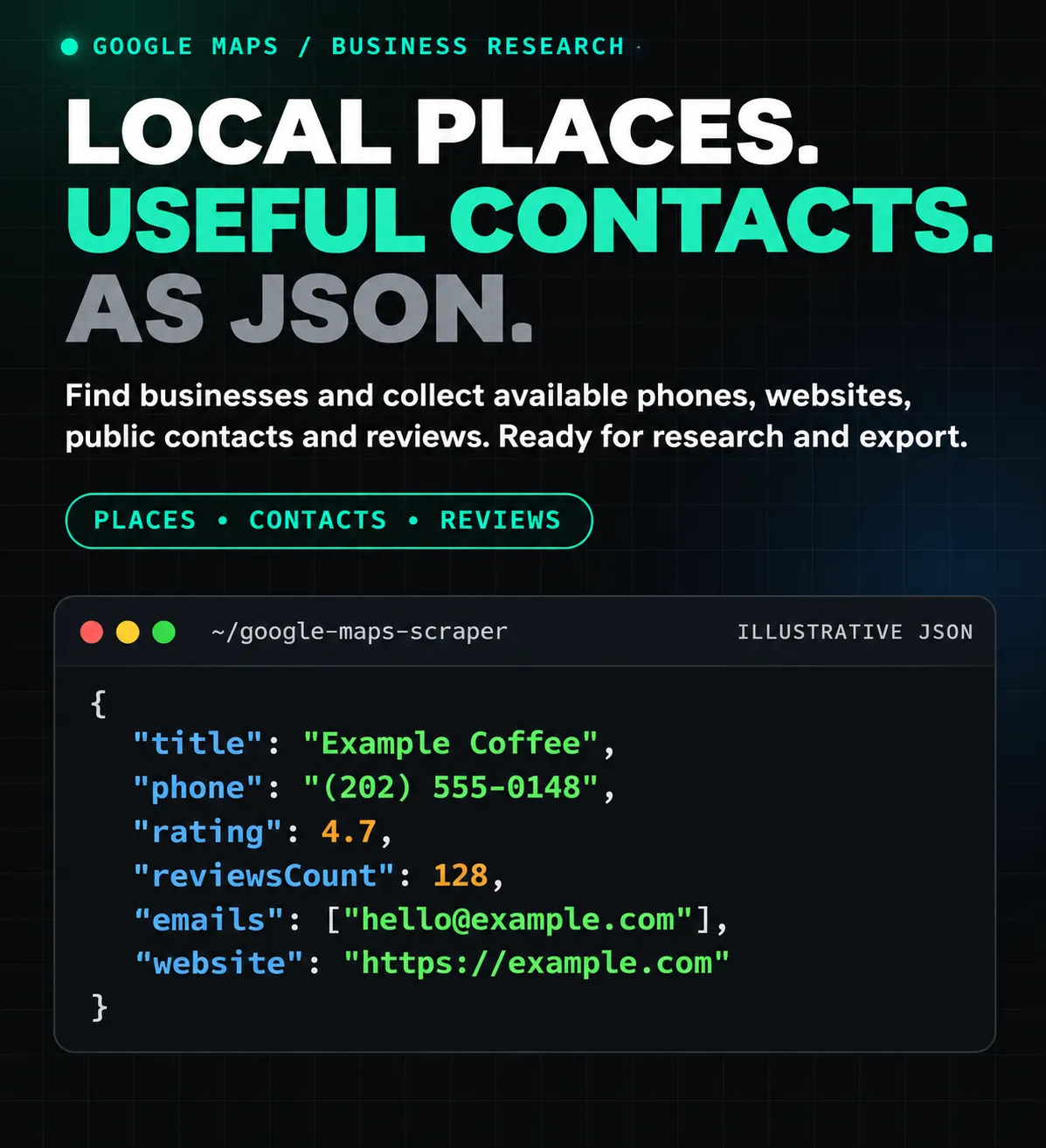
Turn Google Maps searches into useful business data: names, phone numbers, websites, addresses, ratings, public emails, social profiles and customer reviews. Search by business type and location, cover several cities in one run, or enrich businesses you already know by their Maps URLs or place IDs.
Use Fast for business discovery. Choose Full when you need public website contacts, detailed place information and review text. Add the optional local SEO rank grid to measure a business's position for a keyword from nearby locations.
📦 One business per row. Completed business records appear as they finish. All collected reviews are also saved to a separate review table, ready to join by placeId. Export your results to CSV, Excel or JSON, or retrieve them through the Apify API.
📖 On this page
- Quick start
- What you can collect
- Fast or Full?
- Ready-to-use examples
- Input reference
- Website emails and contacts
- Reviews and reputation
- Local SEO rank grid
- Datasets and output fields
- Exports and API access
- Pricing
- Coverage, limits and data quality
- Troubleshooting and FAQ
- EV, popular times and numeric price filters
🚀 Quick start
- Enter a business type in What businesses do you need?, for example
dentists. - Enter a city in Location for text searches, for example
Austin, TX, USA. - Choose Fast for place cards or Full for website contacts and reviews.
- Set the number of businesses you need, then start the Actor.
- Open Output → Businesses to inspect the records. Use Emails & contacts or Reviews & reputation for those fields.
- Export the dataset, or open
reviewsDatasetUrlfor the full table of collected reviews.
Here is a small Fast-mode input you can paste into the JSON editor:
💡 Need email addresses? Set mode to full. Website contacts and reviews are enabled by default in Full. If you only need contacts, set includeReviews to false to avoid collecting review text you will not use.
Always set mode explicitly in an API workflow. An API input that omits it uses Fast; the Store's prefilled form starts with Fast.
🧭 What you can collect
| Data group | Examples | Source or condition |
|---|---|---|
| Business identity | Name, category, categories, place ID, data ID, Maps URL | Google Maps place responses |
| Contact details | Google phone, website, additional public phones, emails | Google Maps and, in Full, linked business website pages |
| Location | Full address, city, postal code, country, latitude and longitude | When published in the place response |
| Business information | Description, opening hours, business status, service options and amenities | Depends on the place and detail response |
| Social profiles | Facebook, Instagram, LinkedIn, X/Twitter, YouTube and other recognized links | Links found on fetched public website pages |
| Reviews | Text, rating, publication date, author details, owner replies and review URL | Accessible Google Maps review pages in Full |
| Photos and action links | Available photo URLs, booking, menu, order and reservation links | When exposed by the place response |
| Website signals | Observed technology markers and contact source pages | Public HTML fetched during contact enrichment |
| Lead summaries | Contact completeness, lead score and opportunity reasons | Rules calculated from collected fields |
| Local search visibility | Per-point ranks, top-3/top-10 shares and visibility score | Optional rank-grid searches |
🎯 Common uses: build local prospect lists, enrich CRM records, research competing businesses, study customer feedback, identify businesses without websites, or prepare local SEO reports.
⚡ Fast or Full?
| Capability | Fast | Full |
|---|---|---|
| Discover businesses from searches | ✅ | ✅ |
| Accept Maps URLs and known place IDs | ✅ | ✅ |
| Collect available place-card fields, phone, website, rating and total review count | ✅ | ✅ |
| Fetch additional place detail responses | For resolving direct place inputs | ✅ |
| Crawl public business website pages | — | ✅ With includeContacts |
| Extract website emails and social links | — | ✅ With includeContacts |
| Collect review text and owner replies | — | ✅ With includeReviews |
| Write collected reviews to a separate dataset | — | ✅ |
| Run a local rank grid | Optional | Optional |
Choose Fast when you need a list of businesses with their Maps contact information. Choose Full when website research, review text or richer place details are part of your task. Full can take substantially longer for businesses with slow websites or many reviews.
Contacts is also available as a shortcut for website emails and social profiles without review collection or extra place-detail lookups. Existing mode: "contacts" workflows keep working.
You can enable the Full stages separately:
| Goal | Settings |
|---|---|
| Businesses, website emails and socials | mode: "full", includeContacts: true, includeReviews: false |
| Businesses and reviews | mode: "full", includeContacts: false, includeReviews: true |
| Businesses, contacts and reviews | mode: "full", both options true |
| Richer place details without website or review collection | mode: "full", both options false |
🛠️ Ready-to-use examples
1. Find local businesses with public email addresses ✉️
Find roofing contractors in Denver and keep only businesses whose website yields an email:
requireEmail is checked after the website stage. Businesses without a discovered email are discarded, and the Actor continues looking for matching businesses within your search-page, result and run limits. Discarded businesses do not consume the saved-result allowance.
This does not guarantee 25 email-bearing businesses: the search source may run out, websites may publish no address, or access may fail. Inspect the run summary to see which condition stopped collection.
2. Find prospects for a website agency 🌐
Collect plumbers and electricians that have a Google phone number but no website listed:
The per-search cap is 25 saved matching businesses. The run can save at most 40 across both searches. Website availability reflects the Google listing; a missing listing link does not prove that no website exists elsewhere.
3. Search several cities in one run 🗺️
This creates four text searches: each business type in each city. A populated locations list overrides locationQuery. Direct Maps URLs and known place IDs are processed once rather than repeated for every location.
By default, the same business is saved once across overlapping searches. With overlapping results, a later search can reach its page limit before finding enough new businesses to fill its own allowance.
4. Collect recent reviews for feedback analysis 💬
This collects up to 100 accessible reviews per saved business, starting with the newest. Open the separate reviews dataset for one row per review. Text, author details and owner replies are included when the source provides them; some reviews contain a rating without written text.
5. Run a deeper public-data collection 🔎
This raises the per-business caps to 100 discovered website pages, 100,000 reviews and 500 available photo URLs. These are ceilings, not promised quantities. Contact discovery follows relevant links rather than crawling every URL on the domain. Photos come from the place responses; this setting does not trigger an exhaustive photo-gallery crawl.
Set a suitable overall run timeout and maximum charge in Apify. A stage deadline of 0 removes that stage's overall cutoff; per-request timeouts, retries, page caps and the run-level limits still apply.
6. Enrich a known business by place ID or Maps URL 📌
The same queries array also accepts:
- Google Maps search URLs, such as
https://www.google.com/maps/search/dentists+in+Austin/. - Google Maps place URLs and recognized Maps short links.
- Google place IDs beginning with
ChI. - Google data IDs in the
0x…:0x…format, such as0x8644b4eb0b01986f:0x6b241d4769ed491e.
You may mix text searches and direct places. Paste a Maps link to locate a business; a standalone business website URL is not a supported discovery input.
7. Target businesses in a rating band ⭐
Rating boundaries are inclusive. Review-count filters use Google's total count, not the number of review records downloaded by this run.
8. Measure one business on a local rank grid 📊
A 3×3 grid performs searches at 9 nearby coordinates. Grid points are billed separately. Start with a known place so that the measurement refers to the business you intend to track.
⚙️ Input reference
Search and result limits
| Field | Default or behavior | What it controls |
|---|---|---|
queries | Supply searches or direct places | One search phrase, Maps URL, place ID or data ID per array entry |
locationQuery | Optional | Location appended to text searches |
locations | Optional | Each text search runs in every listed location; overrides locationQuery |
mode | API fallback: fast; form prefill: full | Choose fast or full explicitly |
maxCrawledPlacesPerSearch | 50; form prefill: 10 | Saved matching unique businesses per text search; range 1–5,000 |
maxResults | 10,000 | Global cap on saved businesses; range 1–100,000 |
maxPagesPerSearch | 10 | Result pages examined per search; range 1–250 |
maxImages | Form default: 100 | Retained photo URLs, range 0–500; set explicitly when a particular limit matters |
language | en | Google result language, for example en, de, fr or ru |
countryCode | US | Two-letter country bias, for example US, GB, DE or IN |
maxConcurrency | Form default: 6 | Parallel businesses, range 1–24 |
🧮 How limits interact: two searches with a cap of 50 do not promise 100 rows. Overlap, filters, source availability, maxPagesPerSearch, maxResults and the run budget can reduce the final total. Duplicates and rejected candidates do not consume the saved-result cap.
Each list entry is one literal search. Use ["dentists", "plumbers", "roofers"] for three searches. The string "dentists, plumbers, roofers" remains one search phrase.
Filters
| Field | Values or behavior |
|---|---|
categoryFilterWords | Keep a place when at least one supplied word matches its Google category |
placeMinimumStars | Inclusive minimum rating, 0–5; 0 disables the minimum |
placeMaximumStars | Inclusive maximum rating, 0–5 |
minReviewsCount / maxReviewsCount | Inclusive bounds on Google's total review count |
website | allPlaces, withWebsite or withoutWebsite |
requirePhone | Keep places with a published Google phone number |
requireEmail | Keep places with a discovered website email; requires Full and enabled contacts |
skipClosedPlaces | Exclude businesses marked permanently closed |
excludePlaceIds | Skip known place IDs, useful when refreshing or extending an exported list |
Phone, category, rating and other available listing filters are applied before optional enrichment. Email filtering requires reading the website. When requireEmail is enabled, review collection and the optional paid grid start only for businesses that pass the email check.
Full-mode stages and coverage
| Field | Default | Allowed values or effect |
|---|---|---|
includeContacts | true | Enable public website contact enrichment in Full |
includeReviews | true | Enable review collection in Full |
maxReviews | 1,000 in Full | 0–100,000 per business; 0 disables reviews |
reviewsSort | relevant | relevant, newest, highest or lowest |
maxContactPages | 10 | 1–100 distinct website pages per business, including failed selected URLs |
contactRequestTimeoutSeconds | 30 | 5–120 seconds for each website request |
contactMaxRetries | 2 | 0–5 retries for transient failures of a website page |
contactDeadlineSeconds | 0 | Overall website-stage limit; 0 disables it, positive values up to 3,600 seconds |
reviewDeadlineSeconds | 0 | Overall review-stage limit; 0 disables it, positive values up to 3,600 seconds |
Advanced JSON controls also include detailDeadlineSeconds (0–1,800, default 0), enrichmentRequestTimeoutSeconds (5–120, default 30), enrichmentMaxRetries (0–5, default 2), contactMaxBytes (100,000–20,000,000, default 5,000,000) and websiteProxyFallback (enabled unless set to false).
includeRawPlace: true adds the decoded Google place array as rawPlace. It can make records much larger and is intended for custom field analysis. It does not make missing source data available.
Geographic areas, languages and category IDs 🛰️
Use customGeolocation for a radius or a GeoJSON Polygon/MultiPolygon, including holes, Features and FeatureCollections. Coordinates are [longitude, latitude]. A populated custom area replaces named location suffixes for text searches. It is covered by search cells; searchCellSizeKm defaults to 5 and maxSearchCells to 100. An oversized plan is rejected before requests rather than silently clipped.
geoStrictMatch excludes confirmed outside coordinates before enrichment and billing. It requires an explicit custom area; a city name alone is not treated as a verified boundary. keepUnverifiedLocations: true retains businesses without usable coordinates, marked locationUnverified. Otherwise they are excluded in strict mode. insideSearchArea and distanceFromSearchCenterKm explain membership and circle distance where known.
languages accepts up to six language codes. The same term/area is searched in each language, sharing one saved-result cap across all its passes; businesses are deduplicated globally. Each source's passes diagnostics show the language, cell, pages and saved rows. Cell and language passes can stop early when the selected business cap or budget is reached.
categoryIds uses canonical Google IDs, such as restaurant or coffee_shop, independent of localized display names. An ID also matches underscore-delimited subtypes: restaurant matches ramen_restaurant. A business with no matching published ID is excluded. With category IDs and no other inputs, those IDs become search phrases.
skipPlacesNotMatchingSearch: true excludes clearly unrelated results for recognized business types and adds searchMatchStatus. Ambiguous terms remain not_judged and are kept. skipTemporarilyClosedPlaces separately filters temporary closures, preserving the existing permanent-closure meaning of skipClosedPlaces.
For CRM joins, startUrls objects may include userData. The direct-place result preserves it as inputUserData; distinct metadata objects on the same normalized URL are retained in inputUserDataItems. Global business deduplication still applies: when different inputs resolve to one business, the first saved source supplies its metadata.
Proxy settings
proxyConfiguration accepts an Apify proxy configuration. The form defaults to residential proxies with a US country setting. For a different market, align the location, countryCode and proxy country when appropriate:
Country bias influences the request context; it is not a geographic inclusion filter. Use explicit cities, neighborhoods or direct place inputs to define what you want to collect.
Compatibility with existing workflows
| Accepted alias | Purpose |
|---|---|
searchStringsArray, searchQueries | Text search arrays |
startUrls | Maps URL strings or objects containing a url field |
placeIds | Google place ID array |
featureIds | Google 0x…:0x… data ID array |
proxy | Legacy alias for proxyConfiguration |
locationQueries | Alias for locations |
extractContactsFromWebsite | Alias for includeContacts |
maxReviewsPerPlace | Alias for maxReviews |
maxPhotosPerPlace | Alias for maxImages; caps observed gallery photos |
extractPlaceDetails | Enable/disable the Full place-detail stage |
most_relevant is accepted as an alias for reviewsSort: "relevant". Canonical fields take precedence if conflicting aliases are provided. These aliases retain the Fast/Full contract: choose Full explicitly for contact/review enrichment.
Output compatibility fields include totalScore, url, location, rank, fid, facebooks, instagrams and linkedIns. They help reuse common spreadsheet columns and workflows. Support for these aliases does not imply support for every option of another Google Maps Actor.
✉️ Website emails and contacts
In Full mode, the Actor reads the public website linked to the business. It follows discovered links associated with contact, about, team, staff, support, legal, privacy and impressum pages, up to maxContactPages.
The website stage can collect:
- Published email addresses, including recognized HTML/URL encodings and common public obfuscation.
- Additional public phone numbers and explicit telephone links.
- Recognized social profile links.
- The URLs actually read and the pages on which emails were found.
- Technology markers observed in the fetched HTML.
Temporary request failures are retried. When a configured proxy is available, an alternate route can be used after a connection failure or protected response. A failure on one page does not erase contacts collected from other pages.
🔗 Trace an email back to its source: emailSources contains objects with email and sourceUrl. contactCrawledUrls lists successfully read pages. Use these fields when inspecting an address or preparing a manual review.
emailVerificationStatus: "not_verified" means the address was extracted from a public page. The Actor does not test mailbox deliverability, confirm ownership or manufacture likely email patterns. Common platform support addresses and obvious placeholders are filtered, but a published address can still be outdated or belong to another party mentioned on the page.
emailCandidates adds a rule-based priority score, domain relation, explicit-mailto flag and role for each retained address. Same-domain general contacts are ordered first; published external addresses remain available with their source information. The score describes source relevance, not deliverability or confirmed ownership.
Reading website status
contactsStatus | Meaning |
|---|---|
ok | The requested crawl completed without recorded page errors; inspect contactStopReason for a page cap |
partial | Some data was retained, but the crawl encountered an error, truncation or configured deadline |
failed | The contact stage failed without a successfully read page |
no_website | No usable website was available on the business record |
social_profile_only | The listed website is a recognized social profile rather than a standalone site |
not_requested | Contact enrichment was disabled or the mode was Fast |
ok does not mean that every page on the internet was checked, or that an email must exist. Check contactPagesRead, contactPagesFailed, contactRetries, contactErrors, contactTruncatedUrls and contactStopReason for the actual scope.
💬 Reviews and reputation
Review collection follows the accessible Google review pagination until it reaches maxReviews, runs out of continuation, encounters an unrecoverable source/storage error or reaches an explicitly configured deadline. A repeated cursor is reported instead of looping indefinitely.
Every collected review is written to a separate reviews dataset as pages arrive. The business record and run OUTPUT contain reviewsDatasetId and reviewsDatasetUrl when that table has been created. It may be absent when no reviews were stored.
The counters mean different things
| Field | Meaning |
|---|---|
reviewsCount | Google's total review count for the business |
reviewsRequestedLimit | The configured per-business collection cap |
reviewsCollectedCount | Unique review records collected in this run |
reviewsStoredCount | Review records successfully written to the separate table |
reviewsAttachedCount | Review records embedded in the business row |
reviewSampleSize | Embedded reviews used for the business-row summary metrics |
reviewCoveragePercent | Embedded sample size divided by Google's total count, when a total is available |
reviewsPagesFetched | Parsed review pages |
reviewsHasMore / reviewsStopReason | Continuation state and why pagination ended |
The embedded reviews array holds up to 1,000 reviews within a 1.5 MB sample budget per business. Larger collected corpora remain in the full reviews dataset. Use that separate table for complete exports and your own statistics across all downloaded reviews.
📐 Business-row review metrics, such as scrapedAverageRating, star counts and owner-response summaries, describe the attached sample. reviewMetricsScope identifies this scope. A newest, highest or lowest selection can strongly influence those summaries; they should not be treated as statistics for every review ever posted.
Review date and text filters 📅
Set reviewsStartDate and/or reviewsEndDate to inclusive ISO dates or timestamps. Date-only inputs use UTC; an end date includes the whole day. reviewsWithTextOnly: true excludes rating-only reviews. With these filters, maxReviews counts matching retained records, while reviewsExaminedCount and reviewsFilteredOut report the work behind that selection. Undated reviews are excluded when a date filter is active.
Filtering does not assume Google always honors its requested sort order, so it can examine older and nonmatching pages before reaching a later match. Every retained review is still written to the full reviews table.
Review fields
When published, a review can include reviewId, placeId, placeTitle, rating, text, publishedAt, publishedRelative, language, authorName, authorProfileUrl, authorPhotoUrl, reviewerId, likesCount, reviewUrl, responseFromOwnerText, responseFromOwnerDate, responseFromOwnerUrl and review image URLs.
Owner replies, author details, review text and images are optional source fields. A missing reply field does not imply that the entire review collection failed.
Review status and stop reasons
reviewsStatus can be ok, unavailable, partial, timed_out, failed or not_requested. Read it together with reviewsStopReason:
| Stop reason | Interpretation |
|---|---|
source_exhausted | The accessible source returned no further continuation |
max_reviews | The selected review cap was reached |
pagination_stalled | The source repeated a cursor or stopped providing new records |
source_error | Review retrieval could not continue after the configured attempts |
storage_error | A page could not be saved to the review table |
An explicit deadline can also stop the stage; consult reviewsStatus and the run logs. Google's total count can exceed the records accessible through the source, so a high maxReviews is not a guarantee that every counted review will be returned.
📊 Local SEO rank grid
The optional grid searches for one keyword from a square of coordinates around a business and checks whether that business appears within the requested result depth.
| Field | Default | Range or meaning |
|---|---|---|
rankGrid | false | Enable the paid grid stage |
rankGridKeyword | Business category when omitted | Search phrase to measure |
rankGridSize | 3 | Points per side, 2–9; total points = size × size |
rankGridRadiusKm | 2 | Distance from the center to a grid edge, 0.1–50 km |
rankGridMaxResults | 20 | Maximum positions checked at each point, 3–60 |
A 3×3 grid has 9 points, a 5×5 grid has 25 and a 7×7 grid has 49. Coordinates near the corners are farther from the center than the configured edge radius.
Results include the individual points in rankGrid, their coordinates, rank, found, resultsChecked and any error. Summary fields include rankGridPointsMeasured, rankGridAverageRank, rankGridBestRank, rankGridWorstRank, rankGridTop3Share, rankGridTop10Share, rankGridNotFoundShare and rankGridVisibilityScore.
📍 A missing business at a successful point means it was not found within the checked depth. It does not prove the business never ranks there. Average, best and worst rank use found positions; the share metrics also account for successful points where it was not found. Failed points are marked and excluded from successful-point summaries and successful-point event charges.
This is a location-based snapshot. Rankings can change with time, language, search wording and personalization. The visibility score is a rule-based summary, not a Google metric.
📦 Datasets and output fields
Business dataset
The default dataset contains one saved business per row. It offers these views:
| Output view | What to inspect |
|---|---|
| Businesses | Identity, category, Google phone, website, rating and Maps URL |
| Emails & contacts | Public emails, extra phones, social links, sources and website diagnostics |
| Website technologies | Technology markers observed or not detected in fetched pages |
| Reviews & reputation | Attached review sample, counters, collection status and full-table link |
| Location & opening hours | Address, coordinates and published hours |
| Photos & booking | Available photo URLs and action links |
| Local rank grid | Per-point results and visibility summaries |
| Area & search coverage | Area membership, distance, language, category IDs and CRM metadata |
| Hotels, fuel & photos | Published hotel information, fuel summary prices and gallery URLs |
Frequently used fields:
| Group | Fields |
|---|---|
| Identity | title, placeId, dataId, cid, googleMapsUrl |
| Category and reputation | categoryName, categories, rating, reviewsCount |
| Contact | phone, phoneUnformatted, phones, website, domain, emails, emailSources |
| Location | address, city, postalCode, countryCode, latitude, longitude, timeZone |
| Details | businessDescription, openingHours, businessStatus, serviceOptions, amenities |
| Media and actions | photoUrls, images, bookingLinks, menuLinks, orderLinks |
| Collection | scrapeMode, detailStatus, contactsStatus, reviewsStatus, scrapedAt |
| Review storage | reviewsDatasetId, reviewsDatasetUrl, reviewsCollectedCount, reviewsStoredCount |
Availability depends on the mode and source. Missing values and empty arrays may be omitted. Valid 0 and false values are retained. Multi-value fields remain arrays, so JSON is the most useful export for preserving the full structure.
Lead and opportunity fields such as leadScore, contactCompletenessScore, reputationScore, outreachOpportunityScore, outreachPriority and outreachReasons are calculated from collected signals. Use them as sorting aids. They are not Google scores, sales predictions or proof that a business lacks a tool or needs a service.
Photo gallery and specialized place fields 🖼️
photoGallery, photoGalleryUrls and photoGalleryCount combine available place-response photos with images from collected reviews. Each gallery entry identifies its source as place or review. Duplicate Google thumbnail sizes are consolidated, keeping the largest observed variant. The maxImages cap applies; 0 disables the gallery. This does not claim an exhaustive crawl of Google's photo service.
When published, hotel records add hotelStars, hotelAmenities, hotelDescription, hotelPrice, hotelCheckInDate, hotelCheckOutDate and related hotel suggestions in peopleAlsoSearch. Hotel prices are source quotes for the returned dates, not a guaranteed price for today's stay. Amenity availability preserves explicit negative flags.
gasPrices can contain the published fuel-price summary, its fuel label and currency symbol. A symbol is not converted to a guessed currency code. Available EV connector inventories and popular-times data include explicit availability statuses. Numeric price filtering uses the published range when available; see the dedicated examples below.
Example business result
This condensed example uses fields from a live ATX Family Dental collection on 24 October 2026, Moscow time. Counts, contacts and availability can change. The dataset identifier is replaced with a placeholder.
Full reviews dataset
This dataset has one review per row. Join review.placeId to business.placeId. Review rows also contain placeTitle and other business context where available, so simple exports remain readable without an immediate join.
Use reviewsDatasetUrl from a business record or from the run's OUTPUT summary to find the full table. The default business export includes only its embedded sample; downloading the business table alone is not a substitute for exporting a larger review corpus.
Coverage map and GeoJSON 🗺️
The run writes an interactive Coverage map (MAP) and Business coordinates — GeoJSON (RESULTS.geojson) to its key-value store. Open them from Output. The map supports business-name/address filtering, clickable places and the custom search outline. It loads Leaflet and OpenStreetMap tiles when viewed, so the basemap needs internet access.
mapMaxPlaces defaults to 5,000 markers in the preview. Its legend reports businesses beyond that cap and businesses without valid coordinates. GeoJSON retains all saved businesses with usable coordinates and can be imported into GIS software. includeResultsMap: false disables both files. These outputs do not add a separate Actor event charge.
Run summary: OUTPUT
The key-value store record OUTPUT reports saved businesses, duplicates, filtered candidates, failed sources, effective options, website coverage, review rows saved and budget status.
Each search has its own diagnostics, including pagesFetched, recordsDiscovered, candidatesExamined, filteredCandidates, duplicatesSkipped, recordsSaved and stopReason.
Typical search stop reasons are:
max_items: the per-search saved-result cap was reached.max_results: the global run cap was reached.max_pages: the configured search-page cap was reached.empty_pageorpagination_unavailable: the source supplied no usable next results.source_error: retrieval failed for that source.budget_limit: the remaining event budget could not accommodate more work.
🧾 An Apify run can finish successfully while an optional enrichment is partial. The run status describes execution; the per-business stage fields describe which data was obtained.
🔌 Exports and API access
Export from Apify Console
Open the business dataset, select the view or fields you need, and export to CSV, Excel or JSON. Export the reviews dataset separately for the full review table. For arrays, nested opening hours, grid points or attached reviews, prefer JSON or choose a deliberate flattening strategy for spreadsheets.
You can save your input as an Apify Task for reuse and schedule future runs through Apify. Each run produces a new snapshot; use placeId and reviewId to reconcile it with previously stored data.
Start a run with the HTTP API
Save one of the input examples as input.json. Keep your own Apify token in the APIFY_TOKEN environment variable:
The asynchronous response contains a run ID, defaultDatasetId and defaultKeyValueStoreId. Check the run until it reaches a terminal status:
After completion, download the business records and the Actor's summary:
Use OUTPUT.reviewsDatasetId to retrieve review records through the same dataset endpoint. For large exports, paginate dataset items with offset and limit. These are Bash examples; use your shell's environment-variable syntax if running them elsewhere.
See Apify's official references for starting runs, checking a run and dataset exports.
Use the Python client
Install apify-client, set APIFY_TOKEN, then run:
The client waits for the run, while iterate_items() handles dataset pagination. Keep the token in your environment rather than embedding it in scripts or shared input files.
💰 Pricing
Pay for delivered business records and the extras you choose. The Pricing tab shows the effective rates for your run, including any announced changes.
| Service | Price |
|---|---|
| Businesses, Fast or Full | $1.50 / 1,000 saved businesses |
| Website contact enrichment | $1.00 / 1,000 saved businesses with a successful website crawl |
| Reviews | $0.20 / 1,000 delivered reviews |
| Local SEO grid | $1.50 / 1,000 successful points |
| Optional additional EV / popular-times lookup | $0.025 / completed attempt |
| Actor start | $0.001 / started GB, minimum one event |
For example, 1,000 businesses with successful website crawls and 20 delivered reviews each cost $6.50 in result and enrichment events, plus the small startup event. Without contacts, reviews, a grid or an additional lookup, 1,000 saved businesses cost $1.50, plus startup. Optional extras are never enabled automatically by an incompatible filter.
| Event | What triggers it |
|---|---|
| Business saved | One unique matching business successfully written to the business table, in Fast or Full |
| Website contacts | Once per saved Full-mode business whose website crawl successfully read at least one page; no website or wholly failed crawls do not trigger this event |
| Review delivered | One unique review successfully written to the separate review table; the sample attached to its business is not charged again |
| Additional EV / popular-times lookup | One completed optional lookup for missing values, including limited-view or no-additional-data outcomes; off by default |
| Local SEO grid point | One successful point lookup, when this event is listed in the active tariff; failed points are not charged |
| Actor start | The platform's small startup event, charged per started GB with a minimum of one |
Full does not enable a second business fee. Photos, existing place details, the interactive results map and GeoJSON have no additional Actor event fee. A successful website crawl can find no email: the event covers the pages read, and email availability is never guaranteed.
Control your spend: start with Fast, request a small business sample, keep the optional grid off unless needed, and set your run's maximum charge. Full review pagination reserves the cost of businesses already being processed and stops when the remaining budget cannot pay for more reviews. Completed work is saved and charged as it is delivered.
Filters do not have a separate event. A rejected business does not trigger the business or website event. Reviews already delivered to the separate table remain billable even if a later business-level condition removes the business. Very restrictive filters can examine many candidates, so inspect the run summary and start with a small sample.
The maximum charge is an Apify run option, not an Actor JSON input field. Platform billing, if applicable to your selected tariff, is shown separately in Pricing.
🔍 Coverage, limits and data quality
Broaden discovery deliberately
Google Maps does not expose an unlimited directory for every query or map area. Raising a result cap cannot create results the source does not return. Use separate cities, neighborhoods and relevant business terms when you need broader coverage, and inspect each search's stop reason.
The Actor supports explicit multi-location searches and cell-based custom radius/GeoJSON coverage. Automatic country-wide tiling is not provided. Split antimeridian-crossing geometry into separate polygons; polar areas beyond latitude ±85° are outside the supported search range.
Give deep runs enough time
Full has no short overall website, detail or review deadline by default. Individual requests still have timeouts and bounded retries. A slow site, repeated transient errors, a large review corpus or a large grid can extend the run significantly.
Use maxConcurrency to control parallel work and set an overall run timeout that fits the requested depth. A completed record is saved as soon as its enrichment finishes, so useful results do not wait for every other business in the batch.
Understand what a missing field means
Sources can omit descriptions, hours, social links, owner replies or photo URLs. Websites can require login, refuse automated requests or render content that is unavailable in the fetched HTML. A page may publish no email at all.
The Actor does not replace missing fields with guessed values. Stage status, source URLs and stop reasons help distinguish unavailable data, a selected cap and extraction failure. Technology results describe markers in the pages read; an undetected marker does not establish that a business never uses that technology.
Validation evidence
In the 24 October 2026 release checks, Moscow time, a fixed set of 24 previously partial website crawls completed with 130 pages read and no page errors. Email-bearing businesses in that set increased from 8 to 15, with earlier discovered addresses retained.
Separate checks collected all accessible reviews for two specific businesses: 919 of 919 for ATX Family Dental and 85 of 85 for Zahnarztpraxis SPEKTRUM. The separate dataset contained 1,004 unique review records. These are observations from those businesses and that release check, not a promised completion rate for other websites or Google listings.
🧩 Troubleshooting and FAQ
Why did I get fewer businesses than requested?
Check OUTPUT.sources. The source may have run out, filters may be restrictive, searches may overlap, or a page/global/budget limit may have stopped the run. The result cap counts saved matching businesses rather than raw candidates. Raising maxPagesPerSearch can help when many candidates are rejected, provided the source supplies more pages.
Why are there no emails?
Use mode: "full" with includeContacts: true. Check whether a standalone website exists, then inspect contactsStatus, contactCrawledUrls, contactErrors and contactStopReason. Increase maxContactPages if relevant links remain beyond the selected cap. Some websites do not publish an email.
What does a partial contact crawl mean?
It means some useful data was retained while another part of the requested crawl could not finish cleanly. Inspect failed/truncated URLs and the stop reason. A partial crawl does not prove that the business has no additional contacts.
Why do I have fewer downloaded reviews than Google's total?
Check maxReviews, reviewsStopReason, reviewsStatus and the full reviews table. The business row contains only an embedded sample. Google can also expose fewer accessible records than its total counter, or return a repeated cursor or unavailable page.
How do I collect contacts without reviews, or reviews without contacts?
For contacts only, use Full with includeReviews: false or maxReviews: 0. For reviews only, use Full with includeContacts: false. Both choices retain available business details.
Why did a successful run save no rows?
The input may be invalid, filters may reject every candidate, the source may return no results, or the budget may be insufficient. Read the terminal message and key-value store OUTPUT. Invalid input is handled with a correction message rather than a chargeable placeholder row.
Can I scrape a whole country in one search?
One search is limited by what Google returns for that query and area. Use an explicit locations list for a planned set of cities or neighborhoods. Custom radius and GeoJSON inputs can define explicit territories, but neither a large shape nor several locations guarantees exhaustive country coverage.
Does the Actor verify emails or find private contact details?
It extracts public addresses from the pages it reads and records their source. It does not test deliverability, access private accounts or guarantee decision-maker contacts.
Do I need a Google API key or Google account?
No Google API key or Google login is required. You need an Apify account and your own Apify API token when starting runs programmatically.
Can I use the output in a CRM, spreadsheet or reporting workflow?
Yes. Export business rows or retrieve them through the dataset API. Use placeId as the main business join key and reviewId with placeId when reconciling review snapshots. JSON preserves nested and array fields; CSV or Excel works well for selected business columns.
How do I report a problem? 🛟
Open the Actor's Issues tab and include the run ID, the relevant search or place ID, the mode, the expected field and the status/stop reason you observed. That context makes it possible to distinguish a source limitation from an extraction problem. Keep API tokens and private credentials out of issue reports.
🔋 EV, popular times and numeric price filters
EV charging connector groups
Full mode can collect evConnectors for places Google identifies as EV charging stations. Published groups can contain type, maxPowerKw, count, availableCount and outOfServiceCount. evConnectorCount is included when an explicit total is available. Unpublished values stay absent; a zero availability value is retained.
The connector type comes from Google's structured data or its explicit charging-information section. A Tesla-branded location is not automatically relabeled NACS: Google distinguishes generic Tesla compatibility from the concrete NACS connector. Connector counts are not necessarily the number of cars that can charge at once, because a port can have more than one connector.
includeEvConnectors defaults to true in Full. Non-charging businesses receive evConnectorsStatus: "not_applicable"; the Actor does not search their reviews for words that could be mistaken for station equipment.
Popular times and live busyness
popularTimesHistogram groups published hours by Mo, Tu, We, Th, Fr, Sa and Su. Each entry contains an actual hour (0–23 in the place's local time) and occupancyPercent (0–100). Only returned hours are included. A missing hour is not filled with a guessed zero or classified as closed.
These numbers are relative busyness indices, not measured visitor counts or a percentage of building capacity. Google describes the busiest observed period as the comparison benchmark in its explanation of popular times and live busyness.
When published, output can also include popularTimesLivePercent, popularTimesLiveText and the source's timeSpent text. An available live value of 0 is preserved. Missing live data does not establish that a business has no visitors. includePopularTimes defaults to true in Full.
Optional additional lookup and availability
The Actor still uses HTTP for discovery, ordinary place details, website contacts and reviews. Available EV and popular-times values from ordinary place responses are retained in Full. An additional lookup is optional and off by default. Set browserFallback: true to request it for missing values. Each completed lookup costs $0.025, including an explicit limited_view or no-additional-data outcome. This is a lookup fee, not a guarantee that Google will publish the missing fields. Use 1 GB memory when enabling it; Fast does not run it.
Google may still return a limited view in an anonymous browser. In that case the Actor retains the business, contacts and reviews, leaves missing optional values absent, and reports limited_view. It does not substitute another place's chart or infer station inventory from a customer review.
| Field | Meaning |
|---|---|
evConnectorsStatus / popularTimesStatus | available, limited_view, not_published, unavailable, not_requested, or a source/identity error; EV also uses not_applicable |
evConnectorsSource / popularTimesSource | Which source supplied the actual optional fields |
browserFieldsDiagnostics | Outcome of the fallback, without cookies or account credentials |
OUTPUT.browserFallback | Lookup, successful-data, limited-view and error counters |
browserTimeoutSeconds defaults to 60 seconds per navigation/expected-page wait; browserRetries defaults to 1 retry after an error. A valid limited-view response is reported directly. The optional lookup can take substantially longer than ordinary place collection.
The optional lookup requires no Google account or imported account cookies. It cannot guarantee that Google will publish a chart or connector inventory; the availability status is part of the result. If the lookup event is not available in the active tariff, the Actor skips that extra work and reports pricing_not_available. A small remaining budget can instead produce budget_limit.
Numeric price per person 🍽️
Use minPricePerPerson and/or maxPricePerPerson to apply Google's native numeric search filter before business rows are saved or charged. The filter also remains active on subsequent result pages, geographical cells and language passes.
Bounds are whole numbers between 0 and 100,000,000. Zero is a real bound. An omitted lower side uses 0; an omitted upper side uses the filter's 100,000,000 ceiling. Google matches overlapping published price ranges: a venue's 20–70 range can match a requested 30–60 range. This feature does not translate $, $$ or other price-level symbols into invented amounts.
priceCurrency is optional. Set a three-letter code such as USD or EUR when you need an explicit currency; otherwise Google interprets the range in the search context. The Actor itself does not convert currencies. Use the market's currency for predictable selection.
priceFilterAppliedByGoogle and priceFilterRange record that the native filter was attached to a search. They describe the selection, not a newly verified price quote for each business. A Maps response can hide the business's actual price text while still applying the server-side filter. Direct place IDs/URLs qualify only if a source-provided numeric range can be checked; unknown direct-place prices are excluded rather than treated as matches.
Open Output → Price per person for filter provenance and Output → EV connectors & popular times for the optional fields and their statuses.


