

Google Play Scraper
Pricing
$0.10 / 1,000 results
Google Play Scraper
Google Play app reviews and app details: review text, rating, date, likes, app version and developer replies, plus app score, installs, rating histogram, price, genre, developer contact and screenshots. Fast, no browser.
Pricing
$0.10 / 1,000 results
Rating
0.0
(0)
Developer

SignalMole
Maintained by CommunityActor stats
0
Bookmarked
2
Total users
1
Monthly active users
14 days ago
Last modified
Categories
Security
Limited permissionsShare
Google Play Scraper
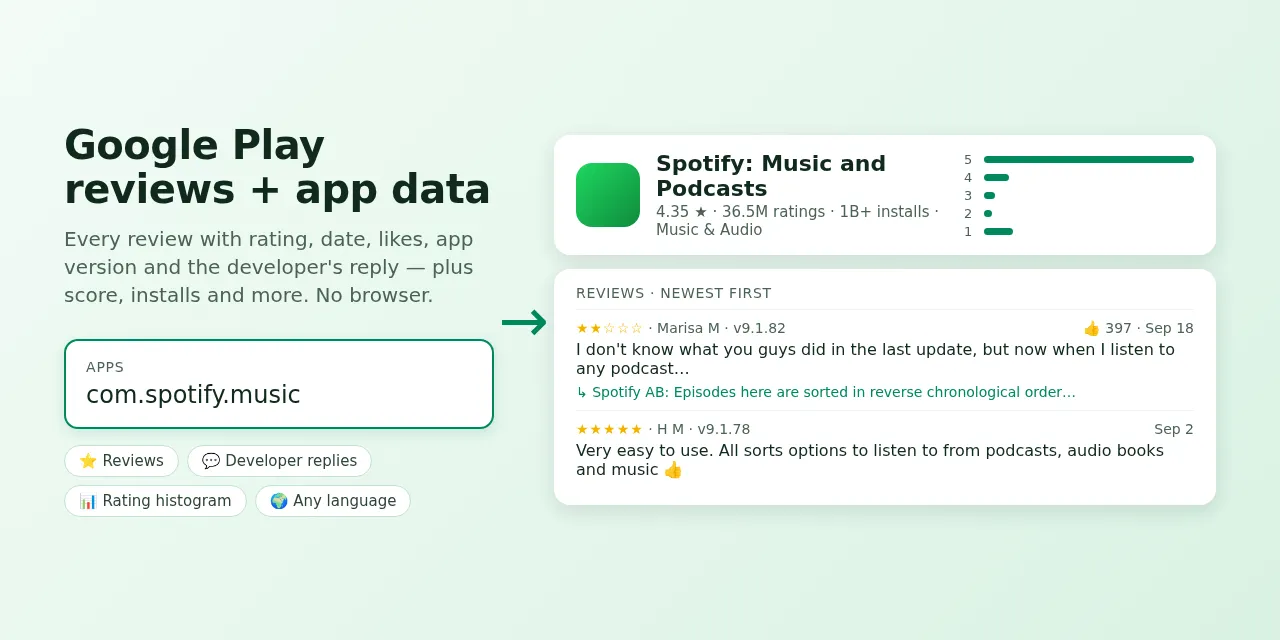
Get Google Play reviews and app details for any Android app as clean JSON, CSV or Excel. Reviews come with rating, text, date, likes, app version and the developer's reply. App details include score, rating histogram, installs, price, in-app purchases, genre, developer contact, release and update dates, icon and screenshots.
No login, no browser. Fast: 10,000 reviews in about 30 seconds. $0.10 per 1,000 results.
✨ Why this scraper?
| Feature | What you get |
|---|---|
| ⚡ Fast | Reads Google Play's own data endpoint, 200 reviews per request — 10,000 reviews in ~30 s |
| 💬 Developer replies | Reply text and date next to each review |
| ⭐ Filter by rating | Only 1-star reviews, only 5-star reviews… |
| 🔃 Three sort orders | Newest, most relevant, or by rating |
| 📊 App details in the same run | Score, histogram, ratings and reviews count, exact installs, price, ads, genre, developer email and website |
| 🌍 Any language and country | German reviews from the German store, Japanese from Japan… |
| 🔗 IDs or URLs | com.spotify.music or a full Play Store link |
| 💰 Simple price | $0.10 per 1,000 results, platform usage and proxy included |
🎯 Use cases
- App review monitoring — catch new 1-star reviews after every release.
- Competitor research — what users love and hate in competing apps.
- Product and UX research — feed reviews into sentiment analysis or an LLM to find top complaints.
- ASO and market research — compare scores, installs, genres and update frequency.
- Customer support — see which reviews still have no developer reply.
- AI agents — call it through the Apify MCP server: "Summarize this week's 1-star reviews of our app."
🚀 How to use
- Add apps: app IDs (
com.spotify.music) or Google Play URLs, one per line. - Choose max reviews per app, sort order and, optionally, a rating filter.
- Pick the language and country of the store.
- Click Start. Download the results or pull them via API.
| Input | What it does |
|---|---|
apps | App IDs or Google Play app URLs. |
maxReviewsPerApp | Reviews per app. 0 = app details only. |
reviewsSort | newest, relevant or rating. |
reviewsRating | all, or 1–5 for one star rating only. |
includeAppDetails | Save one app item per app (on by default). |
language, country | Store language (en, de, ja, zh-TW…) and country (us, de, jp…). |
📦 Output
Each item has a type: one app item per app, then one review item per review. The Reviews and Apps tabs of the dataset show each kind as a table.
Review (real example):
App (real example, shortened):
| Review field | Description |
|---|---|
rating, text, date | Stars (1–5), review text and time (UTC) |
thumbsUp | How many people found the review helpful |
appVersion | App version the reviewer used |
replyText, replyDate | The developer's reply, if any |
userName, userImage, reviewId | Reviewer name and avatar as shown on Google Play; stable review ID |
| App field | Description |
|---|---|
score, ratingsCount, reviewsCount, ratingHistogram | Average rating and how many ratings per star |
installs, minInstalls, installsExact | Install band shown on the store and Google's exact count |
free, price, currency, inAppPurchases, containsAds | Monetization |
genre, genreId, contentRating | Category and age rating |
developer, developerId, developerEmail, developerWebsite, privacyPolicy | Developer and contact details |
released, updated, recentChanges | Release date, last update, "What's new" text |
summary, description, icon, headerImage, screenshots | Store listing texts and images |
💰 How much does it cost?
You pay $0.10 per 1,000 results — reviews and app items alike. Platform usage and proxy are included.
| Results | Cost |
|---|---|
| 1,000 reviews | $0.10 |
| 10,000 reviews | $1.00 |
| 100,000 reviews | $10.00 |
Apify's free plan includes $5 of monthly credit — enough for about 50,000 reviews.
🔁 Review monitoring
Schedule the Actor daily (Apify Schedules) with reviewsSort: "newest" and a small maxReviewsPerApp, and keep the reviews whose reviewId you have not seen yet.
🔌 Integrations
- API / SDKs — start runs and fetch results from Python, JavaScript or any HTTP client.
- Zapier, Make, n8n, Google Sheets, Slack — via Apify integrations.
- MCP — add the Apify MCP server to Claude, Cursor or any MCP client and call this Actor as a tool.
❓ FAQ
How many reviews can I get? As many as Google Play shows for the app, language and filter — tested with 10,000 per app.
Why do I get fewer reviews than the app's review count? Google Play only shows reviews written in the selected language, and not every rating has a written review.
Can I export to CSV or Excel? Yes — every Apify dataset downloads as JSON, CSV, Excel, XML or HTML.
⚖️ Is this legal?
This Actor reads publicly visible Google Play pages and data and does not log in. Reviews include reviewer names as shown publicly on Google Play; if you store them, follow the privacy rules that apply to you (such as GDPR).
💬 Need help?
Open an issue on the Issues tab — feature requests welcome.


