

LinkedIn Company Employees Scraper
Pricing
from $2.99 / 1,000 results
LinkedIn Company Employees Scraper
LinkedIn Company Employees Scraper — Extract LinkedIn employee data including names, job titles, locations, profile URLs, current positions, and company details. Useful for lead generation, hiring research, prospecting, competitor analysis, and business intelligence.
Pricing
from $2.99 / 1,000 results
Rating
0.0
(0)
Developer

Social Data API
Maintained by CommunityActor stats
0
Bookmarked
27
Total users
20
Monthly active users
21 hours ago
Last modified
Categories
Share
LinkedIn Company Employees Scraper — Names, Roles, Locations
LinkedIn Company Employees Scraper extracts the public profiles of people who currently work at the LinkedIn companies you list, in three scrape depths. Each employee comes back with name, headline, location, current role and company, photo, follower count and, in Full depth, experience, education, skills and languages. Every response is structured JSON — ready to pass directly to an LLM, index into a vector store, or feed a lead generation pipeline. No LinkedIn account or cookies needed. Start with one company, then add every account on your target list.
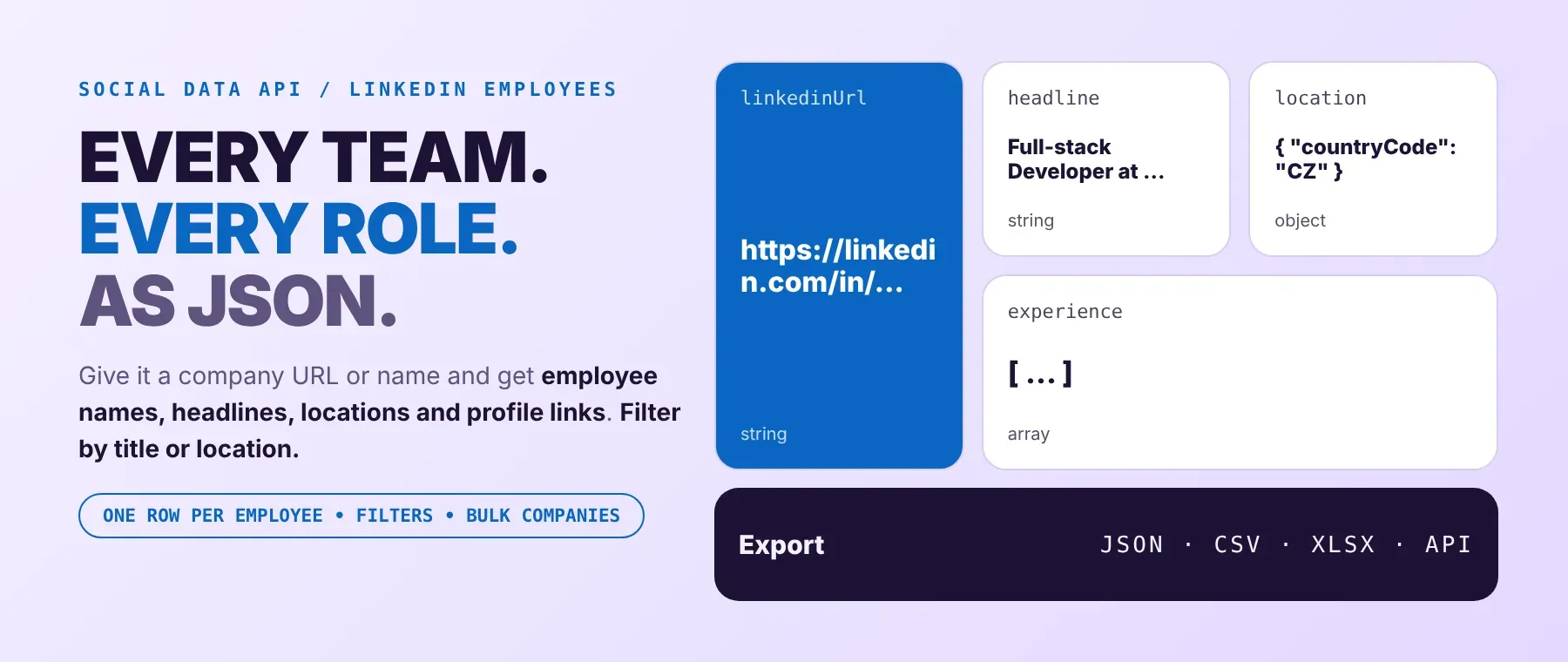
What data can I extract with LinkedIn Company Employees Scraper?
Using this LinkedIn Employee API, you will be able to extract the following LinkedIn employee data:
| 👤 Full name | 💼 Headline | 📍 Location (text + country, state, city) | 🏢 Current position(s) with company |
|---|---|---|---|
| 🔗 Profile link and handle | 🖼️ Profile photo and cover image | 👥 Follower count | 🤝 Connection count (below 500) |
| 📝 About text | 🎓 Top school | 🌐 Company website, domain and mail-server check | 🏠 Personal websites |
| 🗂️ Experience (Full) | 🏫 Education (Full) | 🛠️ Skills and languages (Full) | 📜 Certifications, projects, publications (Full) |
| 🏆 Honors, courses, patents, volunteering (Full) | 💬 Recommendations received (Full) | 👀 Similar profiles (Full) | 🗓️ Position start date and time in role |
| 🔢 Item counts per profile section | 🧾 Run details: company URLs, page position, scrape time |
Short depth fills every cell not marked Full. Full depth adds the experience, education and other profile sections, with a company object (website, employee count, industry, follower count) attached to each position. Full + email search also tries to look up work email addresses in public web results and on the profile; addresses are not guaranteed, and the list is often empty.
How to use LinkedIn Company Employees Scraper
Sales teams, recruiters and researchers use it to scrape LinkedIn employees for a list of companies and get one clean JSON row per verified current employee from a single run.
Copy to your AI assistant:
LinkedIn Company Employees Scraper MCP Server: use these Actors from ChatGPT, Claude or Cursor
Point your AI assistant at the Apify MCP server with this Actor (socialdataapi/linkedin-company-employees-scraper) preloaded as a tool, and it can call it on its own. No glue code, no scraping logic in your prompts.
Step by step
- Create a free Apify account.
- Open LinkedIn Company Employees Scraper in the Apify Store.
- Enter the LinkedIn company URLs or company names, one per line.
- Click Start (or send your API request).
- Download or stream your results in JSON, CSV or Excel.
How to scale LinkedIn Company Employees Scraper to bulk
Put up to 1,000 companies in the companies list of one run and the Actor works through all of them, which makes it a practical LinkedIn staff directory scraper for a whole account list. The maximum applies to each company: 2 companies with a maximum of 150 return up to 300 rows. With the default batching all companies are scraped at the same time; one-by-one batching scrapes them in turn. For recurring lists, save the input as a task and run it on an Apify schedule, or start runs from your own code through the Apify API.
✨ Features
LinkedIn Company Employees Scraper fetches clean, structured employee profiles from LinkedIn ⚡. It's ideal for building prospect lists, sourcing candidates, mapping competitor teams and enriching CRM accounts with the people behind them. Think of it as a LinkedIn employees extractor that checks each person's current company before saving them.
It extracts, per employee:
- Name and headline – first name, last name and the headline the person shows on LinkedIn
- Current position – job title, company, location, start date and time in the role, when the profile shows them
- Location – the location text plus country, state and city where they can be read from it
- Reach – follower count, and the exact connection count when it is below 500
- About and websites – the about text and the person's own links
- Company website check – the current company's website, its real domain and whether that domain has a mail server
- Career history – experience, education, skills, languages and certifications (Full depth)
⚡ Each person is checked against the company's current staff before a row is saved, and all filters run on the real profile data, so the rows you pay for match what you asked for.
Use cases 💡
- Sales rep — build a LinkedIn employee list per target account, filtered by seniority level.
- Recruiter — find engineers at a competitor by current job title and location.
- Market researcher — compare team size and roles across companies in one run.
- Growth marketer — check company domains with mail servers before outbound campaigns.
- AI agent builder — feed employee profiles to an LLM agent as account-research context.
Building an AI agent? Connect LinkedIn Company Employees Scraper over MCP and let it call the actor on its own.
Why choose this actor?
- Real employees, quickly. A recorded run returned 4 current employees of two companies (Stripe and Apify) in 11.1 seconds in Short depth, each checked against the company before saving.
- Profile depth you can use. A recorded Full-depth row for a developer came back with 7 positions, 3 education entries, 2 languages, 611 followers and a company object for each position, including employee count and website.
- 20 filters, one Actor. A LinkedIn people scraper with 12 keep filters (location, free text, current and past job titles, schools, industry, company size, seniority, job function, two tenure buckets, recent job changes) and 8 exclude filters.
⬇️ Input
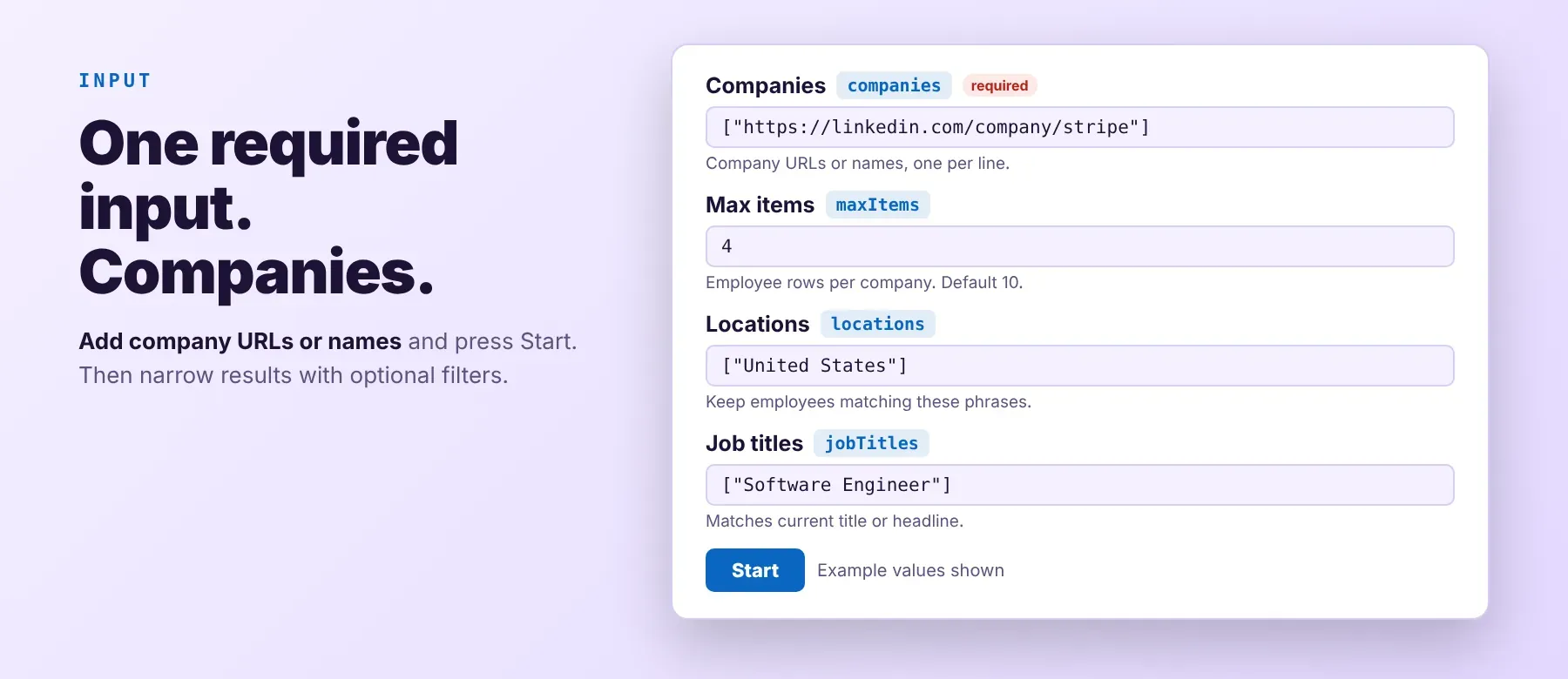
The Actor takes a list of LinkedIn companies — a company URL or just a company name — and helps you find employees of a company on LinkedIn for each one. Only companies is required; everything else narrows or paces the results.
Accepted company formats:
https://www.linkedin.com/company/stripe(a full company URL)stripe(a company name or page handle; the Actor looks up the matching company page)
| Parameter | Required | Type | Description | Example value |
|---|---|---|---|---|
companies | Yes | array | LinkedIn company URLs or company names, one per line, up to 1,000. | ["https://www.linkedin.com/company/stripe", "apify"] |
profileScraperMode | No | string | Scrape depth: short (profile only), full (+ experience, education, skills, certifications and more, with company details), email (Full + email search). Default full. | "short" |
maxItems | No | integer | Employee rows per company. Default 10. | 4 |
locations | No | array | Keep employees whose location matches one of these phrases (up to 50). | ["United States"] |
searchQuery | No | string | Every word must appear in the name, headline, current title or about text (up to 300 characters). | "payments" |
jobTitles | No | array | Keep employees whose current title or headline contains every word of one of these. | ["Software Engineer"] |
pastJobTitles | No | array | Keep employees with a past position matching one of these titles. | ["Product Manager"] |
schools | No | array | Keep employees whose education lists one of these schools. | ["Stanford University"] |
industryIds | No | array | Keep employees whose current company's LinkedIn industry id is listed (e.g. "4" = Software Development). | ["4"] |
yearsAtCurrentCompanyIds | No | array | Time at the current company: 1 under 1 year, 2 1-2, 3 3-5, 4 6-10, 5 over 10 years. Needs start dates, which most public profiles hide. | ["2", "3"] |
yearsOfExperienceIds | No | array | Same buckets, from the earliest known position start. | ["4"] |
seniorityLevelIds | No | array | Seniority read from the current title: 100 In Training … 320 Owner / Partner. | ["220", "300"] |
functionIds | No | array | Job function read from the title: 1 Accounting … 26 Customer Success and Support. | ["8"] |
companyHeadcount | No | array | Current company size: A self-employed … I 10,001+. | ["I"] |
recentlyChangedJobs | No | boolean | Only employees whose current position started in the last 2 calendar months. Default false. | false |
excludeLocations | No | array | Drop employees whose location matches one of these. | ["India"] |
excludePastCompanies | No | array | Drop employees who held a past position at one of these companies. | ["https://www.linkedin.com/company/google"] |
excludeSchools | No | array | Drop employees whose education lists one of these schools. | ["Harvard University"] |
excludeCurrentJobTitles | No | array | Drop employees whose current title or headline matches one of these. | ["Intern"] |
excludePastJobTitles | No | array | Drop employees with a past title matching one of these. | ["Recruiter"] |
excludeIndustryIds | No | array | Drop employees whose current company's industry id is listed. | ["96"] |
excludeSeniorityLevelIds | No | array | Drop these seniority levels. | ["100"] |
excludeFunctionIds | No | array | Drop these job functions. | ["12"] |
companyBatchMode | No | string | all_at_once scrapes all companies at the same time; one_by_one scrapes them in turn. Default all_at_once. | "all_at_once" |
maxItemsPerCompany | No | integer | Optional; replaces maxItems for every company when set. | 2 |
startPage | No | integer | Skip the first (N-1) × 25 matches of each company. Default 1. | 1 |
takePages | No | integer | Return at most N × 25 matches per company. | 1 |
proxyConfiguration | No | object | Proxy for LinkedIn requests. Residential is recommended. | {"useApifyProxy": true, "apifyProxyGroups": ["RESIDENTIAL"]} |
Which parameters each depth uses: all three depths use every parameter above; full and email additionally fill the career sections, and only email tries the email lookup (addresses are not guaranteed). To get LinkedIn employees by job title, add the titles to the current job titles filter and keep a higher maximum, because every filter is checked on each profile after it is fetched.
Free plan limits
Users on the Apify free plan can fetch up to 20 employee rows per run (all listed companies together) and 200 rows per month. When the limit is reached, the run finishes successfully with a status message explaining the limit. Upgrade to any paid Apify plan to remove these limits.
Example input
The input of a recorded run (Short depth, 2 companies, 4 rows in 11.1 seconds):
Other recorded inputs: Full depth — {"companies": ["https://www.linkedin.com/company/apify"], "profileScraperMode": "full", "maxItems": 3, "proxyConfiguration": {"useApifyProxy": false}} returned 3 rows in 64.2 seconds; Full + email search — the same input with "profileScraperMode": "email", "maxItems": 2 returned 2 rows in 48.4 seconds.
⬆️ Output
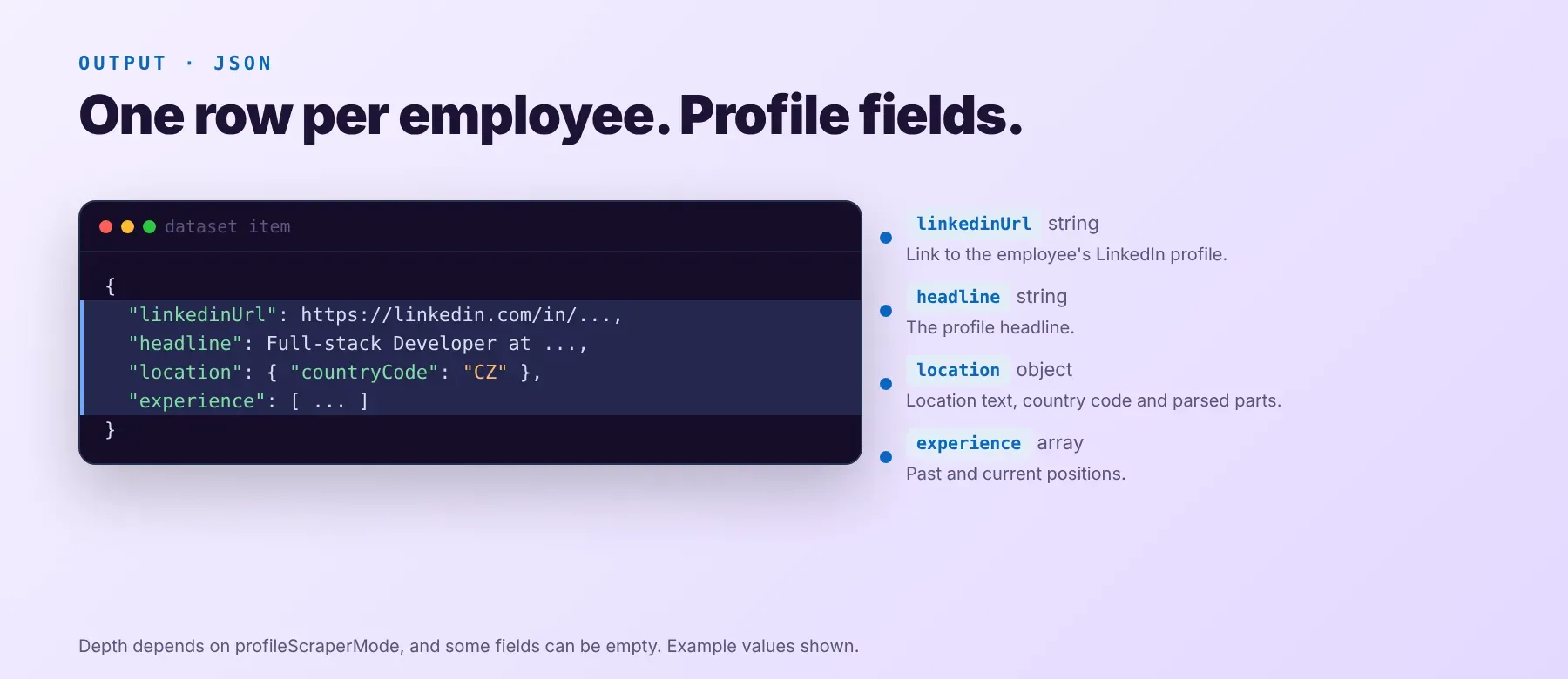
Every employee is one typed, normalized JSON item with the same 53 keys on every run, so you can export LinkedIn company employees as JSON (default), CSV or Excel. Values a public profile does not show stay null or empty instead of being guessed.
Example output
Short depth, from the recorded run above (abridged: some keys and image sizes left out):
Full depth adds the career sections. From the recorded Full-depth run (abridged):
Full + email search tries an email lookup; addresses are not guaranteed, and the list stays empty when none is found, as in this recorded row:
How does it work?
The Actor reads public LinkedIn pages — the same company and profile pages any visitor sees without logging in — so no LinkedIn account is needed. It starts from each company's page, finds people connected to it, opens each person's public profile and keeps only those whose current position is at that company. Your filters are then checked against the profile itself. It uses plain HTTP requests, no browser. Blocked requests are retried. In Full depth it also opens the company and school pages linked from a profile, so each position gets real company details. Rows are saved as soon as they are ready, and the output keeps the same normalized schema on every run. Fields a public profile hides come back as null.
How do you integrate LinkedIn Company Employees Scraper into your stack?
It works with what you already use: the REST API from any language, MCP for AI agents, and no-code tools.
MCP integration for AI agents
Add the Apify MCP server to your agent with one command:
This registers LinkedIn Company Employees Scraper (socialdataapi/linkedin-company-employees-scraper) as a tool your agent can call directly with a list of companies. It works in Claude Code, Cursor and Windsurf, and any MCP-compatible client can use the same server address.
No-code tools (n8n, Make, LangChain)
- n8n — use the Apify node's "Run an Actor" operation, then read the run's dataset items in the next node. You can also call the Apify API's run-sync endpoint from an HTTP Request node with your token.
- Make — add the Apify app's "Run an Actor" module, then "Get Dataset Items" to map each employee into your CRM or sheet.
- LangChain — install
langchain-apifyand load the run's dataset withApifyDatasetLoader, mapping each employee row to a document for your agent or vector store.
Is it legal to scrape LinkedIn data?
Scraping publicly available LinkedIn data is generally legal, but how you store and use it is regulated. The Actor returns only publicly available data — what any user sees without logging in. Under GDPR, collecting public data is generally permissible, but storing and using personal data must comply with local data-protection law, and if you turn on the email lookup, any address it returns must be used under anti-spam law (CAN-SPAM / GDPR). Consult legal counsel if your use case involves bulk storage of personal data.
Frequently asked questions
What fields does LinkedIn Company Employees Scraper return?
It returns each employee's full name, headline, location, current position with company, and follower count, plus photo, about text and, in Full depth, the career sections. See the data fields section.
Does LinkedIn Company Employees Scraper require a LinkedIn account or login?
No. Only public employee data is extracted. No credentials or cookies are needed.
How fast does LinkedIn Company Employees Scraper run?
A recorded Short-depth run returned 4 employees from two companies in 11.1 seconds; a Full-depth run returned 3 employees in 64.2 seconds because it also opens linked company and school pages. Data is fetched live, not cached.
What happens if an employee is private or doesn't exist?
Profiles that are not public and people who no longer work at the company are skipped; companies that cannot be found and profiles that stay blocked are listed in the run log. No row is saved and nothing is charged for them. If no employee matches, the run ends with a status message saying so.
Can I scrape multiple LinkedIn companies at once?
Yes. Put up to 1,000 companies in the companies list; each company gets its own maximum, so 2 companies with a maximum of 150 return up to 300 rows.
Does LinkedIn Company Employees Scraper work with Claude, ChatGPT, and other AI agent tools?
Yes — LinkedIn Company Employees Scraper is available as an MCP tool through the Apify MCP server. Register it in Claude Code, Cursor or Windsurf with claude mcp add --transport http apify "https://mcp.apify.com?tools=socialdataapi/linkedin-company-employees-scraper". Any agent that can call an HTTP endpoint can use the REST API directly.
Does LinkedIn Company Employees Scraper return data in a format LLMs can use directly?
Yes. Typed, normalized JSON with consistent field names. No HTML parsing, no selectors. Pass it straight to an LLM, index it into a vector store, or feed it to an agent tool — no transformation step.
What happens when LinkedIn changes its layout or updates its anti-bot system?
The Actor is maintained. When LinkedIn changes, the Actor is updated — your calls keep returning the same JSON schema with no changes on your end.
Can I use LinkedIn Company Employees Scraper without managing proxies or browser infrastructure?
Yes. Retries and proxy rotation run on the actor's side, and it needs no browser. You send one request and get structured JSON back. No proxy accounts, no headless browser setup, no maintenance.
Which LinkedIn employee fields work best for AI training data and RAG indexing?
For RAG, the text-rich LinkedIn employee data is the most useful: the headline, about text, job titles and company descriptions. For training data, use the numeric and boolean fields: follower count, connection count, item counts per profile section and the mail-server check. Fields are typed strings, integers, booleans and nested objects — no normalization needed.
Your feedback
Found a bug or missing a field? Let us know through the Actor's Issues tab in the Apify Console. Every report is read, and fixes ship regularly.


