

YouTube Video Scraper by Hashtag
Pricing
from $1.90 / 1,000 results
YouTube Video Scraper by Hashtag
YouTube Video Scraper by Hashtag finds YouTube videos and Shorts by hashtag, keyword or @handle: title, video ID, URL, thumbnail, view count, type and the search term. Option to scrape Shorts only. Export to JSON, CSV or Excel, or use the API.
Pricing
from $1.90 / 1,000 results
Rating
0.0
(0)
Developer

Social Data API
Maintained by CommunityActor stats
0
Bookmarked
2
Total users
1
Monthly active users
4 days ago
Last modified
Categories
Share
YouTube Video Scraper by Hashtag — Titles, Views and Shorts
YouTube Video Scraper by Hashtag collects the videos and Shorts YouTube shows for a hashtag, keyword or channel handle: title, video ID, link, thumbnail, view count, whether it is a Short, YouTube's hashtag summary line and the search term each video came from. Every response is structured JSON — ready to pass directly to an LLM, index into a vector store, or feed a social listening or trend research pipeline. No YouTube account, API key or cookies needed. Start with one hashtag, then track every topic in your niche.
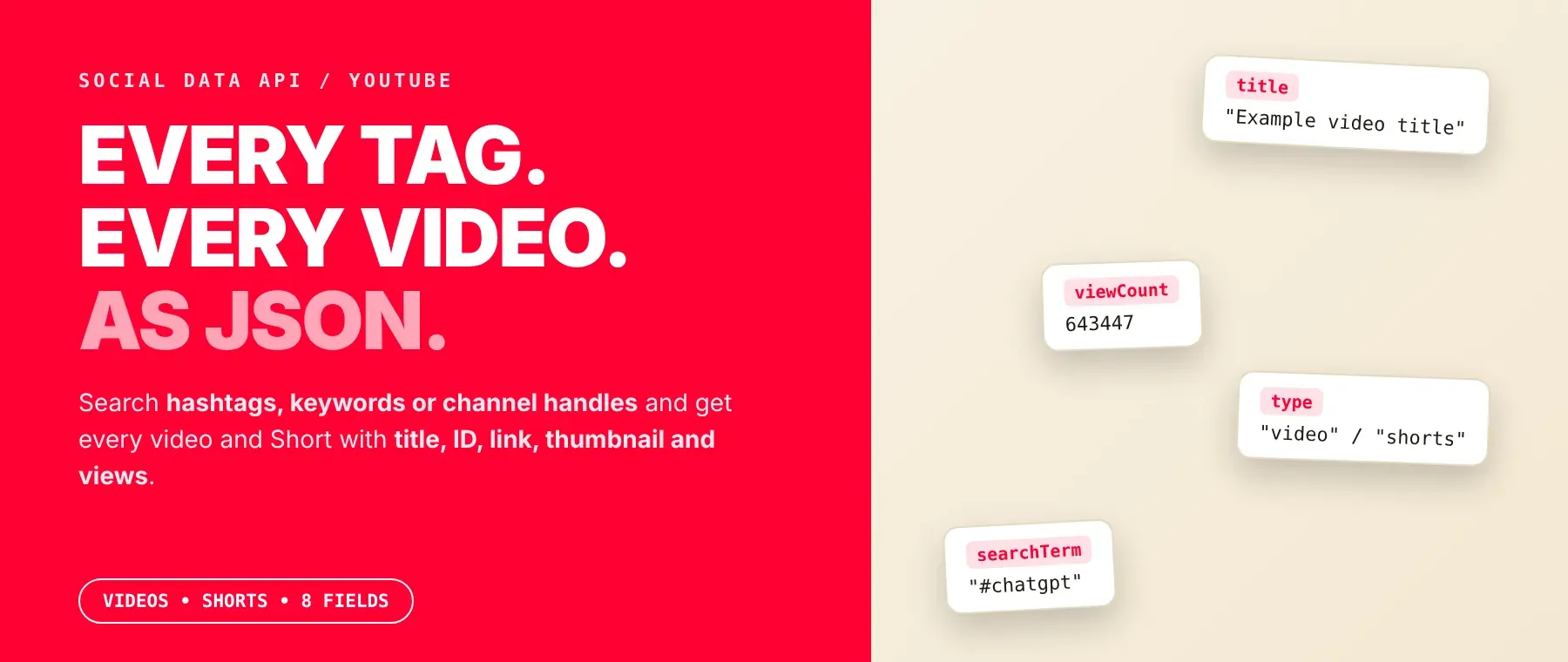
What data can I extract with YouTube Video Scraper by Hashtag?
Using this YouTube Hashtag Video API, you will be able to extract the following YouTube video data:
| 🏷️ Video title | 🆔 Video ID | 🔗 Video link (watch or Shorts) | 🖼️ Thumbnail image |
|---|---|---|---|
| 👁️ View count | 📱 Video or Short | #️⃣ Hashtag summary line (if YouTube shows one) | 🔎 Search term it came from |
How to use YouTube Video Scraper by Hashtag
Built for marketers, creators and trend researchers: one run turns a list of hashtags and keywords into a table of the videos and Shorts YouTube shows for them, with their view counts.
Copy to your AI assistant:
YouTube Video Scraper by Hashtag MCP Server: use these Actors from ChatGPT, Claude or Cursor
Point your AI assistant at Apify and it can read YouTube on its own: videos and Shorts by hashtag, keyword or channel handle, with their view counts. No glue code, no scraping logic in your prompts.
Step by step
- Create a free Apify account.
- Open YouTube Video Scraper by Hashtag in the Apify Store.
- Type your hashtags, keywords or channel handles, one per line, and set how many videos you want per term.
- Click Start (or send your API request).
- Download or stream your results in JSON, CSV or Excel.
How to scale YouTube Video Scraper by Hashtag to bulk
As a bulk YouTube hashtag scraper, it puts any number of hashtags, keywords and handles in one run. Each term returns up to 500 videos, limited by what YouTube's search has for it, and four terms run at the same time. Every page of results is saved as soon as it is read, so you can read the dataset while the run is going. A recorded run returned 884 videos for two terms in 29.5 seconds. To scrape YouTube hashtags for a whole topic, add the hashtag and the plain keyword, then export YouTube videos to CSV or Excel when the run ends. To follow a trend over time, schedule the same run daily or weekly in Apify Console.
✨ Features
YouTube Video Scraper by Hashtag fetches clean, structured search results from YouTube ⚡. It's ideal for trend research, creator discovery, content planning and competitor tracking — a YouTube hashtag scraper, YouTube keyword video scraper and YouTube hashtag search scraper in one tool, and a YouTube view count scraper for every result. It extracts, per video:
- Title and link – the video title and its watch or Shorts link
- View count – views as a number,
nullfor live streams - Type – video or Short, as YouTube itself classifies it
- Thumbnail – the largest thumbnail YouTube shows
- Hashtag summary – YouTube's line such as "3M videos • 932K channels" for hashtag searches
- Search term – which of your hashtags, keywords or handles found the video
⚡ Terms are searched exactly as you type them, so a hashtag and a keyword are two different searches, and YouTube hashtag videos never get mixed with keyword results.
Use cases 💡
- Social media marketer — find the most viewed videos and Shorts for a campaign hashtag.
- Creator — see which titles rank for a keyword before planning the next upload.
- Brand analyst — compare hashtag and keyword results to track how a topic spreads.
- Trend researcher — rerun the same hashtags weekly and watch view counts grow.
- AI engineer — feed video titles into an LLM to surface a trend's themes.
Building an AI agent? Connect YouTube Video Scraper by Hashtag over MCP and let it call the actor on its own.
Why choose this actor?
- Hundreds of videos per term, quickly. A recorded run returned 200 videos for "#chatgpt" and "Bangladesh" in 5.1 seconds, with the first rows saved after 2.1 seconds.
- Real view numbers. A recorded "#chatgpt" video came back with 643,447 views, and the most viewed result of that run had 52,000,000.
- Three kinds of search, one list. Hashtags, keywords and channel handles mix in the same input, with a Shorts-only switch and up to 500 videos per term.
⬇️ Input
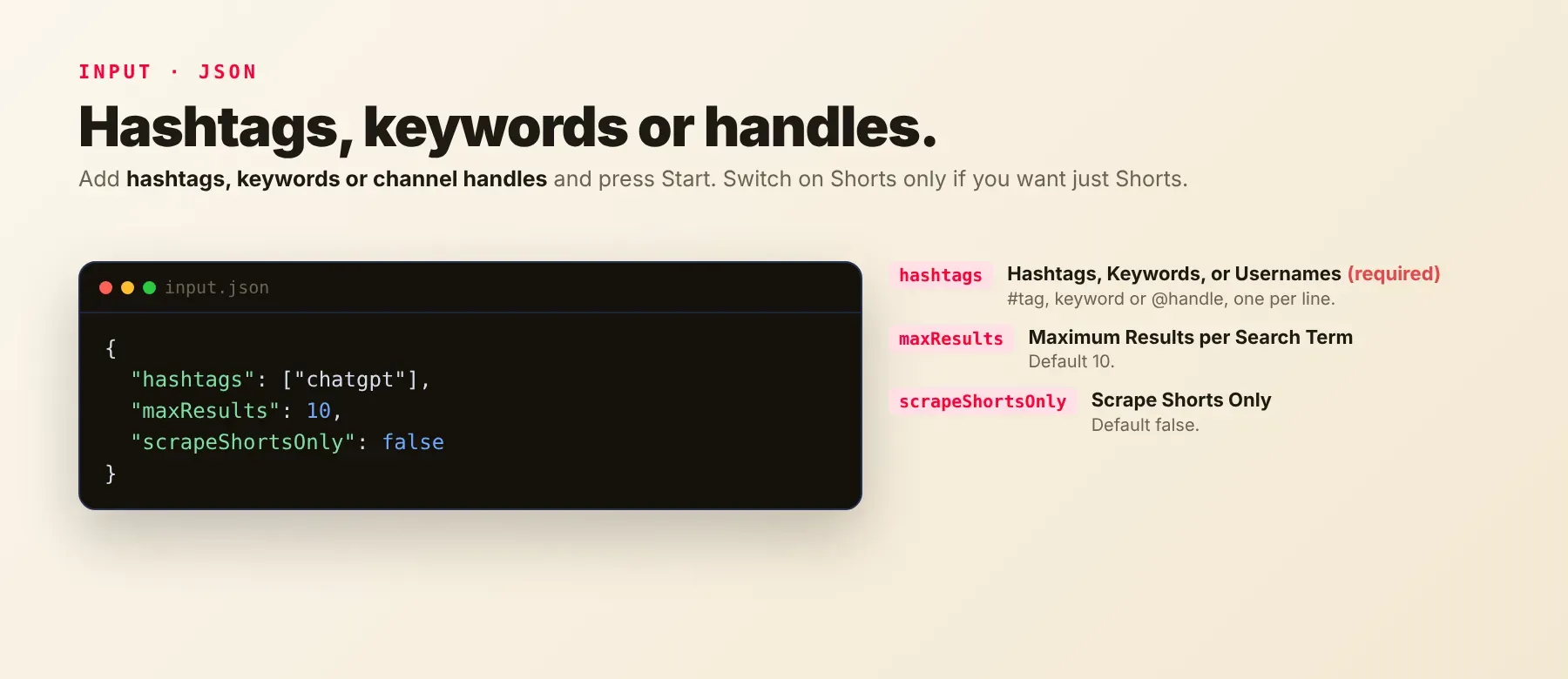
Enter one or more search terms; the list is required. Each term is searched exactly as typed:
#chatgpt— hashtag searchchatgpt— keyword search@mkbhd— channel handle search
| Parameter | Required | Type | Description | Example value |
|---|---|---|---|---|
hashtags | Yes | array | Hashtags, keywords or channel handles, one per line. A term listed twice is searched once. | ["#chatgpt", "cooking", "@mkbhd"] |
maxResults | No | integer | Videos per term, 1–500. Default 10. | 100 |
scrapeShortsOnly | No | boolean | Return only Shorts. Default false. | true |
proxyConfiguration | No | object | Optional. Without it the actor connects directly and adds a proxy on its own when YouTube refuses requests. A proxy you select is used from the first request. | {"useApifyProxy": false} |
YouTube runs out of videos for some terms before 500: "#chatgpt" stopped at about 385 in October 2026, while "cooking" reached 500. The run log and status then say how many YouTube had.
Free plan limits
Free plan: up to 20 videos per run (all search terms together) and 200 per month; paid plans have no limit.
Example input
⬆️ Output
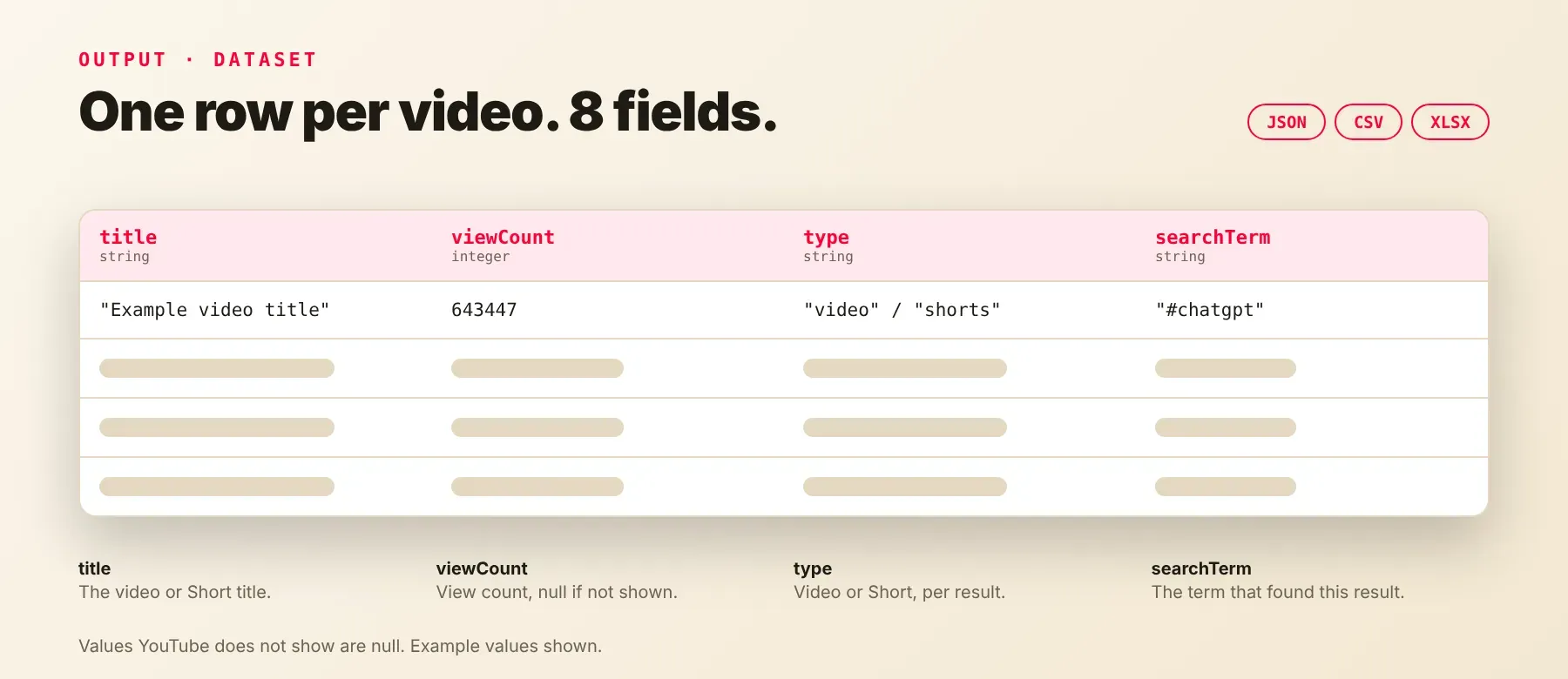
Every video is one typed, normalized JSON item with the same eight fields on every run; values YouTube does not show are null. Export the dataset as JSON (default), CSV or Excel.
Example output
Two recorded rows for "#chatgpt", a video and a Short:
The hashtag summary line appears only on hashtag searches where YouTube shows it; keyword, handle and Shorts-only searches return null there.
How does it work?
The actor opens YouTube's own search results for each of your terms, the same results any visitor sees without logging in, and keeps reading the next pages until it has the number of videos you asked for or YouTube has no more. Each page of videos is saved as soon as it is read. Requests that YouTube refuses are paused and retried, and the actor adds Apify proxies on its own when needed. It returns only publicly visible data, and the output fields stay the same from run to run, so your code and spreadsheets keep working when YouTube changes its pages.
How do you integrate YouTube Video Scraper by Hashtag into your stack?
It works with what you already use: the REST API from any language, MCP for AI agents, and no-code tools.
MCP integration for AI agents
Add the Apify MCP server to your AI client with one command:
This registers YouTube Video Scraper by Hashtag as a tool your agent can call directly: the agent finds it through the server's search, adds it and runs it, then reads the videos back as JSON. Ask for "50 YouTube Shorts for #chatgpt with their view counts" and it does the rest. It works in Claude Code, Cursor and Windsurf.
No-code tools (n8n, Make, LangChain)
n8n: add the Apify node and choose "Run an Actor", or use the HTTP Request node pointed at the run-sync endpoint with your token. Send new videos to a Google Sheet in the next node.
Make: use the Apify app's "Run an Actor" module, then "Get Dataset Items" to pull the videos into the rest of your scenario.
LangChain: install langchain-apify and wrap the actor with ApifyActorsTool, using this actor's ID (socialdataapi/youtube-video-scraper-by-hashtag) from its Apify Store page, so your agent can look up YouTube videos by hashtag or keyword.
Is it legal to scrape YouTube data?
Collecting public YouTube search results is generally lawful: these are the titles, links and view counts YouTube shows every visitor. This actor returns only publicly available data — what any visitor sees without logging in — and never reads private videos, comments or account data. GDPR: scraping public data is generally permissible, but storing and using it must comply with local data-protection law. Consult legal counsel if your use case involves bulk storage of personal data.
Frequently asked questions
What fields does YouTube Video Scraper by Hashtag return?
It returns each video's title, video ID, link, view count and whether it is a Short, plus the thumbnail, YouTube's hashtag summary line and the search term. See the data fields section for the full list.
Does YouTube Video Scraper by Hashtag require a YouTube account or login?
No. Only public YouTube search results are extracted, and no credentials or API key are needed.
How fast does YouTube Video Scraper by Hashtag run?
A recorded run returned 200 videos for two terms in 5.1 seconds, and another returned 884 videos for two terms in 29.5 seconds. Every run reads live data, not a cache.
What happens if a search term has no videos?
You get no rows for that term and are not charged for it; the run log and status name the term. If YouTube has fewer videos than you asked for, you get all of them and the status says so. In code, group rows by search term to see how many each term returned.
Can I scrape multiple YouTube hashtags at once?
Yes. Put any number of hashtags, keywords and handles in one list; each returns up to 500 videos and four run at the same time.
Does YouTube Video Scraper by Hashtag work with Claude, ChatGPT, and other AI agent tools?
Yes — YouTube Video Scraper by Hashtag is available as an MCP tool. Register it in Claude Code, Cursor or Windsurf with claude mcp add --transport http apify "https://mcp.apify.com?tools=socialdataapi/youtube-video-scraper-by-hashtag". Any agent that can call an HTTP endpoint can use the REST API directly.
Does YouTube Video Scraper by Hashtag return data in a format LLMs can use directly?
Yes. Each video is typed, normalized JSON with consistent field names, so there is no HTML parsing and no selectors. Pass it straight to an LLM, index it into a vector store, or feed it to an agent tool — no transformation step.
What happens when YouTube changes its layout or updates its anti-bot system?
The actor is maintained, and when YouTube changes, it is updated so your calls keep returning the same JSON fields with no changes on your end.
Can I use YouTube Video Scraper by Hashtag without managing proxies or browser infrastructure?
Yes. Retries, pauses and Apify proxies for refused requests run on the actor's side, and no browser is needed. You send one request and get structured JSON back, with no proxy accounts and no maintenance.
Which YouTube video fields work best for AI training data and RAG indexing?
For RAG, use the video title, the search term and the hashtag summary line. For training data and analytics, use the view count, the video-or-Short type and the search term. All fields are plain strings and numbers, so no normalization is needed — a simple YouTube data extractor for any pipeline.
Your feedback
Found a bug or missing a field? Let us know in the actor's Issues tab. Every report is read, and fixes ship as new versions of the actor.


