

Google Ads Transparency Scraper by Advertiser Name
Pricing
from $0.75 / 1,000 ad creatives
Google Ads Transparency Scraper by Advertiser Name
[$0.75 / 1K ads] Find any advertiser by name, then pull every ad they run worldwide from Google Ads Transparency. Free demo: https://vaytric.com/google-ads-lookup/ | Stripe sample: https://apify.com/sourcedirect/google-ads-transparency-scraper/examples/stripe-live-google-ads
Pricing
from $0.75 / 1,000 ad creatives
Rating
0.0
(0)
Developer

Kurt Landman
Maintained by CommunityActor stats
0
Bookmarked
2
Total users
1
Monthly active users
3 months ago
Last modified
Categories
Security
Limited permissionsShare
Google Ads Transparency Scraper
Pull every ad an advertiser is running from Google's Ads Transparency Center, by company name, domain or advertiser ID, with full pagination, creative images and video, and the dates each ad was first and last shown.
See it working before you pay. A free lookup page runs this exact engine one query at a time: type a company name, see every matching advertiser with its live ad count, open the creatives. If that output fits your need, this Actor is the same data at volume, with CSV and JSON export and no per-hour limit.
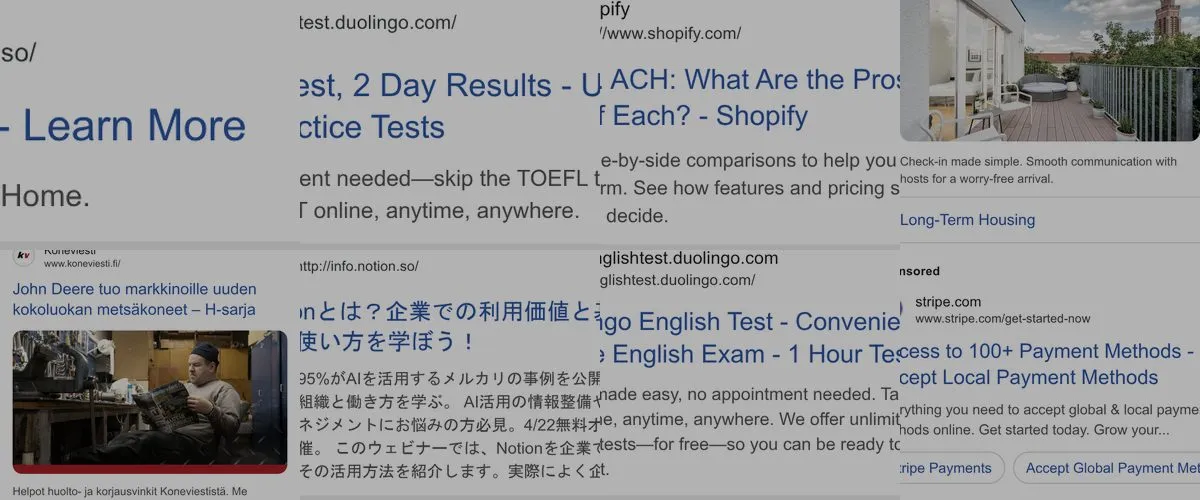
Real output: creatives returned by this Actor for stripe.com, nike.com, airbnb.com, spotify.com, notion.so and shopify.com on 6 August 2026.
Worldwide by default. Most Ads Transparency scrapers make you pick a region and quietly return only that country's ads. This one searches every region unless you ask it not to. For stripe.com that is the difference between 17 results and 6,977.
What you get
| Field | Description |
|---|---|
advertiserId | Google advertiser ID (AR…), feed it back in to get everything that advertiser runs |
advertiserName | Verified advertiser name as Google shows it |
creativeId | Google creative ID (CR…) |
domain | Advertiser's domain |
creativeType | image, video, or text_or_display |
firstShown / lastShown | ISO timestamps, how long the ad has been running |
imageUrl | Direct URL to the creative image |
previewUrl | Google-hosted preview of the ad |
transparencyUrl | Link to the ad on Google's own site |
queriedCountry | The country this row was found under, or worldwide |
Two raw Google fields are also included but left out of the table view: formatCode and googleRegionValue. Google does not document either, and neither maps cleanly onto anything useful. formatCode does not track creative type, and googleRegionValue is near-unique per creative. They are passed through unchanged rather than dressed up as something they are not. Use creativeType for format.
Search by name, not just by domain
Every other Ads Transparency scraper makes you supply a domain or a Google advertiser ID. This one also takes a plain advertiser name:
You get back every advertiser Google matches, with its ID, its country, and roughly how many ads it is currently running, so you can tell Nike Retail BV (74 ads) apart from Nikenbah Constructions Pty Ltd before you spend anything. Matching domains come back too. Put the ID you want into advertiserIds to pull that advertiser's ads.
Input
domains: any advertiser domain, e.g.nike.com.advertiserNames: a plain name likeNike. Returns matching advertisers and domains, not ads.advertiserIds: Google advertiser IDs, if you already have them.countries: ISO-3166 codes likeUS,GB,AU. Leave empty for worldwide, which is what you almost always want, because the worldwide set contains every country's ads. Listing several countries runs them in the order given and merges the results, de-duplicated.maxAdsPerAdvertiser:0means no limit. Big advertisers run tens of thousands of ads, so the default of 50 keeps a first run fast and cheap. The cap is the total per target across all selected countries, so if you list several countries and set a low cap, the cap can be used up before the later countries are reached. Leavecountriesempty to avoid this entirely.delayBetweenPages: seconds between requests. Defaults to0.5, which costs about 12 seconds per 1,000 ads and keeps you well clear of Google's rate limiter. Set it to0if you want maximum speed on a small job.proxyConfiguration: on by default, and it should stay on. See below.
Sample output
What it costs
$0.75 per 1,000 ads, and you are charged only for ads actually returned. Results are de-duplicated across every target in a run, so if you query a domain and that same advertiser's ID together you are billed once for each creative, not twice. There is no monthly fee.
This Actor runs on Apify's standard datacenter proxy and does not need residential proxies, so there is no per-gigabyte proxy surcharge buried in the price. Actors in this category range from about $0.45 to $18 per 1,000 results, and some add a per-run start fee of up to $50 per 1,000 starts on top, which matters more than the headline rate if you run many small jobs. The start fee here is $0.05 per 1,000.
Common uses
- Competitor ad monitoring: track which creatives a rival launches, and when they retire them, using
firstShownandlastShown. - Creative research: build a swipe file of live ads in your category, with images.
- Ad spend signals: advertisers running hundreds of live creatives are spending, a domain with none is not.
- Lead qualification: check whether a prospect is already buying Google traffic before you pitch them.
Notes and limits
- Keep the proxy on. Google throttles the Ads Transparency endpoint per source IP, and it throttles shared cloud IP ranges hardest. Measured on the Apify platform on 6 August 2026: with the proxy off, a
nike.comlookup returned HTTP 429 and zero ads after 4 minutes 45 seconds. With the proxy on, the same lookup returned 50 ads in 8 seconds. The proxy is on by default for this reason. Turning it off only makes sense if you run the Actor somewhere with its own clean IP. - Rate limiting. Even behind a proxy, Google's block is not brief. After roughly 300 rapid requests from one IP during testing, that IP stayed blocked for over 90 minutes, with no
Retry-Afterheader to say when it clears. Normal jobs do not come close. If you pull several very large advertisers back to back, the Actor backs off automatically, logs each wait, and reports which targets were affected in the run log and in theSUMMARYkey. If you hit it, raise Delay between pages. - Data comes from Google's public Ads Transparency Center, the same records anyone can view on the site. No login, and nothing private is accessed.
- Google publishes ads for advertisers it has verified. Very small or unverified advertisers may have no records at all, and an empty result is a real answer rather than a failure.
Finding an advertiser ID
Run a domain first. Every row includes advertiserId, and one advertiser often owns several domains, so querying by ID catches ads a single-domain search would miss.


