
App Store & Google Play Reviews Scraper - iOS + Android
Pricing
from $0.20 / 1,000 reviews
App Store & Google Play Reviews Scraper - iOS + Android
Scrape app reviews from the Apple App Store and Google Play. Rating, title, text, date, version, developer reply. Any country, newest or most critical first. No login, no API key, no residential proxy.
Pricing
from $0.20 / 1,000 reviews
Rating
0.0
(0)
Developer

Team Sasuke
Maintained by CommunityActor stats
0
Bookmarked
2
Total users
1
Monthly active users
15 days ago
Last modified
Categories
Share
App Store & Google Play Reviews Scraper
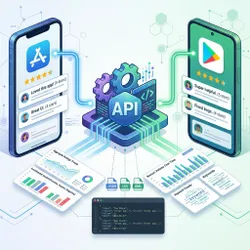
Scrape app reviews from the Apple App Store and Google Play with one tool and one output format. Paste app links or IDs from either store and get every review as a row: star rating, title, text, date, app version, reviewer name and the developer's reply. Any storefront country, newest or most critical first, with optional star-rating and date filters.
No login, no API key, no cookies and no residential proxy. Download as JSON, CSV or Excel, or call it from your own code through the Apify API.
What you get
One row per review, the same shape for both stores, so iOS and Android reviews land in one spreadsheet without any cleanup.
| Field | App Store | Google Play |
|---|---|---|
store | app_store | google_play |
appId | numeric ID, e.g. 310633997 | package name, e.g. com.whatsapp |
appName, appUrl | yes | yes |
country, language | storefront and language used | storefront and language used |
reviewId | yes | yes |
userName | yes | yes |
rating | 1 to 5 | 1 to 5 |
title | yes | Google Play reviews have no title |
text | yes | yes |
date | ISO 8601, UTC | ISO 8601, UTC |
appVersion | not exposed by Apple | version the review was written on |
isEdited | yes | not exposed by Google |
thumbsUpCount | not exposed by Apple | yes |
developerResponse, developerResponseDate | yes | yes |
scrapedAt | yes | yes |
App details (name, developer, average rating, rating count, version, category, install count on Google Play) are saved separately in the run's key-value store under APP_DETAILS. Inputs that could not be parsed, were not found, or had no matching reviews are listed under APPS_WITHOUT_REVIEWS with a reason, and none of that is charged.
How to use it
- Paste one or more apps into Apps. Any of these forms work, mixed freely:
https://apps.apple.com/us/app/whatsapp-messenger/id310633997310633997https://play.google.com/store/apps/details?id=com.whatsappcom.whatsapp
- Set Max reviews per app and, if you want them, Countries, Sort order, Only these star ratings and Only reviews since.
- Run it. Open the Reviews tab, or download JSON, CSV or Excel from the Export button.
A country written into an App Store link, such as apps.apple.com/gb/..., is used for that app instead of the Countries list.
Example input
That collects up to 1,000 one- and two-star reviews written since 1 January 2026 for Duolingo on both stores, for the US and UK storefronts, newest first.
Example output
Input
| Field | Default | What it does |
|---|---|---|
| Apps | two example apps | App Store or Google Play links, numeric IDs or package names. |
| Max reviews per app | 500 | Per app, per country. No ceiling; 10,000 from one App Store listing works. |
| Countries | us | Storefront codes such as us, gb, de, in, br, jp. Each app is scraped once per country. |
| Language | en | Google Play stores reviews per language, so this decides which Google Play reviews you get. |
| Sort order | newest | Newest, most helpful, highest rating or lowest rating first. |
| Only these star ratings | all | Pick 1 and 2 for complaints, 5 for testimonials. |
| Only reviews since | none | A date such as 2026-01-01. With "newest first" the run stops as soon as it reaches older reviews, which keeps it short and cheap. |
| Proxy | Apify datacenter | Apple rate-limits its review pages per address, so App Store requests use Apify's shared datacenter proxy, included in every plan at no extra charge, and switch address when a limit is hit. Google Play is read directly. Residential proxies are never needed. |
Pricing
A small fee when a run starts, then a fixed price per review returned. Apps that are not found, cannot be parsed or return nothing add nothing beyond the start fee, because the Actor only writes real reviews to the dataset. The exact prices are on the Pricing tab.
In testing on the Apify platform, 1,000 Google Play reviews took about 3 seconds and 1,000 App Store reviews between 40 seconds and a few minutes, depending on how hard Apple was rate-limiting at the time.
Good to know
- The App Store serves 20 reviews per request and paginates as deep as the listing goes. In testing, an offset of 10,000 still returned a page, so large pulls are a matter of time, not a hard limit.
- Apple rate-limits per address. The Actor paces its App Store requests and moves to a fresh proxy address when Apple answers with a rate limit. If a run still reports "App Store rate limit", wait a few minutes and run it again; the Google Play half of the run is unaffected.
- Google Play keeps reviews per language, not per country. Scraping the same app for
usandgbwithlanguage: enreturns largely the same reviews. Change Language to reach reviews written in other languages. - Developer replies are included for both stores, with the reply text and date.
- Date filtering is cheapest with "newest first", because the run stops at the first review older than the date. With other sort orders the filter still applies, but the Actor has to read past non-matching reviews, and it gives up after reading ten times the number you asked for.
- Star-rating filters are native on Google Play. On the App Store they are applied after download, with the same ten-times reading limit.
- Reviews, not ratings. Both stores show far more star ratings than written reviews. A listing with "2M ratings" may have 200,000 written reviews, and only those can be scraped.
What people use it for
- Sentiment and complaint analysis: pull the one- and two-star reviews for your app every week and feed them to a model or a spreadsheet.
- Competitor research: scrape the same category of apps across stores and compare what users praise and what they hate.
- ASO and product decisions: see which features reviewers mention, per country and per version.
- Support triage: find reviews without a developer reply and answer them.
- Training and RAG data: thousands of real, dated, rated opinions in a clean JSON shape.
Run it from your code
Every run is available through the Apify API, with Python and JavaScript clients, webhooks and schedules.
Schedule it to run daily with Only reviews since set to yesterday and you have a review monitor.
FAQ
Do I need an API key, an Apple developer account or a Google account? No. Both stores publish reviews on their public web pages, and that is where this reads them.
Is it legal to scrape app reviews?
Reviews are public data that the stores show to anyone. Scraping public data is generally lawful, but you are responsible for how you use it, and reviewer names are personal data under laws such as GDPR. If in doubt, drop the userName field.
Why did I get fewer reviews than the store shows?
The store counts ratings, which include people who tapped stars without writing anything. Only written reviews can be returned. Also check the country: a review written on the German storefront only appears under de.
Why are my Google Play results the same for every country? Google Play groups reviews by language. Set Language instead of adding countries.
Can I get reviews for a specific app version?
Google Play reviews carry appVersion; filter on it after download. Apple does not expose the version.
Something returned nothing. Was I charged?
No. Apps that fail or return nothing are listed in the APPS_WITHOUT_REVIEWS record with a reason, and only reviews are billed.
Looking for video data instead?
The same developer publishes a YouTube Transcript Scraper that returns transcripts, subtitles and timestamps for any video, channel, playlist or search.


