

Company Domain Finder: Name to Official Website
Pricing
from $15.00 / 1,000 company resolveds
Company Domain Finder: Name to Official Website
Resolve a company name to its official website domain, filtering out Wikipedia, LinkedIn, social media and directory sites. No login, no API key.
Pricing
from $15.00 / 1,000 company resolveds
Rating
0.0
(0)
Developer

The Mine Works
Maintained by CommunityActor stats
0
Bookmarked
14
Total users
5
Monthly active users
a day ago
Last modified
Categories
Share
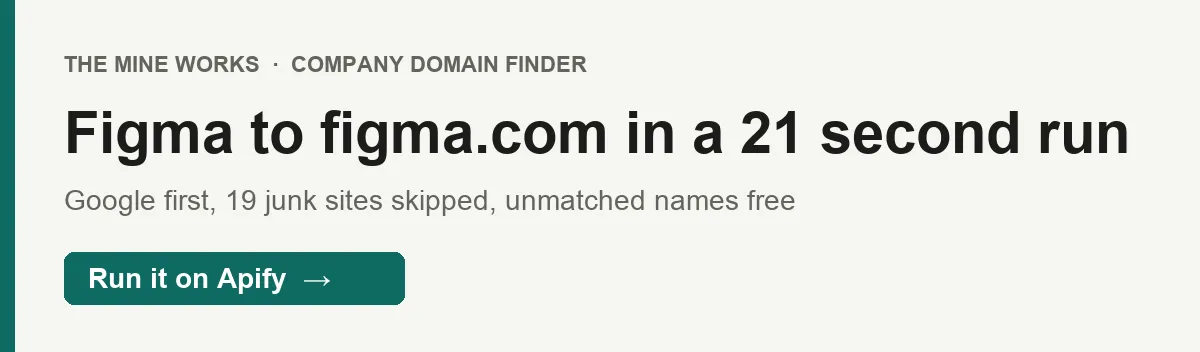
From The Mine Works, makers of Threads Scraper and B2B Leads Finder, with over 140,000 runs across 170+ public actors.
Give it company names and it returns each company's own website, as https://figma.com, not its Wikipedia, LinkedIn or Crunchbase page. It searches Google for the name plus "official site", opens only the results that name the company, and keeps a domain only when the registered name of that domain contains a word from the company name. A name it cannot match comes back as resolved: false and costs nothing.
Why choose this actor?
- You pay only for a domain that matches the name. On 30 September we ran the made up name
Qwlkjhzzz Zorbist Ltd: Google returned 10 results, none of them named the company, none was opened, and the run charged only the $0.005 start fee. Each company that does resolve costs $0.015, the same on every Apify plan. - Directories and social profiles are thrown out before anything is billed. 19 sites that often outrank a company's own site (Wikipedia, LinkedIn, Facebook, X, Instagram, YouTube, Crunchbase, Bloomberg, Glassdoor, Indeed, Reddit, GitHub, Medium, PitchBook and others) are never returned, and a domain whose registered name does not contain a word of the company name is dropped.
- No API key, no login, and a backup route. Google answers first: Figma resolved to
https://figma.comin a 21 second run on 1 October. When Google does not answer, as happened twice for Razorpay on 30 September, the actor asks Brave and then reads Google again, and Razorpay still came back ashttps://razorpay.com.

Part of The Mine Works Company and business data family: GST Taxpayer Lookup, World Bank Trade Scraper, Company KYB Resolver, SEC EDGAR Filings Scraper, EU VAT Checker (VIES), Bundesanzeiger Scraper.
Try it in one minute
Paste this into the JSON tab of the input page and press Start:
Five names usually take one to two minutes. In our runs on the live build a single lookup took between 4 and 64 seconds, most of it spent waiting for the search results page.
The only input is companies: a list of company names, one per line in the Console form, or an array of strings in JSON. Write each name the way people search for it (Freshworks, Tata Consultancy Services, Marks and Spencer). Legal endings such as Inc, Ltd, LLC, GmbH, Pvt, PLC and Corp are ignored when the domain is matched, so Stripe Inc and Stripe behave the same. Through the API, a single name sent as a plain string instead of an array also works. Names are trimmed, exact duplicates (same spelling and capitals) are looked up once, and a run takes the first 30 names.
Apify's free plan includes $5 of credit every month, which covers about 320 resolved companies at this actor's price ($0.015 a company plus the $0.005 start fee, in runs of 30 names). Names that do not resolve are free, so they do not use up that credit.
Copy to your AI assistant
Key features
- One row per name, 4 fields.
company,domain,resolvedandchecked_at.domainis present only when the name resolved, so a filter onresolvedsplits your list into hits and misses. - Google first, then Brave, then Google again. The first route reads one Google results page for
"<name>" official siteand opens at most 3 results whose title or snippet contains the company's first distinctive word. If Google gives no answer at all (a timeout or a block), Brave is asked; if Brave is refused or finds nothing usable, a second Google read runs. When Google does answer, its answer is final, matched or not, so a clear "no" is never paid for twice. - A name check on every domain. The company's first distinctive word (3 or more letters, after removing legal endings and 48 generic words such as services, solutions, group, global, tech and India) must appear in the registered part of the domain.
figma.compasses for Figma. A Figma fan page onbandcamp.comwould not, because onlybandcampis the registered name. A later word in the company name counts only when the registered name is made almost entirely of the company's own words, soGrupo Bimbocan match a domain registered asbimbo, while a stray word inside an unrelated domain cannot. - 19 sites never returned. Wikipedia (and Wikiwand and Britannica), LinkedIn, Facebook, Twitter and X, Instagram, YouTube, Crunchbase, Bloomberg, PitchBook, Glassdoor, Indeed, Reddit, GitHub, Medium, Google and Apple, plus every Google country domain, are skipped even when they rank first.
- Up to 30 names per run, with three safety stops. Six unresolved names in a row end the run (the rest of the list is not looked up and not charged). A spend guard stops a run whose search costs run far ahead of what it has resolved. And the run ends cleanly 15 seconds before its timeout, keeping every row already delivered and adding a summary row.
- A summary row you can audit. Each run ends with a
_type: "summary"row: names in,resolved_count, whether itstopped_early, how many Google pages and Brave requests were used, and the estimated search cost.
How to use it
Basic: one company
One row comes back with domain: "https://figma.com" and resolved: true, followed by the summary row.
A batch from a spreadsheet column
Paste up to 30 names. In the run options, set the timeout to 900 seconds before you start: the default is 300 seconds, and 30 lookups at 4 to 64 seconds each can take longer than that. If a run does reach its timeout, it stops 15 seconds early and keeps every row it already delivered; the summary row then carries ended_on_deadline: true, and you can re-run the names that are missing.
CRM cleanup: fill an empty website field
Export the accounts whose website field is blank, run them in batches of 30, then join the results back on company. Rows with resolved: true go straight into the website field. Rows with resolved: false are your short manual review list; nothing was charged for them. Before you import, sort the hits by domain and look for any that point at a parent group or a help site rather than the company itself (see "Can it return the wrong company?" below).
Enrichment chain: from a name to people, pages and tech
Most company data tools need a domain, not a name. Resolve the name here, then pass domain on:
- Domain to LinkedIn Resolver turns the domain into the company's LinkedIn page.
- B2B Leads Finder finds named decision makers with business emails at that domain.
- Website Contact Finder reads public emails and phone numbers from the company's site.
- Tech Stack Detector lists the technologies the site runs on.
In Make, Zapier or n8n, run this actor first, filter on resolved equal to true, then start the next actor with the domain value.
Resolve new leads as they arrive
When a form or CRM adds a lead with a company name and no website, start a run from Make, Zapier or n8n with that one name in companies. Each such run costs the $0.005 start fee plus $0.015 if the name resolves. If you get many leads a day, collect the names and send them 30 at a time instead: one start fee covers the whole batch.
Input parameters
| Parameter | Type | Default | What it does |
|---|---|---|---|
companies | array of strings | required (form prefill: Figma) | Company names to resolve to their official website. Names are trimmed and exact duplicates are removed. The first 30 are looked up; any names after the 30th are ignored (the log says so) and never charged. A single string instead of an array is accepted through the API. |
"Form prefill" fills the Console form for you; it is not a default for API calls.
Run options worth changing. The default timeout is 300 seconds and the default memory is 512 MB. For more than about 10 names, raise the timeout to 900 seconds. Memory does not need to change: the actor sends plain HTTP requests and runs no browser, and at 512 MB the start fee is one event ($0.005).
What data do you get?
One row per name you sent, in the order you sent them.
The answer: company (the name exactly as you sent it, trimmed), domain (the official site as https:// plus the host name, with www. removed; present only when the name resolved), resolved (true when a matching domain was found and charged, false when nothing usable came back) and checked_at (ISO time of the lookup).
Errors: if a lookup throws an unexpected error, that name's row has resolved: false and an error field with a short message. It is never charged.
The run report: every run ends with a _type: "summary" row: companies (names looked up), resolved_count, stopped_early, spend_guard_tripped, google_answered (lookups Google answered), a google_search block (pages requested and served, results seen, results skipped because they did not name the company, results opened, timeouts), brave_requests, brave_refused, old_tier_google_pages, old_tier_residential_pages, the estimated search cost fields est_google_cost_usd, est_brave_proxy_cost_usd and est_total_spend_usd, and scraped_at. When at least one name resolved, a _type: "info" row follows with a short message and a scheduling tip. Neither row is ever charged. Skip rows that have a _type field when you load the data.
Stable fields for automations
These fields were present in every data row we sampled from the live build:
| Field | What it holds |
|---|---|
company | The name you sent, trimmed; use it to join results back to your list |
resolved | true if a matching official domain was found and charged, otherwise false |
checked_at | ISO timestamp of the lookup |
domain | Present on every row where resolved is true: the site as https://example.com |
We will not rename these fields. New fields may be added over time; existing ones keep their names. Absent means unknown: a field is left out of a row rather than sent as null.
Output examples
Real rows from our own runs of the live build on 30 September and 1 October 2026.
A company Google answered directly (run of 1 October: one results page, 3 results named Figma and were opened, figma.com passed the name check):
A company resolved through the backup route (30 September: Google's page did not answer within 30 seconds, twice, so Brave was asked and answered in under 3 seconds):
A name that matches no company (30 September: Google returned 10 results, none named the company, nothing was opened, nothing was charged). domain is left out:
The summary row of the Figma and Razorpay run (never charged; the google_search block is trimmed here). hung_before_response: 2 is the two Google requests for Razorpay that got no answer:
The search cost figures in the summary are our own costs, shown for transparency. You are billed only the events in the Pricing section.
Pricing
Pay per event: you pay for each company resolved, plus a small start fee per run. The price is the same on every Apify plan.
| Event | Free | Bronze | Silver | Gold and above |
|---|---|---|---|---|
company-resolved, per company | $0.015 | $0.015 | $0.015 | $0.015 |
company-resolved, per 1,000 companies | $15.00 | $15.00 | $15.00 | $15.00 |
apify-actor-start, per run | $0.005 per GB of run memory, minimum one event | same | same | same |
The start fee, exactly. Apify's apify-actor-start event is charged once when a run starts, at $0.005 for each GB of memory the run uses, with a minimum of one event. This actor runs on 512 MB by default, so a default run pays one event: $0.005. At 2 GB it would be $0.01, and the actor gains nothing from more memory.
Worked examples. A run of 30 names where 26 resolve costs 26 x $0.015 = $0.39, plus $0.005: $0.395. A 500 company CRM cleanup sent as 17 runs, with every name resolving, costs $7.50 plus 17 start fees ($0.085): $7.585. The made up name in the examples above cost $0.005, the start fee alone.
Never charged: names that do not resolve, names whose lookup failed with an error, duplicate names in your list (looked up once), names after the 30th, names left unlooked after a safety stop, and the summary and info rows. Search engine pages, proxies and compute are included in the price; you do not pay for them separately.
There is no scheduled price change for this actor. The Pricing tab on this page always shows the rate for your plan; if it and this table ever differ, the Pricing tab is right.
FAQ
Where does the answer come from? From public search results: a Google results page for the company name plus "official site", and, only when Google does not answer, Brave Search and a second Google read. The actor never logs in anywhere and does not use cookies. It does not look the name up in a company registry.
How many companies can I resolve? Up to 30 per run. For a longer list, split it into runs of 30, either by hand, with a loop over the Apify API, or with a Make, Zapier or n8n flow that sends 30 rows at a time.
How long does a lookup take? Between 4 and 64 seconds each in our runs on the live build. The Google results page itself took 3 to 16 seconds when it answered; the slow cases were Google requests that got no answer for 30 seconds and were retried before the backup route ran. Plan on 15 to 30 seconds per name, and raise the run timeout to 900 seconds for a full batch of 30.
Why wasn't a company resolved? One of four things happened: no result on the first Google page named the company; the results that did were all on the excluded list (Wikipedia, LinkedIn and the rest); the domains found did not contain a distinctive word of the company name; or the run stopped before reaching that name (six unresolved names in a row, the spend guard, or the timeout). The run log has a line for each name saying which route answered.
Why do 3M and names like "Global Services" never resolve?
The name check needs a distinctive word of at least 3 letters. 3M has none, and in a name such as "Global Services" both words are on the generic list, so no domain can pass. This is the same rule that keeps a nonsense name from being matched to some unrelated site and billed. A name like 3M Company does not help, because "company" is ignored too.
Why can't Apple, LinkedIn or GitHub resolve to their own sites? Their domains are on the list of 19 sites that are never returned, because they so often outrank other companies' own sites. A search for those companies themselves therefore comes back unresolved, and is not charged.
Can it return the wrong company?
Sometimes, and you should check unfamiliar results. The answer is the first matching result for the name, so a common or shared name can match a different company with the same word in its domain. A company whose site is an abbreviation can only match a domain that contains a word of its full name: tcs.com cannot pass for "Tata Consultancy Services", so the result, if any, is a site with "tata" in its name, such as the group's. And because the host name is kept as found, a result can occasionally be a subdomain such as a help or careers site of the right company. Sorting the results by domain makes these easy to spot.
Do I need an API key, an account somewhere, cookies or my own proxy? No. You need only an Apify account. The actor sends its own search requests through Apify's proxies, and their cost is included in the price per company.
How fresh is the answer? Every run searches live; nothing is cached between runs. If a company moves to a new domain, the next lookup reflects whatever the search engines show for it that day.
How do I export the results?
From the run's Storage tab as JSON, CSV, Excel, XML or HTML, or through the Apify API. Drop rows that have a _type field if you want the companies only.
Can I run it on a schedule? Yes, with Apify Schedules (save your input as a task, then Schedules, Create new). A schedule repeats the same names, so it suits a fixed watch list, for example checking every month whether your key accounts still point at the same domain. For new names arriving every day, start runs from Make, Zapier, n8n or the API instead, so each run gets the new names.
Can I use it from Claude, ChatGPT or another AI assistant?
- Connector URL:
https://mcp.apify.com/?tools=themineworks/company-domain-finder. - Claude: Settings > Connectors > Add custom connector, paste the URL, sign in with Apify.
- ChatGPT: developer mode, add an MCP connector with the URL, sign in with Apify.
- Cursor or VS Code: add it as an HTTP MCP server with that URL.
- Claude Code:
claude mcp add -t http company-domain-finder "https://mcp.apify.com/?tools=themineworks/company-domain-finder".
Is it legal to look up company websites this way? The actor reads only public search result pages and returns company website addresses, which are business information rather than personal data. It does not get past any login or paywall. You are responsible for how you use the results, including the search engines' terms and data protection laws such as GDPR and CCPA if you join the domains to personal data elsewhere. This is general information, not legal advice.
Integrations
- Google Sheets: export a run to a sheet, or use Apify's Google Sheets integration to write
companyanddomainnext to your list. - Make, Zapier and n8n: use the Apify app or node to start a run with names from your CRM or form, then write
domainback to the record. - Webhooks: have Apify call your URL when a run succeeds, then read the dataset.
- API and client libraries: start runs and read datasets from Python, JavaScript or any HTTP client. The "Copy to your AI assistant" block above has the exact call.
- MCP clients: Claude, ChatGPT, Cursor, VS Code and Claude Code can call the actor as a tool through
https://mcp.apify.com.
More from The Mine Works
Company and business data
- GST Taxpayer Lookup
- World Bank Trade Scraper
- Company KYB Resolver
- SEC EDGAR Filings Scraper
- EU VAT Checker (VIES)
- Bundesanzeiger Scraper
- Tech Stack Detector
- Domain to LinkedIn URL Resolver
- US Import Records
- Y Combinator Scraper
- USAspending Scraper
- Norway Company Register
Social media and video
Leads and business directories
Marketing, SEO and reviews
Real estate
Science, health and government data
Jobs and hiring
E-commerce and marketplaces
Food and local services
Developer and AI tools
More tools
- Tennis Match & Player Data Scraper
- Google Hotels Prices Scraper
- LandWatch Scraper
- Capterra Reviews Scraper
Support
Found a name that resolved to the wrong site, or one that should have resolved? Open an issue on the Issues tab of this page with the name and the run ID, and we will reply there. To ask for a new data source, email dmineworks@gmail.com. A guide for this actor also lives at themineworks.com.
Company Domain Finder turns a list of company names into their official websites, checks every domain against the name, and charges only for the ones it resolves.


