

Copart Scraper: Salvage Auction Lots, Bids, VIN and Damage
Pricing
from $14.40 / 1,000 lots
Copart Scraper: Salvage Auction Lots, Bids, VIN and Damage
Scrape Copart public auction lots by make, model, year, state, yard, damage or search link: lot number, VIN as shown, title, damage, odometer, current bid, buy now, sale date, yard, photos. USA, Canada, UK, Ireland, Middle East. No login.
Pricing
from $14.40 / 1,000 lots
Rating
0.0
(0)
Developer

The Mine Works
Maintained by CommunityActor stats
0
Bookmarked
2
Total users
1
Monthly active users
2 days ago
Last modified
Categories
Features
Share
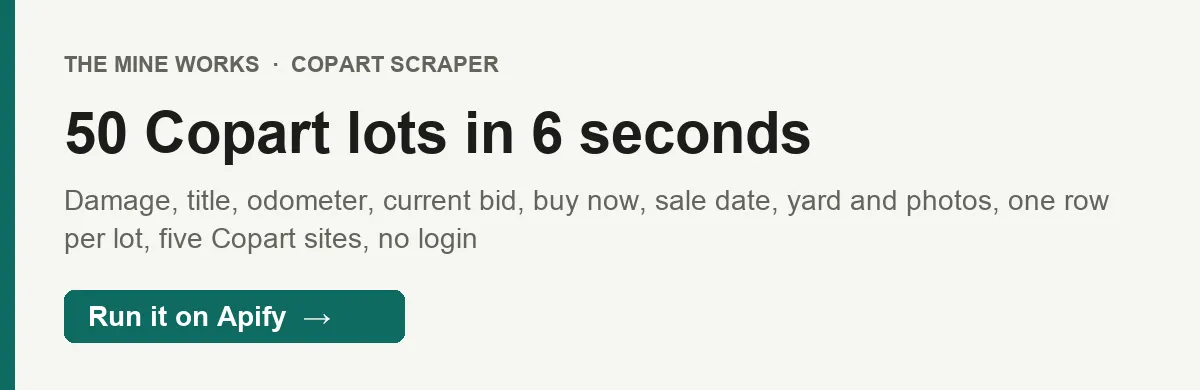
Returns Copart public auction lots from copart.com (USA), copart.ca, copart.co.uk, copart.ie and copartmea.com by make, model, year, state, yard, damage, title type and more, or from Copart search links, lot links and lot numbers you paste: one row per lot with lot number, year, make, model, trim, VIN as Copart shows it, title type, primary and secondary damage, odometer, current bid, buy it now price, estimated retail value, sale date, yard and address, photo links and the lot link. No login, no cookies, no API key. You pay $23.40 per 1,000 lots on the Free plan and $14.40 per 1,000 on the Gold plan, plus a $0.003 start fee per run.
Part of The Mine Works E-commerce and marketplaces family: Ozon.ru Scraper, ⭐ Amazon Reviews Scraper, Amazon Product Scraper, Etsy Listings Scraper, AliExpress Scraper, Kleinanzeigen.de Scraper.
Updated 20 Nov 2026: first release. Five Copart sites in one actor, simple search fields or pasted search links with every filter kept, lot number lookups, 100 lots per result page and deep searches. Bookmark this Actor on its Store page so it is one click away next time.
Why choose this actor?
- Search fields, not only links. Make, model, year range, state or province, yard, primary damage, title type, vehicle type, maximum odometer, buy it now only, run and drive only and newly added lots. No need to build a search on the site first, but a pasted search link works too and keeps all of its filters.
- Five Copart sites, one row shape. USA, Canada, UK, Ireland and the Middle East, with
country,currencyandodometer_uniton every row, so one sheet holds every market. - The numbers a bidder compares, in columns.
current_bid,buy_now_price,estimated_retail_valueandestimated_repair_costare numbers, andsale_dateis an ISO date, so you can sort a yard by bid or by sale day without cleaning text. - Fast and light. 100 lots per request, plain HTTP, no browser. 2,000 lots took about 100 seconds in our test run.
- Pay per lot, nothing for errors. Links that are not Copart links, lot numbers that are not open, the summary row and lots found twice in one run are never charged.

Try it in one minute
Paste this into the input (JSON view) and press Start. It returns 50 Toyota Camry lots from 2018 or newer on Copart USA. It took 6 seconds in our test run on Apify:
For Canada, the UK, Ireland or the Middle East, add "country": "CA" (or UK, IE, MEA).
Apify's free plan includes $5 of credit every month, which covers about 210 lots at this actor's price.
Copy to your AI assistant
Key features
- Simple search fields. Keyword, make, model, year range, state or province, yard, primary damage, title type, vehicle type, maximum odometer, buy it now only, run and drive only, newly added (24 hours or 7 days) and four sort orders.
- Pasted links. Copart search links (
lotSearchResults?...searchCriteria=...) with every filter you set on the site, and single lot links (/lot/<number>/...), on all five supported sites. - Lot number lookups. A list of lot numbers is checked one by one; a lot that is sold or removed gets an error row and is not charged.
- Deep searches. 100 lots per page and up to 50,000 lots per search, three pages read at a time, always delivered in the site's order.
- Stops cleanly. A search with no results ends after one request. Five failed pages in a row end the run. The run stops before its time limit and keeps every row, and the summary row says what happened.
How to use it
Clean title SUVs in Florida and Georgia, added in the last 7 days
Hail and flood damaged Hondas under 120,000 miles, newest first
Paste your own searches and lots
Set the filters on copart.com (or another supported site), copy the address bar and paste it. Lot links and lot numbers work in the same run:
Buy it now lots in one yard, cheapest first
Input parameters
| Field | Type | What it does |
|---|---|---|
startUrls | list | Copart search links and lot links from copart.com, copart.ca, copart.co.uk, copart.ie or copartmea.com. |
lotNumbers | list | Lot numbers to look up on the site chosen in country. |
country | text | US (default), CA, UK, IE or MEA: the site for the search fields and lot numbers. |
keyword | text | Free text as typed in the Copart search box, e.g. camry. |
make, model | text | As Copart writes them, e.g. FORD and F150. Several: separate with commas. |
yearFrom, yearTo | number | Model year range. |
state | list | Yard state or province codes, e.g. TX, ON. |
yard | list | Exact yard names, e.g. CA - SACRAMENTO. |
damage | list | Primary damage, e.g. front_end, hail, water_flood. |
titleType | list | clean, salvage, non_repairable. |
vehicleType | list | e.g. automobiles, suvs, pickup_trucks, motorcycles. |
maxOdometer | number | Highest odometer reading. |
buyItNowOnly, runAndDriveOnly | true or false | Only lots with a buy it now price, or only lots marked RUNS AND DRIVES. |
newlyAdded | text | any, 24h or 7d. |
sort | text | sale_date (default), year_newest, odometer_lowest, buy_now_price. |
maxResults | number | Most lots per search (default 100, up to 50,000). |
proxyConfiguration | object | Apify datacenter proxy by default. Residential is not needed. |
What data do you get?
| Group | Fields |
|---|---|
| Lot | lot_number, url, site, country, title, condition, highlight_codes, seller_name (insurer or company, when Copart shows it) |
| Vehicle | year, make, model, model_group, trim, vin, vin_masked, vehicle_type, body_style, color, engine, cylinders, fuel, transmission, drive, keys |
| Title and damage | title_type, title_group, title_state, primary_damage, secondary_damage |
| Odometer | odometer, odometer_unit, odometer_status (ACTUAL, NOT ACTUAL, EXEMPT) |
| Money | current_bid, buy_now_price, currency, estimated_retail_value, estimated_repair_cost |
| Sale | sale_status (Pure Sale, Minimum Bid, On Approval), sale_date, sale_time, sale_time_zone, future_sale |
| Yard | yard_name, yard_number, location_city, location_state, location_zip, location_country, latitude, longitude |
| Photos | image_thumbnail, image_url (full size), image_hd (high resolution) of the main photo |
| Run | search_label, search_url, page, position, scraped_at |
Output example
Pricing
Pay per event: you pay for the lots you receive, plus a flat $0.003 per run, whatever memory you choose.
| Event | When it is charged | Free plan | Bronze (Starter) | Silver (Scale) | Gold (Business) |
|---|---|---|---|---|---|
lot | Once per lot row stored in your dataset | $23.40 per 1,000 | $20.40 per 1,000 | $17.40 per 1,000 | $14.40 per 1,000 |
run-start | Once per run, after a search returned lots | $0.003 | $0.003 | $0.003 | $0.003 |
Never charged:
- links that are not Copart links, and lot numbers that are not valid (each gets an error row);
- lot numbers that are sold, removed or not found;
- a lot that a second search or link of the same run finds again;
- lots past your
maxResults; - the summary, info and error rows;
- a run with no valid input, or one whose searches return no lots: the start fee is charged only once lots came back;
- anything past your "Max cost per run". The actor checks the budget before each batch of rows and stops while the total is still below your limit.
How it compares
| Actor | Price per 1,000 on the Free plan | Start fee | Copart sites | Search fields (no link needed) | One run, many searches |
|---|---|---|---|---|---|
| This actor | $23.40 | $0.003 per run | USA, Canada, UK, Ireland, Middle East | Yes | Yes |
| Copart Public Search Scraper by parseforge | $26.00 | $0.01 per run | USA | Links only | One link per run |
| Copart Auction Scraper by memo23 | $0.75, extra data $1.00 | $0.009 per run | 8 countries | Yes | Yes |
| Copart Data Scraper by devcake | $3.00 | $0.00005 per run | 5 regions | Yes | Not listed |
Checked 20 Nov 2026 from the public Store listings.
Run it on a schedule
- Open the actor in Apify Console, set your input and click Save as a new task.
- In the task, open Schedules, click Add schedule and pick how often (every day, every Monday at 08:00 and so on).
- Use
newlyAdded: "24h"for a daily feed of new lots, and compare runs onlot_numberto follow bids until the sale date. - Optional: add an integration (Google Sheets, Slack, a webhook) so each run lands where your team works.
FAQ
What does this actor read?
Copart's public lot search, the same results the website shows any visitor without logging in. It does not log in, bid, or read member data.
Do I need an account, cookies or an API key?
No account, no cookies and no API key. The Apify datacenter proxy the actor uses is included in every Apify plan, with no extra fee.
Why is part of the VIN hidden?
Copart masks the last digits of the VIN for visitors who are not logged in. The actor returns the VIN exactly as Copart shows it publicly (for example 4T1B11HK8JU******) and sets vin_masked to true. Copart UK and Ireland hide the whole VIN, so vin is empty there.
Why do some lots have no title type or sale date?
Copart lists some lots before their title documents arrive and before a sale is scheduled. For those, Copart itself shows no title and no sale date yet, so the fields stay empty. In our test runs this was about 1 lot in 10 in the USA.
Does it return every photo of a lot?
It returns the main photo in three sizes: thumbnail, full size and high resolution. The full photo gallery sits behind a check page on Copart's lot pages, so it is not included.
Which Copart sites are covered?
copart.com (USA, which also lists Canadian yards), copart.ca, copart.co.uk, copart.ie and copartmea.com. copart.de and copart.es answer automated requests with a check page and are not covered.
How many lots can I get?
Up to 50,000 per search and up to 50 searches per run, 100 lots per page. The site's total for each search is in the summary row (per_search).
How fast is it?
One page of 100 lots takes 2 to 5 seconds and the actor reads three pages at a time. In our test runs on Apify: 50 lots in 6 seconds and 2,000 lots in about 100 seconds.
Which formats can I download?
JSON, CSV, Excel, XML, RSS and HTML from the run's Storage tab or through the API.
Can I use it from Claude, ChatGPT or Cursor (MCP)?
Yes, through Apify's MCP server. Connector URL: https://mcp.apify.com/?tools=themineworks/copart-scraper
- Claude: Settings > Connectors > Add custom connector, paste the URL, sign in with Apify.
- ChatGPT: turn on developer mode, add an MCP connector with the URL, sign in with Apify.
- Cursor or VS Code: add it as an HTTP MCP server with that URL.
- Claude Code:
claude mcp add -t http copart-scraper "https://mcp.apify.com/?tools=themineworks/copart-scraper"
Is it legal to scrape Copart?
The actor reads only public auction listings that Copart publishes for anyone to see, without logging in, and returns vehicle and sale data, not personal data. You are responsible for how you use the data, including Copart's terms and the laws that apply to you. This is general information, not legal advice.
Integrations
- Google Sheets: send each run's lots to a sheet with Apify's Google Sheets integration; one row per lot fits a sheet as is.
- Make, Zapier and n8n: start a run and read its dataset with the Apify apps and nodes, for example "new clean title SUVs in Texas every morning to Slack".
- Webhooks: have Apify call your URL when a run succeeds, then fetch the dataset.
- API and SDKs: run it from Python or JavaScript with the Apify client, or with a plain HTTP call (see "Copy to your AI assistant" above).
- MCP clients: Claude, ChatGPT, Cursor and VS Code can run it as a tool through the connector URL in the FAQ.
If this actor saved you time, a short rating on the Store helps other buyers find it.
More from The Mine Works
E-commerce and marketplaces
- Ozon.ru Scraper
- ⭐ Amazon Reviews Scraper
- Amazon Product Scraper
- Etsy Listings Scraper
- AliExpress Scraper
- Kleinanzeigen.de Scraper
- Carsales.com.au Scraper
- eBay Product Listings Scraper
- Shopify Store Scraper
- 🛒 TikTok Shop Scraper
- Walmart Product & Price Scraper
- Vinted Scraper
Social media and video
Leads and business directories
Marketing, SEO and reviews
Real estate
Science, health and government data
Jobs and hiring
Company and business data
Food and local services
Developer and AI tools
More tools
Support
Found a search that returns fewer lots than the site, or a field that comes back empty? Open an issue in the Issues tab with the input and the run ID, and we will look at it. For a field you need or another auction site, email dmineworks@gmail.com.
Search Copart by make, model, year, state and damage and get every lot back as one row, with bid, buy now, odometer, title, sale date and photos, no login.


