

Glassdoor Jobs Scraper: Salaries, Ratings & Job Listings
Pricing
from $1.00 / 1,000 jobs
Glassdoor Jobs Scraper: Salaries, Ratings & Job Listings
Scrape Glassdoor job listings by keyword and location: title, company, company rating, salary range with median, location, posted date, Easy Apply, skills and benefits. US, UK, Canada, Australia, Germany, France and India. Filters for date, remote, Easy Apply and rating. No login. Pay per job.
Pricing
from $1.00 / 1,000 jobs
Rating
0.0
(0)
Developer

The Mine Works
Maintained by CommunityActor stats
0
Bookmarked
2
Total users
1
Monthly active users
15 days ago
Last modified
Categories
Share
From The Mine Works, makers of Threads Scraper and B2B Leads Finder, with over 140,000 runs across 170+ public actors.
Give it job titles and a location and get back every matching Glassdoor job as a clean row: title, company, the company's Glassdoor star rating, the pay range with its median, pay period and currency, whether the employer posted the pay or Glassdoor estimated it, location, days since posting, Easy Apply, job type, a short description extract, and the skills, benefits and education tags Glassdoor pulls out of each listing. No Glassdoor login, no cookies, no API key.
Why choose this actor?
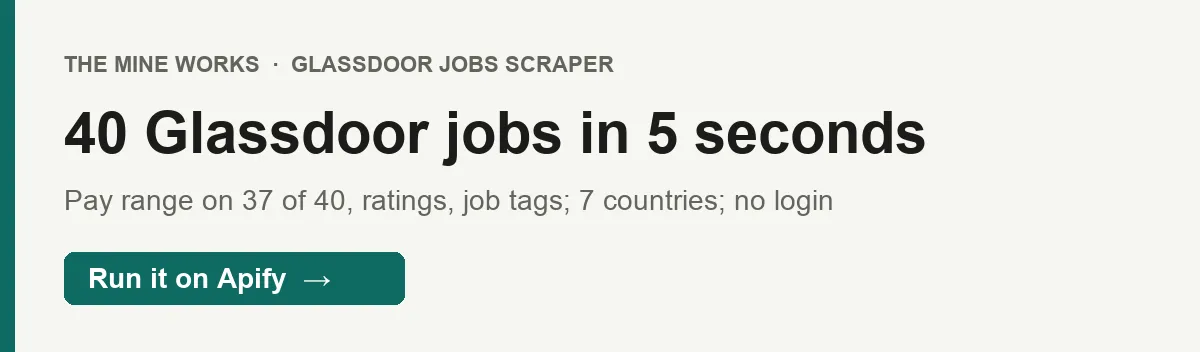
- Pay ranges you can sort, on almost every row. On 27 September a search for nurse jobs in Chicago returned 40 jobs in 5 seconds, 37 of them with
salary_min,salary_medianandsalary_max(28 hourly, 9 annual), and 32 of those posted by the employer rather than estimated. A data analyst search in Austin returned 30 jobs, 27 with pay and all 30 with a company rating. - Your location, matched the way Glassdoor matches it. Glassdoor ignores a typed place name in a search link and quietly searches the whole country. The actor looks your city, state or country up in Glassdoor's own location list first, so "Austin, TX" really means Austin.
- Pay only for jobs delivered, once each. From $1.00 per 1,000 jobs on Gold. A job found again by a second keyword, jobs your filters removed, expired listings, location lookups, refused pages and the summary are never charged.

Part of The Mine Works Jobs and hiring family: Foundit Monster India Jobs, Hirist Jobs Scraper, India Jobs MCP, Naukri Jobs Scraper, Shine.com Jobs Scraper, Internshala Scraper.
Try it in one minute
Paste this into the JSON tab of the input page and press Start:
You get 10 Austin data analyst jobs with pay, rating and company details in well under a minute.
Give the search in either of two ways: job titles or keywords in keywords (one search each, up to 50 per run) plus an optional location, or Glassdoor job search result links in startUrls, which keep any filters already in the link. Pick the country with site (glassdoor.com for the US, or the UK, Canada, Australia, Germany, France or India site), and narrow with postedWithinDays, remoteOnly, easyApplyOnly and minCompanyRating.
Apify's free plan includes $5 of credit every month, which covers about 3,200 jobs at this actor's Free plan price ($0.0015 a job plus the $0.005 start fee, in runs of 100 jobs or more).
Copy to your AI assistant
Key features
- Up to 31 fields per job, including
salary_min,salary_medianandsalary_max(Glassdoor's 10th percentile, median and 90th percentile),salary_period(ANNUAL,HOURLY,MONTHLY),salary_source(EMPLOYER_PROVIDEDorESTIMATED),company_rating,age_in_daysand ajob_attributeslist of skills, tools, benefits, schedule and education tags. - Seven Glassdoor country sites: United States, United Kingdom, Canada, Australia, Germany, France and India. Pick one with
siteand give a location in that country. - Glassdoor's own filters: posted within 1 to 30 days, remote only, Easy Apply only and minimum company rating, applied on Glassdoor's side. Easy Apply and rating are checked again on each row, and a job whose company has no rating is left out when you set a minimum.
- Up to 900 jobs per search, 50 searches per run. Page 1 comes from the search page itself; later pages are fetched the way the site's "load more" button fetches them, 30 jobs at a time, up to 3 pages at once and 2 searches at once, to Glassdoor's limit of 30 pages.
- No login, no blocks to fight. Glassdoor sits behind Cloudflare, so every request goes through Apify's unblocking proxy, and a refused request is retried on a fresh connection up to 3 times. In our 27 September run every one of the 3 requests (location lookup, page 1, page 2) succeeded on the first try.
- A per search report. The run's
OUTPUTrecord lists every search with its status (ok,no_results,location_not_found,blocked,skipped), the location Glassdoor matched, how many jobs Glassdoor reported, pages read and failed, duplicates skipped and what was charged.
How to use it
Basic: one role in one city
Several roles at once, merged and deduplicated
Each keyword is its own search. A job that two keywords both find is delivered and charged once, and the search that found it second counts it under duplicates skipped in OUTPUT.
Salary benchmarking for one role
Keep rows where salary_period is ANNUAL, then compare salary_median by employer_name or by normalized_title. Filter on salary_source to separate pay the employer posted (EMPLOYER_PROVIDED) from Glassdoor's estimates (ESTIMATED); in our Chicago nurse run, 32 of 37 pay ranges were employer provided.
Daily new jobs for a recruiting or job alert feed
Save it as a task and schedule it daily (for example 0 7 * * *). With postedWithinDays: 1, each run asks Glassdoor for jobs posted in the last day, so most rows are new. The actor keeps no memory between runs; drop any listing_id you already have.
Hiring lead lists: well rated companies hiring remotely
Group by employer_name and employer_id to see who is hiring most, with company_rating and employer_logo_url for your CRM. Leaving location empty searches the whole country of the site. A whole country search still stops at 900 jobs, so for wide coverage run several cities or states as separate searches.
Paste a search you built on Glassdoor
Any filters in the link are kept. The filter fields in the input (postedWithinDays, remoteOnly, easyApplyOnly, minCompanyRating) apply to keyword searches only.
Input parameters
| Parameter | Type | Default | What it does |
|---|---|---|---|
keywords | array of strings | none (form prefill: data analyst) | Job titles or keywords, one per entry. Each is its own search; up to 50 searches per run. Give keywords or startUrls. |
location | string | empty (form prefill: Austin, TX) | A city, state or country, such as Austin, TX, California or London, matched against Glassdoor's location list for the chosen site. Empty searches the whole country of the site. |
site | string | glassdoor.com | glassdoor.com (United States), glassdoor.co.uk, glassdoor.ca, glassdoor.com.au, glassdoor.de, glassdoor.fr or glassdoor.co.in. The location must be in that country. |
maxResultsPerSearch | integer (1 to 1,000) | 30 | Most jobs to return for each keyword or URL. Glassdoor stops at 30 pages of 30 (900 jobs) per search. |
postedWithinDays | integer (1 to 30) | none | Only jobs posted in the last N days, using Glassdoor's date filter. |
remoteOnly | boolean | false | Only jobs Glassdoor marks as remote or work from home. |
easyApplyOnly | boolean | false | Only jobs you can apply to directly on Glassdoor. |
minCompanyRating | integer (1 to 4) | none | Only jobs at companies rated at least this many stars. Jobs at companies with no rating are left out. |
startUrls | array of strings | none | Glassdoor job search result URLs instead of keywords. Each URL is one search and uses maxResultsPerSearch. |
"Form prefill" values fill the Console form for you but are not defaults: an API call that leaves location out searches the whole country.
Run options. The default memory is 512 MB and the default timeout is 3,600 seconds, which is plenty: our 40 job search finished in 5 seconds, though a slow first page can take 15 seconds or more.
What data do you get?
One row per job. Fields Glassdoor does not show for a job are left out of that row rather than sent as null.
The job: listing_id, url, title, normalized_title (Glassdoor's standard title), occupation, job_types (such as Full-time or Contract), easy_apply, sponsored (a paid listing), description_snippet (the short extract Glassdoor shows in search results), job_attributes (skills, tools, benefits, schedule, education and seniority tags Glassdoor extracted from the listing).
The employer: employer_name (as named on the job), employer_profile_name (the Glassdoor company profile, when its name differs), employer_id, company_rating (overall Glassdoor rating, 1 to 5), employer_logo_url.
Pay: salary_min, salary_median, salary_max, salary_currency, salary_period and salary_source.
Where and when: location, location_type (city, state or country), country_id (Glassdoor's country number, 1 for the US), remote, age_in_days, posted_date_estimate (today minus age_in_days, exact to the day).
Run context: search_keyword, search_location (the place Glassdoor matched), site, scraped_at.
In our two 27 September runs, 64 of 70 jobs had a pay range, 60 had a company rating, 61 had an employer ID, 53 had a logo and 52 had job types. Every row had a description extract and job attributes.
The dataset ends with one _type: "info" row, a short message that is never billed. The full run report is the OUTPUT record in the run's key-value store: delivered, searches_by_status, and for each search its status, location_resolved, total_on_glassdoor, pages_fetched, pages_failed, duplicates_skipped, filtered_out, expired_skipped, ended_because and a page by page log, plus a billing block with what was charged.
Stable fields for automations
These 15 fields were present in every job row we sampled (70 rows from two runs on 27 September 2026):
| Field | What it holds |
|---|---|
listing_id | Glassdoor's job ID, as text; the deduplication key |
url | Link to the job on Glassdoor |
title | Job title as posted |
occupation | Occupation Glassdoor files the job under |
employer_name | Company named on the job |
location | Job location as Glassdoor shows it |
location_type | city, state or country |
remote | true for remote or work from home jobs |
age_in_days | Days since the job was posted |
posted_date_estimate | Posting date worked out from age_in_days |
easy_apply | true when you can apply on Glassdoor |
sponsored | true for paid listings |
description_snippet | Short description extract |
job_attributes | List of extracted skill, benefit and education tags |
scraped_at | ISO timestamp when the row was captured |
search_keyword, search_location, site and country_id were also in every sampled row. We will not rename these fields. New fields may be added over time; existing ones keep their names.
Output examples
Real rows from our runs on 27 September 2026, with job_attributes shortened.
A salaried role with employer posted pay (data analyst in Austin, TX):
An hourly role (nurse in Chicago, IL):
Pricing
Pay per event: you pay for each job delivered to your dataset, plus a small start fee per run.
| Event | Free | Bronze | Silver | Gold and above |
|---|---|---|---|---|
job-scraped, per job | $0.0015 | $0.00135 | $0.0012 | $0.001 |
job-scraped, per 1,000 jobs | $1.50 | $1.35 | $1.20 | $1.00 |
apify-actor-start, per run | $0.005 per GB of run memory, minimum one event | same | same | same |
The start fee, exactly. Apify's apify-actor-start event is charged once when a run starts, at $0.005 for each GB of memory the run uses, with a minimum of one event. This actor runs on 512 MB by default, so a default run pays one event: $0.005. Our 27 September run shows apify-actor-start: 1 and job-scraped: 40.
Worked examples. One keyword in one city, 30 jobs, on the Free plan: $0.045 plus $0.005. Ten keywords at 100 jobs each (1,000 jobs) on Gold: $1.00 plus $0.005. Fifty keywords at 300 jobs each (15,000 jobs) on Gold: $15.00 plus $0.005. Proxy and compute are included in these prices.
Never charged: location lookups, pages Glassdoor refused or that failed, searches with no results, locations Glassdoor does not know, the same job found again by a second keyword, jobs removed by your Easy Apply or rating filter, expired listings, and the info row. A run that delivers nothing pays only the start fee.
There is no scheduled price change for this actor. The Pricing tab on this page always shows the rate for your plan; if it and this table ever differ, the Pricing tab is right.
FAQ
What is Glassdoor? Glassdoor is a jobs and company review site where employers post jobs and employees rate companies and share pay. Its job search shows each listing with the company's rating and, often, a pay range. This actor reads the public job search, the same results any visitor sees without signing in.
How many jobs can I get?
Up to 900 per search, because Glassdoor's own pages stop at 30 pages of 30 jobs, and up to 50 searches per run. The OUTPUT record shows how many jobs Glassdoor reported for each search (6,414 for nurse jobs in Chicago) next to how many were read. For more, split a big search into narrower ones: more specific keywords, several cities, or a date window.
Does every job have a salary?
No, only those where Glassdoor shows pay. In our two September runs, 64 of 70 jobs did. When the employer did not post pay, Glassdoor often shows its own estimate, marked salary_source: "ESTIMATED". Pay is given per salary_period, so convert hourly and monthly figures before you compare them with annual ones.
Do I get the full job description?
No. You get the short extract Glassdoor shows in search results (description_snippet) plus the extracted tags in job_attributes. The full text is on the job page at url.
Do I need a Glassdoor account, cookies or an API key? No. You need only an Apify account. The actor reads public listings as a visitor who is not logged in, so no account of yours can be blocked.
Which countries work? The United States (glassdoor.com), United Kingdom (glassdoor.co.uk), Canada (glassdoor.ca), Australia (glassdoor.com.au), Germany (glassdoor.de), France (glassdoor.fr) and India (glassdoor.co.in). Our recorded runs so far are on glassdoor.com; the other sites use the same pages and lookups.
What if my location is not found?
That search gets the status location_not_found in OUTPUT, returns nothing and costs nothing. Try the spelling Glassdoor uses, such as New York, NY or London, and make sure the place is in the country of the site you picked.
How fresh is the data?
Every run searches Glassdoor live. Glassdoor gives each listing's age in whole days, so posted_date_estimate is exact to the day, not the hour. Use postedWithinDays to fetch only recent jobs.
Can I run it on a schedule?
Yes. Save your input as a task, then in Apify Console go to Schedules, Create new, and pick a time or a cron expression such as 0 7 * * *. With postedWithinDays set to 1, each daily run returns that day's jobs. The schedule itself costs nothing.
How do I export the data?
From the run's Storage tab as JSON, CSV, Excel, XML or HTML, or through the Apify API. Drop the row that has a _type field if you want jobs only.
Can I use it from Claude, ChatGPT or another AI assistant?
- Connector URL:
https://mcp.apify.com/?tools=themineworks/glassdoor-jobs-salary-scraper. - Claude: Settings > Connectors > Add custom connector, paste the URL, sign in with Apify.
- ChatGPT: developer mode, add an MCP connector with the URL, sign in with Apify.
- Cursor or VS Code: add it as an HTTP MCP server with that URL.
- Claude Code:
claude mcp add -t http glassdoor-jobs-salary-scraper "https://mcp.apify.com/?tools=themineworks/glassdoor-jobs-salary-scraper".
Is it legal to scrape Glassdoor job listings? The actor collects only publicly visible job listings and never logs in. Listings are about employers and roles, not private individuals. You are responsible for how you use the data, including Glassdoor's terms and data protection laws such as GDPR and CCPA. This is general information, not legal advice. This actor is independent and not affiliated with Glassdoor.
Integrations
- Google Sheets: export a run to a sheet, or use Apify's Google Sheets integration to add each scheduled run's jobs.
- Make, Zapier and n8n: use the Apify app or node to start a run and send new jobs to Slack, email, a CRM or an ATS.
- Webhooks: have Apify call your URL when a run succeeds, then read the dataset.
- API and client libraries: start runs and read datasets from Python, JavaScript or any HTTP client. The "Copy to your AI assistant" block above has the exact call.
- MCP clients: Claude, ChatGPT, Cursor, VS Code and Claude Code can call the actor as a tool through
https://mcp.apify.com.
For the same roles on other boards, see LinkedIn Jobs Scraper, Indeed Scraper and ATS Jobs Scraper for jobs straight from company career pages.
More from The Mine Works
Jobs and hiring
- Foundit Monster India Jobs
- Hirist Jobs Scraper
- India Jobs MCP
- Naukri Jobs Scraper
- Shine.com Jobs Scraper
- Internshala Scraper
- Indeed Jobs Scraper
- Instahyre Jobs Scraper
- CutShort Jobs Scraper
- Apna Jobs Scraper
- LinkedIn Jobs Scraper
- Recruiting & Jobs MCP
Social media and video
Leads and business directories
Marketing, SEO and reviews
Real estate
Science, health and government data
Company and business data
E-commerce and marketplaces
Food and local services
Developer and AI tools
More tools
Support
Found a search that comes back blocked, or a field you need? Open an issue on the Issues tab of this page with your input and the run ID, and we will reply there. To ask for a new job board, email dmineworks@gmail.com.
Glassdoor Jobs Scraper turns Glassdoor job searches into rows with pay ranges, company ratings and job tags, charged once per job.


