
Instagram Email Scraper: Phone, WhatsApp, Business Contacts
Pricing
from $3.80 / 1,000 profile with contacts
Instagram Email Scraper: Phone, WhatsApp, Business Contacts
Instagram email and phone scraper for business and creator profiles: public emails, phones with country code and WhatsApp from the bio, link in bio page and website, plus category, address, city, followers and bio. Usernames or links. No login.
Pricing
from $3.80 / 1,000 profile with contacts
Rating
0.0
(0)
Developer

The Mine Works
Maintained by CommunityActor stats
0
Bookmarked
31
Total users
12
Monthly active users
16 days ago
Last modified
Categories
Features
Share
From The Mine Works, makers of Link in Bio Email Scraper and Website Contact Finder, with over 290,000 runs across 310+ public actors.
Updated 31 Oct 2026: first release. Instagram usernames or profile links in, one row per profile out: every public email, phone number (E.164, with country code) and WhatsApp number from the bio, the bio links, the link in bio page (Linktree, Stan, Komi, Taplink and more) and the business's own website, each with its source; plus category, business or creator account, street address, city, zip, followers, bio, verified badge and external link. Profiles with nothing public get a free flagged row. Bookmark this Actor on its Store page so it is one click away next time.
Why choose this actor?
- Contacts from four places, each with its source. The bio ("Call us at 786.275.6666", "info@shop.com"), the bio's own mailto, tel and WhatsApp links, the link in bio page behind the bio link, and the business website plus one contact page. Every contact says where it came from (
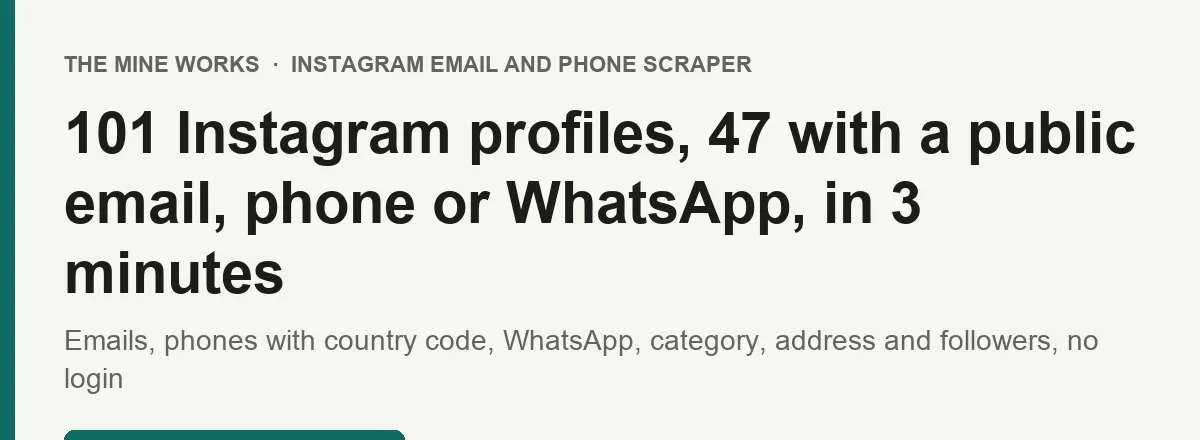
instagram_bio,link_in_bio_page,website,website_contact_pageand so on) and on which page. In our test of 101 real handles on 31 October 2026 (local businesses, brands and creators), 93 profiles were read and 47 had a public contact: 38 with an email, 24 with a phone, 8 with WhatsApp. - Phones ready for a dialer or a CRM. Numbers come out in E.164 (
+17862756666) withphone_country_code(+1) andphone_country(US). A local number is read with the country of another + number on the same profile, then the website's country domain, then yourdefaultPhoneCountry, and kept only if it is a valid number there. - You pay only for profiles with a contact. A profile with no public email, phone or WhatsApp number gets a short flagged row (
status: no_public_contact) that is never charged, so your pipeline still knows it was read. Usernames that do not exist, restricted profiles, invalid inputs, duplicates and the summary row are free too. No login, no cookies, no Instagram account.

Part of The Mine Works Marketing, SEO and reviews family: Facebook Ad Library Scraper, Google Ads Transparency Scraper, Similarweb Scraper, Google News Scraper, Trustpilot Reviews Scraper, Google Trends Scraper.
Try it in one minute
Paste this into the input (JSON view) and press Start. It returns a Miami nail salon, a Salvadoran bakery and a Hoboken restaurant, each with an email and a phone or WhatsApp number. It took 26 seconds in our test run:
Paste as many usernames or profile links as you like, one per line. A profile given twice is read and charged once.
Apify's free plan includes $5 of credit every month, which covers about 790 profiles with contacts at this actor's price.
Copy to your AI assistant
Key features
- Bio first. Emails written in the bio (also as "name (at) shop (dot) com"), phone numbers after a phone word or emoji ("Call us at", "📞", "WhatsApp") or alone on their own line, and the bio's mailto, tel and WhatsApp links. A number on the same line as the word WhatsApp is marked as WhatsApp.
- The link in bio page. Linktree, Stan Store, Komi, Taplink, bio.link, Carrd, Snipfeed, Lnk.Bio, solo.to, hoo.be and other link pages are read with their own readers: email buttons, phone and WhatsApp links, and the link to the business's own website.
- The business's own website, and only that. A bio link counts as the website when its domain carries the profile's name or handle (sushishiro.nyc for @shiro.nyc). Booking and ordering pages (OpenTable, Toast, Resy, DoorDash), forms, maps, files, press articles and short links that do not resolve are not read as the website, so a restaurant that links a New Yorker review does not get help@newyorker.com as its email. The own site gives its addresses and phone numbers, plus one contact page (contact, impressum, about) when the home page has no email. A page that is not the own site gives only WhatsApp links and addresses on the profile's own domain.
- Business block. Business or creator account, category (Beauty Salon, Restaurant, Pediatric Dentist), category code, the Contact button type (call, email, text, directions), street address, city, zip and coordinates, read from Instagram's mobile app endpoint for every profile that has a public contact. Instagram answers that endpoint on some proxy IPs and not others, so it is filled for part of the profiles in a run: 130 of 191 profiles with a contact over our six test runs (68%), from 4% in one run to 98% in another.
business_detailssays for each row whether it was found or why not. - Made for pipelines. One profile per call from Clay, n8n, Make or an AI agent works as well as 5,000 in one run. The first row is delivered as soon as it is read, and every input gets exactly one row back: a contact row, a flagged row or a free error row.
- Cheap when nothing is there. A username that does not exist costs one small request and ends with a free error row. A failing request is retried at most twice on a new IP, 4 profiles in a row that Instagram will not answer end the run, and the app endpoint is switched off for the rest of a run after 60 refusals in a row.
How to use it
Basic: a list of handles
Profile links from a spreadsheet, outside the US
defaultPhoneCountry is only used for numbers written without a + country code, after the profile's other numbers and its website's country domain.
Only the leads, nothing else
Profiles with no public contact are left out of the dataset instead of getting a flagged row. They are free either way.
Fast: the bio only
Reads only the bio and the bio links themselves: one request per profile, no linked pages, no business block.
One profile at a time from Clay, n8n or an AI agent
One row comes back: the contacts, a flagged row that says nothing public was found, or a free error row (not found, restricted, blocked).
Input parameters
| Field | Type | Default | What it does |
|---|---|---|---|
usernames | list of strings | none | Instagram usernames, @handles or profile links, one per line. Up to 5,000 per run. profiles, startUrls and urls are read too, for tools that send those names. |
scanLinkInBio | boolean | true | Open the bio links: the link in bio page, the business's own website and one contact page of it. |
maxLinkedPagesPerProfile | integer | 3 | The most pages opened for one profile, 1 to 6. |
useInstagramAppEndpoint | boolean | true | Read the business block (account type, category, Contact button type, address, coordinates) from Instagram's mobile app endpoint for profiles that have a public contact. Off: the business fields stay empty. |
defaultPhoneCountry | string | US | Two letter country for phone numbers written without a + country code. |
onlyWithContact | boolean | false | Leave profiles with no public contact out of the dataset instead of giving them a flagged row. |
maxConcurrency | integer | 5 | Profiles read at the same time, 1 to 10. |
proxyConfiguration | object | Apify Proxy | Proxy for the web profile and the linked pages (datacenter, included). The app endpoint always uses Apify residential proxy, also included. |
What data do you get?
One row per profile. A field the profile does not show is left out of the row (or empty for lists).
| Field | What it holds |
|---|---|
username, profile_url, user_id, input | The profile, its link, Instagram's numeric id, and your input as given |
status, has_contact, contact_count | contact_found (charged) or no_public_contact (flagged, free), and how many contacts were found |
email, email_source, emails | The best email and where it was found, and every email found, best first |
phone, phone_country_code, phone_country, phone_source, phones | The best phone in E.164 with its country code and country, and every phone found |
whatsapp, whatsapp_numbers | WhatsApp numbers, from WhatsApp links or a number next to the word WhatsApp |
contacts | Each contact with type, value, E.164 number, the number as written, country code, country, source and source_url |
full_name, biography, followers, following, is_verified, is_private, profile_pic_url | The profile itself; follower and following counts are exact |
account_type, is_business_account, is_professional_account, category, category_enum | Business, creator or personal account and the category shown on the profile |
contact_button | The type of the profile's Contact button: call, email, text or directions |
address_street, address_city, address_zip, latitude, longitude | The business address, when the business set one |
external_url, bio_links | The first bio link, and every bio link with its title |
website, link_in_bio_url, link_in_bio_platform | The business's own website and the link in bio page that were read |
social_profiles, tiktok_url, youtube_url, facebook_url, linkedin_url, x_url | Other social profiles found on the link in bio page and the website |
pages_scanned | Each page opened, its kind, status and how many contacts it gave |
business_details | found, not_reached, unavailable, private_account, skipped_no_contact or not_requested |
data_source, scraped_at | Which Instagram routes answered, and when the profile was read |
Fill rates in our test of 47 profiles with a contact (31 Oct 2026): email 81%, phone 51%, WhatsApp 17%, account type 98%, category 72%, street address 23%, own website 70%, link in bio page 36%. Contact sources over all 47: website 32, website contact page 18, bio 15, link in bio page 8, bio links 2, other linked page 1.
Stable fields for automations
These fields keep their names and types across versions: input, username, profile_url, status, has_contact, email, emails, phone, phone_country_code, phones, whatsapp, category, followers, external_url, scraped_at. Match rows to your records on input (your value as given) or username.
Output examples
A bakery with a WhatsApp number in the bio, a call centre number and an email on its website (lists trimmed):
A plumbing company with its address on Instagram and its email and phones on its website (trimmed):
A profile with nothing public (flagged, not charged):
Pricing
Pay per event: you pay for the profiles that come back with at least one public contact, plus a flat $0.001 per run, whatever memory you choose. Linked pages, the business block and every field cost nothing extra.
| Event | When it is charged | Free plan | Bronze (Starter) | Silver (Scale) | Gold (Business) |
|---|---|---|---|---|---|
profile-with-contact | Once per profile row with at least one public email, phone or WhatsApp number stored in your dataset | $6.30 per 1,000 | $5.50 per 1,000 | $4.70 per 1,000 | $3.80 per 1,000 |
run-start | Once per run, after the first charged row is stored | $0.001 | $0.001 | $0.001 | $0.001 |
The price of one profile is the price per 1,000 divided by 1,000. A profile costs the same with one contact or ten.
Never charged:
- profiles with no public email, phone or WhatsApp number (flagged rows, or left out with
onlyWithContact); - usernames that do not exist, restricted profiles and profiles Instagram would not answer;
- inputs that are not a username or a profile link (each gets an error row);
- a profile given twice in the same run;
- the summary, info and error rows;
- a run that delivers no profile with a contact: the start fee is charged only after the first charged row is stored;
- anything past your "Max cost per run". The actor checks the budget before each batch of rows and stops while the total is still below your limit, so the run ends SUCCEEDED with a partial result and a status message saying so.
Run it on a schedule
- Open the actor in Apify Console, set your input and click Save as a new task.
- In the task, open Schedules, click Add schedule and pick how often (every month, every Monday at 08:00 and so on).
- Compare runs on
usernameto see new emails, a changed phone number or a new website for the accounts you track. - Optional: add an integration (Google Sheets, Slack, a webhook) so each run lands where your team works.
FAQ
Does it get the email and phone behind Instagram's Contact button?
No. Instagram sends the Contact button's email and phone to logged-in users only: for a logged-out visitor those fields are empty on every account we measured (Nike, NASA, a Miami nail salon, a Salvadoran bakery and others, 30 Oct 2026). This actor does not log in. It returns contact_button (call, email, text or directions) so you know a hidden contact exists, and it finds the email and phone the business publishes in its bio, its link in bio page and its website, which for small businesses is usually the same inbox and line.
Where do the emails and phones come from?
From the bio text, the bio's mailto, tel and WhatsApp links, the link in bio page (email buttons, phone and WhatsApp links), the business's own website (mailto links, addresses on the page, tel links, or a number after a word such as Phone or Call) and one contact page of that website. contacts gives the source and the page of each one. Nothing is guessed from a name or a domain.
Why are some contacts missing that I can see on the website?
Some sites draw their content with JavaScript after the page loads, or put the email in a form or an image. The actor reads pages over plain HTTP, so it sees what the page sends, not what a browser draws later. pages_scanned shows each page it opened and what it gave.
Why is the category or address empty on some rows?
The business block comes from Instagram's mobile app endpoint, which Instagram answers on some proxy IPs and refuses on others. The actor keeps the IPs that answer and reuses them, so most rows get it, but how many depends on the moment: over our six test runs it was filled for 68% of the profiles with a contact. business_details says why for each row: not_reached (no IP answered in time), unavailable (switched off for the rest of the run after 60 refusals in a row), private_account, skipped_no_contact or not_requested. The contacts do not depend on it. Personal accounts have no category or address to show.
What happens to profiles with no public contact?
They get a short flagged row with status: no_public_contact, has_contact: false and a reason, and they are never charged. Turn on onlyWithContact to leave them out. In our test, 46 of 93 profiles had nothing public, mostly big brands and personal accounts.
How are phone numbers formatted?
In E.164 (+12016836861) with phone_country_code and phone_country, and raw keeps the number as written. A number written without + is read with the country of another + number on the same profile, then the country domain of the website (.co.uk, .de, .com.br), then defaultPhoneCountry, and kept only if it is a valid number there. A tel link that fits none of them is kept as written with no country code.
How does it avoid wrong emails?
Only the business's own website is read in full: a site whose domain carries the profile's name or handle. Booking, ordering and payment platforms, maps, files, press articles and short links that do not resolve are not treated as the website. On other pages only addresses on the profile's own domain are kept. Placeholder, mailing list and platform addresses (noreply, newsletter, support of Linktree or Wix and the like) are dropped.
How long does a run take?
About 1.8 seconds per profile at the default settings: 101 profiles took 180 seconds, 3 profiles took 26 seconds. With scanLinkInBio and useInstagramAppEndpoint off it is much faster.
Do I need an account, cookies or a proxy?
No. The actor reads public data over Apify Proxy, which is included. Nothing to set up and no Instagram account at risk.
Does it respect robots.txt?
Instagram's robots.txt asks automated clients it has not named (it names search engines) not to fetch instagram.com. This actor does not crawl: it makes one public profile request per username you give, logged out, and reads the public pages each profile links to. Decide whether that fits your use; the FAQ on legality below applies.
Can I use it from Claude, ChatGPT or Cursor (MCP)?
Yes, through Apify's MCP server. Connector URL: https://mcp.apify.com/?tools=themineworks/instagram-email-phone-scraper
- Claude: Settings > Connectors > Add custom connector, paste the URL, sign in with Apify.
- ChatGPT: turn on developer mode, add an MCP connector with the URL, sign in with Apify.
- Cursor or VS Code: add it as an HTTP MCP server with that URL.
- Claude Code:
claude mcp add -t http instagram-email-phone-scraper "https://mcp.apify.com/?tools=themineworks/instagram-email-phone-scraper"
Which formats can I download?
JSON, CSV, Excel, XML, RSS and HTML from the run's Storage tab or through the API. The dataset has three ready views: Contacts, Business details and Contact sources. In CSV and Excel, lists such as contacts and bio_links are flattened into columns such as contacts/0/value and bio_links/0/url.
Is it legal to scrape Instagram contact details?
The actor reads only what each profile and the pages it links to show to any visitor without logging in: the contact details a business or creator published so people can reach them. It does not log in, bypass a login wall or solve CAPTCHAs. You are responsible for how you use the data, including Instagram's terms, data protection law such as GDPR and CCPA, and the rules on contacting people in your country (for email outreach, CAN-SPAM and its equivalents). This is general information, not legal advice.
Integrations
- Google Sheets: send each run's profiles to a sheet with Apify's Google Sheets integration; one row per profile fits a sheet as is.
- Clay, Make, Zapier and n8n: call the actor once per handle, for example "add the email, phone and category to every new Instagram handle in my lead table".
- Webhooks: have Apify call your URL when a run succeeds, then fetch the dataset.
- API and SDKs: run it from Python or JavaScript with the Apify client, or with a plain HTTP call (see "Copy to your AI assistant" above).
- MCP clients: Claude, ChatGPT, Cursor and VS Code can run it as a tool through the connector URL in the FAQ.
More from The Mine Works
Marketing, SEO and reviews
- Facebook Ad Library Scraper
- Google Ads Transparency Scraper
- Similarweb Scraper
- Google News Scraper
- Trustpilot Reviews Scraper
- Google Trends Scraper
- Semrush Scraper
- App Reviews Scraper
- Trustpilot Business Search
- TripAdvisor Reviews Scraper
- Username Checker
- Backlink Building Agent
Social media and video
Leads and business directories
Real estate
Science, health and government data
Jobs and hiring
Company and business data
E-commerce and marketplaces
Food and local services
Developer and AI tools
More tools
Support
Found a profile whose public email or phone should have come back and did not, or a link in bio host you need read better? Open an issue in the Issues tab with the handle and the run ID, and we will look at it. For a field you need or a new source, email dmineworks@gmail.com.
Paste Instagram usernames or profile links and get one row per profile with public emails, phones with country code, WhatsApp numbers, category, address and followers, no login.


