

LinkedIn Company Scraper | 12 Fields, No Login or Cookies
Pricing
from $2.10 / 1,000 company profiles
LinkedIn Company Scraper | 12 Fields, No Login or Cookies
Scrape public LinkedIn company pages with no login or cookies. Get name, industry, size, HQ, founded, website, followers, specialties. $3.50/1k. MCP ready.
Pricing
from $2.10 / 1,000 company profiles
Rating
0.0
(0)
Developer

The Mine Works
Maintained by CommunityActor stats
9
Bookmarked
91
Total users
36
Monthly active users
3 days ago
Last modified
Categories
Security
Limited permissionsShare
From The Mine Works, makers of Threads Scraper and B2B Leads Finder, with over 290,000 runs across our actors.
Give it LinkedIn company page URLs, or just the part after /company/, and get one flat record per company: name, industry, employee range, headquarters, founded year, website, follower count, specialties and the About text. It reads the public company page that LinkedIn shows to any logged out visitor, over plain HTTP, so there is no account, no cookie and no browser involved.
Why choose this actor?
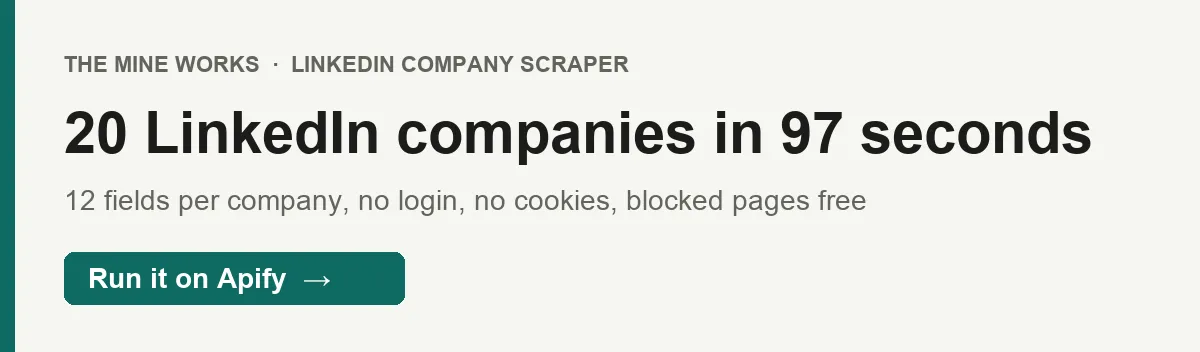
- Firmographics for a whole account list in one run. Our latest test returned all 20 of 20 companies, from OpenAI to Freshworks, in 97 seconds. Up to 200 companies per run.
- No LinkedIn account, so nothing to get banned. The actor never logs in and never sends cookies. It reads only what LinkedIn serves to the public, and the proxy it needs is included.
- Blocked or empty pages cost nothing. A company is charged only when a genuine company record was parsed and saved. A login wall, a missing page or a page with no company data comes back as a free
skippedrow that tells you why.

Part of The Mine Works LinkedIn family: LinkedIn Post Scraper, LinkedIn Employees Scraper, LinkedIn Profile Scraper, LinkedIn Email Finder, LinkedIn Newsletter Scraper, LinkedIn Candidate Finder.
Try it in one minute
Paste this into the JSON tab of the input form and press Start:
Each entry in companyUrls can be a full company URL (any country subdomain such as in.linkedin.com, with or without /about or a query string) or a bare slug such as microsoft. Entries that point at the same company are merged, and anything that is not a company page, such as a /in/ profile URL, is dropped before the run starts. Leave maxResults at least as high as the number of URLs, because only the first maxResults are processed.
Apify's free plan includes $5 of credit every month, which covers about 1,400 companies at this actor's Free plan price ($0.0035 a company plus $0.005 a run, in runs of 100 companies or more).
Copy to your AI assistant
Paste this block into ChatGPT, Claude, Cursor or any assistant that can write code, and it can run the actor for you.
Key features
- 12 fields per company.
company_url,name,tagline,industry,company_size,headquarters,founded,website,followers,about,specialtiesandscraped_at, flat and ready for a spreadsheet. - Up to 200 companies per run. Paste a whole account list; duplicates are merged and the order is kept.
- 2 attempts per company. If LinkedIn answers with a login wall or an error, the actor tries once more on a fresh IP before marking the company as skipped.
- The real website, not a LinkedIn redirect. LinkedIn wraps company websites in a tracking link; the actor unwraps it, so
websiteholds the company's own URL. - A stop after 6 failures in a row. If LinkedIn is refusing every request, the run stops early instead of working through the rest of your list for nothing, and the summary row says how many were skipped.
How to use it
Basic: a few companies
Full URLs and bare slugs can be mixed. The slug is the part after /company/ in the page address, which is not always the company name: Notion's page is notionhq, Anthropic's is anthropicresearch.
A full account list
Put up to 200 URLs in one run and set maxResults to 200; split longer lists into several runs. Our 20 company test took 97 seconds, about 5 seconds a company, so 200 companies need roughly 16 minutes. Raise the run timeout from its 10 minute default to 20 minutes for a full 200, or send runs of 100. If a run does reach its timeout, everything delivered so far stays in the dataset and the summary row is still written.
Enrich a CRM export
Export the LinkedIn company URL column from your CRM, paste it into companyUrls, and run. Match the results back on company_url, which is always in the form https://www.linkedin.com/company/<slug>/. Normalize your CRM's URLs the same way (lowercase slug, trailing slash) and the join is exact. Rows with _type: "skipped" tell you which URLs need a manual look.
Monthly headcount and follower tracking
Save it as a task and schedule it monthly (Apify Console, Schedules, cron 0 6 1 * * for the first of each month). Compare company_size and followers between runs to see which accounts are growing. Every run fetches the page fresh, so each run charges every company again. To be told only about companies whose details changed, use monitor mode instead (see Run it on a schedule).
Qualify accounts before outreach
Run your target list, then filter on industry and company_size (for example keep 51-200 employees and 201-500 employees) to drop accounts outside your ideal customer profile before you spend on contact data. To find the people at the accounts that pass, use our LinkedIn Employees Scraper or B2B Leads Finder.
Input parameters
| Parameter | Type | Default | What it does |
|---|---|---|---|
companyUrls | array of strings | none (prefill: 20 well-known company pages, starting with https://www.linkedin.com/company/openai) | LinkedIn company page URLs or bare slugs. Each public page is read on its own. Duplicates are merged; non company URLs are dropped. |
maxResults | integer | 10 | How many companies to process, at most 200. Only the first maxResults URLs in your list are read. |
proxy | object | Apify proxy (datacenter) | Proxy for the page requests. The datacenter default works for public company pages and is included in the price. Set a group such as RESIDENTIAL only if your runs start coming back as skipped. |
monitorMode | boolean | false | Deliver only companies that are new or whose details changed since an earlier run with the same list. Unchanged companies are not charged. Made for weekly schedules. |
What data do you get?
One row per company that could be read, one free row per company that could not, and two report rows at the end.
Identity: company_url (canonical, lowercase slug, trailing slash), name, tagline (the company's own one line pitch, when it has one).
Firmographics: industry, company_size (LinkedIn's employee band, such as 1,001-5,000 employees), headquarters, founded (a year, as text), website.
Profile: followers (a whole number stored as text, such as "1739146"), about (the full About text), specialties (a list).
Run info: scraped_at on every row. Skipped rows carry _type: "skipped", company_url, reason (for example blocked_or_authwall or no_jsonld_organization), http_status when there was one, and charged: false. The run ends with a _type: "summary" row (companies_scraped, charged_for, skipped) and a _type: "info" row. None of these are charged. With monitor mode on, company rows also carry monitor_status (new or changed), and the last info row gives the monitor counts.
What to expect from the fields, based on our 20 company test:
taglinewas on 12 of 20 pages. It is the line the company writes under its follower count, such as Stripe's "Help increase the GDP of the internet." OpenAI, Microsoft, Google, Apple, Amazon, Salesforce, NVIDIA and Freshworks show no tagline, so their rows have none. It is never a copy ofindustry.foundedwas on 14 of 20 pages. OpenAI, Microsoft, Google, Salesforce, Anthropic and Amazon do not show a founded year publicly.specialtieswas on 14 of 20,headquarterson 18,websiteandabouton 19. Amazon's public page shows little beyond name, industry, size and followers.websiteis whatever the company entered on LinkedIn, which is sometimes a careers page or a short link rather than the home page (Netflix links to its jobs site).- Fields with no value are left out of the row rather than sent as
null.
Stable fields for automations
These fields were present in every company row we sampled (the 20 company test plus our daily test runs), and their names will not change.
| Field | What it holds |
|---|---|
company_url | https://www.linkedin.com/company/<slug>/, the join key for your CRM |
name | Company name from the page's structured data |
industry | LinkedIn industry, for example Software Development |
company_size | Employee band, for example 5,001-10,000 employees |
followers | Follower count as a string of digits |
scraped_at | ISO 8601 timestamp |
tagline, headquarters, founded, website, about and specialties appear whenever the company shows them publicly. We may add fields, but we will not rename these.
Output examples
Real rows from our 20 company test run on 30 Sep 2026, trimmed for length.
A full record (the about text is cut short here):
A company with no tagline, so the row has none:
A record with no public founded year or headquarters:
A sparse page, still a genuine company record, so it is charged:
The summary row from Apify run N9sDYWOeSDpgS6MNo (one company, charged):
Pricing
Pay per event. You pay for each company record written to your dataset, at the rate for your Apify plan, plus a small fee per run. Proxy and compute are included.
| Event | Free | Bronze (Starter) | Silver (Scale) | Gold and above (Business) |
|---|---|---|---|---|
company-scraped, per company | $0.0035 | $0.00295 | $0.0025 | $0.0021 |
| per 1,000 companies | $3.50 | $2.95 | $2.50 | $2.10 |
apify-actor-start, per run | $0.005 | $0.005 | $0.005 | $0.005 |
These prices have applied since 14 September 2026, when the run fee was added; the per company price has been the same since 13 August 2026. No price change is scheduled as of 30 September 2026. The Pricing tab always shows the rate for your own plan.
The run fee is Apify's standard start event: one event per GB of run memory, with a minimum of one. At the default 512 MB, and at anything up to 1 GB, that is one event, $0.005 a run. At 2 GB it would be $0.01. The actor does not need more than the default.
What a real job costs. 100 companies in one run cost $0.355 on the Free plan ($0.35 plus the $0.005 run fee) and $0.215 on Gold. A single company costs $0.0085 on Free, because the run fee is the larger part of a one company run, so batch your lists.
Never charged:
skippedrows: a login wall, a page that does not exist, or a page with no company data, after both attempts- URLs merged as duplicates, URLs that are not company pages, and URLs past
maxResults - a record that fails to save; the charge is made only after the row is in your dataset
- the
_type: "summary"and_type: "info"report rows
A run in which no company can be read charges no company events, only the $0.005 run fee.
Run it on a schedule
Switch on monitorMode to watch a list of companies. The first run delivers every company. After that, a company comes back only when one of its details changes (name, tagline, industry, company size, headquarters, founded year, website, About text or specialties), and you pay only for the companies delivered.
- Fill in the input, tick Monitor mode, and save it as a task.
- In Apify Console open Schedules, click Add schedule, and pick Daily or Weekly (or a cron such as
0 6 * * 1). - Add the saved task to the schedule and click Save.
Each delivered row carries monitor_status: new the first time a company is delivered, changed when its details differ from the version you last received. A company with no change is read but not delivered and not charged; the start fee applies to every run as usual. The follower count alone does not count as a change, because it moves every day on large pages; leave monitor mode off to track followers. The last row of each run (_type: "info") gives new_this_run, changed_this_run and skipped_already_seen. The history belongs to the list: change companyUrls and a new history starts; change maxResults and it carries on.
FAQ
What does this actor read?
The public LinkedIn company page, linkedin.com/company/<slug>/, as LinkedIn serves it to a logged out visitor. It reads the page's structured company data and its About section. It does not open employee lists, posts or anything behind a login.
How many companies can I get? Up to 200 per run. There is no limit on runs, so split longer lists.
How fresh is the data? Each run fetches every page live. The values are whatever the company shows on LinkedIn at that moment; the employee band and follower count are LinkedIn's own figures.
Do I need a LinkedIn account or cookies? No. The actor never logs in and never sends cookies, so there is no account to restrict or ban.
Do I need a residential proxy?
No. The default Apify datacenter proxy returned all 20 companies in our latest test and is included in the price. If your runs start returning skipped rows with a blocked_or_authwall reason, set the proxy field to the RESIDENTIAL group.
Why is a company missing its founded year or headquarters? Because the company does not show it on its public page. The actor returns what is there and leaves out what is not; a record with fewer fields costs the same as a full one, since it is still a real company record.
Why did I get a skipped row?
The page could not be read as a company page after two attempts: LinkedIn showed a login wall, the slug does not exist, or the page had no company data. The reason and http_status fields say which. Skipped rows are free. Check the slug in a browser; companies sometimes change it.
Can I search for companies by name or industry? No. This actor needs the company's LinkedIn URL or slug. If you only have a domain, our Domain to LinkedIn Resolver can find the company page first.
What formats can I export? JSON, CSV, Excel, XML, RSS or an HTML table from the dataset tab, or through the Apify API.
Can I run it on a schedule?
Yes. Save your input as a task and add a schedule in Apify Console. Each run reads every company again and charges for each one, so schedule only as often as you need fresh numbers. With monitorMode on, a run delivers and charges only the companies that are new or changed since the last run.
Can I use it from Claude, ChatGPT or another AI agent?
- Connector URL:
https://mcp.apify.com/?tools=themineworks/linkedin-company-details. - Claude: Settings > Connectors > Add custom connector, paste the URL, sign in with Apify.
- ChatGPT: developer mode, add an MCP connector with the URL, sign in with Apify.
- Cursor or VS Code: add it as an HTTP MCP server with that URL.
- Claude Code:
claude mcp add -t http linkedin-company-details "https://mcp.apify.com/?tools=themineworks/linkedin-company-details".
It is also one of the tools inside our Recruiting & Jobs MCP server, which bundles 10 recruiting tools.
Is it legal? The actor reads only public company pages that LinkedIn shows without a login, and it collects business information about companies, not people. You are still responsible for how you use the data, including LinkedIn's terms and data protection law such as GDPR and CCPA where it applies. This is general information, not legal advice.
Integrations
- Google Sheets: send each run's companies to a sheet with Apify's Google Sheets integration.
- Make, Zapier and n8n: start a run from your CRM and write the fields back to the matching account.
- Webhooks: have Apify call your URL when a run finishes.
- API: start runs and read datasets from any language with the Apify API or the Python and JavaScript clients.
- MCP clients: Claude, ChatGPT, Cursor and other MCP clients can call the actor as a tool through
https://mcp.apify.com.
More from The Mine Works
- LinkedIn Post Scraper
- LinkedIn Employees Scraper
- LinkedIn Profile Scraper
- LinkedIn Email Finder
- LinkedIn Newsletter Scraper
- LinkedIn Candidate Finder
Social media and video
Leads and business directories
Marketing, SEO and reviews
Real estate
Science, health and government data
Jobs and hiring
E-commerce and marketplaces
Company and business data
Food and local services
Developer and AI tools
More tools
Support
Found a bug or a company page that should work but comes back skipped? Open an issue in the Issues tab on this page. To ask for a new data source, email dmineworks@gmail.com.
LinkedIn Company Scraper turns a list of LinkedIn company URLs into 12 clean firmographic fields per company, with no login, and charges only for companies it could actually read.
![LinkedIn Company Posts Scraper - Bulk Export [NO LOGIN] ✅ avatar](https://images.apifyusercontent.com/SSzP5Ji3xrwlQ6Ax8KFs7dJJuEKYu6i7sw7vn0YJ-Bs/rs:fill:76:76/cb:1/aHR0cHM6Ly9hcGlmeS1pbWFnZS11cGxvYWRzLXByb2QuczMudXMtZWFzdC0xLmFtYXpvbmF3cy5jb20vc0NDU2R3bm1LTUoxUTJzVG4tYWN0b3ItdVI0QmpoODNqcFNjZTRKNWQtMW9wMU1ucmI2TS1TcGFyc2VfaW5zdHJ1bWVudGF0aW9uX19kaXJlY3RfbHlyaWNzX191cmJhbl9yZWFsaXNtX195b3V0aGZ1bF9y.webp)

![LinkedIn Ad Library Scraper [NO COOKIES] ✅ avatar](https://images.apifyusercontent.com/b-EEamuzq4m6vYFPC08m3s4pnfCs9LlPatL_X6rQ5qk/rs:fill:76:76/cb:1/aHR0cHM6Ly9hcGlmeS1pbWFnZS11cGxvYWRzLXByb2QuczMudXMtZWFzdC0xLmFtYXpvbmF3cy5jb20vc0NDU2R3bm1LTUoxUTJzVG4tYWN0b3ItcjlsRXNrczF4MVpJTG9RZWgtZXJGOHdUTEdHZy1TcGFyc2VfaW5zdHJ1bWVudGF0aW9uX19kaXJlY3RfbHlyaWNzX191cmJhbl9yZWFsaXNtX195b3V0aGZ1bF9y.webp)


