

LinkedIn Post Scraper | Keyword Monitor, Never Hits LinkedIn
Pricing
from $1.50 / 1,000 linkedin posts
LinkedIn Post Scraper | Keyword Monitor, Never Hits LinkedIn
Search public LinkedIn posts by keyword with no login: post URL, author, headline, profile, snippet. No ban risk. From $1.50/1k. Works in Claude & ChatGPT.
Pricing
from $1.50 / 1,000 linkedin posts
Rating
5.0
(1)
Developer

The Mine Works
Maintained by CommunityActor stats
1
Bookmarked
125
Total users
29
Monthly active users
a day ago
Last modified
Categories
Share
From The Mine Works, makers of Threads Scraper and B2B Leads Finder, with nearly 139,000 runs across our actors.
Give it a keyword, a phrase or a hashtag, and it returns public LinkedIn posts that a search engine has indexed for it: the post URL, the author, the author's profile link and a text snippet that usually starts with the post date. You are charged only for posts that show every word of your search. It reads search results only. It never logs in, never uses cookies and never sends a request to LinkedIn.
Why choose this actor?
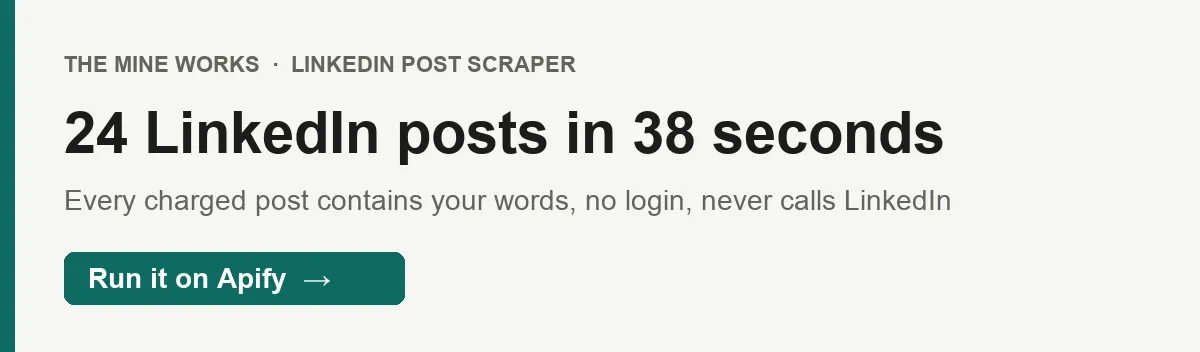
- A topic's public LinkedIn posts in under a minute. One of our test runs returned 24 posts for "product launch" in 38 seconds, every one of them containing both words. Up to 200 posts per run.
- You pay only for posts that match. Every post is checked for the words you searched. Posts that do not contain all of them are skipped and never charged: a made up phrase now returns and charges nothing.
- No LinkedIn account and nothing sent to LinkedIn. Posts come from Google's public search index (Brave's when Google does not answer), so there is no session to flag, no cookie to supply and no account at risk. The proxy for the searches is included, and with
monitorModeon a schedule you only pay for posts you have not already received.

Part of The Mine Works LinkedIn family: LinkedIn Company Scraper, LinkedIn Employees Scraper, LinkedIn Profile Scraper, LinkedIn Email Finder, LinkedIn Newsletter Scraper, LinkedIn Candidate Finder.
Try it in one minute
Paste this into the JSON tab of the input form and press Start:
query takes one keyword, phrase or hashtag per run (lab grown diamond, SaaS pricing strategy, #AHTS2026). The actor first searches for the exact phrase (site:linkedin.com/posts "your phrase") and then, when the phrase has more than one word, for the same words in any order. A post is charged only when its title, text or URL contains every word. Put the phrase in quotes yourself ("lab grown diamond") to search the exact phrase only. For several topics, start one run per topic.
Apify's free plan includes $5 of credit every month, which covers about 2,200 posts at this actor's Free plan price ($0.002 a post plus $0.005 a run, in runs of 25 posts, the default).
Copy to your AI assistant
Paste this block into ChatGPT, Claude, Cursor or any assistant that can write code, and it can run the actor for you.
Key features
- 8 fields per post.
post_url,author_name,author_headline(when the result carries one),author_profile_url,post_snippet,keyword_match,chargedandscraped_at. - A keyword check on every post. The title, text snippet and URL words of each result are checked for every word of your search (plurals and hashtags such as
#ArtificialIntelligencecount). Posts that miss a word are skipped and not charged, and the summary row counts them inskipped_not_matching. - Up to 200 posts per run, from up to 20 result pages. The actor pages through Google's results (10 a page) for the exact phrase, then for the words in any order, until it has
maxResultscharged posts or two pages in a row bring no new matching post. - 4 tries per page on a fresh IP. A refused page is retried on new datacenter IPs, and once more after a pause. After 12 refusals in a row the run stops.
- One row per post. Posts are keyed on their canonical URL, so a post that appears on two result pages is delivered and charged once.
- Monitor mode for daily watching. With
monitorModeon, the actor remembers up to 50,000 post URLs it has delivered to your account and returns only new ones on later runs. The summary row showsnew_this_runandskipped_duplicates.
How to use it
Basic: posts about a topic
A focused phrase gives the most relevant posts. In our 30 September tests, product launch returned 24 charged posts and artificial intelligence startup 17 before the index ran out of matching posts, well under the 200 cap.
Mentions of a brand, event or hashtag
Use the exact name people write. Every word counts, including a year: a post is charged for this query only if it shows africa, healthtech, summit and 2026, and the post date at the start of the snippet does not count. For an event, also run the hashtag (#AHTS2026) as a separate query. Search engines match short hashtags loosely: on 30 September #AHTS2026 brought back posts about the American Thoracic Society and offshore AHTS vessels, and all of them were skipped and not charged. Turn on includeUnmatched to see such posts anyway, free and marked keyword_match: false, because a post can carry a hashtag the search result does not show.
Daily brand or competitor monitor
Save it as a task and schedule it daily (Apify Console, Schedules, cron 0 8 * * * for 8:00 every day). The first run sets the baseline; after that only posts you have not received are delivered and charged. Keep the query the same between runs.
Warm outreach list from a conversation
Run a phrase your buyers post about (for example first sales hire), then take author_name and author_profile_url from the rows written by people rather than company pages. Pass those profile URLs to our LinkedIn Profile Scraper for their current role before you reach out.
Content research
Run three or four phrasings of the same topic (AI agents in sales, AI SDR, sales automation AI) and compare which authors and angles come up in each. The date at the start of post_snippet shows how recent each post is; results are not sorted by date.
Input parameters
| Parameter | Type | Default | What it does |
|---|---|---|---|
query | string | none (required; prefill product launch) | The keyword, phrase or hashtag to find in public LinkedIn posts. Searched as the exact phrase, then as separate words unless you put it in quotes. Only posts showing every word are charged. |
maxResults | integer | 25 | Most charged posts to return, 1 to 200. The index often holds fewer for a narrow phrase. |
includeUnmatched | boolean | false | Also return posts that miss a search word, free, marked keyword_match: false with the missing words in missing_words. |
monitorMode | boolean | false | Return only posts not delivered to your account by an earlier monitor mode run. |
proxy | object | Apify proxy, no group | Proxy for the Brave backup search, used only when Google does not answer. Google itself is searched through Apify's Google search proxy, included in the price. The default uses Apify's datacenter proxy, included in the price; an old GOOGLE_SERP setting is treated the same way. Another Apify group you name (for example RESIDENTIAL) is used instead, and your own proxy URLs are used when Apify proxy is switched off. |
debugSnippets | boolean | false | Internal: logs raw search snippets to help diagnose parsing. Leave it off. |
What data do you get?
Post rows (one per post, charged, charged: true): posts whose title, text or URL contain every word of your search and whose result shows post text.
- The post:
post_url(canonical,https://www.linkedin.com/posts/...) andpost_snippet(the search engine's excerpt of the post) - The author:
author_name,author_headlinewhen the result carries one, andauthor_profile_url keyword_match(true),charged(true) andscraped_at: ISO 8601 timestamp
Free rows (never charged, charged: false):
- a matching post whose search result shows LinkedIn's sign in text instead of the post: delivered with the URL and author but no
post_snippet - with
includeUnmatchedon, posts that miss a search word:keyword_match: falseandmissing_wordslists what was missing
Report rows (never charged): every run ends with a _type: "summary" row (posts, charged_for, query, keyword_words, searches, skipped_not_matching, free_rows_no_post_text, free_rows_not_matching, pages_fetched, search_requests, search_refused, proxy, engine_refused, google_search, brave_search, engine_pages, ended_on_deadline (true when the run stopped early for its time limit) with deadline (requests it skipped or cut), and with monitor mode previously_seen, new_this_run, skipped_duplicates) and, when posts were delivered, a _type: "info" row.
What to expect from the fields, measured on 43 post rows from two of our 30 September runs:
post_snippetis an excerpt, not the full post. 39 of 43 began with the post date, such asJanuary 3, 2023, which is the easiest way to see how old a post is. When the result held only LinkedIn's sign in text, the row is free and has no snippet; openpost_urlfor those.author_nameis parsed from the result title. It is usually right, and sometimes carries extra words such as a tagline oren LinkedIn. Results whose title is LinkedIn'sLinkedIn Login, Sign inpage are dropped.author_headlinecame back on only 2 of 43 posts, and not always as a real headline.author_profile_urlis built from the post address ashttps://www.linkedin.com/in/<slug>. For a post by a company page the correct link is/company/<slug>, so treat it as a lead to check.- Posts are not sorted by date, and there are no like, comment or share counts.
- Fields with no value are left out of the row rather than sent as
null.
Every charged post contains your words. Search engines answer a rare or made up phrase with loosely related posts rather than nothing, so the actor checks each result before charging for it. The check reads what the search result shows: the title (author and first line of the post), the snippet and the words in the post URL. Plurals, possessives and joined hashtags match (startups, #ArtificialIntelligence); a year or number must appear as written. In our 30 September test with the same search pages, the previous build charged 25 posts for the made up phrase qwzxv blorft nonexistent phrase and 62 posts for "Africa HealthTech Summit 2026", none of which showed all the words; this build charged none for either. A post can mention your words further down than the snippet shows, so a few genuine posts are skipped; includeUnmatched returns them free.
Stable fields for automations
These fields were present in every post row we sampled (43 rows across two runs on 30 September), and their names will not change.
| Field | What it holds |
|---|---|
post_url | Canonical post URL, the unique key per post |
author_name | Author as shown in the search result title |
author_profile_url | Built from the post URL as https://www.linkedin.com/in/<slug> |
keyword_match | true when the post shows every search word |
charged | true for the rows you pay for, false for free rows |
scraped_at | ISO 8601 timestamp |
post_snippet is on every charged row (41 of 43) and left out of free rows that have no post text. author_headline appears when the result carries one (2 of 43). We may add fields, but we will not rename these.
Output examples
Real rows from local runs of the current build on 30 September 2026, trimmed.
A post by a large brand (query: "product launch", 24 posts charged), snippet shown after its January 3, 2023 date prefix. The profile link uses /in/ even though Salesforce is a company page:
A free row from the same run: the post matches, but the search result held LinkedIn's sign in text instead of the post, so there is no snippet and no charge:
The summary row of a run for a made up phrase, trimmed: the search engine returned 31 loosely related posts, none contained the words, and nothing was charged:
Pricing
Pay per event. You pay for each matching post written to your dataset, at the rate for your Apify plan, plus a small fee per run. Proxy and compute are included.
| Event | Free | Bronze (Starter) | Silver (Scale) | Gold and above (Business) |
|---|---|---|---|---|
post-scraped, per post | $0.002 | $0.0018 | $0.00165 | $0.0015 |
| per 1,000 posts | $2.00 | $1.80 | $1.65 | $1.50 |
apify-actor-start, per run | $0.005 | $0.005 | $0.005 | $0.005 |
These prices have applied since 14 September 2026, when the run fee was added; the per post price has been the same since 25 July 2026. No price change is scheduled as of 30 September 2026. The Pricing tab always shows the rate for your own plan.
The run fee is Apify's standard start event: one event per GB of run memory, with a minimum of one. At the default 256 MB, and at anything up to 1 GB, that is one event, $0.005 a run. At 2 GB it would be $0.01. The actor does not need more than the default.
What a real job costs. A run of 25 posts (the default) costs $0.055 on the Free plan ($0.05 plus the $0.005 run fee) and $0.0425 on Gold. A daily monitor that finds 5 new posts a day costs about $0.45 a month on Free: 150 posts at $0.002 plus 30 run fees.
Never charged:
- posts that do not show every word of your search (skipped, or delivered free with
includeUnmatched) - matching posts whose search result has no post text (delivered free,
charged: false) - searches the engine refused, and runs that stop because of refusals
- a post seen twice in one run, and posts already delivered by an earlier monitor mode run
- a row that fails to save; the charge is made only after the row is in your dataset
- the
_type: "summary"and_type: "info"report rows
A run that finds no posts charges no post events, only the $0.005 run fee. Each run also has a spending guard on our side: if the searches cost far more than the posts they return, the run stops early and keeps what it found.
FAQ
Where do the posts come from?
From Google search results for public linkedin.com/posts pages that match your phrase: the exact phrase first, then the words in any order. When Google does not answer a search, Brave's results are used instead. The actor never contacts LinkedIn and never loads a post page itself, so everything it returns, and the keyword check, is based on what the search result shows. Google links its results through a redirect, so the actor opens a result's link only after the result passes the keyword check (or when you turned on includeUnmatched). Google's result titles often carry the post's first line instead of the author, so author_name is left out when the title does not name the author; author_profile_url is still filled from the post URL.
How many posts can I get? Up to 200 per run, but the search index usually holds far fewer matching posts for one phrase: our 30 September runs stopped at 17 and 24. For more coverage, run several phrasings of the topic.
How fresh are the posts?
They are as fresh as the search index. Results are not sorted by date and include older posts; in our tests most were months or years old. Use the date at the start of post_snippet to filter.
Why did a run return no posts?
Either no indexed post shows all your words (the summary row counts the rest in skipped_not_matching; try fewer or broader words), or neither Google nor Brave answered at that moment. Since 30 September Google is searched first; about one Google request in five got no answer within 30 seconds in our tests and was retried once, and Brave, the backup, refused most requests that evening. The log and the summary row (search_refused, engine_refused, google_search) say which it was, and no posts are charged. Run it again later.
What happens when a run reaches its time limit?
The actor watches the run's timeout (300 seconds unless you change it in Run options). It starts a new results page only while about 30 seconds or more remain, cuts any search request still waiting 12 seconds before the limit, and ends as Succeeded with the posts already delivered and charged. The summary row then says ended_on_deadline: true. A Google page takes 6 to 24 seconds, so a large maxResults may need a longer timeout.
Why is the snippet not the full post?
Because it comes from the search result, not the post itself. Open post_url for the full text, likes and comments.
Do I need a LinkedIn account, cookies or a proxy?
No account and no cookies. Google is searched through Apify's Google search proxy and result links are opened through Apify's datacenter proxy, both set up for you and included in the price. The proxy field only sets the proxy for the Brave backup: Apify's datacenter proxy by default, or another group you pick, such as RESIDENTIAL.
How does monitor mode work?
With monitorMode on, every delivered post URL is stored in a key value store named monitor-linkedin-post-search in your Apify account (up to 50,000 URLs, shared by every monitor mode run of this actor in that account). Later runs skip those posts before charging. If the store cannot be opened, the run delivers everything and says so in the log.
What formats can I export? JSON, CSV, Excel, XML, RSS or an HTML table from the dataset tab, or through the Apify API.
Can I run it on a schedule?
Yes. Save your input as a task, add a schedule in Apify Console, and turn on monitorMode so each run returns only new posts.
Can I use it from Claude, ChatGPT or another AI agent?
- Connector URL:
https://mcp.apify.com/?tools=themineworks/linkedin-post-search. - Claude: Settings > Connectors > Add custom connector, paste the URL, sign in with Apify.
- ChatGPT: developer mode, add an MCP connector with the URL, sign in with Apify.
- Cursor or VS Code: add it as an HTTP MCP server with that URL.
- Claude Code:
claude mcp add -t http linkedin-post-search "https://mcp.apify.com/?tools=themineworks/linkedin-post-search".
It is also one of the tools inside our Social Research MCP server, which bundles 8 social research tools.
Is it legal? The actor reads only search results for posts that LinkedIn has made public, without logging in or passing any access control. Author names and profile links are personal data, so you are responsible for how you use them, including LinkedIn's terms, data protection law such as GDPR and CCPA, and the rules for any outreach you do. This is general information, not legal advice.
Integrations
- Google Sheets: send each run's posts to a sheet with Apify's Google Sheets integration.
- Make, Zapier and n8n: run a daily monitor and post new mentions to Slack or your CRM.
- Webhooks: have Apify call your URL when a run finishes.
- API: start runs and read datasets from any language with the Apify API or the Python and JavaScript clients.
- MCP clients: Claude, ChatGPT, Cursor and other MCP clients can call the actor as a tool through
https://mcp.apify.com.
More from The Mine Works
- LinkedIn Company Scraper
- LinkedIn Employees Scraper
- LinkedIn Profile Scraper
- LinkedIn Email Finder
- LinkedIn Newsletter Scraper
- LinkedIn Candidate Finder
Social media and video
Leads and business directories
Marketing, SEO and reviews
Real estate
Science, health and government data
Jobs and hiring
E-commerce and marketplaces
Company and business data
Food and local services
Developer and AI tools
More tools
- Tennis Match & Player Data Scraper
- Google Hotels Prices Scraper
- LandWatch Scraper
- Taobao Products Scraper 淘宝 天猫
Support
Found a bug or a phrase that returns nothing when it should? Open an issue in the Issues tab on this page. To ask for a new data source, email dmineworks@gmail.com.
LinkedIn is a trademark of LinkedIn Corporation. This actor is not affiliated with or endorsed by LinkedIn.
LinkedIn Post Scraper turns a keyword into a list of public LinkedIn posts and their authors from live search results, without ever contacting LinkedIn, and charges only for delivered posts that contain your words.


![LinkedIn Post Comment & Reaction Extractor [NO COOKIES] ✅ avatar](https://images.apifyusercontent.com/Ui3wLB4OtGL6cNa3H11VQAStZ9Fewq6t-oBZpMw0IjU/rs:fill:76:76/cb:1/aHR0cHM6Ly9hcGlmeS1pbWFnZS11cGxvYWRzLXByb2QuczMudXMtZWFzdC0xLmFtYXpvbmF3cy5jb20vc0NDU2R3bm1LTUoxUTJzVG4tYWN0b3ItY2tTeGZhTWZQNkZiZzc2ZGYtMnRWSk1vOTdaRS1oZC1zcXVhcmUtYmxhY2stb3V0bGluZS1saW5rZWRpbi1pY29uLXBuZy03MDE3NTE2OTUwNDU1NTM1Y3ppaXkx.webp)


![[NO COOKIES] LinkedIn Search Posts Scraper avatar](https://images.apifyusercontent.com/ysMJeBWzmpBpgahs7snygGyaNsYHeQp_MDXLLFU6FTE/rs:fill:76:76/cb:1/aHR0cHM6Ly9hcGlmeS1pbWFnZS11cGxvYWRzLXByb2QuczMudXMtZWFzdC0xLmFtYXpvbmF3cy5jb20vMFV6Z1BsTjFPZ3RzU2RkVVQtYWN0b3ItYXM2T0hrS1ZmQlpRRU8xcmstaFBkdVJJR1k0Ty1saW5rZWRpbi1zdmdyZXBvLWNvbS5zdmcucG5n.webp)


