
Rumble Scraper: Videos, Channels, Views, Likes and Followers
Pricing
from $0.81 / 1,000 videos
Rumble Scraper: Videos, Channels, Views, Likes and Followers
Scrape Rumble videos and channels by keyword, channel, category, trending or link: title, channel, views, rumbles (likes), dislikes, comments, duration, upload date, tags, thumbnail. Channel followers, video count, total views. No login.
Pricing
from $0.81 / 1,000 videos
Rating
0.0
(0)
Developer

The Mine Works
Maintained by CommunityActor stats
0
Bookmarked
2
Total users
1
Monthly active users
a day ago
Last modified
Categories
Features
Share
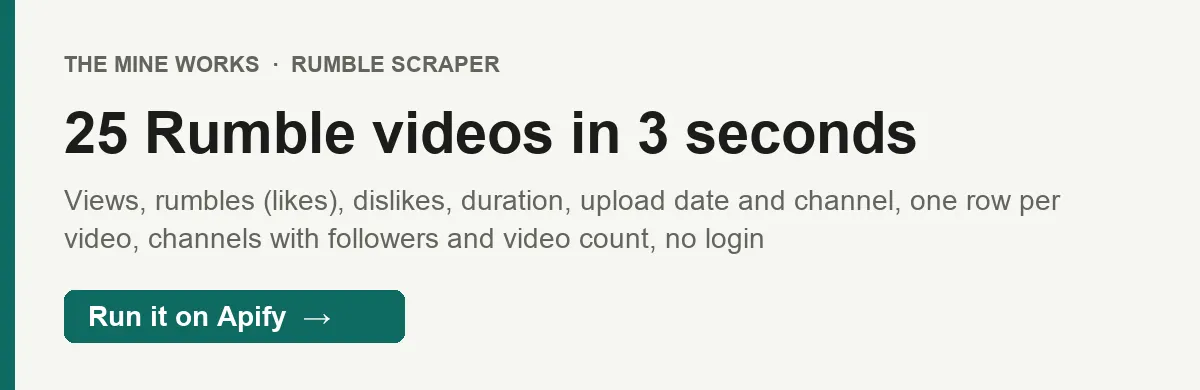
Returns Rumble videos and channels by keyword search, channel or user link, category, trending, Editor Picks, playlist or video link. Each video is one row with title, channel, views, rumbles (likes), dislikes, comments, duration, upload date, thumbnail, tags and link; each channel is one row with followers, video count, total views, joined date, description and social links. No login, no cookies, no API key. You pay $1.12 per 1,000 videos on the Free plan and $0.81 per 1,000 on the Gold plan; channel rows and videos read from their own page cost $1.49 per 1,000 on Free and $1.15 per 1,000 on Gold; plus a $0.003 start fee per run.
Part of The Mine Works Social media and video family: Threads Scraper, Reddit Scraper, Threads Search Scraper, Instagram Profile Scraper, Instagram Followers & Following, Reddit Search Scraper.
Updated 20 Nov 2026: first release. Video and channel search with sort, date and length filters, channel and user pages with exact follower counts, About page details, category, trending and Editor Picks lists, and full video pages with description, category and tags.
Why choose this actor?
- Exact numbers where Rumble has them. Channel, user and category pages carry Rumble's own data for each video: exact views, likes, dislikes, comments, reposts and the channel's exact follower count. Search pages show rounded views (1.25K); those rows say so in
views_rounded, and Fetch video details turns them into exact views. - Channels as leads, not just names. A channel row has followers, video count, total views, joined date, the About text and every social link the channel lists (X, Facebook, Instagram, Truth Social, websites). Channel search returns one row per channel with exact followers.
- Every Rumble list in one actor. Keyword search for videos or channels, channel and user pages, categories, trending, Editor Picks, playlists and single videos. Mix them in one run; a video found twice is delivered and charged once.
- Pay per row, nothing for errors. Links that are not Rumble links, removed videos, duplicates and the summary row are never charged.

Try it in one minute
Paste this into the input (JSON view) and press Start. It returns the first 25 videos for "bitcoin":
Copy to your AI assistant
Key features
- Keyword search for videos (25 a page) or channels, with Rumble's own sort (relevance, newest, most views, best rated), upload date (today, this week, this month, this year) and length (short, long) filters.
- Channel and user links: the channel row from the About page, then the channel's videos newest first, 20 a page, up to your
maxItems. - Category, trending (
/videos?sort=views&date=today), Editor Picks and playlist links, read page by page. - Video links: the video page itself, with full description, category, tags, exact views and likes.
- Live streams are flagged with
is_liveandwatching_now(people watching right now). - Flat rows that drop straight into a sheet, CSV or database.
How to use it
Basic: videos for a keyword
Newest videos this week, with exact views and tags
Creator research: find channels and their reach
Track a list of channels
Use "channelOutput": "channel_only" for one row per channel (followers, video count, total views, joined date, socials) and nothing else.
What is hot today
Input parameters
| Field | Type | Default | What it does |
|---|---|---|---|
searchQueries | list of text | ["bitcoin"] | Keywords, one search each. |
searchType | text | videos | videos or channels. |
startUrls | list of links | none | Channel, user, video, search, category, trending, Editor Picks or playlist links from rumble.com. |
maxItems | number | 25 | Most rows per keyword or link (1 to 2,000). |
sortBy | text | relevance | Video search order: relevance, date, views, rating. |
uploadDate | text | any | Video search period: any, today, this_week, this_month, this_year. |
duration | text | any | Video search length: any, short, long. |
channelOutput | text | channel_and_videos | For channel links: channel_and_videos, channel_only or videos_only. |
fetchVideoDetails | true or false | false | Open each video page for full description, category, tags and exact views. |
proxyConfiguration | proxy | empty | Leave empty. Set only to force your own proxy. |
What data do you get?
Video rows (type: "video"): video_id, video_url, title, channel_name, channel_url, channel_followers, channel_verified, channel_avatar, views, views_rounded, likes, dislikes, rumbles_score, comments, watching_now, reposts, duration_seconds, duration, uploaded_at, live_streamed_at, description, categories, tags, thumbnail, embed_url, width, height, is_short, is_live, is_monetized, is_age_restricted, details_read, source, input, search_query, position, page, source_url, scraped_at.
Channel rows (type: "channel"): channel_name, channel_url, channel_handle, channel_type, channel_id, followers, followers_rounded, channel_verified, video_count, total_views, joined_date, description, social_links, avatar, banner, source, input, scraped_at.
Which fields are filled depends on the page a row comes from:
| Source | Views | Likes and dislikes | Comments | Channel followers | Description and tags |
|---|---|---|---|---|---|
| Channel, user and category pages | exact | yes | yes | exact | tags when set |
| Search, trending | rounded (1.25K) | yes | trending only | no | no |
| Editor Picks | exact | no | yes | no | no |
| Video links, or any row with Fetch video details | exact | yes | listing value | rounded | yes |
Output examples
A video from a channel page:
A video read with details:
A channel:
Pricing
Pay per event: you pay for the rows you receive, plus a flat $0.003 per run.
| Event | When it is charged | Free plan | Bronze (Starter) | Silver (Scale) | Gold (Business) |
|---|---|---|---|---|---|
video | Once per video row from a search, channel, category, trending or Editor Picks page | $1.12 per 1,000 | $0.90 per 1,000 | $0.85 per 1,000 | $0.81 per 1,000 |
video-details | Once per video row read from its own page (video links, or Fetch video details on), instead of video | $1.49 per 1,000 | $1.35 per 1,000 | $1.25 per 1,000 | $1.15 per 1,000 |
channel | Once per channel row | $1.49 per 1,000 | $1.35 per 1,000 | $1.25 per 1,000 | $1.15 per 1,000 |
run-start | Once per run, after the first page returned rows | $0.003 | $0.003 | $0.003 | $0.003 |
Never charged:
- links that are not Rumble links, or Rumble pages this actor does not read (each gets an error row);
- removed or private videos and channels;
- a video that a second keyword or link of the same run finds again;
- rows past your
maxItems; - the summary, info and error rows;
- a run whose inputs return nothing: the start fee is charged only once a page has returned rows;
- anything past your "Max cost per run". The actor checks the budget before each batch of rows and stops while the total is still below your limit, so the run ends SUCCEEDED with a partial result and a status message saying so.
How it compares
| This actor | azzouzana Rumble Scraper PRO | memo23 Rumble Scraper | thescrapelab Rumble Scraper | |
|---|---|---|---|---|
| Price per 1,000 videos, Free plan | $1.12 ($1.49 with details or per channel) | $1.25 | $0.80 | $1.49 |
| Price per 1,000 videos, Gold plan | $0.81 ($1.15 with details or per channel) | $0.90 | $0.65 | $1.29 |
| Start fee per run | $0.003 | $0.005 | $0.005 | $0.0005 |
| Keyword search with filters | yes | search links | yes | keywords |
| Channel search (one row per channel) | yes | yes | yes | not stated |
| Channel row with followers, joined date, socials | yes, plus video count and total views | yes | yes | not stated |
| Category, trending, Editor Picks | yes | trending and Editor Picks | yes | not stated |
| Video download links or transcripts | no | not stated | yes | no |
Checked 20 Nov 2026 from the public Store listings.
Run it on a schedule
- Open the actor in Apify Console, set your input and click Save as a new task.
- In the task, open Schedules, click Add schedule and pick how often (every day, every Monday at 08:00 and so on).
- Compare runs on
video_idandviewsto see new uploads and view growth, or onchannel_urlandfollowersto track creator growth. - Optional: add an integration (Google Sheets, Slack, a webhook) so each run lands where your team works.
FAQ
What does this actor read?
Public Rumble pages that anyone can open without an account: search results, channel and user pages and their About pages, categories, trending, Editor Picks, playlists and video pages. It never downloads videos.
Do I need an account, cookies or an API key?
No. You need only an Apify account to run it. No Rumble login, no cookies and no API key.
Why are some views rounded?
Rumble's search and trending pages show views as 1.25K or 55.9K. Those rows carry views_rounded: true. Turn on Fetch video details for exact views, or use channel and category links, which carry exact numbers.
Why is the comment count empty on some rows?
Rumble's search pages and video pages do not show a comment count; channel, category, trending and Editor Picks pages do.
How many videos can I get?
Up to 2,000 per keyword or link per run. Rumble's search lists up to 50 pages of 25 videos; a channel lists all its videos, 20 a page.
How long does a run take?
The prefill (25 videos) takes 5 to 30 seconds. Channel and search pages take about 2 seconds each; with Fetch video details, video pages are read 4 side by side, about 25 per minute.
Which formats can I download?
JSON, CSV, Excel, XML and HTML from the run's Storage tab, or through the API.
Can I use it from Claude, ChatGPT or Cursor (MCP)?
Yes, through Apify's MCP server. Connector URL: https://mcp.apify.com/?tools=themineworks/rumble-scraper
- Claude: Settings > Connectors > Add custom connector, paste the URL, sign in with Apify.
- ChatGPT: turn on developer mode, add an MCP connector with the URL, sign in with Apify.
- Cursor or VS Code: add it as an HTTP MCP server with that URL.
- Claude Code:
claude mcp add -t http rumble-scraper "https://mcp.apify.com/?tools=themineworks/rumble-scraper"
Is it legal to scrape Rumble?
The actor reads only public pages that anyone can see without logging in: video titles and counts, and the channel information creators publish to be found. It returns no viewer data and no comment authors. You are responsible for how you use the data, including Rumble's terms and data protection law such as GDPR and CCPA. This is general information, not legal advice.
Integrations
- Google Sheets: send each run's rows to a sheet with Apify's Google Sheets integration; one row per video or channel fits a sheet as is.
- Make, Zapier and n8n: start a run and read its dataset with the Apify apps and nodes, for example "new uploads from our competitor channels every morning to Slack".
- Webhooks: have Apify call your URL when a run succeeds, then fetch the dataset.
- API and SDKs: run it from Python or JavaScript with the Apify client (see "Copy to your AI assistant" above).
- MCP clients: Claude, ChatGPT, Cursor and VS Code can run it as a tool through the connector URL in the FAQ.
If this actor saved you time, a short rating on the Store helps other buyers find it.
More from The Mine Works
Social media and video
- Threads Scraper
- Reddit Scraper
- Threads Search Scraper
- Instagram Profile Scraper
- Instagram Followers & Following
- Reddit Search Scraper
- Twitter / X Scraper
- YouTube Transcript
- Xiaohongshu (RED) Scraper
- Telegram Channel Scraper
- Telegram Channel Finder
- Pinterest Profile Scraper
Leads and business directories
Marketing, SEO and reviews
Real estate
Science, health and government data
Jobs and hiring
Company and business data
E-commerce and marketplaces
Food and local services
Developer and AI tools
More tools
Support
Found a search that returns fewer videos than the site, or a field that comes back empty? Open an issue in the Issues tab with the input and the run ID, and we will look at it. For a field you need or a new source, email dmineworks@gmail.com.
Search Rumble by keyword or paste channel and video links and get every video back as one row with views, likes, duration and channel, and every channel with followers, video count and total views, no login.


