

TikTok Scraper: Hashtag, Search & Trending Videos, No Login
Pricing
from $0.80 / 1,000 videos
TikTok Scraper: Hashtag, Search & Trending Videos, No Login
Scrape TikTok videos by hashtag, keyword search or trending feed: plays, likes, shares, saves, comments, caption, music and author followers. Free date filter, optional MP4 download and a views vs creator median score to spot viral videos. No login or cookies. Works via API and MCP.
Pricing
from $0.80 / 1,000 videos
Rating
0.0
(0)
Developer

The Mine Works
Maintained by CommunityActor stats
0
Bookmarked
15
Total users
7
Monthly active users
a day ago
Last modified
Categories
Share
From The Mine Works, makers of Threads Scraper and B2B Leads Finder, with over 140,000 runs across 170+ public actors.
Give it TikTok hashtags, search terms, or ask for the trending feed, and get one flat row per video: plays, likes, shares, saves and comments, the caption and its hashtags, length, music, the creator's followers and video count, ad, sponsored and TikTok Shop flags, and the exact posting time. Keep only recent videos at no extra cost, save the MP4 files, and see which videos beat the creator's usual reach. No TikTok login, no cookies of yours and no API key.
Why choose this actor?
- Recent videos only, and you pay only for those. On 26 September,
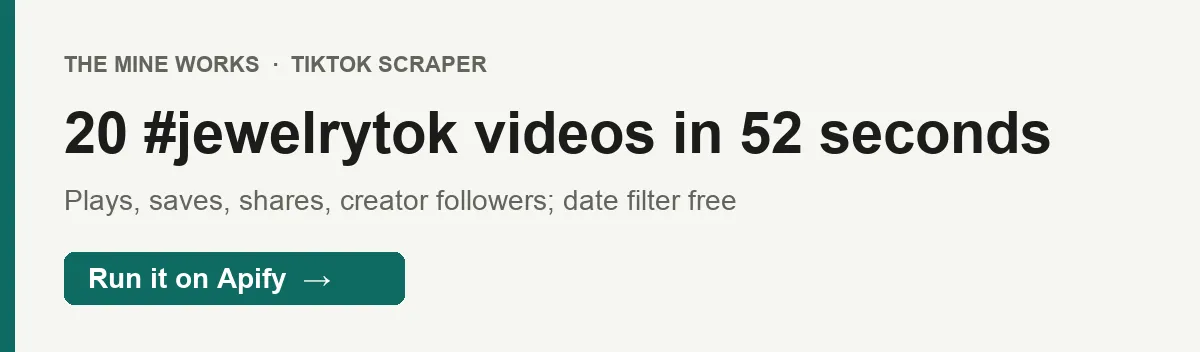
#jewelrytokwith a 14 day window returned 20 videos in 52 seconds. The actor read 59 videos from the hashtag feed, kept the 20 posted in the last 14 days and skipped 21 older ones without charging for them. - Saves and shares, not just views. Every row carries
playCount,diggCount,shareCount,collectCountandcommentCountas numbers, plusauthorFollowers, so you can rank videos by saves per view or find small accounts with outsized reach. Turn on author median plays and each video also getsplaysVsAuthorMedian, its plays divided by the creator's usual. - MP4 files that open anywhere. With
downloadVideoson, each video is saved to the run's storage with a public link invideoFileUrl. In a keyword run on 26 September, 2 videos and their 2 MP4 files (1.6 and 1.8 MB) came back in 10 seconds. A download that fails is not charged.

Part of The Mine Works Social media and video family: Threads Scraper, Reddit Scraper, Threads Search Scraper, Instagram Profile Scraper, Instagram Followers & Following, Reddit Search Scraper.
Try it in one minute
Paste this into the JSON tab of the input page and press Start:
You get 10 #jewelrytok videos from the last two weeks, usually in under a minute.
There are three kinds of input, and you can mix them in one run. hashtags takes tags with or without # (jewelrytok, #EngagementRing) or a tiktok.com/tag/... link. keywords takes search terms exactly as you would type them into TikTok's search box (lab grown diamond ring). trending switches on TikTok's Explore feed for the category in trendingCategory. maxItems is the most videos per hashtag, per keyword and for the trending feed.
Apify's free plan includes $5 of credit every month, which covers about 1,700 videos at this actor's Free plan price ($0.0028 a video plus the $0.005 start fee, in runs of 1,000 videos).
Copy to your AI assistant
Key features
- Up to 40 fields per video, about 35 in a typical row. Engagement counts, caption, hashtags, caption language, duration, cover image, music (and whether it is the creator's original sound), creator name, ID, followers, video count and verified flag, ad, sponsored and TikTok Shop flags, effects used, location tags when the creator added one, and which input found the video.
- Three sources in one run. Hashtag feeds (30 videos a page, up to 50 pages), keyword search (12 a page, up to 60 pages) and the Explore trending feed in 21 categories (16 a call, up to 80 calls). A video found by two inputs is delivered once, credited to the first.
- A date filter that saves money.
postedWithinDayskeeps only videos posted in the last N days, judged by each video's own posting time. Videos outside the window are skipped before any charge, and an input stops after 6 pages in a row with nothing inside the window. - Breakout detection.
includeAuthorMedianPlaysreads each creator's 15 most recent posts once per run, and addsauthorMedianPlays,authorMedianSampleandplaysVsAuthorMedian. - MP4 download without TikTok cookies. TikTok's own
videoUrlonly plays with the cookies of the session that fetched it. WithdownloadVideoson, the actor fetches the file with that session and stores it in your run, sovideoFileUrlopens in any browser or editor. Slideshow (photo) posts have no MP4 and are skipped. - Blocks handled, never billed. TikTok answers a refused request with an empty page. The actor treats that as a block, starts a new browser session (datacenter first, residential only as a fallback) and retries. The
OUTPUTrecord counts every block, and an input TikTok refused completely is markedblocked.
How to use it
Basic: one hashtag
Keyword search
You get the videos TikTok's video search shows for each term. TikTok's web search ignores its own date and sort options, so if you add postedWithinDays, the window is applied to what search returns, and a recent only keyword run can come back short.
Trending videos in one category
102 is Beauty Care. Each call to the Explore feed is a fresh draw, so repeated runs return different videos.
Daily niche monitor with breakout scores
Save it as a task and schedule it daily (for example 0 8 * * *). Sort each run by playsVsAuthorMedian: a value of 8 means the video did eight times its creator's usual plays, which points at a hook, format or sound that is taking off, even on small accounts. The 2 day window keeps each run to fresh videos, so overlapping days cost little.
Build a swipe file of video ads and Shop videos
Filter on isAd, isSponsored or isECVideo to separate paid and TikTok Shop videos from organic ones, and keep the MP4 links in videoFileUrl for your creative team. Each saved file costs $0.002.
Input parameters
| Parameter | Type | Default | What it does |
|---|---|---|---|
hashtags | array of strings | none (form prefill: jewelrytok) | Hashtags with or without #, or tiktok.com/tag/... links. Lowercased, spaces removed, duplicates removed. |
keywords | array of strings | none | Search terms as typed into TikTok search. |
trending | boolean | false | Also read TikTok's Explore (trending) feed for trendingCategory. |
trendingCategory | string | 120 (All) | Explore category: 120 All, 119 Singing & Dancing, 104 Comedy, 112 Sports, 100 Anime & Comics, 107 Relationship, 101 Shows, 110 Lipsync, 105 Daily Life, 102 Beauty Care, 103 Games, 114 Society, 109 Outfit, 115 Cars, 111 Food, 113 Animals, 106 Family, 108 Drama, 117 Fitness & Health, 116 Education, 118 Technology. |
maxItems | integer (1 to 1,000) | 50 (form prefill: 10) | Most videos for each hashtag, each keyword and the trending feed. |
postedWithinDays | integer (1 to 3,650) | none | Keep only videos posted in the last N days. Older videos are skipped and never charged. |
region | string | US | Country TikTok is browsed from. Only US works: on 26 September TikTok refused its web video feeds to logged out visitors from the UK, the EU, Canada, Australia, Brazil, Japan and Mexico, and TikTok is not available in India. Creators from anywhere still appear in US feeds. |
downloadVideos | boolean | false | Save each video's MP4 to the run's key-value store and put a public link in videoFileUrl. Charged per file saved. |
includeAuthorMedianPlays | boolean | false | Add authorMedianPlays, authorMedianSample and playsVsAuthorMedian to every row, from each creator's recent posts. |
Give at least one hashtag, one keyword, or trending: true; a run with none ends at once and charges only the start fee.
Run options. The default memory is 2 GB (the actor drives a headless browser to sign TikTok's requests) and the default timeout is 3,600 seconds. If a run reaches its timeout, it stops 15 seconds early, keeps every video already delivered and writes the OUTPUT record with ended_on_deadline: true.
What data do you get?
One row per video. Fields TikTok does not give for a video are left out of the row rather than sent as null.
The video: id, webVideoUrl (public link), createTime (Unix seconds) and createTimeISO, text (caption), textLanguage, hashtags, durationSec, isSlideshow, coverUrl, effectStickers.
Engagement: playCount (views), diggCount (likes), shareCount, collectCount (saves) and commentCount, all numbers.
Music: musicId, musicTitle, musicAuthor, musicOriginal (true when it is the creator's own sound).
The creator: authorUsername, authorNickname, authorId, authorSecUid, authorFollowers, authorVideoCount, authorVerified.
Commercial flags: isAd (paid ad), isSponsored (branded or sponsored content), isECVideo (TikTok Shop video).
Location, when the creator tagged one: locationCreated, poiName, poiAddress, poiCity, poiCategory.
Optional fields: authorMedianPlays, authorMedianSample and playsVsAuthorMedian with author median plays on; videoFileUrl and videoFileBytes with downloads on.
TikTok's own video addresses: videoUrl and downloadAddr. They only play with the cookies of the session that fetched them and expire within hours, so use videoFileUrl for a file you can keep.
Where it came from: sourceType (hashtag, keyword or trending), sourceInput (the tag, term or category), scrapedAt.
After the videos, the dataset ends with one _type: "info" row (a short message and a scheduling tip); it is not a video and never charged, so skip rows that have a _type field. The per input diagnostics are in the key-value record OUTPUT: for each input, videos requested and delivered, filtered by date, duplicates, pages read, feed_items_seen, whether the feed was exhausted, block counts, and for hashtags TikTok's own total video and view counts.
Stable fields for automations
These 18 fields were present in every video row of our two runs on the live build (22 rows).
| Field | What it holds |
|---|---|
id | TikTok video ID; the deduplication key |
webVideoUrl | Public link to the video |
createTime | Posting time, Unix seconds |
createTimeISO | Posting time, ISO format |
text | Caption |
hashtags | Hashtags in the caption, as a list |
playCount | Views |
diggCount | Likes |
shareCount | Shares |
collectCount | Saves |
commentCount | Comments |
durationSec | Length in seconds |
coverUrl | Cover image URL |
authorUsername | Creator's username |
authorFollowers | Creator's follower count |
sourceType | hashtag, keyword or trending |
sourceInput | The hashtag, keyword or category that found it |
scrapedAt | ISO timestamp when the row was captured |
We will not rename these fields. New fields may be added over time; existing ones keep their names.
Output examples
Real rows from our test runs of the live build on 26 September 2026, from business accounts, with long TikTok addresses shortened.
A video from the #jewelrytok run with a 14 day window:
A video from the lab grown diamond ring keyword run with downloads on (trimmed to the fields that differ; the file link's signature is cut here):
The per input entry from that hashtag run's OUTPUT record (key-value store, not the dataset):
Pricing
Pay per event: you pay for each video delivered, for each MP4 saved when downloads are on, and a small start fee per run.
| Event | Free | Bronze | Silver | Gold and above |
|---|---|---|---|---|
video-scraped, per video | $0.0028 | $0.0022 | $0.0015 | $0.0008 |
video-scraped, per 1,000 videos | $2.80 | $2.20 | $1.50 | $0.80 |
video-download, per MP4 saved | $0.002 | $0.002 | $0.002 | $0.002 |
apify-actor-start, per run | $0.0025 per GB of run memory, minimum one event | same | same | same |
The start fee, exactly. Apify's apify-actor-start event is charged once when a run starts, at $0.0025 for each GB of memory the run uses, with a minimum of one event. This actor runs on 2 GB by default, so a default run pays two events: $0.005.
Worked examples. 50 videos from one hashtag cost $0.145 on Free and $0.045 on Gold, start fee included. 1,000 videos (10 hashtags at 100 each) cost $2.805 on Free and $0.805 on Gold. 100 videos with their MP4 files cost $0.485 on Free and $0.285 on Gold. The date filter and author median plays cost nothing extra.
Never charged: videos outside your date window, a video found again by another input (charged once), failed downloads, slideshows when downloads are on (no MP4 exists), anything TikTok refused to serve, and the info row. A run that delivers nothing pays only the start fee.
There is no scheduled price change for this actor. The Pricing tab on this page always shows the rate for your plan; if it and this table ever differ, the Pricing tab is right.
FAQ
What does it read from TikTok? The same public feeds the TikTok website shows a visitor who is not logged in: hashtag pages, video search and the Explore page, read from a US browser session. It never logs in.
How many videos can one hashtag give?
Up to maxItems (1,000 at most) per hashtag, but TikTok's web hashtag feed itself holds a limited set of videos in mixed age order, often a few hundred. With a strict date window only the recent part of it counts. The OUTPUT record shows feed_items_seen, pages and feed_exhausted for each input, so you can see when the feed ran out. Very broad tags such as #fyp can return nothing on TikTok's web feed. Add keywords alongside hashtags to widen coverage.
Why did a keyword run with a date window come back short? TikTok's web search ignores date and sort, so it returns its usual mix and the actor drops what falls outside your window. Only the videos kept are charged.
How fresh are the numbers?
Live. Plays, likes, saves and follower counts are what TikTok shows at the moment of the run, and scrapedAt records when.
Which countries does it work from? The United States only. On 26 September TikTok refused its web video feeds to logged out visitors browsing from the UK, the EU, Canada, Australia, Brazil, Japan and Mexico, and TikTok is not available in India. The videos themselves can come from creators anywhere: a local hashtag or a search in another language finds local content.
Do I need a TikTok account, cookies or an API key? No. There is nothing of yours to connect, block or ban. You need only an Apify account.
Which proxy does it use? Apify's US datacenter proxy first, with US residential only as a fallback if datacenter sessions fail. In our test runs on the live build, every session started on datacenter. Proxy and compute are included in the price.
What happens if TikTok blocks the run?
A refused request is retried on a new session and never charged. If TikTok refused every session for an input, that input is marked blocked in the OUTPUT record and the run's status message says so.
Can I download the videos?
Yes, with downloadVideos. Each MP4 is saved in the run's key-value store, and videoFileUrl is a public link to it. Files stay as long as the run's storage is kept under your Apify plan's data retention. TikTok's own videoUrl is not a usable download link outside the session that fetched it.
Can I schedule it?
Yes. Save your input as a task, then in Apify Console go to Schedules, Create new, and pick a time or a cron expression. Use postedWithinDays close to the time between runs, and deduplicate on id when you store rows.
How do I export the data?
From the run's Storage tab as JSON, CSV, Excel, XML or HTML, or through the Apify API. Drop the row that has a _type field if you want videos only.
Can I use it from Claude, ChatGPT or another AI assistant?
- Connector URL:
https://mcp.apify.com/?tools=themineworks/tiktok-hashtag-search-scraper. - Claude: Settings > Connectors > Add custom connector, paste the URL, sign in with Apify.
- ChatGPT: developer mode, add an MCP connector with the URL, sign in with Apify.
- Cursor or VS Code: add it as an HTTP MCP server with that URL.
- Claude Code:
claude mcp add -t http tiktok-hashtag-search-scraper "https://mcp.apify.com/?tools=themineworks/tiktok-hashtag-search-scraper".
Is it legal to scrape TikTok? The actor collects only publicly visible video data and never logs in or gets past a login wall. Usernames, captions and follower counts can still be personal data, so you are responsible for how you store and use them, including TikTok's terms and data protection laws such as GDPR and CCPA. This is general information, not legal advice.
Integrations
- Google Sheets: export a run to a sheet, or use Apify's Google Sheets integration to append each scheduled run's videos.
- Make, Zapier and n8n: use the Apify app or node to run the actor every morning and send videos above a
playsVsAuthorMedianthreshold to Slack or a content board. - Webhooks: have Apify call your URL when a run succeeds, then read the dataset.
- API and client libraries: start runs and read datasets from Python, JavaScript or any HTTP client. The "Copy to your AI assistant" block above has the exact call.
- MCP clients: Claude, ChatGPT, Cursor, VS Code and Claude Code can call the actor as a tool through
https://mcp.apify.com.
To follow up on the creators you find, TikTok Creator Scraper returns their profiles, and Instagram Reels Views Scraper covers the same kind of short video on Instagram.
More from The Mine Works
Social media and video
- Threads Scraper
- Reddit Scraper
- Threads Search Scraper
- Instagram Profile Scraper
- Instagram Followers & Following
- Reddit Search Scraper
- Twitter / X Scraper
- Xiaohongshu (RED) Scraper
- YouTube Transcript
- Telegram Channel Scraper
- Telegram Channel Finder
- Pinterest Profile Scraper
Leads and business directories
Marketing, SEO and reviews
Real estate
Science, health and government data
Jobs and hiring
E-commerce and marketplaces
Company and business data
Food and local services
Developer and AI tools
More tools
- Tennis Match & Player Data Scraper
- Google Hotels Prices Scraper
- LandWatch Scraper
- Capterra Reviews Scraper
Support
Found an input that returns nothing, or a field you need? Open an issue on the Issues tab of this page with your input and the run ID, and we will reply there. To ask for a new data source, email dmineworks@gmail.com.
TikTok Scraper turns hashtags, searches and the trending feed into clean video rows with real engagement numbers, a free date filter and optional MP4 files.


