

Twitter / X Scraper | No API Key | Pay Per Tweet
Pricing
from $0.90 / 1,000 tweets
Twitter / X Scraper | No API Key | Pay Per Tweet
Scrape public tweets from X (Twitter) by keyword, hashtag or username without a paid API key. Returns text, likes, retweets, views, date and media URLs. MCP ready. Pay per tweet, first 10 free.
Pricing
from $0.90 / 1,000 tweets
Rating
0.0
(0)
Developer

The Mine Works
Maintained by CommunityActor stats
0
Bookmarked
22
Total users
4
Monthly active users
12 days ago
Last modified
Categories
Share
From The Mine Works, makers of Threads Scraper and B2B Leads Finder, with over 140,000 runs across 170+ public actors.
This actor pulls the latest public posts of any X (formerly Twitter) accounts you name and returns one clean row per post: author, post link, text, date, likes, reposts, replies, views, reply and repost flags, media links, mentions and hashtags. No X developer account, no paid API plan and no login are needed for accounts. Keyword search is also available, but X only allows it with a logged-in session that you supply (see "Can I search by keyword or hashtag?").
Why choose this actor?
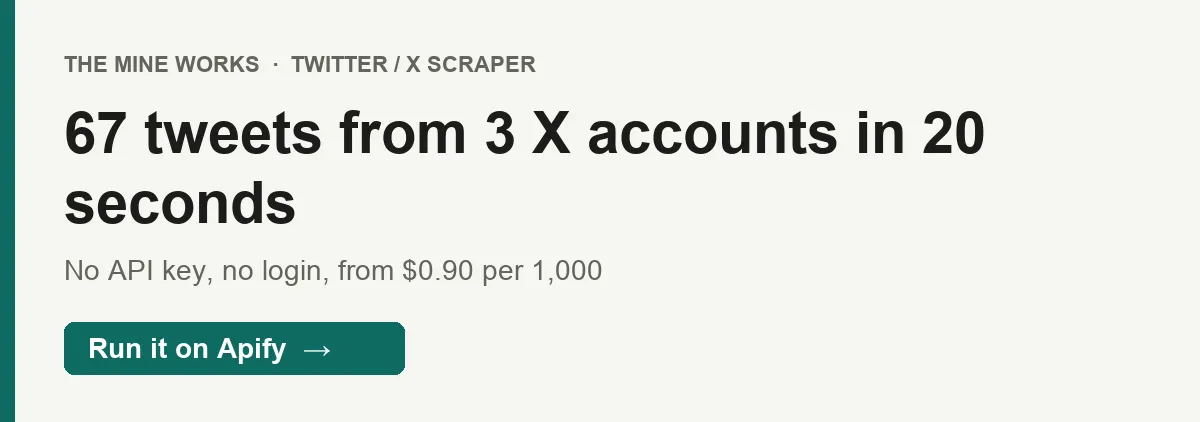
- The latest posts of many accounts in seconds. On 1 Oct 2026 a test run returned 67 posts from @AnthropicAI, @NASA and @verge in 20 seconds, with no login and no X API key. Each account gives the 20 to 24 posts X shows on its timeline, with the author and a link on every row.
- Engagement on every row. All 67 rows carried like, repost, reply and view counts, the post date and reply and repost flags, so comparing accounts or posts needs no clean-up.
- From $0.90 per 1,000 tweets. You pay per post saved, plus Apify's start event of $0.005 per run at the default memory. An account that cannot be found, an empty timeline, a failed fetch and a search without a session are never charged.

Part of The Mine Works Social media and video family: Threads Scraper, Reddit Scraper, Threads Search Scraper, Instagram Profile Scraper, Instagram Followers & Following, Reddit Search Scraper.
Try it in one minute
Paste this into the JSON tab of the input page and press Start. It returns the 10 latest posts of @NASA; our daily one-account runs on Apify take 6 to 33 seconds.
The actor takes X usernames in handles, with or without the @, not post links or profile links. Keyword and hashtag search goes in searchTerms and needs your own X session cookies in sessionCookies. The input form starts with two accounts filled in, @NASA and @AnthropicAI, so pressing Start right away returns posts.
Apify's free plan includes $5 of credit every month, which covers about 3,330 results at this actor's price.
Copy to your AI assistant
Key features
- 19 fields per post: 15 on every row (ID, post link, author name, handle and profile link, verified flag, text, date, likes, reposts, replies, reply flag, repost flag, source and timestamp), plus views, media links, mentions and hashtags when X has them.
- Many accounts in one run. List as many usernames as you like; each one is fetched separately and labelled in
source. - No login for accounts. Account timelines are read over plain HTTP the way a logged-out visitor's browser reads them, with no browser and no X API key.
- Video links included. For a video,
mediaUrlsholds the highest quality MP4 X offers; for photos, the image links. - Clear notes instead of silent gaps. An account that is missing, protected or empty, or a search that cannot run, gets its own
no_resultsrow with the reason, and is not charged. - A summary row at the end of every run with posts delivered and charged. It is never charged.
How to use it
Basic: one account
You get the posts X shows on the account's timeline to logged out visitors, including its replies and reposts, in X's order: for most accounts that is the newest first, with the posts of a thread kept together. For some large accounts X shows older popular posts instead (see "What data do you get?").
Competitor and brand monitoring
Save this as a task with monitorMode on and schedule it every few hours or daily, for example with the cron 0 */6 * * *. Each run reads each account's latest 20 or so posts and delivers only the ones you have not received before (see "Run it on a schedule"). For a busy account that posts more than 20 times between runs, run more often.
Engagement benchmarking
Compare views, likes, retweets and replies per post across accounts, and split by isReply and isRetweet to see original posts only. On a repost, likes reads 0 and retweets is the original post's count, so leave reposts out of like averages.
Keyword or hashtag search with your own X session
X only serves search to logged-in users. With your session's auth_token and ct0 cookies the actor runs search over plain HTTP, top or latest. Read "Can I search by keyword or hashtag?" before you use your own account.
Collect media from an account
Keep rows that have mediaUrls: 11 of NASA's 23 posts in our test carried a photo or video link.
Input parameters
| Parameter | Type | Default | What it does |
|---|---|---|---|
handles | array of strings | none | X usernames, with or without @, such as NASA or @verge. No login needed. |
searchTerms | array of strings | none | Keywords or hashtags to search. Needs sessionCookies (see below). |
maxTweets | integer, 1 to 100 | 20 | Cap on posts per account or per search term. An account returns about 20 to 24 posts whatever the cap. |
searchFilter | string: top or latest | top | Order of search results. Search only; account timelines come in X's own order. |
sessionCookies | array of cookie objects | none | Cookies from your own logged-in X session. Search needs both auth_token and ct0. |
authToken | string (secret) | none | The auth_token value alone. On its own it does not enable search, because X also needs ct0; use sessionCookies. |
useBrowserFallback | boolean | false | Try search without a session by loading X's search page in a browser. It is slower and usually returns nothing, because X shows a login wall. |
proxyConfig | object | Apify residential proxy | Used only by the browser fallback. Account and session search requests use the actor's own proxy setting. |
Give at least one of handles or searchTerms. The input form starts with NASA, AnthropicAI and maxTweets: 10, and leaves search empty because it needs your login. Runs started through the API or an AI assistant get only what you send, plus the defaults above.
What data do you get?
One row per post. A field X does not attach to a post is left out of that row rather than sent as null.
The post: tweetId, text, date (ISO 8601 in UTC), isReply and isRetweet.
Engagement: likes, retweets (reposts), replies and views, as counts at the moment of the run.
Media and entities: mediaUrls (photo links, or the best MP4 link for a video), mentions (usernames without @) and hashtags (without #), each only when the post has them.
Author and origin: authorName (display name), authorHandle (username without @), authorUrl (profile link), authorVerified (whether the posting account has a verified badge), tweetUrl (link to the post) and source, the @handle or search term that returned the post.
Timing: scraped_at, when the row was collected.
Run rows: a _type: "no_results" row for each account or search term that returned nothing, with the reason; a _type: "summary" row at the end of every run with total_tweets_scraped and total_charged; and a _type: "info" row when at least one post was delivered. None is charged. Filter on _type to keep only posts.
What we saw in 814 posts from 27 accounts on 1 Oct 2026, so you can plan for it:
- Author and link on every row.
authorName,authorHandle,authorUrlandtweetUrlwere on all 814 rows, and everytweetUrlhas the formhttps://x.com/<authorHandle>/status/<tweetId>. - Other accounts' posts can appear in an account's rows. X's timeline carries the original post behind each repost and the post behind each quote, and the actor returns those as rows too, charged like any post. 80 of 814 rows were such posts, for example @claudeai posts quoted by @AnthropicAI. Their
sourceis still the account you asked for;authorHandleshows who wrote them, so keep rows where it matches if you only want the account's own posts. - Not always the newest posts. For most accounts the rows were the latest few days of posts, but for some X shows logged out visitors older, popular posts instead: @Reuters gave posts from 2018 to 2023, @nytimes from 2017 to 2025, and @elonmusk one post from that week and 19 from 2022 to 2024. Check
datebefore you treat a run as "latest". viewsis missing on posts from before X started counting views in late 2022 (93 of 814 rows, all from those older timelines).- Reposts are short. On the 6 reposts,
textstarts withRT @user:and is cut with "…",likesreads 0 andretweetsis the original post's count. - Long posts can be cut.
textis X's classic post text, so a post longer than the classic limit can end mid sentence. The longesttextwe saw was 326 characters, links included. mediaUrlsappeared on 349 rows,mentionson 196 andhashtagson 31.
Stable fields for automations
These 15 fields were present in every one of the 814 posts we sampled on 1 Oct 2026. Their names will not change, so a Sheet, Zap, Make scenario or n8n flow can map to them safely.
| Field | What it is |
|---|---|
tweetId | X's post ID. Use it as the unique key. |
tweetUrl | Link to the post on x.com |
authorName | Display name of the account that wrote the post |
authorHandle | Username of that account, without @ |
authorUrl | Profile link of that account |
text | Post text |
date | When the post was published, ISO 8601 in UTC |
likes | Like count |
retweets | Repost count |
replies | Reply count |
isReply | true if the post is a reply |
isRetweet | true if the post is a repost |
authorVerified | true if the posting account is verified |
source | The @handle or search term that returned it |
scraped_at | When the row was collected, ISO 8601 in UTC |
Output examples
Real rows from our 1 Oct 2026 test run.
An original post with a link
A thread reply with a video and mentions
A repost, with a hashtag
A search term sent without a session, and the summary row
Pricing
Pay per event: you are charged for each post saved to your dataset, plus Apify's standard start event. The price per post drops as your Apify plan goes up.
| Event | Free plan | Bronze (Starter) | Silver (Scale) | Gold and above (Business) |
|---|---|---|---|---|
tweet-scraped, per post | $0.0015 | $0.00128 | $0.00108 | $0.0009 |
| Per 1,000 posts | $1.50 | $1.28 | $1.08 | $0.90 |
apify-actor-start, per run | $0.005 per GB of memory | $0.005 per GB | $0.005 per GB | $0.005 per GB |
- Start fee: $0.005 per GB of run memory, with a minimum of one event. At the default 512 MB that is $0.005 per run, charged even when a run returns nothing. The actor needs no more than the default unless you turn on the browser fallback.
- Never charged:
no_results,summaryandinforows, accounts that cannot be found, protected or empty timelines, failed fetches, searches without a session, and repeats of the same post within one account or search term. - Spending cap: if you set a maximum cost per run in Apify, the actor stops charging once that budget is used, and you never pay past your cap.
- No price change is scheduled. The current prices, including the start event, have applied since 14 Sep 2026.
Worked examples on the Free plan: the latest posts of 10 accounts (about 220 posts) cost about $0.33 plus the $0.005 start fee. On Gold, the same run costs about $0.20 plus $0.005.
Run it on a schedule
Turn on monitorMode and each run delivers only the posts you have not received before, so a daily run costs you only for what is new.
- Enter your input, switch on Monitor mode and click Save as a task.
- In Apify Console open Schedules, click Add schedule and pick Daily (or any time and timezone you like).
- Under Actors or tasks to run, add the task you saved and save the schedule.
The first run delivers everything it finds. After that, each run delivers only posts that were not in an earlier run with the same input, and posts it skips are never charged. The summary row at the end shows new_this_run and skipped_duplicates. Changing the input starts a fresh history; changing only the result limit does not. Posts you already have do not count toward maxTweets, and pasting fresh session cookies keeps the history too. Each post is sent once, so its like and view counts are the ones from the run that first delivered it.
FAQ
Do I need an X API key or developer account? No. Account timelines are read the way x.com shows them to logged-out visitors. You only need an Apify account.
How many posts can I get per account?
About 20 to 24, one page of the account's timeline, including any reposted or quoted posts by other accounts. In our test @AnthropicAI gave 24, @NASA 23 and @verge 20 with maxTweets at 100. maxTweets lowers that number but cannot raise it. For older posts, this actor is not the right tool; for a running archive, schedule it with monitorMode on so each run adds only posts you do not have yet.
Can I search by keyword or hashtag?
Only with a logged-in X session, because X does not serve search to logged-out visitors. Paste the auth_token and ct0 cookies of your own X session into sessionCookies and the actor searches over plain HTTP. Know the trade-off: the session belongs to your X account, automated use can break X's rules, and X can limit or suspend the account. Without a session, each search term gets a no_results row and costs nothing. useBrowserFallback tries without a session but usually meets X's login wall. We could not test session search for this page, so start with one term and a small maxTweets.
Can I filter by date range?
There is no date filter in the input. Filter on date in the output. For search with a session, searchFilter: "latest" returns the newest posts first.
How fresh is the data? Each run reads X live when it starts. There is no cache, and engagement counts are the values at that moment.
Why did a run return no posts?
Either the account is missing, suspended, protected or empty (you get a no_results row with the reason), or X's guest access did not answer. In 6 of our last 30 daily runs on Apify the connection to X timed out or dropped before any account was read; those runs ended with only the summary row and charged only the start fee. Run again, or schedule runs so one miss does not matter.
Do I need a proxy?
No. The actor sets its own proxy for account and session requests. proxyConfig only applies to the browser fallback.
Why do some rows have a different author from the account I asked for?
When an account reposts or quotes a post, X's timeline also carries that original post, and the actor returns it as a row with the original writer in authorName and authorHandle. source still names the account you asked for. Filter on authorHandle to keep only the account's own posts.
How is this different from the official X API? No developer application, no monthly plan, and you pay only for posts delivered. The trade-off is scope: you get recent public posts and their engagement counts, not full history, streaming, private data or posting.
Which formats can I export?
JSON, CSV, Excel, XML, RSS or HTML from the run's Storage tab, or through the Apify API. In CSV and Excel, list fields such as mediaUrls are split into numbered columns.
Can I use it from Claude, ChatGPT or another AI assistant?
- Connector URL:
https://mcp.apify.com/?tools=themineworks/twitter-x-scraper. - Claude: Settings > Connectors > Add custom connector, paste the URL, sign in with Apify.
- ChatGPT: developer mode, add an MCP connector with the URL, sign in with Apify.
- Cursor or VS Code: add it as an HTTP MCP server with that URL.
- Claude Code:
claude mcp add -t http twitter-x-scraper "https://mcp.apify.com/?tools=themineworks/twitter-x-scraper".
Is it legal to scrape X? Without a session, the actor reads only public posts that anyone can see logged out. Posts are written by people, so they can contain personal data, and using a session of your own adds X's account rules to the picture. You are responsible for how you use the data, including X's terms and data protection law such as GDPR and CCPA. This is general information, not legal advice.
Integrations
- Google Sheets: send each run's dataset to a sheet with Apify's Google Sheets integration.
- Make, Zapier and n8n: start a run and read the posts with the official Apify modules and nodes.
- Webhooks: have Apify call your URL when a run finishes, then fetch the dataset.
- API: start runs and read results over HTTP, or with the Python and JavaScript clients.
- MCP clients: Claude, ChatGPT, Cursor and other MCP clients can call the actor through
https://mcp.apify.com.
More from The Mine Works
Social media and video
- Threads Scraper
- Reddit Scraper
- Threads Search Scraper
- Instagram Profile Scraper
- Instagram Followers & Following
- Reddit Search Scraper
- Xiaohongshu (RED) Scraper
- YouTube Transcript
- Telegram Channel Scraper
- Telegram Channel Finder
- Pinterest Profile Scraper
- Pinterest Search Scraper
Leads and business directories
Marketing, SEO and reviews
Real estate
Science, health and government data
Jobs and hiring
E-commerce and marketplaces
Company and business data
Food and local services
Developer and AI tools
More tools
Support
Found a bug or need a field we do not return? Open an issue in the Issues tab. Want a social network or data source we do not cover yet? Email dmineworks@gmail.com. A guide for this actor also lives at themineworks.com.
This actor is an independent tool and is not affiliated with, endorsed by or sponsored by X Corp.
Twitter / X Scraper returns the latest public posts of any X accounts with full engagement counts, no API key and no login, from $0.90 per 1,000 posts.


