
Zillow Sold Comps Scraper | 26 Fields, Up to 730 Days Back
Pricing
from $1.00 / 1,000 zillow properties
Zillow Sold Comps Scraper | 26 Fields, Up to 730 Days Back
Scrape Zillow recently sold properties by city or zip for CMA reports, investment analysis, and market research. Filter by sold date range (30 to 365 days), price, beds, and property type. Extract sold price, date, address, beds, baths, sqft, Zestimate and listing URL.
Pricing
from $1.00 / 1,000 zillow properties
Rating
0.0
(0)
Developer

The Mine Works
Maintained by CommunityActor stats
1
Bookmarked
48
Total users
21
Monthly active users
14 days ago
Last modified
Categories
Share
From The Mine Works, makers of Threads Scraper and B2B Leads Finder, with nearly 139,000 runs across our actors. This actor ranks #1 for "zillow recently sold" in Apify Store search.
Why choose this actor?
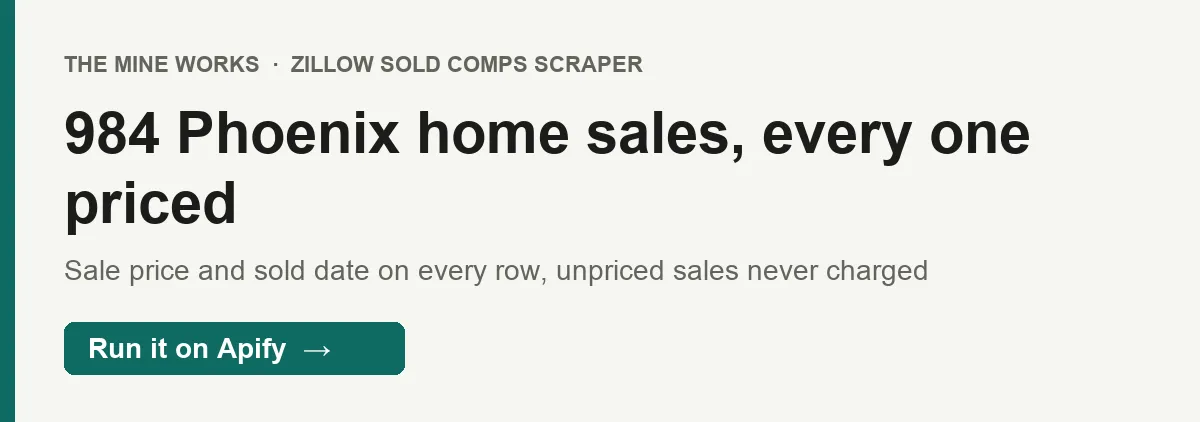
- Up to Zillow's full page of results, each with its sale price. A recorded run of the current version asked for Phoenix, AZ homes sold in the last 30 days and returned 984 sales, every one with
soldPrice,soldDateandsoldDateIso. Zillow counted 1,286 and serves about 1,000 of any one search. No Zillow account, no API key, no browser. - You pay only for sales that have a price. Texas, Utah and other non-disclosure states keep sale prices private. Those sales come free and labelled (
priceDisclosed: false), or are left out if you choose, and are never charged. - A sold window you set to the day, 1 to 730 days.
soldInLastgoes straight into Zillow's own date filter, and a second check drops any row older than the window. In the recorded Phoenix run, 0 rows had to be dropped. - No duplicate charges, and only new sales on repeat runs. A sale is delivered and charged once per run even when Zillow repeats a page, and monitor mode skips sales it already delivered to you in earlier runs, so a weekly comps watch pays only for new closings.

Part of The Mine Works Real estate family: Zillow Rentals Scraper, India Real Estate MCP, Housing.com Scraper, MagicBricks Scraper, Zillow Property Scraper, 99acres Scraper.
Try it in one minute
Paste this into the input's JSON tab and start the run. It returns 20 Phoenix, AZ homes sold in the last 30 days, each with its sale price.
location takes a city and state ("Phoenix, AZ", "Palo Alto, CA"), a ZIP code ("85016"), or a neighborhood name. The actor looks it up with Zillow's own location search and uses the first region Zillow suggests, so a specific city and state or a ZIP code works best. One location per run.
Apify's free plan includes $5 of credit every month, which covers about 2,500 sold homes with a price at this actor's price (the Free plan rate of $0.002 per home; there is no start fee, and sales without a price are free).
Texas and other non-disclosure states: Zillow's search results carry no sale price for sales in states that keep prices private. We checked Texas; Utah, Idaho, Kansas, Louisiana, Mississippi, Missouri, Montana, New Mexico, North Dakota, Wyoming and Alaska also keep prices private, and a row without a price is handled the same way wherever it comes from. In a recorded Austin, TX run of the last 30 days, none of the 148 rows had a price, so none was charged: each came with priceDisclosed: false, a priceNote, the sold date, the home's details and usually Zillow's zestimate. Set rowsWithoutSalePrice to "skip" to leave such sales out. A search that finds only unpriced sales earns nothing, so the run stops after about 11 page requests (up to about 450 free rows) to bound its cost. In disclosure states such as Arizona, Washington, Colorado and Oregon, every row in our recorded runs carried soldPrice.
Copy to your AI assistant
Key features
- 25 fields per priced sale in our recorded runs. Sale date (
soldDatein epoch milliseconds,soldDateIsoas YYYY-MM-DD), sale price (number and Zillow's own label), whether the price is public, beds, baths, square feet, property type, days on Zillow, Zillow's value and rent estimates, address in five parts, coordinates, photo and listing link. A field Zillow does not publish for a sale is left out of that row rather than sent empty. - Only priced sales are charged. A sale without a public price is delivered free with
priceDisclosed: falseand apriceNote, or left out withrowsWithoutSalePrice: "skip". - Any window from 1 to 730 days.
soldInLastis sent to Zillow as its own "sold in the last N days" filter, which takes any whole number of days, not only 30, 90 or 365. - Filters sent to Zillow's search.
minPrice,maxPrice,minBeds,minBathsandpropertyTypenarrow the search on Zillow's side, so a lot or condo search pages through that type only.APARTMENTis the one home type Zillow has no search filter for; it is checked on each row after it arrives. - About 1,000 sales per search, no duplicates. The run follows Zillow's pages to the real end of the results and stops when Zillow starts repeating itself, so no sale is charged twice in a run.
- Monitor mode. With
monitorModeon, the actor remembers each sale it delivered to you, keyed onzpid, and later runs deliver only new closings. - A summary row on every run. It shows Zillow's own count for your search (
total_available), how many rows were delivered and charged, and why the run stopped.
How to use it
Basic: comps for one ZIP code
Comps that match a subject property
propertyType takes one of Zillow's home types: SINGLE_FAMILY, CONDO, TOWNHOUSE, MULTI_FAMILY, MANUFACTURED, LOT or APARTMENT. Case does not matter, and LAND works too (Zillow calls land LOT). The first six are sent to Zillow as its own home type filter: in a recorded Phoenix, AZ run of the last 90 days, LAND returned 20 of 20 rows as lots, from the 108 lot sales Zillow counted, where an unfiltered page holds about one lot in 41 sales. The summary's total_available then counts that type only.
Several markets at once
The actor reads one location per run. For several ZIP codes, save one task per market or start runs in a loop from the API:
ZIP codes are also the way past Zillow's limit of about 1,000 sales per search in a large metro. Dedupe on zpid if your areas overlap.
Monthly market report
Schedule it on the first of each month. Group the rows by zipCode and propertyType, then take the median soldPrice and daysOnZillow over rows with priceDisclosed: true. In Texas and other non-disclosure states, where those rows are absent, zestimate on the free rows is the nearest price signal.
Weekly new closings watch
Save it as a task and schedule it weekly. The first run delivers every sale in the window. Each later run delivers and charges only sales it has not delivered to you before, and the summary row counts the rest in already_delivered_in_earlier_run. Keep the location and filters the same between runs.
Gross yield screen for investors
Run this actor and Zillow Rentals Scraper on the same ZIP codes. Divide the typical rent for a bedroom count by the typical sale price for the same bedroom count to get a gross yield by ZIP. Sold rows also carry rentZestimate, Zillow's own rent estimate for that home, when Zillow has one.
Input parameters
| Parameter | Type | Default | What it does |
|---|---|---|---|
location | string | none (required) | City and state, ZIP code or neighborhood, for example "Phoenix, AZ" or "85016". One per run. |
maxItems | integer | 100 | Most sales to deliver, 1 to 2000. Zillow serves about 1,000 per search, so a larger value stops there. This is also your cost cap. |
soldInLast | integer | 90 | Only homes sold in the last N days, 1 to 730. Any whole number works. |
minPrice | integer | none | Lowest sale price in USD. Sent to Zillow's search. |
maxPrice | integer | none | Highest sale price in USD. Sent to Zillow's search. |
minBeds | integer | none | Fewest bedrooms, 0 to 10. |
minBaths | integer | none | Fewest bathrooms, 0 to 10. |
propertyType | string | blank (all types) | One of Zillow's home types: SINGLE_FAMILY, CONDO, TOWNHOUSE, MULTI_FAMILY, MANUFACTURED, LOT (or LAND), APARTMENT. Any case. Sent to Zillow's search, except APARTMENT, which is checked on each row. |
rowsWithoutSalePrice | string | "deliverFree" | What to do with sales that have no public price (Texas and other non-disclosure states). "deliverFree" delivers them free with priceDisclosed: false and a priceNote; "skip" leaves them out. Never charged either way. |
monitorMode | boolean | false | Delivers and charges only sales not delivered to you in an earlier run. Keep the location and filters the same across runs. |
What data do you get?
One row per sold home, plus one summary row per run. Sale rows have no _type field.
The sale: soldDate (the sale date as Zillow sends it, epoch milliseconds, for example 1790665200000; unchanged from earlier versions), soldDateIso (the same date as YYYY-MM-DD, for example "2026-09-29", the date Zillow shows as "Sold 09/29/26"), soldPrice and price (the sale price in USD, the same number in both, present where the sale price is public), priceLabel (Zillow's own text for it, for example "$367,500"), priceDisclosed (true when the row has a sale price and was charged, false when it has none and was delivered free), priceNote (on unpriced rows only, why there is no price), daysOnZillow, statusType (always RECENTLY_SOLD), statusText (Zillow's own word, Sold or Closed).
The home: beds, baths, sqft, propertyType (SINGLE_FAMILY, CONDO, TOWNHOUSE, MULTI_FAMILY, APARTMENT, MANUFACTURED, LOT), zestimate (Zillow's value estimate), rentZestimate (Zillow's rent estimate).
Location and links: address, addressLine1, city, state, zipCode, latitude, longitude, detailUrl, imgSrc, zpid (Zillow's property ID). imgSrc is the listing photo, or a satellite map image of the lot when Zillow has no photo for the sale (382 of 862 rows in a recorded 90 day Austin run, 67 of 148 in a 30 day one).
Summary row (_type: "summary", never charged): location, sold_in_last_days, total_available (Zillow's own count for the search), pages_fetched, total_scraped, charged_for, rows_without_sale_price (your setting), delivered_free_no_sale_price, skipped_no_sale_price (with "skip"), duplicates_skipped, filtered_out_by_property_type (when propertyType is set), filtered_out_stale, stop_reason, ended_on_deadline, already_delivered_in_earlier_run, the monitor counts, and a few cost guard counters.
stop_reason is max_items (reached your limit), end_of_results (Zillow had no more), repeated_page (Zillow started repeating sales, its way of signalling the end), page_failed (Zillow blocked a page three times), deadline (the run's timeout came first), or yield_guard / profit_guard (the run stopped paying for pages that delivered nothing, or, for profit_guard, for pages of unpriced sales that earn nothing; the log then says so).
Info row (_type: "info", never charged): on runs that delivered at least one sale, the count and a note on scheduling.
Stable fields for automations
These fields were present in every row of our recorded runs of the current version (984 Phoenix, AZ rows and 148 Austin, TX rows); all but priceDisclosed and soldDateIso were also on every row of our earlier Austin, Seattle, Denver and Hood River runs. Their names will not change, so a sheet, Zapier zap or n8n flow can map them once.
| Field | What it is |
|---|---|
zpid | Zillow property ID, the key to store and join on |
address | Full address |
addressLine1 | Street line, with the unit when there is one |
city | City |
state | Two letter state code |
zipCode | ZIP code |
soldDate | Sale date, epoch milliseconds |
soldDateIso | Sale date, YYYY-MM-DD |
priceDisclosed | true for a priced (charged) sale, false for a free one |
propertyType | Zillow home type |
statusType | Always RECENTLY_SOLD |
statusText | Sold or Closed |
daysOnZillow | Days on Zillow as Zillow reports it for the sale |
detailUrl | Link to the home on Zillow |
imgSrc | Photo, or a satellite map image |
soldPrice, price and priceLabel were on every row in Arizona, Washington, Colorado and Oregon and on none in Texas; filter on priceDisclosed rather than on their presence. beds, baths, sqft, zestimate, latitude and longitude are missing on some rows (for example beds was missing on 67 of the 984 Phoenix rows, and on 185 of 862 rows in a 90 day Austin run).
Output examples
A single family sale with its price (recorded Phoenix, AZ run of the current version; photo and link as delivered):
A townhouse sale (same run):
A Texas sale with no public price, delivered free (recorded Austin, TX run of the current version, last 30 days):
The summary row (the recorded Phoenix run: Zillow counted 1,286 sales in the window and served 984, all delivered and charged):
The summary above is trimmed: the real row also carries the cost guard counters (requests, est_spend_usd and similar).
Pricing
Pay per event: one property-scraped event for each sold home with a sale price delivered to your dataset. There is no start fee, no per page fee and no subscription.
| Event | Free | Bronze | Silver | Gold and above |
|---|---|---|---|---|
Sold home with its sale price (property-scraped), per row | $0.002 | $0.00175 | $0.0015 | $0.001 |
| Per 1,000 priced sold homes | $2.00 | $1.75 | $1.50 | $1.00 |
Start fee: none. This actor has no apify-actor-start or other per run event, so a run that finds nothing costs nothing.
Charged: every sold home delivered with a sale price (priceDisclosed: true).
Never charged: a sale without a public price (Texas and other non-disclosure states), whether delivered free or skipped, a sale that Zillow repeats within the same run, sales dropped as older than your window, rows that do not match propertyType, sales skipped by monitor mode, pages that fail, and the summary and info rows.
What real jobs cost on Gold: the recorded Phoenix run of 984 priced sales costs $0.98. A 300 sale ZIP code pull in a disclosure state costs $0.30. An Austin, TX pull costs nothing, since none of its sales carries a price.
There is no price change scheduled for this actor. The Pricing tab on this page always shows the rate for your own plan.
FAQ
What does this actor read from Zillow?
Zillow's public search results for recently sold homes in one location, the same cards a visitor sees when filtering Zillow to "Sold". It does not open each home's own page, so price history, tax history, schools and agent names are not included. For those, feed the zpid or detailUrl into Zillow Property Details.
Why is there no sale price on my Texas rows, and am I charged for them?
Texas and some other states do not make sale prices public, and Zillow's search results for those sales carry none: 0 of 148 rows in a recorded 30 day Austin run of the current version, and 0 of 862 in an earlier 90 day one. Those rows are not charged. By default they are delivered free with priceDisclosed: false, a priceNote, the sale date, the home's details and usually zestimate; set rowsWithoutSalePrice to "skip" to leave them out. A search of only unpriced sales stops after about 11 page requests (up to about 450 free rows), because those pages earn nothing. If you need prices in a non-disclosure state, this actor alone will not give them to you.
How many sales can I get?
Up to about 1,000 per search; Zillow stops serving a search past that point. The summary's total_available shows Zillow's count. For a big metro or a long window, split by ZIP code or into price bands with minPrice and maxPrice.
How far back can I go?
Up to 730 days with soldInLast. Zillow applies the window itself, and the actor drops any row older than the window as a second check. Remember the 1,000 per search limit: a two year window in a big city needs ZIP codes or price bands.
How fresh is the data? Live. Each run reads Zillow at the moment it runs. A sale appears once Zillow has recorded it, and that lag varies by market, so the most recent week can be incomplete.
Do I need a Zillow account, cookies or an API key? No. You only need an Apify account.
Do I need to set up a proxy?
No. The actor uses Apify's US residential proxy on its own, and the proxy cost is inside the per row price. A page Zillow blocks is retried up to three times on a fresh proxy session. On a day when Zillow blocks heavily, a large run can end with fewer rows than asked for; the summary then says page_failed.
How do I read soldDate?
It is the sale date in epoch milliseconds, as Zillow sends it, the same as in earlier versions. For a plain date use soldDateIso instead, for example "2026-09-29", the date Zillow shows on the listing as "Sold 09/29/26"; spreadsheets read it as a date directly.
Which propertyType values work?
SINGLE_FAMILY, CONDO, TOWNHOUSE, MULTI_FAMILY, MANUFACTURED, LOT and APARTMENT, in any case; LAND means LOT, and single family works too. A value that matches none of these returns nothing, and the run log says so. The summary's filtered_out_by_property_type shows how many rows the per-row check removed.
What if my location is not found? The run stops with an error and nothing is charged. Use a specific city and state or a ZIP code; the run log shows which Zillow region your text matched.
How do I run it on a schedule and get only new sales?
Save your input as a task, then add a schedule in Apify Console (Schedules, then Create new). Turn on monitorMode: the actor keeps the zpid of every sale it delivered to you in a storage named monitor-zillow-recently-sold in your Apify account, and later runs skip those.
How do I export the data? From the run's Storage tab as JSON, CSV, Excel, XML or HTML, or through the Apify API.
Can I use it from Claude, ChatGPT or another AI assistant?
Yes. Add Apify's MCP server at https://mcp.apify.com/?tools=themineworks/zillow-recently-sold to any MCP client and ask in plain words, for example "get homes sold in 78704 in the last 90 days with 3 or more bedrooms". The block under "Copy to your AI assistant" gives an assistant everything it needs to call the API directly. The same data is part of our Real Estate MCP.
Is it legal to scrape Zillow sold data? The actor reads only Zillow's public search pages, with no login and nothing behind an account. The rows describe properties, not people, but addresses can still count as personal data in some places. You are responsible for how you use the data, including Zillow's Terms of Use and data protection law such as GDPR and CCPA. This is general information, not legal advice.
Integrations
- Google Sheets: send each run's sales to a sheet with Apify's Google Sheets integration.
- Make, Zapier and n8n: start runs and read datasets with the official Apify apps and nodes.
- Webhooks: get a call to your own URL when a run succeeds, then fetch its dataset.
- API and SDKs: the Apify API and the Python and JavaScript clients, as in the loop above.
- MCP clients: Claude, ChatGPT, Cursor and others through
https://mcp.apify.com/?tools=themineworks/zillow-recently-sold.
For the rental side of the same markets, Zillow Rentals Scraper returns current for-rent listings with the monthly rent on every charged row and rent by bedroom count for apartment communities. It takes the same location, maxItems and monitorMode inputs.
More from The Mine Works
Real estate
- Zillow Rentals Scraper
- India Real Estate MCP
- Housing.com Scraper
- MagicBricks Scraper
- Zillow Property Scraper
- 99acres Scraper
- Zillow Photos Scraper
- Real Estate MCP
- Airbnb Scraper
- Domain.com.au Property Scraper
- realestate.com.au Scraper
- Zillow ZIP Code Bulk Search Scraper
Social media and video
Leads and business directories
Marketing, SEO and reviews
Science, health and government data
Jobs and hiring
Company and business data
E-commerce and marketplaces
Food and local services
Developer and AI tools
More tools
Support
Found a bug or need a field? Open an issue on the Issues tab of this actor. To ask for a new source, email dmineworks@gmail.com.
Zillow Sold Comps Scraper returns the homes sold in a US city or ZIP code over the last 1 to 730 days, with sale dates, sale prices where the state publishes them, and home details, from $1 per 1,000 priced sales; sales without a public price are free.


