
Article Text Extractor — Clean Text & Markdown from Web Pages
Pricing
from $1.60 / 1,000 page extracteds
Article Text Extractor — Clean Text & Markdown from Web Pages
Article extractor: turn news articles, blog posts and docs into clean text or Markdown (web page to Markdown) without menus, ads or footers. Title, author, date and language included. Ready for AI, LLMs and RAG. $2 per 1,000 pages.

📄 Article Text Extractor — clean text and Markdown from any web page
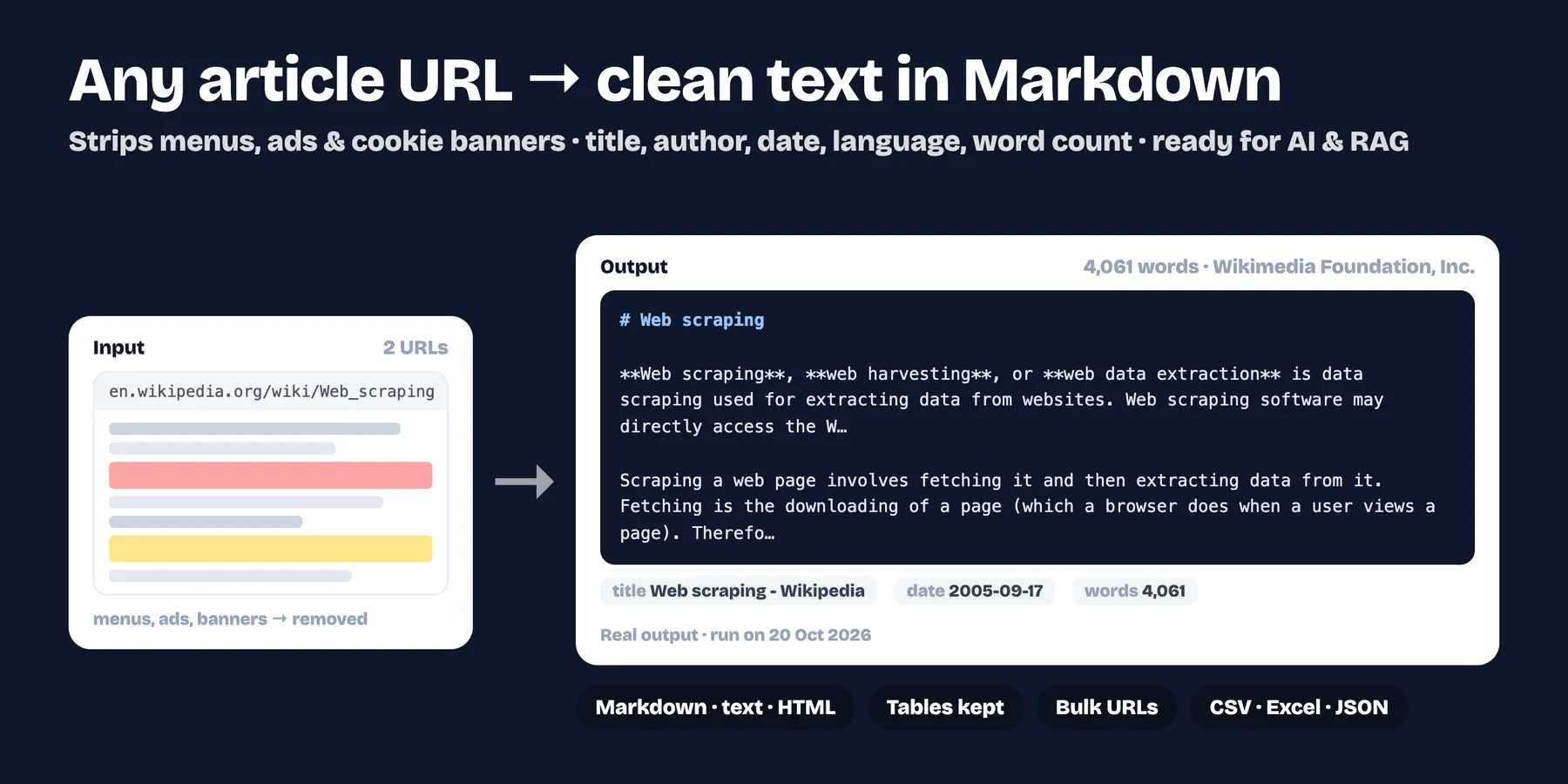
Turn news articles, blog posts and documentation pages into clean Markdown or plain text, without menus, ads, cookie banners or footers. Includes title, author, date, language, site name and word count. Ready for AI, RAG, summaries and research. $2 per 1,000 pages.
- ✅ Main-content extraction (the same idea as the "reader mode" of a browser)
- ✅ Markdown keeps headings, lists, links and tables
- ✅ Respects
robots.txtby default - ✅ Pages without readable text are reported and not charged
- ✅ Up to 50,000 pages per run
How to use it
- Paste the article links.
- Choose Markdown or plain text, and whether to keep tables or comments.
- Run and export, or send the dataset to your AI pipeline.
Output example
Pricing
$0.002 per page extracted ($2 per 1,000).
Limits
- It does not run JavaScript, so pages that show their text only after scripts run, or that need a login, cannot be read.
- Use it only on content you have the right to process; follow each website's terms.
FAQ
What does it return? One row per link: title, author, date, language, site name, description, word count, characters and the clean text as Markdown or plain text. Export it as JSON, CSV or Excel, or read it from the API.
How much does it cost? $0.002 per page extracted ($2 per 1,000). Pages that fail (HTTP error, timeout, blocked by robots.txt or no article text) get a row with the reason in error and are not charged.
How many pages can I send? Up to 50,000 links per run. Only the first 5 MB of each page is read, and pages with fewer than 20 words of article text are reported as having no text.
Does it need an API key or a login? No. It reads public pages without logging in, so pages behind a login, or that show their text only after JavaScript runs, cannot be read.
Does it respect robots.txt? Yes, by default. Turn off Respect robots.txt only for sites you own or are allowed to read.
Can I run it on a schedule or from another tool? Yes. Schedule it in Apify, or start it from the API or an integration (Make, Zapier, n8n) with your links in urls: a plain list of URLs or one text with links separated by spaces, commas or new lines both work.


