
Google Maps Scraper — Business Leads, Contacts & Reviews
Pricing
from $0.70 / 1,000 business saveds
Google Maps Scraper — Business Leads, Contacts & Reviews
Find Google Maps businesses or enrich known places. Choose Places, Leads, Full research or Local SEO, with public contacts, review text, maps and source-aware export tables.
Pricing
from $0.70 / 1,000 business saveds
Rating
0.0
(0)
Developer

Kelopr_bk
Maintained by CommunityActor stats
0
Bookmarked
5
Total users
3
Monthly active users
2 days ago
Last modified
Categories
Features
Share
📍 Google Maps Scraper — Business Leads, Contacts & Reviews
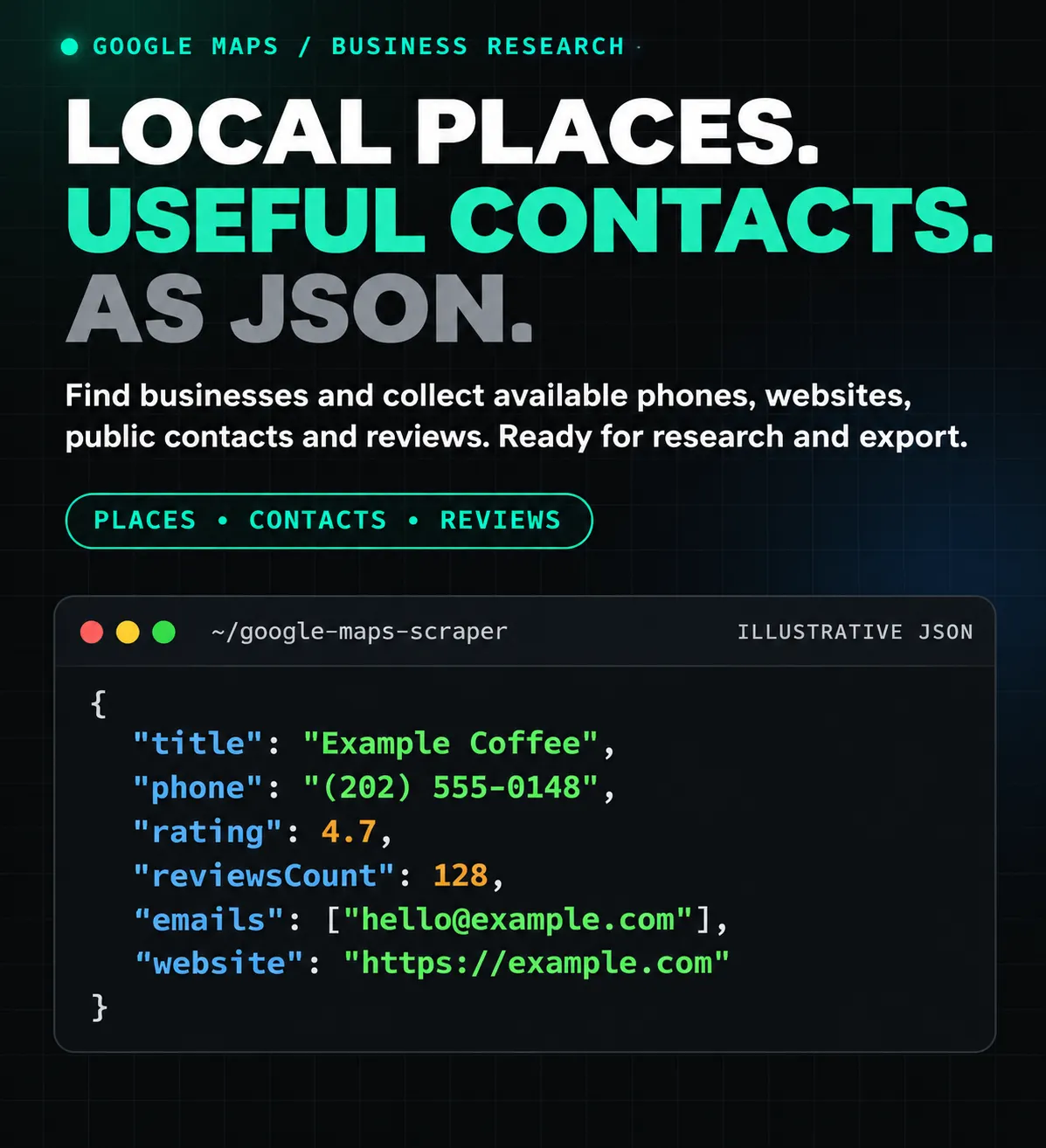
Turn a business search or a known Maps listing into a useful dataset: phone numbers, websites, addresses, ratings, public emails, social profiles, review text, photos and local search visibility. Start with a small sample, inspect its coverage, and export the same structured records to CSV, Excel or JSON.
Choose one of four clear workflows: Places, Leads, Full research or Local SEO. The main form keeps only practical search settings and essential filters. Existing JSON controls remain available for custom integrations; simplifying the form does not remove the collected field families.
📦 Completed records appear during the run. One business occupies one row in the main table. Reviews and measured SEO points also have dedicated tables, so delivered work remains accessible independently of a later business record.
📖 Guide
- 🚀 Quick start
- 🧭 Choose a workflow
- 📋 Collection coverage
- 🛠️ Practical recipes
- 🎛️ Simple input reference
- 🧰 Advanced JSON controls
- ✉️ Website emails and contacts
- ⭐ Reviews and reputation
- 🎯 Local SEO rank grid
- 📦 Datasets and output fields
- 🔌 Exports and API access
- 💰 Pricing
- 🔍 Coverage and data quality
- 🔋 EV, popular times and price per person
- 📚 Field dictionary
🚀 Quick start
- Choose Places to discover businesses, Leads for public website contacts, Full research for details and reviews, or Local SEO for a known business's keyword grid.
- Enter one search, Maps link or place identifier per line. For a text search, add a city or area if it is not already in the phrase.
- Set Maximum businesses for the whole run. It counts saved unique matching businesses across all targets.
- Optionally keep businesses by minimum rating, website availability, published phone or permanent closure status.
- Start the Actor and open its results while it runs. Export the business table and any separate tables you need.
💡 For website emails, change task to leads. For richer Google details plus website contacts and review text, choose full. Full defaults to up to 20 reviews per business; choose a smaller limit or 0 when review text is unnecessary.
The form's sample starts with Places. API callers should send task explicitly. Inputs without task retain the earlier mode behavior for compatibility.
🧭 Choose a workflow
| Workflow | task | Included work | Best starting point |
|---|---|---|---|
| 📍 Places | places | Available Maps identity, phone, website, rating, address, coordinates and listing fields | Business lists, CRM matching and location research |
| ✉️ Leads | leads | Places plus public business website contacts, social links and observed website signals | Prospecting and contact enrichment without collecting review text |
| ⭐ Full research | full | Places, additional Google detail responses, public website research and reviews | Business research, reputation analysis and richer listing information |
| 🎯 Local SEO | rank_grid | Resolve a known business and measure its keyword rank from nearby coordinates | Local visibility reports with explicit per-point outcomes |
All workflows preserve the fields actually present in their source responses. A Places response can already contain useful hours, photos or other details; these are retained. Full requests additional detail information, but it cannot make an unpublished field exist.
| Field family | Places | Leads | Full research | Local SEO |
|---|---|---|---|---|
| Identity, Maps phone, website, rating and coordinates | ✅ | ✅ | ✅ | ✅ Known target |
| Available photos and action links | ✅ When returned | ✅ When returned | ✅ When returned | ✅ When returned |
| Public website emails, extra phones and socials | — | ✅ | ✅ | — |
| Additional Google details | Direct target resolution only | Direct target resolution only | ✅ | Direct target resolution only |
| Review text and owner replies | — | — | ✅ Accessible reviews | — |
| Separate full review table | — | — | ✅ | — |
| Keyword rank grid | Advanced opt-in | Advanced opt-in | Advanced opt-in | ✅ |
The Local SEO workflow requires a known place link or ID and a keyword. It does not first discover every matching business in a city. Its default business limit is one, making it suitable for checking a specific listing. Grid size controls how many paid point lookups are requested for that listing.
📋 Collection coverage
| Data group | Examples | Source or condition |
|---|---|---|
| Business identity | Name, category, categories, place ID, data ID, Maps URL | Google Maps place responses |
| Contact details | Google phone, website, additional public phones, emails | Google Maps and, in Leads or Full, linked business website pages |
| Location | Full address, city, postal code, country, latitude and longitude | When published in the place response |
| Business information | Description, opening hours, business status, service options and amenities | Depends on the place and detail response |
| Social profiles | Facebook, Instagram, LinkedIn, X/Twitter, YouTube and other recognized links | Links found on fetched public website pages |
| Reviews | Text, rating, publication date, author details, owner replies and review URL | Accessible Google Maps review pages in Full |
| Photos and action links | Available photo URLs, booking, menu, order and reservation links | When exposed by the place response |
| Website signals | Observed technology markers and contact source pages | Public HTML fetched during contact enrichment |
| Lead summaries | Contact completeness, lead score and opportunity reasons | Rules calculated from collected fields |
| Local search visibility | Per-point ranks, top-3/top-10 shares and visibility score | Optional rank-grid searches |
🎯 Common uses: build local prospect lists, enrich CRM records, research competing businesses, study customer feedback, identify businesses without websites, or prepare local SEO reports.
🛠️ Practical recipes
Use the following as JSON inputs. The visible form covers the common settings; the additional options used in some recipes remain available in the JSON editor.
1. Discover local businesses
One search and one global business limit. Use the Business overview view for Maps phones, websites, ratings and addresses. Review counts are listing totals; Places does not download review text.
2. Collect public emails and social links
Leads reads the public websites linked to the selected businesses. Emails are returned with source pages. A successfully read website may publish no email; website research is priced by completed page-reading work, not by a guaranteed email address.
3. Research details and customer feedback
Full collects richer Google details, website contacts and accessible review text. Download the separate Reviews table for the delivered corpus. Empty review text is valid for a star-only review; owner replies appear only when published.
4. Find businesses without a listed website
The limit is shared across both searches. Website availability describes the Google listing; it does not prove that a business has no website anywhere. The phone is the number Google publishes for the listing.
5. Enrich known listings
A known Maps place URL, Google place ID or 0x…:0x… data ID can be used instead of a text search. A location suffix is not applied to direct identifiers. Keep your own source identifier and join by the returned placeId.
6. Measure one local keyword grid
A 3 × 3 grid requests nine points. Each successfully completed point is written to the rank_points table before its point event is charged. A genuine not-found result is a useful completed measurement; a failed request is not billed as a measured point.
7. Collect Google details without website research
The main workflow stays Full, but the API can disable website contacts and reviews explicitly. The base business event and successful extra-detail event remain applicable. This is useful when public website contacts are outside the scope of a listing audit.
8. Read reviews without website contacts
The review limit applies per business, after review matching and deduplication. Collection stops at accessible source exhaustion, your configured limits or the spending limit. The business table and Reviews table have different row counts.
9. Reuse a multi-city search through JSON
Each query runs in each listed location. The global limit remains 40 saved businesses; each search also has a 25-business cap. Overlapping businesses are deduplicated, so requested caps do not guarantee a final count.
10. Keep only discovered email-bearing leads
This advanced post-enrichment filter requires reading websites. A business without a discovered email is discarded and does not consume the saved-business allowance. A restrictive filter can exhaust the available search results before ten matching businesses exist. It has no separate filter event.
🎛️ Simple input reference
The main form has four workflow choices, a target list, a global result cap and a small group of practical controls. It does not require separate settings for every output field.
| Field | Default / accepted values | Meaning |
|---|---|---|
task | places, leads, full, rank_grid | Select the work to perform; send it explicitly in API calls |
queries | One string per entry | Business search, Maps search/place link, place ID or data ID |
locationQuery | Optional | City or area appended to plain text searches |
maxResults | 50 in Places/Leads/Full; 1 in Local SEO | Total unique matching businesses successfully saved across the run |
placeMinimumStars | 0–5; default 0 | Inclusive minimum rating; 0 disables this filter |
website | allPlaces, withWebsite, withoutWebsite | Filter using the website published on the listing |
requirePhone | false | Keep businesses with a published Maps phone number |
skipClosedPlaces | false | Exclude permanently closed listings; temporary closure is a separate advanced setting |
includeContacts | true in Full | Research business websites in Full. Turn it off to keep Maps details and reviews with website research disabled. |
maxReviews | 20 in Full; 0 skips reviews | Maximum delivered reviews per business; other new workflows do not collect review text |
reviewsSort | relevant, newest, highest, lowest | Review ordering in Full |
rankGridKeyword | Required for Local SEO | Keyword to search around each known target |
rankGridSize | 3; range 2–9 | Points per side; total requested points are size × size |
rankGridRadiusKm | 2; range 0.1–50 | Distance from the business to each edge of the square grid |
language | en | Result language, such as de, fr, es or ru |
countryCode | US | Requested country context; it is not a verified location boundary |
Result limits and scope
maxResults counts saved businesses, not candidates, review rows, website pages or grid points. Duplicate and rejected candidates do not consume it. If ten direct inputs resolve to one business, global deduplication can produce one business row. Reviews and SEO points have their own limits and event prices.
The new workflows derive their per-search cap from the total limit, up to the supported per-search ceiling. You can override maxCrawledPlacesPerSearch in JSON when a search needs a smaller allocation. maxPagesPerSearch still bounds discovery. A high business cap does not bypass source exhaustion or guarantee geographic completeness.
Each queries entry is one literal phrase or target. Write ["dentists", "plumbers"] for two searches. Commas inside one phrase remain part of that phrase. Maps URLs and direct place identifiers keep their own context instead of receiving a city suffix.
Safe workflow choices
Selecting Places or Leads does not silently enable the more expensive Full stages. Inactive combinations are explained through OUTPUT.inputWarnings. Review settings are used only by workflows that collect review text.
Local SEO rejects a plain city/category search before collection because a target business is needed to measure its rank. Supply a known listing URL or ID and rankGridKeyword. A malformed URL, unknown task or invalid range produces an input diagnostic instead of a paid business row.
The Console may reject structurally invalid JSON before a container starts. Inputs accepted by the form but invalid for the workflow are checked again before collection. Runtime validation writes a clear OUTPUT diagnostic; it does not push an error placeholder into the business table.
🧰 Advanced JSON controls
These options are intentionally outside the main form. They remain supported for existing API integrations and focused research. Explicit controls should match the selected workflow; inspect effective options and warnings rather than assuming that every supplied field activated a stage.
Filters
| Field | Values or behavior |
|---|---|
categoryFilterWords | Keep a place when at least one supplied word matches its Google category |
placeMinimumStars | Inclusive minimum rating, 0–5; 0 disables the minimum |
placeMaximumStars | Inclusive maximum rating, 0–5 |
minReviewsCount / maxReviewsCount | Inclusive bounds on Google's total review count |
website | allPlaces, withWebsite or withoutWebsite |
requirePhone | Keep places with a published Google phone number |
requireEmail | Keep places with a discovered website email; requires Leads or Full with contacts enabled |
skipClosedPlaces | Exclude businesses marked permanently closed |
excludePlaceIds | Skip known place IDs, useful when refreshing or extending an exported list |
Phone, category, rating and other available listing filters are applied before optional enrichment. Email filtering requires reading the website. When requireEmail is enabled, review collection and the optional paid grid start only for businesses that pass the email check.
Full-mode stages and coverage
| Field | Default | Allowed values or effect |
|---|---|---|
includeContacts | true | Enable public website contact enrichment in Full; Leads enables it directly |
includeReviews | true | Enable review collection in Full |
maxReviews | 20 with task: "full"; 1,000 with legacy mode: "full" | 0–100,000 per business; 0 disables reviews |
reviewsSort | relevant | relevant, newest, highest or lowest |
maxContactPages | 10 | 1–100 distinct website pages per business, including failed selected URLs |
contactRequestTimeoutSeconds | 30 | 5–120 seconds for each website request |
contactMaxRetries | 2 | 0–5 retries for transient failures of a website page |
contactDeadlineSeconds | 0 | Overall website-stage limit; 0 disables it, positive values up to 3,600 seconds |
reviewDeadlineSeconds | 0 | Overall review-stage limit; 0 disables it, positive values up to 3,600 seconds |
Advanced JSON controls also include detailDeadlineSeconds (0–1,800, default 0), enrichmentRequestTimeoutSeconds (5–120, default 30), enrichmentMaxRetries (0–5, default 2), contactMaxBytes (100,000–20,000,000, default 5,000,000) and the existing website fallback setting.
includeRawPlace: true adds the decoded Google place array as rawPlace. It can make records much larger and is intended for custom field analysis. It does not make missing source data available.
Geographic areas, languages and category IDs 🛰️
Use customGeolocation for a radius or a GeoJSON Polygon/MultiPolygon, including holes, Features and FeatureCollections. Coordinates are [longitude, latitude]. A populated custom area replaces named location suffixes for text searches. It is covered by search cells; searchCellSizeKm defaults to 5 and maxSearchCells to 100. An oversized plan is rejected before requests rather than silently clipped.
geoStrictMatch excludes confirmed outside coordinates before enrichment and billing. It requires an explicit custom area; a city name alone is not treated as a verified boundary. keepUnverifiedLocations: true retains businesses without usable coordinates, marked locationUnverified. Otherwise they are excluded in strict mode. insideSearchArea and distanceFromSearchCenterKm explain membership and circle distance where known.
languages accepts up to six language codes. The same term/area is searched in each language, sharing one saved-result cap across all its passes; businesses are deduplicated globally. Each source's passes diagnostics show the language, cell, pages and saved rows. Cell and language passes can stop early when the selected business cap or budget is reached.
categoryIds uses canonical Google IDs, such as restaurant or coffee_shop, independent of localized display names. An ID also matches underscore-delimited subtypes: restaurant matches ramen_restaurant. A business with no matching published ID is excluded. With category IDs and no other inputs, those IDs become search phrases.
skipPlacesNotMatchingSearch: true excludes clearly unrelated results for recognized business types and adds searchMatchStatus. Ambiguous terms remain not_judged and are kept. skipTemporarilyClosedPlaces separately filters temporary closures, preserving the existing permanent-closure meaning of skipClosedPlaces.
For CRM joins, startUrls objects may include userData. The direct-place result preserves it as inputUserData; distinct metadata objects on the same normalized URL are retained in inputUserDataItems. Global business deduplication still applies: when different inputs resolve to one business, the first saved source supplies its metadata.
Compatibility with existing workflows
| Accepted alias | Purpose |
|---|---|
searchStringsArray, searchQueries | Text search arrays |
startUrls | Maps URL strings or objects containing a url field |
placeIds | Google place ID array |
featureIds | Google 0x…:0x… data ID array |
proxy | Legacy alias for proxyConfiguration |
locationQueries | Alias for locations |
extractContactsFromWebsite | Alias for includeContacts |
maxReviewsPerPlace | Alias for maxReviews |
maxPhotosPerPlace | Alias for maxImages; caps observed gallery photos |
extractPlaceDetails | Enable/disable the Full place-detail stage |
most_relevant is accepted as an alias for reviewsSort: "relevant". Canonical fields take precedence if conflicting aliases are provided. These aliases retain the Fast/Full contract: choose Full explicitly for contact/review enrichment.
Output compatibility fields include totalScore, url, location, rank, fid, facebooks, instagrams and linkedIns. They help reuse common spreadsheet columns and workflows. Support for these aliases does not imply support for every option of another Google Maps Actor.
Legacy modes and aliases
Existing mode: "fast", mode: "contacts" and mode: "full" inputs continue to work without task. Legacy Full keeps its earlier review default; new Full uses the smaller explicit workflow default of 20. Set maxReviews deliberately when migrating a large scheduled workflow.
New task presets take precedence over a conflicting legacy mode. API callers should migrate one saved Task at a time and compare OUTPUT.effectiveOptions. Aliases are accepted for compatibility; they are not additional visible modes or an instruction to activate every expensive stage.
maxResults is global. maxCrawledPlacesPerSearch is per search. The earlier API fallback without a new task retains its previous global default, so send a concrete cap when reusing legacy inputs.
✉️ Website emails and contacts
In Leads or Full, the Actor reads the public website linked to the business. It follows discovered links associated with contact, about, team, staff, support, legal, privacy and impressum pages, up to maxContactPages.
The website stage can collect:
- Published email addresses, including recognized HTML/URL encodings and common public obfuscation.
- Additional public phone numbers and explicit telephone links.
- Recognized social profile links.
- The URLs actually read and the pages on which emails were found.
- Technology markers observed in the fetched HTML.
Temporary page failures can be retried within the configured stage limits. A failure on one page does not erase contacts collected from other pages.
🔗 Trace an email back to its source: emailSources contains objects with email and sourceUrl. contactCrawledUrls lists successfully read pages. Use these fields when inspecting an address or preparing a manual review.
emailVerificationStatus: "not_verified" means the address was extracted from a public page. The Actor does not test mailbox deliverability, confirm ownership or manufacture likely email patterns. Common platform support addresses and obvious placeholders are filtered, but a published address can still be outdated or belong to another party mentioned on the page.
emailCandidates adds a rule-based priority score, domain relation, explicit-mailto flag and role for each retained address. Same-domain general contacts are ordered first; published external addresses remain available with their source information. The score describes source relevance, not deliverability or confirmed ownership.
Reading website status
contactsStatus | Meaning |
|---|---|
ok | The requested crawl completed without recorded page errors; inspect contactStopReason for a page cap |
partial | Some data was retained, but the crawl encountered an error, truncation or configured deadline |
failed | The contact stage failed without a successfully read page |
no_website | No usable website was available on the business record |
social_profile_only | The listed website is a recognized social profile rather than a standalone site |
not_requested | Contact enrichment was disabled or the selected workflow does not read websites |
ok does not mean that every page on the internet was checked, or that an email must exist. Check contactPagesRead, contactPagesFailed, contactRetries, contactErrors, contactTruncatedUrls and contactStopReason for the actual scope.
Website research as delivered work
The website event is charged once for a saved business when at least one public website page was successfully read. It covers the collected website contacts, links and observed signals. It is not an email guarantee, and finding several emails does not multiply that business's website fee.
A business with no website, a social-profile-only website or a website crawl with no successfully read page does not trigger this event. A partially completed crawl can trigger it when useful page-reading work was delivered. Read contactsStatus and contactStopReason alongside the actual source URLs.
The Maps phone remains available independently of website enrichment. Extra website numbers can be central support lines or contacts named on a shared site. The returned source context helps distinguish these from a local branch number. A shared domain is not proof that every published contact belongs to every branch.
💬 Reviews and reputation
Review collection follows the accessible Google review pagination until it reaches maxReviews, runs out of continuation, encounters an unrecoverable source/storage error or reaches an explicitly configured deadline. A repeated cursor is reported instead of looping indefinitely.
Every collected review is written to a separate reviews dataset as pages arrive. The business record and run OUTPUT contain reviewsDatasetId and reviewsDatasetUrl when that table has been created. It may be absent when no reviews were stored.
The counters mean different things
| Field | Meaning |
|---|---|
reviewsCount | Google's total review count for the business |
reviewsRequestedLimit | The configured per-business collection cap |
reviewsCollectedCount | Unique review records collected in this run |
reviewsStoredCount | Review records successfully written to the separate table |
reviewsAttachedCount | Review records embedded in the business row |
reviewSampleSize | Embedded reviews used for the business-row summary metrics |
reviewCoveragePercent | Embedded sample size divided by Google's total count, when a total is available |
reviewsPagesFetched | Parsed review pages |
reviewsHasMore / reviewsStopReason | Continuation state and why pagination ended |
The embedded reviews array holds up to 1,000 reviews within a 1.5 MB sample budget per business. Larger collected corpora remain in the full reviews dataset. Use that separate table for complete exports and your own statistics across all downloaded reviews.
📐 Business-row review metrics, such as scrapedAverageRating, star counts and owner-response summaries, describe the attached sample. reviewMetricsScope identifies this scope. A newest, highest or lowest selection can strongly influence those summaries; they should not be treated as statistics for every review ever posted.
Review date and text filters 📅
Set reviewsStartDate and/or reviewsEndDate to inclusive ISO dates or timestamps. Date-only inputs use UTC; an end date includes the whole day. reviewsWithTextOnly: true excludes rating-only reviews. With these filters, maxReviews counts matching retained records, while reviewsExaminedCount and reviewsFilteredOut report the work behind that selection. Undated reviews are excluded when a date filter is active.
Filtering does not assume Google always honors its requested sort order, so it can examine older and nonmatching pages before reaching a later match. Every retained review is still written to the full reviews table.
Review fields
When published, a review can include reviewId, placeId, placeTitle, rating, text, publishedAt, publishedRelative, language, authorName, authorProfileUrl, authorPhotoUrl, reviewerId, likesCount, reviewUrl, responseFromOwnerText, responseFromOwnerDate, responseFromOwnerUrl and review image URLs.
Owner replies, author details, review text and images are optional source fields. A missing reply field does not imply that the entire review collection failed.
Review status and stop reasons
reviewsStatus can be ok, unavailable, partial, timed_out, failed or not_requested. Read it together with reviewsStopReason:
| Stop reason | Interpretation |
|---|---|
source_exhausted | The accessible source returned no further continuation |
max_reviews | The selected review cap was reached |
pagination_stalled | The source repeated a cursor or stopped providing new records |
source_error | Review retrieval could not continue after the configured attempts |
storage_error | A page could not be saved to the review table |
An explicit deadline can also stop the stage; consult reviewsStatus and the run logs. Google's total count can exceed the records accessible through the source, so a high maxReviews is not a guarantee that every counted review will be returned.
📊 Local SEO rank grid
The optional grid searches for one keyword from a square of coordinates around a business and checks whether that business appears within the requested result depth.
| Field | Default | Range or meaning |
|---|---|---|
rankGrid | false | Enable the paid grid stage |
rankGridKeyword | Business category when omitted | Search phrase to measure |
rankGridSize | 3 | Points per side, 2–9; total points = size × size |
rankGridRadiusKm | 2 | Distance from the center to a grid edge, 0.1–50 km |
rankGridMaxResults | 20 | Maximum positions checked at each point, 3–60 |
A 3×3 grid has 9 points, a 5×5 grid has 25 and a 7×7 grid has 49. Coordinates near the corners are farther from the center than the configured edge radius.
Results include the individual points in rankGrid, their coordinates, rank, found, resultsChecked and any error. Summary fields include rankGridPointsMeasured, rankGridAverageRank, rankGridBestRank, rankGridWorstRank, rankGridTop3Share, rankGridTop10Share, rankGridNotFoundShare and rankGridVisibilityScore.
📍 A missing business at a successful point means it was not found within the checked depth. It does not prove the business never ranks there. Average, best and worst rank use found positions; the share metrics also account for successful points where it was not found. Failed points are marked and excluded from successful-point summaries and successful-point event charges.
This is a location-based snapshot. Rankings can change with time, language, search wording and personalization. The visibility score is a rule-based summary, not a Google metric.
Point-level delivery and failure states
The rank_points table records the known business ID/title, keyword, observation time, latitude, longitude, rank, found flag, top result, inspected result count and distance. Open its URL through OUTPUT.billing.datasets.rank_points. Points are delivered as they complete, before their event is charged.
A successful point may have found: false and rank: null: the business was not found in the inspected results from that coordinate. That is a completed measurement. A failed point instead has an error in the business's rankGrid array and no point event. Source failure is not converted into a genuine missing rank.
rankGridStatus: "ok" means all requested points completed; partial means some completed and others did not. source_error preserves point errors when none completed. budget_limit indicates that remaining credit prevented work. If no point can be judged, visibility percentages stay null rather than inventing a zero score.
The summary scores use successfully judged points only. With a partial grid, inspect its measured count before comparing it with a complete grid. The rank is a source snapshot from the requested coordinates and inspected result depth; it is not a universal ranking for every searcher or an unlimited search through all Google results.
📦 Datasets and output fields
Business dataset
The default dataset contains one saved business per row. It offers these views:
| Output view | What to inspect |
|---|---|
| Businesses | Identity, category, Google phone, website, rating and Maps URL |
| Emails & contacts | Public emails, extra phones, social links, sources and website diagnostics |
| Website technologies | Technology markers observed or not detected in fetched pages |
| Reviews & reputation | Attached review sample, counters, collection status and full-table link |
| Location & opening hours | Address, coordinates and published hours |
| Photos & booking | Available photo URLs and action links |
| Local rank grid | Per-point results and visibility summaries |
| Area & search coverage | Area membership, distance, language, category IDs and CRM metadata |
| Hotels, fuel & photos | Published hotel information, fuel summary prices and gallery URLs |
Frequently used fields:
| Group | Fields |
|---|---|
| Identity | title, placeId, dataId, cid, googleMapsUrl |
| Category and reputation | categoryName, categories, rating, reviewsCount |
| Contact | phone, phoneUnformatted, phones, website, domain, emails, emailSources |
| Location | address, city, postalCode, countryCode, latitude, longitude, timeZone |
| Details | businessDescription, openingHours, businessStatus, serviceOptions, amenities |
| Media and actions | photoUrls, images, bookingLinks, menuLinks, orderLinks |
| Collection | scrapeMode, detailStatus, contactsStatus, reviewsStatus, scrapedAt |
| Review storage | reviewsDatasetId, reviewsDatasetUrl, reviewsCollectedCount, reviewsStoredCount |
Availability depends on the mode and source. Missing values and empty arrays may be omitted. Valid 0 and false values are retained. Multi-value fields remain arrays, so JSON is the most useful export for preserving the full structure.
Lead and opportunity fields such as leadScore, contactCompletenessScore, reputationScore, outreachOpportunityScore, outreachPriority and outreachReasons are calculated from collected signals. Use them as sorting aids. They are not Google scores, sales predictions or proof that a business lacks a tool or needs a service.
Photo gallery and specialized place fields 🖼️
photoGallery, photoGalleryUrls and photoGalleryCount combine available place-response photos with images from collected reviews. Each gallery entry identifies its source as place or review. Duplicate Google thumbnail sizes are consolidated, keeping the largest observed variant. The maxImages cap applies; 0 disables the gallery. This does not claim an exhaustive crawl of Google's photo service.
When published, hotel records add hotelStars, hotelAmenities, hotelDescription, hotelPrice, hotelCheckInDate, hotelCheckOutDate and related hotel suggestions in peopleAlsoSearch. Hotel prices are source quotes for the returned dates, not a guaranteed price for today's stay. Amenity availability preserves explicit negative flags.
gasPrices can contain the published fuel-price summary, its fuel label and currency symbol. A symbol is not converted to a guessed currency code. Available EV connector inventories and popular-times data include explicit availability statuses. Numeric price filtering uses the published range when available; see the dedicated examples below.
Example business result
This condensed example shows the structure of a business record. Counts and available contacts change; each run reports the observed values. IDs below identify a real example listing, while the review table ID is a placeholder.
Full reviews dataset
This dataset has one review per row. Join review.placeId to business.placeId. Review rows also contain placeTitle and other business context where available, so simple exports remain readable without an immediate join.
Use reviewsDatasetUrl from a business record or from the run's OUTPUT summary to find the full table. The default business export includes only its embedded sample; downloading the business table alone is not a substitute for exporting a larger review corpus.
Coverage map and GeoJSON 🗺️
The run writes an interactive Coverage map (MAP) and Business coordinates — GeoJSON (RESULTS.geojson) to its key-value store. Open them from Output. The map supports business-name/address filtering, clickable places and the custom search outline. It loads Leaflet and OpenStreetMap tiles when viewed, so the basemap needs internet access.
mapMaxPlaces defaults to 5,000 markers in the preview. Its legend reports businesses beyond that cap and businesses without valid coordinates. GeoJSON retains all saved businesses with usable coordinates and can be imported into GIS software. includeResultsMap: false disables both files. These outputs do not add a separate Actor event charge.
Run summary: OUTPUT
The key-value store record OUTPUT reports saved businesses, duplicates, filtered candidates, failed sources, effective options, website coverage, review rows saved and budget status.
Each search has its own diagnostics, including pagesFetched, recordsDiscovered, candidatesExamined, filteredCandidates, duplicatesSkipped, recordsSaved and stopReason.
Typical search stop reasons are:
max_items: the per-search saved-result cap was reached.max_results: the global run cap was reached.max_pages: the configured search-page cap was reached.empty_pageorpagination_unavailable: the source supplied no usable next results.source_error: retrieval failed for that source.budget_limit: the remaining event budget could not accommodate more work.
🧾 An Apify run can finish successfully while an optional enrichment is partial. The run status describes execution; the per-business stage fields describe which data was obtained.
Four record types, four useful tables
| Table | One row represents | Join field | Where to find it |
|---|---|---|---|
| Business results | One unique saved matching business | placeId | Default dataset and Output views |
| Reviews | One delivered unique review | placeId plus reviewId | reviewsDatasetUrl on the business and OUTPUT |
| SEO points | One successfully completed keyword-coordinate measurement | placeId plus keyword and coordinates | OUTPUT.billing.datasets.rank_points.url |
The review table can contain more rows than the business table. Grid points can appear before their business row finishes. A completed extra operation remains accessible even if a later stage is interrupted or rejects a parent business. Review copies attached to a business are not billed again.
Search context and actual place location
countryCode describes the country published for the place. searchCountryCode records the country context requested for collection. They can differ: a search performed with US context may resolve a business in Britain. The Actor does not overwrite a published country or fill a missing business country with the search preference.
Address components and coordinates are preserved when supplied by Google. A city label can describe a postal locality rather than the precise municipal boundary. For boundary-sensitive work, use the explicit geometry controls and inspect insideSearchArea, instead of treating a language or country preference as a geographic filter.
Interrupted runs and partial results
Business records are pushed after their requested stages finish. Faster businesses appear before unrelated slower ones. Reviews and measured points are also saved during their collection. An aborted or timed-out run may therefore contain useful completed records, even when some business rows are still unfinished.
Already delivered records keep their applicable event charges. Pending work stops when the charge limit is reached. Storage IDs and URLs in OUTPUT describe the completed run; if a hard external interruption prevented the final summary, inspect the run's datasets directly in Console.
🔌 Exports and API access
Open the business dataset, select a useful view, and export to CSV, Excel or JSON. Download the Reviews table separately for the full review corpus. Use the SEO points table for one coordinate per spreadsheet row. JSON retains arrays, owner replies, opening hours and nested price/connector groups without flattening them into ambiguous text.
Start a run
Use the Actor slug trakk~google-maps-scraper or Actor ID T5FF5vqBa7I3SGbJI. Supply your own API token in an Authorization header; never place real credentials in shared examples.
The response supplies a run ID, default dataset ID and default key-value store ID. Poll the run status when you need a final snapshot, or read the dataset while the run is still active to receive completed business records.
Read results and the collection summary
Use reviewsDatasetId for the review dataset. billing.datasets.rank_points.id identifies the Local SEO table when grid points were delivered. Private result stores require your authorized token; documentation images being public does not make your run data public.
Use the Python client
Repeated exports and CRM joins
Save a reviewed input as an Apify Task for scheduling. Each run is a new snapshot; use placeId to join business observations and reviewId to avoid reimporting the same review. scrapedAt describes collection time, not the opening date of a business or publication date of a review.
For a CRM import, keep the Maps phone in its own column and store extra website numbers separately. Preserve emailSources next to email values. Use null-aware updates so an unavailable field from a later partial run does not erase a known value without deliberate reconciliation.
For reviews, join the separate table to business results by placeId. For grid reporting, group by business, keyword and run; compare only equivalent grid radius, size, inspected depth and measured-point coverage. Geographic snapshots from different configurations should not be treated as directly interchangeable rankings.
💰 Pricing
Platform usage is included. You pay the listed Actor events. There is no separate event for the essential filters, photo URLs, the coverage map or GeoJSON. Extra data stages are billed only under the conditions below; choosing a workflow does not create an upfront bundle fee for work that never ran.
Standard event prices
| Event | Standard price | Charged when |
|---|---|---|
| Business saved | $1.00 / 1,000 | One matching business is successfully saved |
| Full Google place details | $1.00 / 1,000 | A saved business has successfully delivered additional Google details in Full |
| Public website research | $1.50 / 1,000 | A saved business's website research successfully read at least one page |
| Review delivered | $0.20 / 1,000 | A unique review is saved to the separate Reviews table |
| Local SEO point delivered | $1.50 / 1,000 | A keyword-coordinate lookup completes and its point row is saved, including a genuine not-found result |
| Actor start | $0.003 per started GB | Automatic startup event; minimum one GB unit |
The Actor uses 1 GB by default and caps selectable memory at 1 GB, so a normal run has one $0.003 start event. This start event can apply even when a run saves no business results. Invalid JSON rejected by the platform before a run starts does not create a running container.
Subscription-tier prices per 1,000 events
| Event | Free | Bronze | Silver | Gold | Platinum | Diamond |
|---|---|---|---|---|---|---|
| Business saved | $1.00 | $0.90 | $0.80 | $0.70 | $0.65 | $0.60 |
| Full place details | $1.00 | $0.90 | $0.85 | $0.80 | $0.80 | $0.80 |
| Public website research | $1.50 | $1.40 | $1.30 | $1.25 | $1.20 | $1.20 |
| Review delivered | $0.20 | $0.19 | $0.18 | $0.16 | $0.15 | $0.15 |
SEO points and the start event have the same listed rate across these tiers. Check the Store Pricing tab for the tariff applicable to your plan before starting a run.
Cost examples
At standard prices, before applicable tax and with one ordinary 1 GB startup:
| Delivered work | Event calculation | Example total |
|---|---|---|
| 100 Places businesses | 100 × $0.001 + start | $0.103 |
| 100 Leads businesses, every website successfully read | 100 × ($0.001 + $0.0015) + start | $0.253 |
| One Full business, successful detail and website research, 20 reviews | $0.001 + $0.001 + $0.0015 + 20 × $0.0002 + start | $0.0105 |
| 100 Full businesses with successful detail/website stages and 20 reviews each | 100 × ($0.001 + $0.001 + $0.0015) + 2,000 × $0.0002 + start | $0.753 |
| One Local SEO business with nine successful points | $0.001 + 9 × $0.0015 + start | $0.0175 |
These are event arithmetic examples, not promises of field availability. If a business has fewer accessible reviews, only delivered review rows contribute to its review fee. If a website cannot be read at all, the website event is not charged. If Full cannot obtain its extra detail response, the additional detail event is not charged for that record.
Spending limits and completed work
The minimum selectable spending limit is $0.02. It is not a minimum invoice: a small successful run can charge less than that amount. Leave enough budget for the business record and its requested stages. The Actor reserves room for pending work and stops when the SDK charge limit is reached.
Reviews and points already delivered before a later filter, timeout or abort keep their applicable fees; their separate tables make them accessible. Failed searches and error messages are not paid business rows. A filtered or duplicate business does not produce a business-result event. The startup event remains separate.
🔍 Coverage and data quality
Broaden discovery deliberately
Google Maps does not expose an unlimited directory for every query or map area. Raising a result cap cannot create results the source does not return. Use separate cities, neighborhoods and relevant business terms when you need broader coverage, and inspect each search's stop reason.
The Actor supports explicit multi-location searches and cell-based custom radius/GeoJSON coverage. Automatic country-wide tiling is not provided. Split antimeridian-crossing geometry into separate polygons; polar areas beyond latitude ±85° are outside the supported search range.
Give deep runs enough time
Full has no short overall website, detail or review deadline by default. Individual requests still have timeouts and bounded retries. A slow site, repeated transient errors, a large review corpus or a large grid can extend the run significantly.
Use maxConcurrency to control parallel work and set an overall run timeout that fits the requested depth. A completed record is saved as soon as its enrichment finishes, so useful results do not wait for every other business in the batch.
Website research reads independent pages concurrently within the selected page cap. Near the overall run timeout, the Actor preserves completed business records and writes OUTPUT with stoppedByTimeLimit or businessesWithEnrichmentDeadline when applicable. In Local SEO, rankGridCoverage reports planned, measured, failed and budget-skipped points. A run with unmeasured points is marked PARTIAL in OUTPUT.
Understand what a missing field means
Sources can omit descriptions, hours, social links, owner replies or photo URLs. Websites can require login, refuse automated requests or render content that is unavailable in the fetched HTML. A page may publish no email at all.
The Actor does not replace missing fields with guessed values. Stage status, source URLs and stop reasons help distinguish unavailable data, a selected cap and extraction failure. Technology results describe markers in the pages read; an undetected marker does not establish that a business never uses that technology.
Interpreting collection states
| Observation | Interpretation | Useful evidence |
|---|---|---|
| Fewer businesses than the cap | Source exhaustion, overlap, filtering or a configured limit can reduce delivery | Per-source stopReason, filtered counts and duplicates |
| Empty email list after a successful website crawl | The pages read contained no retained published email | contactCrawledUrls, emailSources and contactStopReason |
| Phone absent | The accessible listing did not publish a usable number | Maps listing fields and detailStatus |
| Review with no text | Some reviewers publish only stars | Review ID, rating and publication fields |
| Missing owner reply | A reply may be unpublished or inaccessible | Review response fields |
| Review count below Google's headline total | Source pagination, matching, sorting or limits reduced the accessible corpus | reviewsStopReason and separate table count |
| Grid unavailable | No point succeeded or requests were not permitted by remaining budget | rankGridStatus and individual point errors |
The Actor does not convert hidden values into zeroes, guess email patterns, infer a phone number or create private contact details. Published 0 and false values are retained. Empty arrays and omitted/null fields can describe unavailable data; stage statuses distinguish that from an extraction failure.
Performance and depth
Places is the quickest sample. Leads depends on website response times and the number of discovered contact pages. Full adds detail responses and review pages, so it can take longer. A broad review collection or large SEO grid is a different workload from a business-card search.
Results stream as complete records become ready. More time does not guarantee more fields if the source never publishes them. For an initial check, use one known listing in Full and inspect its statuses before expanding a scheduled input. Keep requested stages enabled when evaluating coverage; comparing a lightweight result with Full as if they were the same workload hides missing work.
Field provenance and responsible joins
Google listing fields, website observations and derived lead summaries have different meanings. Emails and extra phones come from public linked pages, while Maps phones and addresses come from Google. Heuristic lead, reputation and opportunity scores are calculated sorting aids rather than official Google metrics or verified commercial intent.
Social links describe links observed on the business site or listing. Their presence does not establish account ownership beyond that source relationship. Technology detection means a marker was observed in fetched content; non-detection is not proof that a service is absent across the entire business.
For a problem report, include the run link, target listing, workflow, expected field and a public source example that currently exposes it. This makes a coverage issue reproducible without sharing your API token or unrelated customer data.
🔋 EV, popular times and price per person
EV charging connector groups
Full mode can collect evConnectors for places Google identifies as EV charging stations. Published groups can contain type, maxPowerKw, count, availableCount and outOfServiceCount. evConnectorCount is included when an explicit total is available. Unpublished values stay absent; a zero availability value is retained.
The connector type comes from Google's structured data. A Tesla-branded location is not automatically relabeled NACS: Google distinguishes generic Tesla compatibility from the concrete NACS connector. Connector counts are not necessarily the number of cars that can charge at once, because a port can have more than one connector.
includeEvConnectors defaults to true in Full. Non-charging businesses receive evConnectorsStatus: "not_applicable"; the Actor does not search their reviews for words that could be mistaken for station equipment.
Popular times and live busyness
popularTimesHistogram groups published hours by Mo, Tu, We, Th, Fr, Sa and Su. Each entry contains an actual hour (0–23 in the place's local time) and occupancyPercent (0–100). Only returned hours are included. A missing hour is not filled with a guessed zero or classified as closed.
These numbers are relative busyness indices, not measured visitor counts or a percentage of building capacity. Google describes the busiest observed period as the comparison benchmark in its explanation of popular times and live busyness.
When published, output can also include popularTimesLivePercent, popularTimesLiveText and the source's timeSpent text. An available live value of 0 is preserved. Missing live data does not establish that a business has no visitors. includePopularTimes defaults to true in Full.
EV and popular-times availability
Available EV and popular-times values from ordinary place responses are retained in Full at no extra charge. When Google does not publish them for a place, the status says so; there is no separately priced lookup.
| Field | Meaning |
|---|---|
evConnectorsStatus / popularTimesStatus | available, unavailable (not published in the place response) or not_requested; EV also uses not_applicable |
evConnectorsSource / popularTimesSource | Which source supplied the actual optional fields |
Numeric price per person 🍽️
Use minPricePerPerson and/or maxPricePerPerson to apply Google's native numeric search filter before business rows are saved or charged. The filter also remains active on subsequent result pages, geographical cells and language passes.
Bounds are whole numbers between 0 and 100,000,000. Zero is a real bound. An omitted lower side uses 0; an omitted upper side uses the filter's 100,000,000 ceiling. Google matches overlapping published price ranges: a venue's 20–70 range can match a requested 30–60 range. This feature does not translate $, $$ or other price-level symbols into invented amounts.
priceCurrency is optional. Set a three-letter code such as USD or EUR when you need an explicit currency; otherwise Google interprets the range in the search context. The Actor itself does not convert currencies. Use the market's currency for predictable selection.
priceFilterAppliedByGoogle and priceFilterRange record that the native filter was attached to a search. They describe the selection, not a newly verified price quote for each business. A Maps response can hide the business's actual price text while still applying the server-side filter. Direct place IDs/URLs qualify only if a source-provided numeric range can be checked; unknown direct-place prices are excluded rather than treated as matches.
Open Output → Price per person for filter provenance and Output → EV connectors & popular times for the optional fields and their statuses.
📚 Field dictionary
The table below describes the business field contract. Availability depends on the selected workflow, place type and accessible source. Website fields need Leads or Full, review text needs Full, and grid fields need an explicitly requested grid. A field listed here is supported when its source publishes it; it is not a promise that every listing has every field.
Use the focused Output views for day-to-day work and JSON when preserving nested values. The main row retains the collected fields even when a particular view displays only a subset. Changing the selected view changes presentation rather than rerunning a paid stage.
| Field | Value type | Meaning |
|---|---|---|
accessibility | array | Accessibility attributes |
additionalInfo | array | Attribute groups Google publishes for the business |
additionalPhones | array | Phone numbers beyond the primary one |
address | string | Full street address |
addressLines | array | Address split into display lines |
amenities | array | Amenities offered |
bookingLinks | array | Booking links published on the listing |
businessDescription | string | Description the owner wrote |
businessStatus | string | Operational status Google reports |
categories | array | All Google categories assigned to the business |
categoryName | string | Primary Google category |
cid | string | Google customer ID derived from the feature ID |
city | string | City |
claimThisBusiness | boolean | Whether the listing is unclaimed by its owner |
closesAtText | string | When the business closes on the current day |
compoundPlusCode | string | Human-readable Plus Code |
contactCompletenessScore | number | How complete the contact set is, 0-100 |
contactCrawledUrls | array | Pages visited while looking for contact details |
contactError | string | Why the website contact scan failed, when it did |
contactsStatus | string | Whether the website contact scan completed |
countryCode | string | Two-letter country code |
crowd | array | Crowd attributes Google lists |
dataId | string | Google feature ID (hex pair) identifying the place |
description | string | Editorial summary Google shows for the place |
detailStatus | string | Whether the place detail fetch succeeded |
digitalPresenceScore | number | How strong the online presence of the business is, 0-100 |
domain | string | Domain of the business website |
email | string | Best email address found for the business |
emailCount | number | How many email addresses were found |
emails | array | All email addresses found |
facebook | array | Facebook profiles found |
facebooks | array | Facebook profiles - plural spelling used by the market-leading Actors |
fid | string | Google feature ID - the name the market-leading Actors use for dataId |
googleMapsUrl | string | Direct Google Maps link to the place |
highlights | array | Highlights Google shows on the listing |
imageUrl | string | Main image |
images | array | Images collected, with URLs |
imagesCount | number | How many images were collected |
instagram | array | Instagram profiles found |
instagrams | array | Instagram profiles - plural spelling used by the market-leading Actors |
intelligenceConfidence | string | How much data the scores were computed from |
isOpenNow | boolean | Whether the business was open when scraped |
kgmid | string | Google Knowledge Graph ID of the business |
language | string | Language the listing was read in |
latestReviewAt | string | Timestamp of the newest review collected |
latitude | number | Latitude |
leadScore | number | How promising this business is as a lead, 0-100 |
linkedIns | array | LinkedIn profiles - plural spelling used by the market-leading Actors |
linkedin | array | LinkedIn profiles found |
localPosts | array | Posts the owner published on the listing |
locatedIn | string | Place this business sits inside |
location | object | Coordinates as lat/lng - the shape the market-leading Actors use |
longitude | number | Longitude |
matchedSearchTerms | array | Which search terms matched this place |
neighborhood | string | Neighbourhood Google assigns |
nextOpenText | string | When the business next opens |
offerings | array | What the business offers |
oldestScrapedReviewAt | string | Timestamp of the oldest review collected |
openingHours | object | Opening hours with the current status and the weekly table |
openingHoursState | string | Open or Closed at scrape time |
openingHoursStatus | string | Open/closed status line Google shows |
openingHoursText | array | Opening hours as plain text lines |
openingHoursToday | string | Hours for the current day |
outreachOpportunityScore | number | How much room there is to help this business, 0-100 |
outreachPriority | string | Suggested outreach priority: high, medium or low |
outreachReasons | array | Why this business scored the way it did |
ownerId | string | Google owner profile ID |
ownerName | string | Owner name |
ownerResponseRate | number | Share of collected reviews the owner replied to, as a percentage |
ownerResponsesCount | number | Collected reviews the owner replied to |
ownerTitle | string | Owner profile name on Google |
ownershipStatus | string | Whether the listing appears owner-managed |
parking | array | Parking options |
payments | array | Accepted payment methods |
permanentlyClosed | boolean | Whether the business is permanently closed |
phone | string | Primary phone number as formatted by Google |
phoneCount | number | How many phone numbers were found |
phoneUnformatted | string | Primary phone number in E.164 form |
phones | array | All phone numbers found |
photoUrls | array | Image URLs collected |
placeId | string | Google Place ID |
planning | array | Planning notes such as typical wait |
plusCode | string | Google Plus Code |
postalCode | string | Postal code |
priceLevel | string | Price level Google shows, as currency symbols |
rank | number | Search position - the name the market-leading Actors use |
rating | number | Average rating out of 5 |
reputationScore | number | Reputation strength from ratings and review activity, 0-100 |
reservationLinks | array | Reservation links with their platform |
reservationPlatforms | array | Reservation platforms detected |
reviewLanguages | array | Languages detected across the collected reviews |
reviewPhotoCount | number | Photos attached to the collected reviews |
reviews | array | Reviews collected in this run |
reviewsCount | number | Total reviews Google reports |
reviewsLast30Days | number | Reviews posted in the last 30 days, among those collected |
reviewsLast90Days | number | Reviews posted in the last 90 days, among those collected |
reviewsStatus | string | Whether review collection succeeded |
reviewsWithPhotosCount | number | How many collected reviews include photos |
scrapeMode | string | Which mode produced this row: fast or full |
scrapedAt | string | When this row was collected, UTC ISO 8601 |
scrapedAverageRating | number | Average rating across the reviews collected here |
scrapedFiveStarReviews | number | Five-star reviews among those collected |
scrapedFourStarReviews | number | Four-star reviews among those collected |
scrapedNegativeReviews | number | One- and two-star reviews among those collected |
scrapedNeutralReviews | number | Three-star reviews among those collected |
scrapedOneStarReviews | number | One-star reviews among those collected |
scrapedPositiveReviews | number | Four- and five-star reviews among those collected |
scrapedReviewsCount | number | How many reviews this run actually collected |
scrapedThreeStarReviews | number | Three-star reviews among those collected |
scrapedTwoStarReviews | number | Two-star reviews among those collected |
searchPageUrl | string | The Google Maps search page this row was collected from |
searchPosition | number | Position of this place in the search results |
searchQuery | string | The query that produced this row |
searchRank | number | Position of this place in the search results |
searchString | string | The query as submitted |
searchTermMatch | boolean | Whether the place matched the search terms |
searchTermMatchScore | number | How strongly the place matched the search terms, 0-100 |
serviceOptions | array | Service options such as dine-in or takeout |
socialProfileCount | number | How many social profiles were found |
state | string | State or region |
street | string | Street part of the address |
temporarilyClosed | boolean | Whether the business is temporarily closed |
timeZone | string | IANA time zone of the business |
title | string | Business name as shown on Google Maps |
totalScore | number | Average rating - the name the market-leading Actors use |
tripadvisor | array | Tripadvisor listings found |
twitter | array | X/Twitter profiles found |
twitters | array | X/Twitter profiles - plural spelling used by the market-leading Actors |
url | string | Google Maps search link - the name the market-leading Actors use |
wasOpenAtScrapeTime | boolean | Open at scrape time - the name the market-leading Actors use |
businessStatus, isOpenNow | string, boolean | Derived from observed English and French opening labels. Unrecognized labels remain available in the original hours fields. |
website | string | Business website |
websiteDisplay | string | Website as displayed on Google Maps |
websiteStatus | number | HTTP status returned when the website was visited |
youtube | array | YouTube channels found |
youtubes | array | YouTube channels - plural spelling used by the market-leading Actors |
technologies | array | Every tool detected on the business's website by an explicit marker: CMS, shop platform, booking system, chat widget, analytics and advertising tags. |
technologyCategories | object | The same tools grouped by what they do, so a row can be filtered on 'has a booking system' without knowing which one. |
technologyCount | integer | How many tools were detected. Zero on a site that is a single static page. |
cms | string | Content system the site runs on — WordPress, Wix, Squarespace and the like. |
ecommercePlatform | string | Shop platform, when the business sells online. |
bookingSystem | string | Booking or scheduling tool found on the site, such as Calendly or Resy. |
hasOnlineBooking | boolean | Whether a customer can book without picking up the phone. |
hasAnalytics | boolean | Whether the owner has any analytics tag — if not, they cannot see their own traffic. |
hasAdvertisingPixel | boolean | Whether an advertising pixel is present, meaning the business is set up to retarget. |
hasLiveChat | boolean | Whether a chat widget answers visitors. |
acceptsOnlinePayments | boolean | Whether a payment provider is embedded on the site. |
websiteGaps | array | The missing pieces, named plainly: no online booking, no analytics, no advertising pixel, no chat. This is the opening line of a sales call. |
rankGrid | array | Every measured point: its coordinates, distance from the business, the business's position there, and who ranked first at that spot. |
rankGridKeyword | string | The keyword the grid was measured on. |
rankGridSize | string | Grid shape, such as 3x3. |
rankGridRadiusKm | number | How far from the business the grid reached, in kilometres. |
rankGridPointsMeasured | integer | Points that returned a result. |
rankGridSearches | integer | Searches actually run, which is what the grid is charged by. |
rankGridAverageRank | number | Average position across the grid — the honest version of 'we rank #3'. |
rankGridBestRank | integer | Best position anywhere on the grid. |
rankGridWorstRank | integer | Worst position anywhere the business still appeared. |
rankGridTop3Share | number | Percentage of the map where the business is in the top three. |
rankGridTop10Share | number | Percentage of the map where it reaches the top ten. |
rankGridNotFoundShare | number | Percentage of the map where it does not appear at all — the number worth acting on. |
rankGridVisibilityScore | integer | 0-100 summary, weighted so first place counts for more than tenth. |
rankGridStatus | string | Whether the grid ran, and why not when it did not. |
tableReservationLinks | array | Third-party booking desks Google lists for the place, such as OpenTable. |
reviewsDistribution | object | Number of reviews per star rating, oneStar to fiveStar, for all reviews on Google |
reviewsTags | array | Topics Google extracts from the reviews, with how many reviews mention each |
additionalOpeningHours | object | Hours of secondary services such as delivery, pickup or drive-through, by service |
searchCountryCode | string | Requested country context for the search. This is not the actual country of the business; countryCode comes from the published place. |
Review table field contract
The Reviews table keeps one review per row. Source-conditional fields remain empty when no value was published.
| Field | Value type | Meaning |
|---|


