
Chrome Web Store Scraper & Extension Intelligence API
Pricing
from $3.50 / 1,000 extension profile extracteds
Chrome Web Store Scraper & Extension Intelligence API
Chrome extension scraper and Web Store intelligence API. Track profiles, keyword rankings, users, ratings, versions, and privacy text. Guide: https://konabayev.com/tools/chrome-web-store-intelligence/?utm_source=apify_info&utm_medium=referral&utm_campaign=chrome-web-store-intelligence
Pricing
from $3.50 / 1,000 extension profile extracteds
Rating
0.0
(0)
Developer

Tugelbay Konabayev
Maintained by CommunityActor stats
0
Bookmarked
21
Total users
8
Monthly active users
2 days ago
Last modified
Categories
Share
Chrome extension scraper for public Chrome Web Store profiles and keyword results: collect extension metadata, users, ratings, versions, permissions, privacy text, search rank, status, and checkedAt for ASO and competitor monitoring.
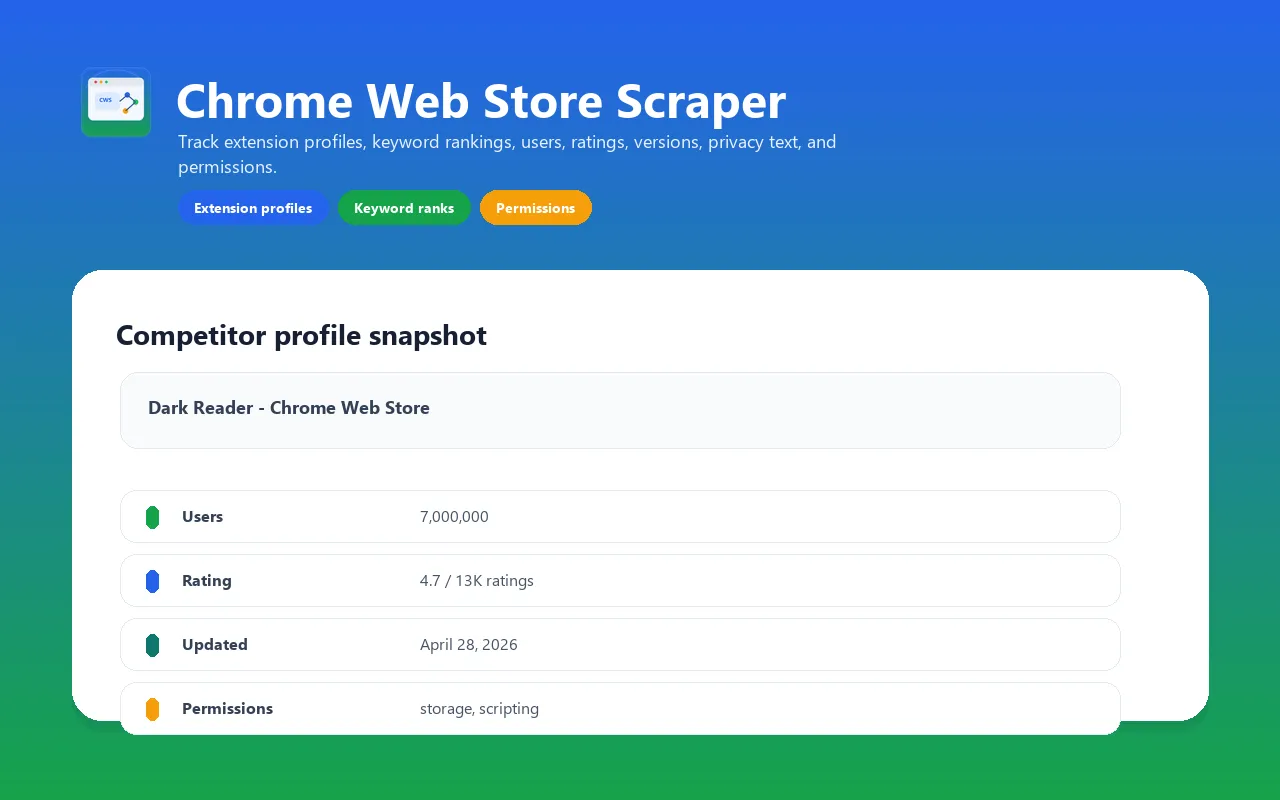
Scrape public Chrome Web Store extension profiles and keyword search rankings. Use this actor for extension competitor tracking, Chrome Web Store ASO research, permission audits, market mapping, and weekly ranking snapshots.
The actor opens rendered Chrome Web Store pages with Playwright because the useful profile data is JavaScript-rendered. It extracts extension metadata, ranking context, privacy text, and manifest permissions into a CSV/API-ready Apify dataset.
For implementation notes, examples, and Chrome Web Store research workflows, see the Chrome Web Store Intelligence guide on Konabayev.com.
Why use it and what data fields you can track
- Chrome Web Store extension profiles by URL or raw extension ID.
- Search rankings for keywords such as
screenshot,dark mode,coupon, orproductivity. - Users, ratings, rating counts, versions, and update dates.
- Extension category, offered-by/developer text, and public privacy disclosure text.
- Manifest permissions, optional permissions, and host permissions from the hydrated page payload.
- Competitor movement by repeating the same keyword run over time.
Input and how to run: fast first check
- Start with one public extension URL and
maxConcurrency: 1. - Inspect the profile status, metadata, permissions, privacy text, and
checkedAtbefore adding keyword searches. - Enable search details only for the ranked profiles you need, then schedule the validated query set.
Start with one extension URL. Keep browser concurrency low for more reliable Chrome Web Store rendering.
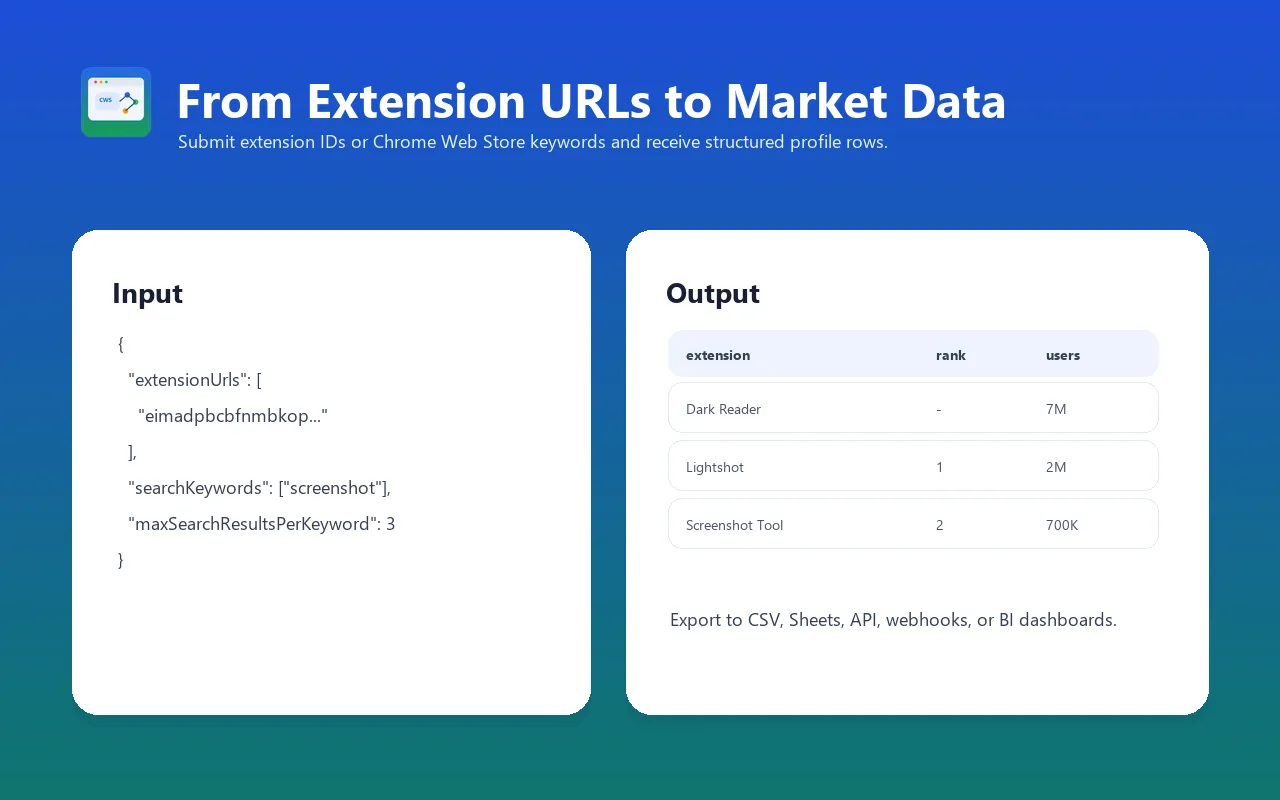
For keyword rank monitoring, add keywords and turn on profile details only when you need full metadata for every ranked result:
Output data fields
Each extension profile row includes:
extensionIdandextensionUrlextensionTitleandcategoryratingandratingsCountusersversionandupdatedofferedByanddeveloperwhen visibleprivacydisclosure textpermissions,optionalPermissions, andhostPermissionssearchKeywordandsearchRankwhen the profile came from keyword searchstatus,blockMarkers,error,checkedAt, andruntimeSeconds
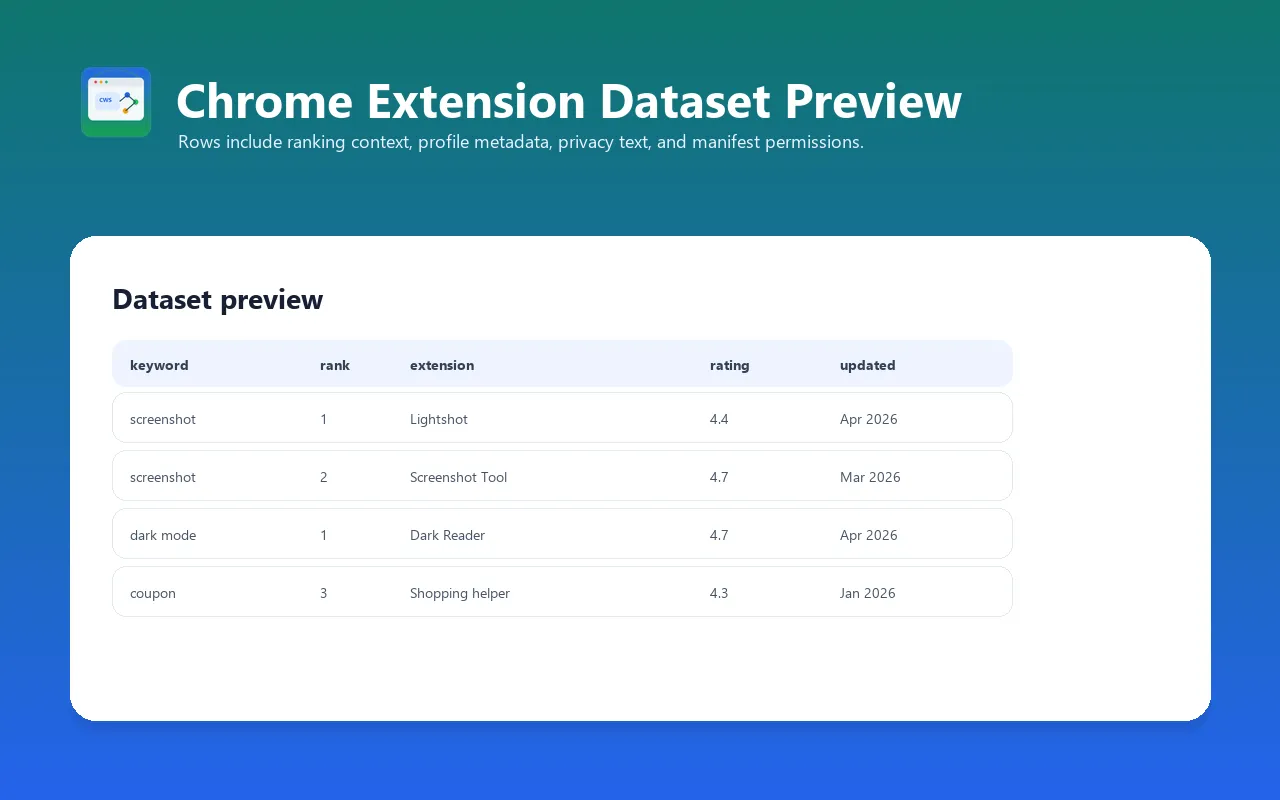
Example dataset row:
Use Cases
- Extension competitor monitoring: track competing extensions by URL and compare users, ratings, update cadence, and permissions.
- Chrome Web Store ASO: monitor keyword ranking positions and which extensions appear for target terms.
- Permission and privacy audits: review declared permissions and public privacy disclosures across a competitor set.
- Market mapping: collect category, rating, install/user, and update signals before building or acquiring an extension.
- Weekly rank snapshots: run the same keyword list on a schedule and export the dataset to Sheets, BI, or a database.
Chrome extension scraper comparison
| Route | Best for | Trade-off |
|---|---|---|
| This Actor | Repeatable profile/search snapshots in Apify datasets, schedules, API, and webhooks | Browser rendering costs more than a raw HTTP request |
| Manual Chrome Web Store review | One or two extensions | No structured bulk export or repeatable rank history |
| Chrome Web Store developer tools | Managing extensions you own | Not a competitor-research dataset |
Use this Actor for bounded public-market research, not for installing extensions, bypassing access controls, or asserting that declared permissions prove malicious behavior.
Pricing
This actor uses pay-per-event pricing. On 2026-07-14 the FREE-plan rates are $0.005 per extension profile and $0.0025 per search keyword, plus Apify's $0.00005 synthetic start event. The Pricing tab is authoritative for current tier discounts.
See the Pricing tab for the exact tiered price shown for your Apify plan. Start with the default input first, check the run cost, then scale keyword lists or competitor URL lists. The default run avoids Residential Proxy to keep simple public profile checks cheaper; enable proxy only if direct runs are blocked or incomplete.
FAQ
Does this install or execute an extension?
No. It reads public Chrome Web Store pages and does not install the extension or execute its code.
Are permissions proof that an extension is unsafe?
No. Permissions and public privacy text are review signals. Security conclusions require independent analysis and context.
Can search ranks change between runs?
Yes. Locale, Store experiments, timing, and page changes can alter results. Compare dated checkedAt snapshots instead of treating one row as permanent.
Validation evidence and official policy (2026-07-14)
Validation on 2026-07-14 ties the surface to primary sources:
- Chrome's Web Store program policies describe safety, transparency, privacy, responsible marketing, and quality requirements.
- Chrome's Web Store documentation is the official developer reference; this Actor is independent and not endorsed by Google.
- Output rows retain extension URLs, status/error fields, and
checkedAtfor source verification and time-bounded comparisons. - Strict Actor QA validates input/output schemas, metadata, links, Docker configuration, and PPE declarations before release.
Users must follow current Chrome Web Store terms and policies. This evidence does not guarantee complete rendering, extension safety, rankings, traffic, reviews, or AI citations.
Support
Send the run ID, public extension URL or keyword, locale, expected field, observed row, and visible error. Do not send browser cookies, credentials, or private extension packages.
Notes and limitations
- This is not an HTTP-only scraper. Chrome Web Store profile and permission data requires browser rendering.
- Keep
maxConcurrencybetween1and3; slow browser runs are more reliable than aggressive parallel scraping. - Public Chrome Web Store pages can change layout, show consent interstitials, or reject direct/proxy sessions. The actor retries transient browser/proxy failures and skips failed search-derived detail rows instead of failing the entire run.
- Use only legitimate public-data workflows and review your own compliance requirements before storing or processing scraped data.


