

WooCommerce & Shopify Price and Stock Change Monitor
Pricing
from $0.50 / 1,000 product checkeds
WooCommerce & Shopify Price and Stock Change Monitor
Monitor WooCommerce and Shopify stores for price, sale and stock changes, new and removed products. Outputs only the changes, with old and new values, ready for webhooks, n8n and Make.
Pricing
from $0.50 / 1,000 product checkeds
Rating
0.0
(0)
Developer

Uniano
Maintained by CommunityActor stats
0
Bookmarked
2
Total users
1
Monthly active users
18 hours ago
Last modified
Categories
Security
Limited permissionsShare
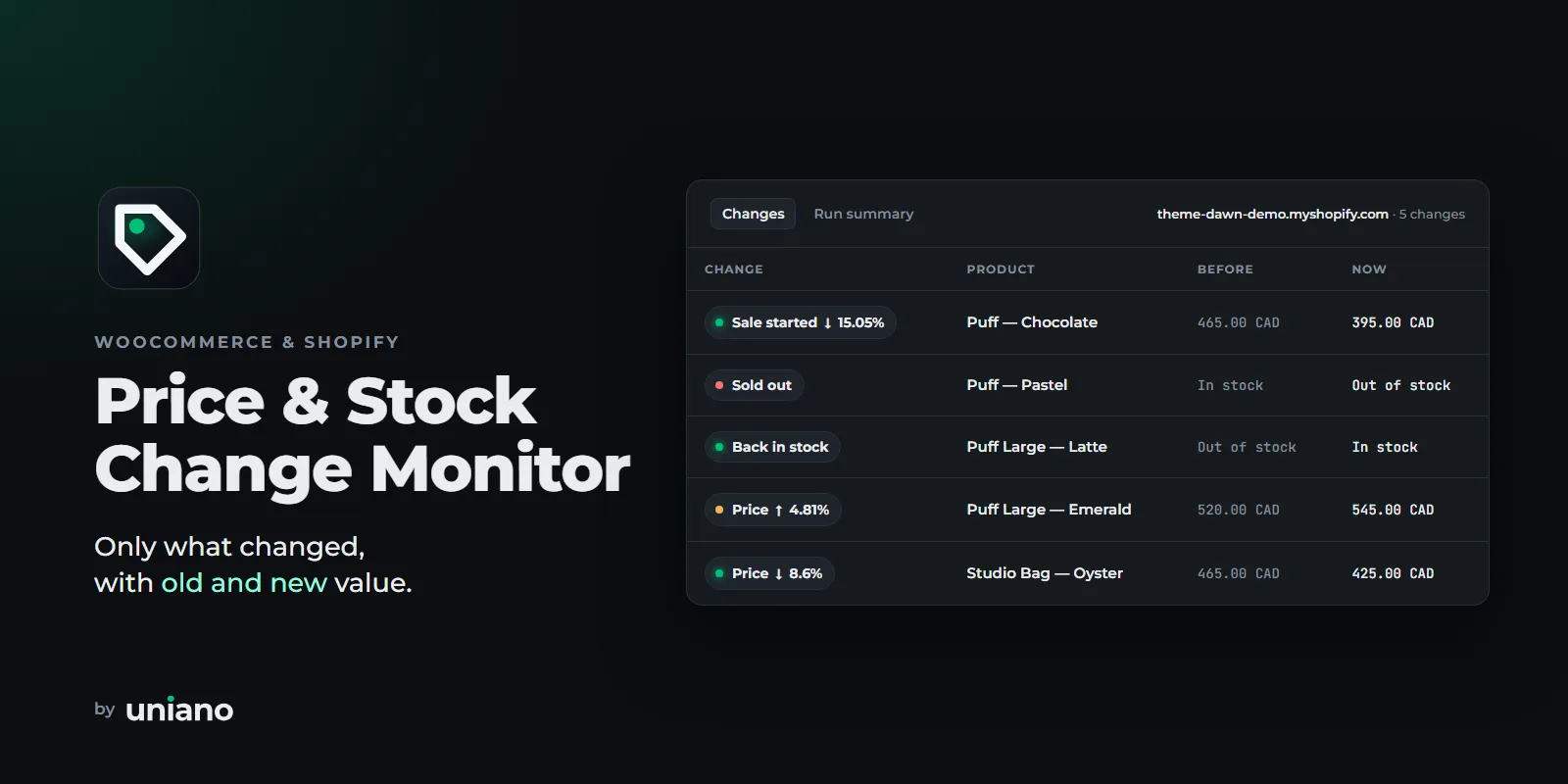
Track competitor prices, sales and stock on WooCommerce and Shopify stores and get only what changed since the last run: old value, new value, product link, SKU and currency. No full catalogue dumps to diff yourself, no spreadsheets to compare.
Schedule it daily (or hourly) and send the changes to Slack, Google Sheets, n8n, Make or Zapier.
Quick start
- Add store URLs. Paste a store home page, a category or collection, or single product links. WooCommerce and Shopify are detected automatically.
- Run once. The first run saves a baseline of every product, so the dataset shows one Baseline saved row per store.
- Schedule it. Add a schedule (for example, daily at 06:00) with the same input. Every next run lists only what changed. Add a webhook to get the changes in n8n, Make, Zapier or a Slack message.
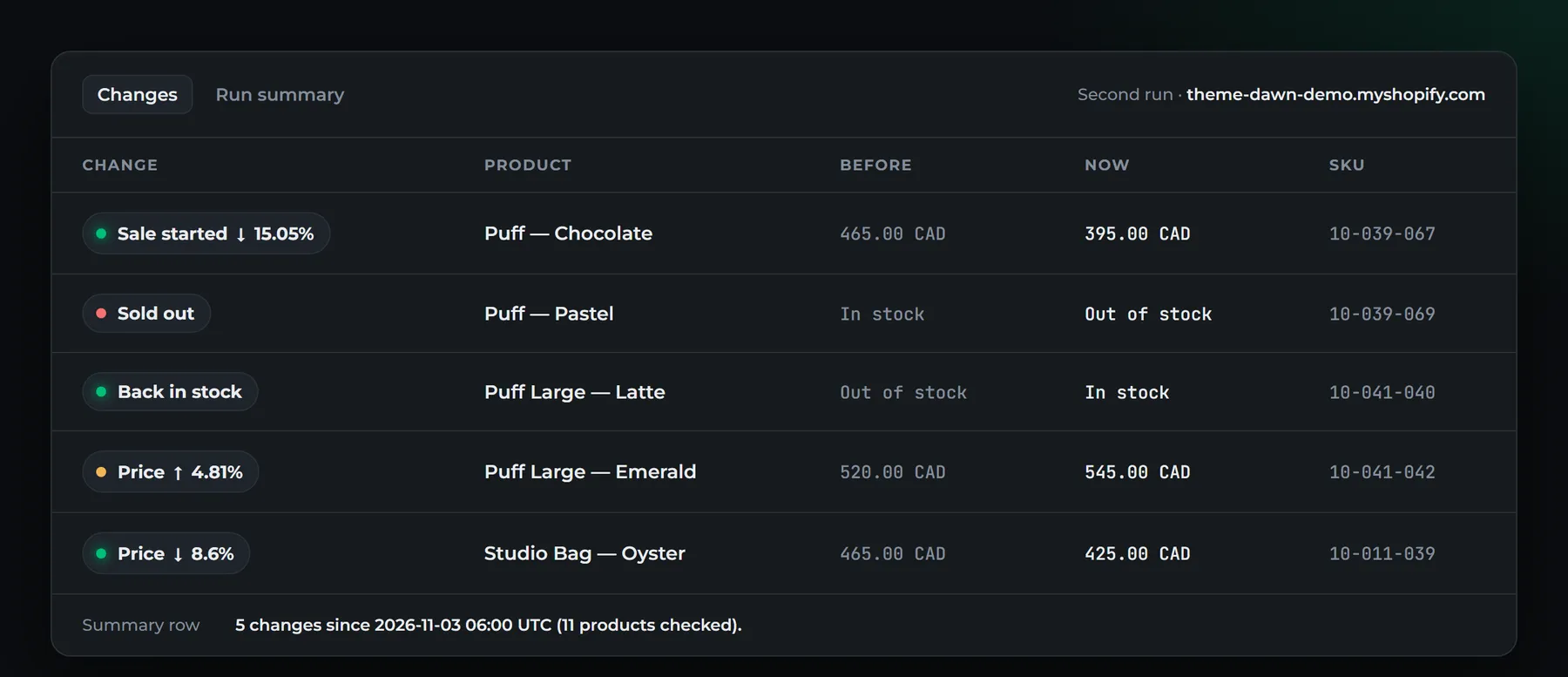
A second run looks like this:
What it detects
| Change type | Example |
|---|---|
price_changed | 25.00 → 19.99 (−20.04 %) |
sale_started / sale_ended | 8.00 → 6.00 when a sale starts |
sale_price_changed / regular_price_changed | sale price or the crossed-out price changes during a sale |
stock_status_changed | out_of_stock → in_stock (back in stock), in_stock → backorder |
stock_quantity_changed | 3 → 1 (WooCommerce stores that show the remaining quantity) |
product_added / product_removed | a new product appears, a product disappears |
currency_changed | the store switched currency |
Use cases
- Competitor price tracking: see every price move of your competitors the morning after it happens.
- Stock alerts: know when a competitor sells out (a chance to raise your price) or when a product is back in stock.
- MAP monitoring: watch your own SKUs at resellers' WooCommerce/Shopify stores and catch prices below the minimum advertised price. Use the SKU filter and "minimum price change".
- New product launches: get
product_addedfor every new item in a competitor's catalogue or collection.
How it works
- You enter store URLs (whole catalogue), category/collection URLs, or single product URLs.
- The Actor detects the platform and reads the store's public product feed:
WooCommerce Store API (
/wp-json/wc/store/v1/products) or Shopify/products.json. These are JSON endpoints that the platforms publish for storefronts; no login and no HTML scraping. - First run = baseline. The current state is saved in a named key-value store and the dataset gets one
summaryitem per store, not hundreds of "new product" rows. - Every next run compares the store with the saved snapshot and writes only the changes, plus one
summaryper store. - Optionally, one JSON payload with all changes is POSTed to your webhook.
Schedule the Actor in Apify (Schedules → e.g. every day at 06:00). Keep the same input and the same "Snapshot store name" so each run compares with the previous one.
Input
| Field | What it does |
|---|---|
| Store or product URLs | https://store.com (whole catalogue), https://store.com/product-category/hoodies/, https://store.com/collections/sale, https://store.com/product/blue-hoodie/, https://store.com/products/blue-hoodie. Mix stores and platforms freely. |
| Max products per store | Upper limit per store and run (default 1,000). Shopify variants count as products. |
| Categories / collections | Only check products in these WooCommerce categories (slug or ID) or Shopify collections (handle). |
| SKUs | Only check these SKUs (case-insensitive). |
| Change types to report | Leave empty for all. |
| Minimum price change (%) | Ignore small price moves, e.g. 2 %. |
| Webhook URL | Receives one JSON POST per run with all changes. |
| Report all products on the first run | Output every product as product_added on the first run instead of a silent baseline. |
| Include unchanged products | Also output the full current state of every product (type: "unchanged"). |
| Reset baseline | Start over with a new baseline. |
| Snapshot store name | Separate watchlists, e.g. competitors-de and resellers-map. |
Example input:
Output
Every dataset item has a type: change, summary, error (or unchanged if enabled). Two table views are ready in the Output tab:
- Changes: what changed, product, before and now (with currency), store and product link. Each store's block ends with its summary row.
- Run summary: the result per store and, if a store could not be read, what went wrong and how to fix it.
Every item also carries the same ready-to-show text fields for your own reports: label ("Price ↓ 20.04%", "Back in stock", "Baseline saved"), productName, oldDisplay / newDisplay ("25.00 EUR", "In stock"), storeName, message and productUrl. They are empty strings where they do not apply (for example, productName on a summary), never null; on summary and error items productUrl links to the store.
A change item:
A summary item (one per store and run):
status is baseline_created, changes_detected, no_changes or failed. Stores that cannot be read produce an error item with a code (NOT_A_SUPPORTED_STORE, API_BLOCKED, API_DISABLED, RATE_LIMITED, HTTP_ERROR, NETWORK_ERROR, …) and a hint. The other stores in the run are processed normally.
Webhooks, n8n, Make, Zapier
With a Webhook URL, the Actor POSTs once per run when something changed or a store or product could not be read (for example, a store started blocking requests). Turn on "Send webhook even without changes" to get it after every run:
The changes items are the same as in the dataset (up to 500 per payload; the dataset always has all of them). text is a ready-made plain-text summary (up to 10 change lines and a link to the run) that you can drop into a Slack, Telegram, Teams or email step as is. runUrl and datasetUrl link to the run in Apify Console. schemaVersion changes only if the payload shape changes in an incompatible way.
- n8n: Webhook node → Slack node with
{{$json.body.text}}, or "Split Out" onchanges→ Google Sheets / IFchangeType=price_changedandpriceDiffPercent< −10. - Make / Zapier: "Custom webhook" trigger, then iterate over
changes. - You can also use Apify's own integrations (Slack, Google Drive, email) on the dataset.
Pricing
Pay per event, you only pay for what is checked and found:
- $0.50 per 1,000 products checked (Shopify: per variant)
- $1.00 per 1,000 changes detected
Examples: a store with 500 products checked daily costs about 500 × 30 × $0.0005 = $7.50 per month plus changes. 10 changes a day add about $0.30 per month. The first (baseline) run is billed only for products checked.
Set a maximum cost per run in the run options. The Actor stops cleanly at your limit. If the limit cuts the change list, the snapshot is not advanced, so the remaining changes are reported in the next run.
Limits (please read)
- Only WooCommerce and Shopify stores whose public product feed is enabled. Some stores disable the WooCommerce Store API or protect
/products.json. You then get anAPI_BLOCKEDorAPI_DISABLEDerror item, not wrong data. - No bypassing: the Actor does not log in, use proxies to evade blocks, solve CAPTCHAs or scrape HTML. It identifies itself with an honest User-Agent and waits between requests.
- Shopify stock is in/out of stock only. Shopify's public feed does not expose quantities.
- WooCommerce variable products are tracked at product level (lowest variation price and overall stock status), not per variation.
- WooCommerce quantities appear only if the store shows them (e.g. "3 in stock" or low-stock notices).
- Product cap: when "Max products per store" is reached, removed products are not reported for that store, because the rest of the catalogue was not read.
- 0 products returned by a store that had products before is treated as a temporary problem: nothing is reported as removed, and you get an
EMPTY_CATALOGUEerror item. - Prices are what the public feed shows (usually the guest price incl./excl. tax as configured by the store). Customer-group or logged-in prices are not visible.
FAQ
Why didn't my first run output any products? The first run saves the baseline: you see one Baseline saved row per store. Run it again or add a schedule, and the next run lists only the changes. Turn on "Report all products on the first run" or "Include unchanged products" if you need a full list.
Can I monitor single products? Yes. Use product links in the standard format: WooCommerce /product/<slug>/ or ?p=<id>, Shopify /products/<handle>. Links of the same store are checked together.
Does it collect personal data? No. Only product data (name, URL, SKU, prices, stock) is read. No customers, reviews or orders.
Where is the snapshot? In the named key-value store from the input (default store-change-monitor-snapshots), one record per store and filter set. Changing filters starts a new baseline for that combination.
Found a bug or a store that should work but doesn't? Please open an issue with the store URL.


