
LeadGap AI — Local Business Leads & Website Gaps
Pricing
from $24.00 / 1,000 qualified opportunities
LeadGap AI — Local Business Leads & Website Gaps
Find local business leads for web design, local SEO and automation agencies. Choose a niche and city: dentist leads, plumber leads and more. Get website gaps, filtered public contacts, opportunity score, sales priority and a grounded pitch hook. Email deliverability is not verified.
Pricing
from $24.00 / 1,000 qualified opportunities
Rating
0.0
(0)
Developer

LeadGap AI
Maintained by CommunityActor stats
1
Bookmarked
2
Total users
0
Monthly active users
18 days ago
Last modified
Categories
Share
LeadGap AI — Local Leads, Website Gaps & Outreach Angles
Find local businesses with real website gaps, public contact details, and a grounded reason to contact them.
LeadGap AI is built for agencies, freelancers, consultants, and outbound teams that do not want another raw business-list export. It discovers or audits local businesses, checks their web presence, separates stronger opportunities from lower-confidence candidates, and returns evidence-based outreach angles you can actually use.
A real sample before you run
From the successful Restaurant / Manchester run, 5 October 2026. The Dentist / London example below uses the same output structure, with dental appointment and enquiry context.
| What you receive | Observed sample |
|---|---|
| Business | Toro's Steakhouse Manchester |
| Website gap | No click-to-call telephone link detected on the scanned pages |
| Public contact | +44 161 795 5447 |
| Pitch hook, shortened | Review and test the mobile contact path before proposing a change |
The hook is a shortened description of the emitted text; see the full result excerpt below. Findings are dated observations and should be rechecked before outreach. Email deliverability is not verified.
Run the Dentist / London example · Choose a public example
Example input: UK + London + Dentist → Audit: up to 30 businesses → Output: up to 10 qualified opportunities with website gap, public contact, priority and pitch hook. The output cap is not a guaranteed count.
Price: $0.03 per qualified opportunity at the standard rate. Up to 10 delivered opportunities cost up to $0.30 at that rate. Rejected and manual-review candidates do not trigger that event.
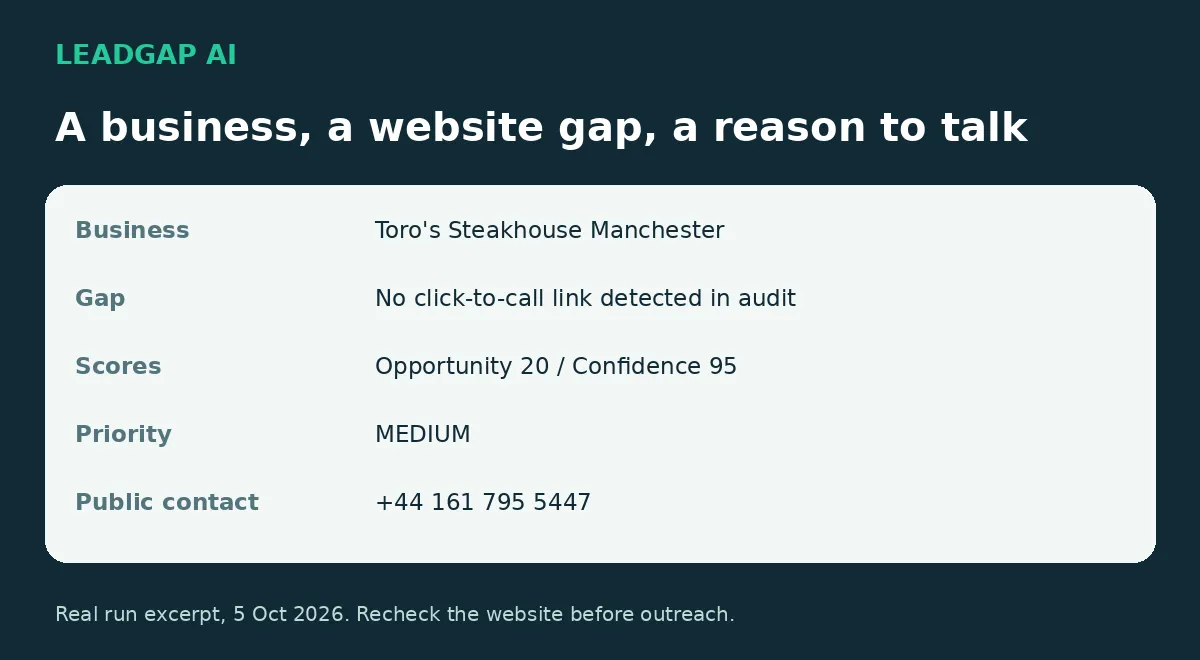
40-second illustrated walkthrough
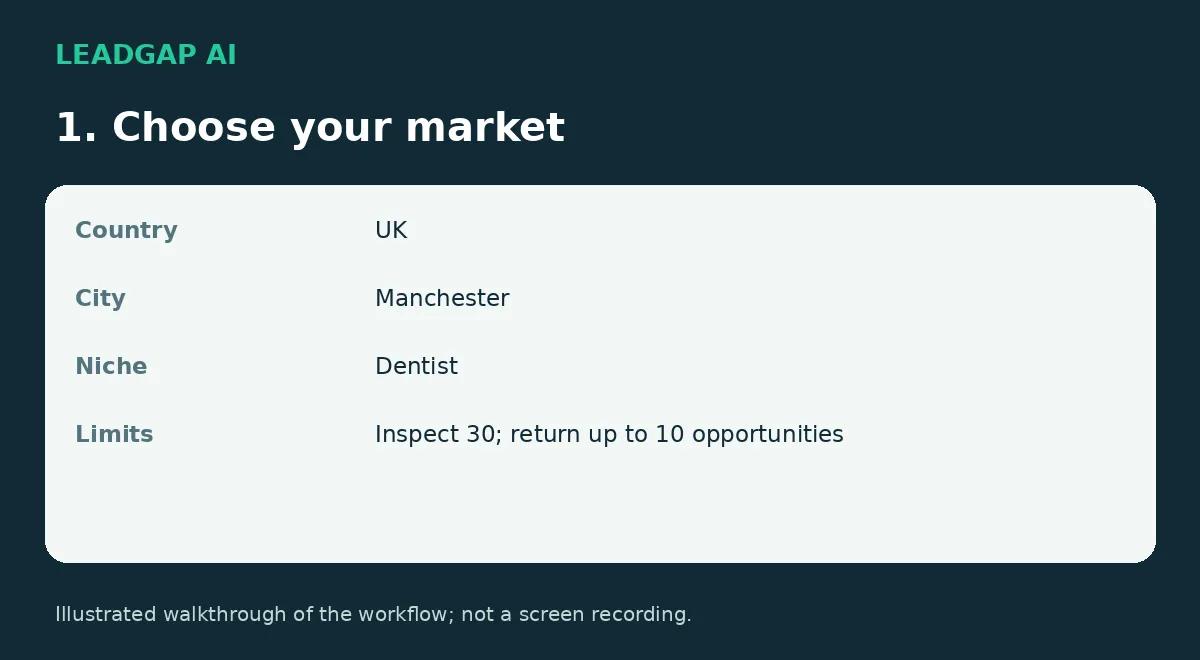
This animated guide explains the workflow and uses a real output excerpt. It is an illustrated walkthrough, not a screen recording.
LeadGap helps web design, local SEO, lead-generation agencies and freelancers decide who to approach and what to discuss. Choose a niche and city, run the audit, then review the opportunities.
What you get
- Local business discovery and website checks.
- Opportunity and confidence scores, sales priority and a recommended service.
- A reason for qualification and an outreach hook tied to what the audit detected.
- Public phone numbers, emails and social links when available.
- Qualified opportunities and Needs manual review kept separate.
Popular use cases
Find dentist leads in London
Discover dental practices with visible appointment, contact, mobile-conversion, or website gaps and rank the strongest outreach opportunities.
Find plumber leads
Find local plumbing businesses whose web presence suggests a realistic redesign, lead-capture, mobile-contact, or local SEO opportunity.
Find restaurants with weak websites
Audit restaurant websites for reservation, ordering, mobile contact, and conversion-path friction.
Find med spa, beauty salon, lawyer, and accountant leads
Use niche + city discovery to build targeted local prospect lists instead of buying generic lead databases.
Find businesses without online booking
Surface businesses whose booking or enquiry journey appears missing or weak, then verify the evidence before outreach.
Audit your own prospect list
Skip discovery and submit website URLs directly when you already have a list of businesses you want LeadGap to evaluate.
Quick start
- Select the country, city and business type.
- Set how many businesses to consider and the maximum qualified results.
- Run the Actor.
- Open Sales-ready leads to review qualified opportunities.
- Export JSON, CSV or Excel. Check the business and contact route before outreach.
Dentist / London
For restaurants, use "businessType": "Restaurant" and "city": "Manchester". Restaurant opportunities focus on reservation, ordering and contact journeys; dental opportunities focus on appointment and enquiry journeys.
maxBusinesses is the number considered. maxResults is a cap on qualified output, not a promise that every listing will qualify. A run can return fewer results, including zero.
Audit a known list
Add URLs to websites to audit them directly instead of discovering businesses. Use the relevant business type to give the audit niche context.
What is a qualified opportunity?
A business that passes LeadGap's relevance and commercial filters, meets its confidence threshold, has HIGH or MEDIUM sales priority and an actionable service angle, and is written to the qualified dataset.
Qualification means a prospect worth checking, not a confirmed buyer or a guaranteed sale. An automated check that did not detect a booking or contact feature does not prove it is absent everywhere. Dynamic widgets, unscanned pages and third-party services can require a manual check.
Real output excerpt
The following excerpt comes from a Restaurant / Manchester run. Results change as websites and listings change.
The full record can also contain rating, reviews, address, social links, opening hours, qualification reason and audit coverage.
Needs manual review
Some candidates show a promising opportunity but the audit covers only one page and confidence is below the qualification threshold. These records are saved separately under Storage → Key-value store → NEEDS_REVIEW.
They include reviewStatus: "NEEDS_REVIEW" and a reviewReason. Inspect the site and business match before using them for outreach. They are not written to the qualified dataset and do not trigger the Qualified opportunity charge. An empty review list is a valid result.
Contact data and email hygiene
LeadGap extracts publicly available contact information and applies filters for placeholder addresses, unrelated domains and some location mismatches. Email can be empty; the business may still have a public phone or another contact route.
This is contact discovery and filtering, not mailbox or deliverability verification. Check the relevant branch and validate an address before emailing. No email address is invented when none is available.
Website source
GOOGLE_MAPS: supplied by the business listing.EXTERNAL_SEARCH: found through an additional website search.NOT_FOUND: no sufficiently strong official-site match was found.
NOT_FOUND is a prospecting signal, not proof that the business has no website. Confirm the match manually.
Pricing
$30 per 1,000 qualified opportunities ($0.03 each) at the standard rate.
Apify plan discounts: Bronze $28, Silver $26, Gold $24 per 1,000. This is why the Store may show “from $24”.
The billable event is Qualified opportunity. It is associated with accepted qualified dataset output. Discovered listings, rejected candidates and Needs manual review records do not trigger that event. Under the current Actor pricing settings, users do not pay separate Apify platform usage costs for this Actor.
API, automations, and AI agents
LeadGap can be run from the Apify Console, API, scheduled Tasks, integrations, and Apify MCP workflows. The public Example Tasks are intentionally named around concrete buyer jobs so they can be discovered by people and AI agents looking for local lead-generation and website-gap workflows.
Common automation pattern: niche + city → qualified opportunities → export/API → CRM or outreach review.
60-second demo flow
London + Dentist → inspect 30 businesses → return up to 10 qualified opportunities → review website gap, public contacts, priority, and outreach hook.
Use the public Example Tasks in the Store when you want to launch a common scenario without configuring the Actor from scratch.
Trial
Want to see the output before choosing your workflow? Email leadgapaicatalogfix@gmail.com with your niche, city and country.
We will run LeadGap on 10 local businesses and send the qualified opportunities found, with review candidates clearly labelled. Ten businesses inspected does not guarantee ten qualified leads.
Integrations
Use the Apify API, scheduling, or Apify MCP to connect LeadGap to your workflow. Export qualified records to your CRM or spreadsheet after review.
Support and honest feedback
Use the Actor's Issues tab for a reproducible problem or workflow question. Include the run ID and the expected result, without private credentials. If LeadGap helped with a real prospecting task, an honest Store review describing that task is welcome. No review is required for support or a sample.
Documentation and public example pages checked: 14 October 2026. Website findings remain dated observations; they are not promises of current business needs.


