
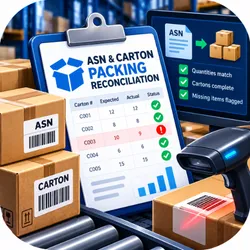
ASN & Carton Packing Reconciliation
Pricing
$0.39 / completed asn carton review
ASN & Carton Packing Reconciliation
Compare current purchase orders, ASN notices and actual packing exports by shipment, carton and PO line. Flag quantity and missing-carton differences, preserve incomplete records, and avoid unsupported unit conversions.
Pricing
$0.39 / completed asn carton review
Rating
0.0
(0)
Developer

Mahruf Hossain
Maintained by CommunityActor stats
0
Bookmarked
2
Total users
1
Monthly active users
12 days ago
Last modified
Categories
Share
Check whether an advance shipping notice describes the cartons your warehouse says it packed. ASN & Carton Packing Reconciliation compares three structured exports: current purchase order lines, declared ASN carton lines and actual packing carton lines. It highlights quantity differences, missing carton records, unsupported units and cumulative packing above the current order.
This is a focused review for suppliers and logistics teams that already use an EDI or warehouse system. It does not translate X12, generate labels, transmit an ASN or certify retailer compliance. The benefit is an independent comparison of what was ordered, what was declared and what was recorded as packed.
Key features
- Compare ASN and packing quantities at shipment, carton and PO-line level.
- Prevent differences in separate cartons from cancelling into a misleading matching shipment total.
- Aggregate packing across split shipments against the current order quantity.
- Use exact decimal arithmetic with up to three fractional places.
- Keep unsupported SKU or unit mappings unresolved rather than inventing conversions.
- Ignore exact duplicate stable records while rejecting conflicting IDs or PO revisions.
- Preserve incomplete export scope explicitly, without declaring missing notices to be shipping defects.
Who is it for?
Retail suppliers preparing shipment notices, 3PL teams reviewing warehouse exports and EDI coordinators investigating mismatches are the intended users. You need authorized structured data from your current systems and a consistent mapping between their order, line, shipment and carton identifiers.
An operations owner should review findings before changing a shipment or notice. Exported packing data does not independently establish what physically left a warehouse. A recorded ASN difference is not proof that a retailer will issue a chargeback, and this tool does not calculate or recover chargebacks.
Real-world uses
Review a shipment before transmitting its final notice. Investigate why a shipment total matches while individual cartons disagree. Check cumulative fulfillment when one PO is split across several shipments. Find an ASN line that references an unknown current PO line. Identify units that require an explicit mapping before anyone compares case quantities with individual pieces.
Quick start
Run the supplied example without credentials. Its invented order is for ten units, its ASN declares ten and its packing record says nine. The review returns a signed ASN-minus-packed difference of 1.000 and leaves one ordered unit open. That open quantity is not itself classified as a defect.
For production, export the agreed current PO revision and the relevant shipment history. Normalize identifiers deliberately. If one system uses a carton SSCC and another an internal box ID, establish their mapping outside this Actor. Do not mark coverage complete until you have checked the export scope.
Input example
Input parameters
| Parameter | Required | Meaning |
|---|---|---|
coverageComplete | Yes | Confirms the current PO and relevant ASN/packing scope is complete |
orderLines | Yes | 1–2,000 current lines with PO ID, line ID, SKU, unit and quantity |
asnLines | Yes | 0–5,000 declared carton lines with stable record and shipment IDs |
packedLines | Yes | 0–5,000 actual packing-export lines with the same mapped identifiers |
Quantities are nonnegative decimal strings with no more than three fractional digits. Numbers, negative credits and scientific notation are rejected. Identifiers permit ASCII letters, digits and _.:-, up to 80 characters. The entire input must fit within 2 MB.
Empty ASN or packing arrays are allowed, but must be supplied. Current PO lines cannot be empty. Conflicting versions of the same PO line fail; select the agreed revision first. Carton IDs are customer-mapped keys, not verified GS1 registrations. No barcode check-digit or retailer registration claim is made.
Output and verified example
The full report is stored as one default dataset item and the OUTPUT key-value record. The packaged example produces one carton comparison and one finding:
Additional fields record the number of contributing ASN and packing records. orderReview shows ordered, ASN and packed totals per PO line, plus remaining ordered quantity. findings contains supported differences; unresolved identifies records that could not be compared safely. summary includes ignored exact duplicates and unresolved-record counts. checkedAt is processing time, not shipment time.
How comparisons work
First, the Actor validates current PO lines and detects conflicting revisions. It then validates each shipment record and matches it to its PO line. SKU and unit must match exactly. It aggregates declared and packed quantities within each shipment/carton/PO-line key, then compares those ledgers. Finally it compares cumulative packing with the current ordered quantity.
A partial fill is labeled OPEN_QUANTITY_NOT_A_DEFECT: it may be a legitimate backorder or planned split. An observed overfill is flagged only when the relevant scope is complete. With incomplete scope, comparisons stay unresolved. A SKU or unit mismatch also makes the affected order line unresolved; no automatic substitution or case-to-piece conversion occurs.
Stable IDs are scoped by shipment and record kind. Exact duplicate exports are ignored with a count. Different IDs are retained as separate records, even when quantities look similar. This avoids deleting legitimate repeated lines merely because they resemble duplicates.
Pricing
Each completed review costs $0.39, including explicit unresolved results. Invalid input that cannot produce a review has no completed-review event. The charge is per bounded report, not per difference or carton.
Ten completed reviews cost $3.90 in Actor events; 100 cost $39; 1,000 cost $390. Apify platform usage and plan-specific terms can apply separately. Check the live pricing display and set a suitable run spending limit. Scheduled reruns are new reports and are charged again; the Actor does not maintain a permanent cross-run duplicate ledger.
API integration and scheduling
Schedule your existing exports, then pass a fresh bounded input after the exports finish. Static Apify task input does not fetch current WMS records automatically. Preserve original authorized references for investigation and inspect coverage before forwarding findings to operations. This Actor performs no shipping or accounting writes.
Limits and accuracy
The runtime budget is 128 MB and 30 seconds. Input beyond the documented line or byte limits fails rather than being silently truncated. Split large reviews by a deliberate scope, remembering that cumulative overfill cannot be established across omitted shipments.
No X12 or EDIFACT parser, label generator, transport connector, quantity conversion or customer-specific compliance engine is included. The review uses the quantities and revisions you supply. It cannot establish actual physical contents, approved substitutions, cancellations not reflected in the current PO, or retailer acceptance. Do not use it as the sole authorization to ship.
Privacy and security
Provide only records you are authorized to process. Customer addresses, contact details, credentials and item descriptions are unnecessary. Stable pseudonyms can be used if consistent across exports. Input and output remain in Apify storage under your permissions and retention settings. There are no carrier, retailer or warehouse requests from the Actor. Restrict dataset sharing and remove old operational records according to your policy.
Troubleshooting and FAQ
Why is a line unresolved? Check its current PO reference, SKU, unit and confirmed export coverage.
Why are two cartons reported when the shipment total matches? Different carton allocations are intentionally compared separately. An incorrect carton should not disappear inside a correct overall total.
Can I upload raw 856 files? No. Supply structured lines exported or mapped by your authorized EDI system.
Does an open quantity mean a missed shipment? No. It may be a planned partial fill, so the Actor labels it without declaring a defect.
Can it convert CASE to EA? No. Apply a verified pack-size mapping upstream and preserve its evidence.
Why did a repeated record fail? The same scoped ID had conflicting content. Resolve the source inconsistency instead of assigning invented replacement IDs.
Support
Use the Actor's Apify Store issue section. Include the run ID, expected comparison and a minimal redacted example with stable identifiers. Do not include retailer credentials or private customer data. Supply the input units and revision context when reporting a quantity issue so the behavior can be reproduced accurately.


