
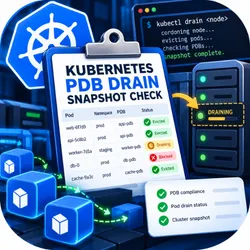
Kubernetes PDB Drain Snapshot Check
Pricing
$0.26 / completed pdb snapshot review
Kubernetes PDB Drain Snapshot Check
Review policy/v1 PDB blockers across planned target nodes using projected pod and budget snapshots. Detect shared-budget exhaustion, overlapping selectors and stale status. Read-only; no kubeconfig, eviction or drain-success guarantee.
Pricing
$0.26 / completed pdb snapshot review
Rating
0.0
(0)
Developer

Mahruf Hossain
Maintained by CommunityActor stats
0
Bookmarked
2
Total users
1
Monthly active users
13 days ago
Last modified
Categories
Share
Review the PodDisruptionBudget component of a proposed multi-node drain before an operator takes action. Kubernetes PDB Drain Snapshot Check evaluates a projected pod and policy/v1 budget snapshot, shares available disruption allowances across target nodes, and highlights exhausted budgets, overlapping selectors and stale status.
It is a read-only preflight report. It needs no kubeconfig and makes no cluster requests. A favorable PDB result does not guarantee that kubectl drain will succeed: admission controls, unmanaged pods, scheduling capacity and live state remain outside this component check.
Key features
- Evaluate
matchLabelsand the four supported label-selector expression operators. - Respect namespace boundaries and policy/v1 empty-selector semantics.
- Reserve a shared snapshot allowance across every targeted node rather than granting the same allowance repeatedly.
- Distinguish
IfHealthyBudgetfromAlwaysAllowfor unhealthy running pods. - Keep stale PDB generations, old snapshots and incomplete scope unresolved.
- Identify overlapping matching PDBs instead of assuming their allowances can be combined.
- Skip explicitly identified DaemonSet, static mirror, terminating and terminal pods.
Who is it for?
Platform engineers, SRE teams and managed Kubernetes operators preparing recurring maintenance reviews can use this Actor. It is designed for teams that can export a coherent, minimal snapshot and want a structured review artifact without giving an external process cluster credentials.
Native Kubernetes tools remain authoritative. This Actor complements a live operational check; it does not replace the eviction API, grant permission to bypass a budget or recommend automatically weakening protection. Review blockers with the workload owner and recheck current state before acting.
Practical use cases
Examine whether several planned target nodes compete for one remaining disruption allowance. Find a selector overlap before maintenance. Distinguish an unhealthy pod allowed by its declared policy from one blocked by insufficient health. Catch a snapshot whose PDB controller has not observed the latest generation. Produce a bounded review artifact for a change request while keeping actual evictions inside your existing controlled tooling.
Quick start
Run the included invented example. Two healthy pods are on a target node and their matching budget permits one disruption. In deterministic namespace/name order, the first consumes that snapshot allowance and the second is reported as blocked. No cluster is contacted and no pod is evicted.
For a real review, project authorized pod and PDB metadata into the documented format. Capture a coherent scope, record its actual capture time and set asOf to the review time. Do not update timestamps merely to make old data appear fresh. Confirm coverage only when all relevant resources are included.
Input example
Input parameters and projection
| Field | Meaning |
|---|---|
snapshotAt | Actual capture time in exact UTC YYYY-MM-DDTHH:mm:ssZ |
asOf | Review time, at or after capture |
maxAgeSeconds | Accepted age, integer 1–900 seconds |
coverageComplete | Explicit confirmation of relevant snapshot scope |
targetNodes | 1–100 unique node names |
pods | 1–3,000 minimal projected pod records |
budgets | 0–300 projected policy/v1 PDB records; array must be present |
Map pod namespace/name/labels from metadata and node name from spec.nodeName. ready represents a Ready=True condition, not merely a Running phase. Project phase, effective owner kind and whether a deletion timestamp is present. Classify static mirror pods explicitly as MirrorPod; use DaemonSet for daemon-owned pods. Do not include container environments, tokens or complete raw pod specifications.
For budgets, project metadata generation, observed generation, selector, disruptions allowed, current healthy and desired healthy counts. Supply the effective unhealthy-pod policy explicitly; Kubernetes's default is IfHealthyBudget when omitted upstream. Only policy/v1 selector semantics are supported. A null selector matches no pods; an empty object matches all pods in that namespace.
Output and verified example
The packaged two-pod example returns two target pods, one blocking pod and zero unresolved pods. Its second row has state BLOCK_DISRUPTION_BUDGET_EXHAUSTED. The matching budget's remaining allowance is zero.
rows contains per-pod component decisions. budgetReview records snapshot allowances and remaining reservations. missingTargetNodes explicitly lists nodes not represented by supplied pod records; those cannot be declared covered. summary separates blocking, unresolved and skipped counts. The full report is one default dataset item and an identical OUTPUT key-value record.
coverageComplete describes this supplied component review, not global drain readiness. checkedAt records processing time. The Actor cannot independently authenticate your snapshot or prove its real capture time.
How the component check works
The Actor validates the projected metadata and selectors, filters pods on target nodes, and processes them in deterministic namespace/name order. It checks matching namespace-scoped budgets and reserves available disruption counts without replenishment. It never simulates replacement pods becoming ready, scheduler decisions or controller progress during a real drain.
Unhealthy running pods receive the declared policy treatment. Stale observed generations remain unresolved. More than one matching PDB is a blocker rather than an opportunity to add allowances together. Pending or unknown-phase pods are unresolved in this narrow model. Skipped pods are identified explicitly; skipping a component review is not a statement that deleting such a pod is safe.
Pricing
One completed bounded review costs $0.26, including reports showing blockers or unresolved data. Invalid input that cannot produce a review has no completed-review event. There is no per-blocker charge and no incentive to manufacture findings.
Ten completed reviews cost $2.60 in Actor events; 100 cost $26; 1,000 cost $260. Apify platform usage and plan-specific conditions may apply separately. Inspect the current run pricing and set a suitable spending limit. Every scheduled rerun is a new review and is charged separately.
API integration and recurring reviews
Use your existing authorized export workflow to refresh input before a change review. Static Apify task input does not refresh itself or connect to Kubernetes. Keep capture time, resource scope and declarations accurate. Requery the real cluster and use its eviction API before any maintenance action.
Limits and accuracy
The complete input is limited to 2 MB, with 128 MB memory and a 30-second runtime budget. Labels and selector expressions are bounded. Duplicate pod, PDB and target-node references fail instead of being silently merged. Oversized workloads are rejected rather than truncated.
This is not a full Kubernetes drain simulator. It omits replacement scheduling, capacity, topology, volume attachment, admission webhooks, unmanaged-pod approval gates, grace periods and live races. A reported allowance is valid only within the declared snapshot model. Actual live allowances can change immediately. Never use the output to justify bypassing an eviction rejection or deleting protected pods directly.
Privacy and security
Provide only metadata you are authorized to process. Namespace names, labels and node references may reveal internal systems even without credentials. Minimize or consistently pseudonymize them where practical. The Actor needs no kubeconfig, tokens, certificates or private API endpoints. It makes no cluster requests. Input and reports remain in Apify storage under your account's access controls and retention settings; restrict sharing and remove old snapshots when no longer needed.
Troubleshooting and FAQ
Why are pods unresolved? Check coverage, age, observed generation and supported Running phase. Do not repair uncertainty by changing timestamps without a fresh export.
Why can the second node be blocked when the first is allowed? Both may share one budget. The same disruption allowance cannot be spent twice in this snapshot model.
Does AlwaysAllow permit every pod? No. Its special treatment concerns unhealthy running pods; healthy pods still require an available allowance.
Why do empty and null selectors differ? Those are the documented policy/v1 semantics. Older API versions are unsupported.
Can I use this to drain a node? No. Use authorized native tooling after reviewing current cluster state.
Why is a node with no supplied pods marked missing? The Actor cannot distinguish a genuinely empty node from an omitted export. Confirm it separately rather than treating absence as clearance.
Support
Open an issue on the Actor's Apify Store page with the run ID and a minimal projected, redacted fixture. Include the expected selector match or budget decision. Never share kubeconfig, tokens, environment variables or private certificates. Component-specific reproductions help identify real release defects without exposing your cluster.


