

AliExpress Scraper: Products, Prices, Orders Sold & Reviews
Pricing
from $4.80 / 1,000 search results
AliExpress Scraper: Products, Prices, Orders Sold & Reviews
AliExpress search results as a shopper in your country sees them: price, discount, orders sold, rating, images, ship-from, listing date, sponsored and Choice flags, in any currency; plus buyer reviews with text, English translation and photos, and each product's star breakdown. No login.
Pricing
from $4.80 / 1,000 search results
Rating
0.0
(0)
Developer

Zaiq
Maintained by CommunityActor stats
0
Bookmarked
2
Total users
1
Monthly active users
9 days ago
Last modified
Categories
Security
Limited permissionsShare
AliExpress Scraper: products, prices, orders sold, ratings and reviews
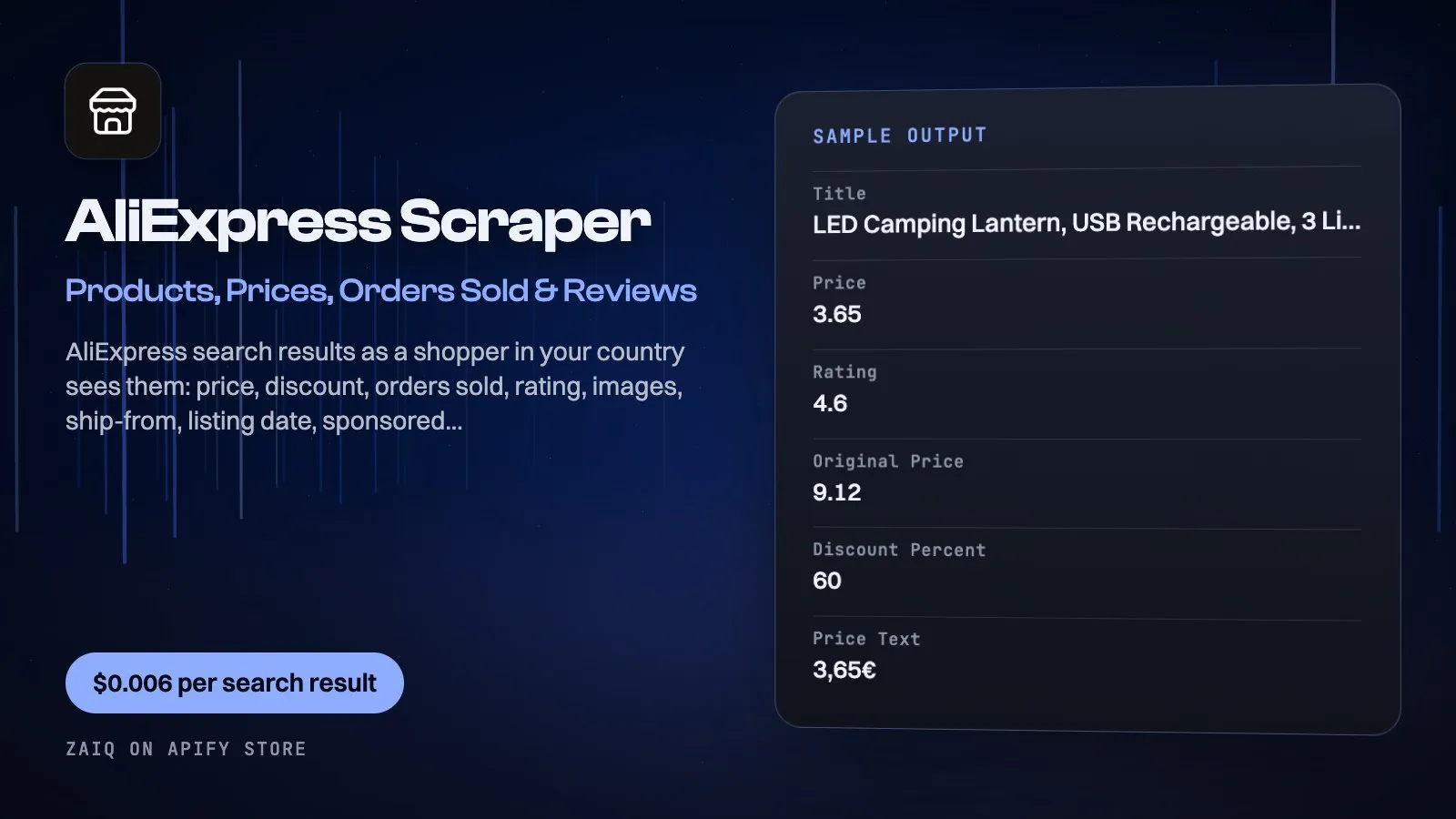
Get AliExpress search results as a shopper in your country sees them: price, original price and discount, orders sold, rating, images, ship-from country, listing date, sponsored and Choice flags, free-shipping and deal tags, category ids and rank, for any keyword or AliExpress search link, sorted by best match, most orders or price, in any ship-to country and currency.
Add buyer reviews for any product, with the text, AliExpress's English translation, photos, the variant bought, buyer country and date, and each product's star breakdown, positive-review share and review highlights (what buyers mention most). Built for dropshipping product research, price monitoring and market research. No account, no API key, no browser.
What you get
| Field | What it holds |
|---|---|
| Search result rows | productId, title, price, originalPrice, discountPercent, currency, priceText, sold, soldText, rating, sponsored, choice, freeShipping, tags, shipFrom, listedOn, categoryIds, image, images, url, search, rank, shipTo |
| Rating summary rows (free) | productId, rating, reviewCount, ratingBreakdown (5 to 1 stars), positiveReviewPercent, withPhotos, reviewHighlights (e.g. 'good quality', mentioned 199 times) |
| Review rows | stars, text, translation (English), date, variant bought, buyerName (as AliExpress masks it), buyerCountry, photos, helpful votes, shipping method used, additionalReview |
What people use it for
- Dropshipping product research: sort a niche by Most orders to see proven sellers, their prices and ratings
- Price monitoring: schedule a daily search and track prices and discounts of the products you sell
- Review mining: pull written reviews with photos and English translations to see what buyers love or complain about
- Supplier shortlists: compare similar products by orders sold, rating, discount and ship-from country
- Market research: see what sells and at what price in any country, in its currency
- Catalog and AI datasets: clean, consistent product and review rows
How to use it
- Add searches (or paste AliExpress search links with their filters), and choose the sort and how many results per search.
- For reviews, add product links or ids, or turn on Reviews for every search result, and set Reviews per product.
- Pick the ship-to country and currency, then click Start. Download the rows as JSON, CSV or Excel, or schedule the run.
Input
| Field | Example | Notes |
|---|---|---|
| Searches | wireless earbuds | Or AliExpress search links (aliexpress.com/w/wholesale-...) |
| Results per search | 60 | 60 a page, up to 3,000 per search |
| Sort | Most orders | Best match, Most orders, Price low-high, Price high-low |
| Skip sponsored results | off | Ads are flagged either way |
| Products (for reviews) | https://www.aliexpress.com/item/1005006852821618.html | Links or product ids |
| Reviews for every search result | off | Star breakdown and reviews of each result |
| Reviews per product | 20 | 0 = only the free star breakdown |
| Which reviews | With written text | With text, with photos, or all |
| Ship to | DE | Two-letter country code |
| Currency | EUR | Three-letter currency code |
Output
Each result is one row in the run's dataset (download it as JSON, CSV, Excel, XML or HTML, or read it through the API). An example row (values shortened):
A record named SUMMARY in the run's key-value store says what each input returned, with any notes (for example an account that does not exist), what was charged and how much traffic the run used.
Pricing
- $0.006 per search result (each product listed in AliExpress search)
- $0.003 per review
- Each product's rating summary (star breakdown, positive share, highlights) is free with its reviews
- Pages AliExpress refused are free
What typical jobs cost at the list price:
| Job | Cost |
|---|---|
| One page of search results (60 products) | $0.36 |
| Top 500 best sellers of a niche | $3.00 |
| 20 written reviews of one product | $0.06 |
| 60 search results + 20 reviews each | $3.96 |
| Daily price check of a 60-product search, for a month | $10.80 |
On Apify's Scale and Business plans the per-event prices are lower (Store discounts). Set Maximum cost per run and the Actor stops cleanly when it is reached: you never pay more than that.
Tips
- Sort by Most orders to see proven sellers first: in that order every card carries its sold count and rating.
- Set Ship to to your store's market: AliExpress shows different products and prices per country.
- Leave Which reviews on 'With written text' to pay only for reviews you can read; star breakdowns come free.
- Set Reviews per product to 0 to get every product's star breakdown and review highlights for free with its search result.
Use it through the API
Python
JavaScript
HTTP (one call, results back)
Integrations and schedules
- Schedules: run it every hour, day or week from the Apify Console (Schedules) and keep a history of results.
- Make, Zapier, n8n, Google Sheets, Slack, Airtable: connect it through Apify's integrations, or send each finished run to a webhook.
- Datasets: results stay in the run's dataset; export them or read them by API whenever you need them.
Use it with AI agents (MCP)
Add Apify's MCP server (https://mcp.apify.com) to Claude, ChatGPT, Cursor, VS Code or any MCP client. The agent can find this Actor and run it for you: ask it for "the 50 best-selling camping lanterns on AliExpress for Germany, in euros". AI agents can also pay for runs directly through Apify's agentic payments.
Limits
- Pages are read signed out: app-only prices and personal coupons are not shown; welcome-deal tags appear as AliExpress shows them to new shoppers.
- In 'Best match' order AliExpress leaves the sold count and rating off some search cards; 'Most orders' order has them all.
- Product pages (variants, stock, shipping options) are not read: AliExpress refuses most automated product-page visits from cloud servers.
- Up to 3,000 products (50 pages) per search.
FAQ
Do I need an AliExpress account?
No. Everything is read signed out, like a visitor.
Which countries and currencies?
Any ship-to country AliExpress delivers to, and any currency it offers (USD, EUR, GBP, AUD, CAD, BRL, ZAR...). US shoppers see aliexpress.us listings, whose product ids differ.
Are reviews in English?
Each review has the buyer's original text and AliExpress's English translation.
Why do prices differ from what I see in my browser?
AliExpress prices depend on the country, the currency and whether you are signed in (personal coupons, app prices). This Actor reads as a signed-out shopper in the ship-to country you choose.
Do you read product pages with variants and stock?
Not at the moment: AliExpress refuses most automated product-page visits from cloud servers. Search results carry price, discount, orders sold and rating; reviews carry the variant each buyer bought.
How fast is it?
A page of 60 search results takes a few seconds; reviews come 50 at a time.
Related Actors from Zaiq
- amazon-product-scraper: the same products' prices and ratings on Amazon in 23 stores
- tiktok-shop-scraper: what sells on TikTok Shop, with items sold and stock
- google-trends-scraper: is demand for a product rising before you list it?
- facebook-ads-library-scraper: which stores already run ads for a product
Support
Questions, a site that changed, or a field you need? Open an issue on this Actor's Issues tab: we answer there, usually within a day.
Also found as: aliexpress scraper, aliexpress api, aliexpress product scraper, aliexpress search scraper, aliexpress reviews scraper, aliexpress dropshipping research, aliexpress price tracker, aliexpress orders sold, aliexpress best sellers.


