
Blinkit Products & Prices Scraper
Pricing
from $1.50 / 1,000 product scrapeds
Blinkit Products & Prices Scraper
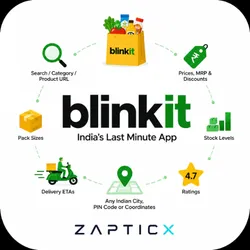
Scrape Blinkit product data by search term, category or product URL: prices, MRP, discounts, pack sizes, stock levels, delivery ETAs and ratings — for any Indian city, PIN code or coordinates.
Pricing
from $1.50 / 1,000 product scrapeds
Rating
0.0
(0)
Developer

Zapticx
Maintained by CommunityActor stats
0
Bookmarked
6
Total users
2
Monthly active users
12 days ago
Last modified
Categories
Share
⚡ Blinkit Products & Prices Scraper
Extract live Blinkit products, prices, discounts, stock levels, delivery ETAs and ratings — across any Indian location.
🔎 Search products · 💰 Track prices · 📦 Check stock · 📍 Compare locations · ⚡ Fast extraction
| 🛒 Products | Search terms, whole categories, or specific product URLs |
| 💰 Pricing | Price, MRP, discount amount & percent, price per 100 g/ml |
| 📦 Availability | Stock status plus live inventory counts per store |
| 🚚 Delivery | Location-specific delivery ETA in minutes |
| 📍 Locations | City or locality name, 6-digit PIN code, or exact coordinates |
| 📊 Comparison | The same product priced across as many locations as you like |
📍 Blinkit prices are set per dark store — not nationally
In a verified three-city run, 26 of the 69 products found in more than one city were priced differently, and stock diverged completely:
Product Delhi Mumbai Bengaluru English Oven Zero Maida Multigrain Bread ₹70 ₹65 ₹70 Amul Moti Toned Milk ₹33 — ₹30 Amul Taaza Toned Milk Out of stock 12 in stock — A national average would hide every one of these. This Actor returns one row per product per location, so the gaps stay visible.
🚀 Get started in seconds
Paste this, click Start, and you'll have products in about 8 seconds:
That's the whole setup — no account, no login, no cookies, nothing to configure. To compare cities, just add more locations:
What you can use it for
- Price monitoring — track competitor pricing on FMCG products over time
- Multi-city price comparison — quantify how the same SKU is priced across metros
- Stockout tracking — live per-store inventory counts, not just an in/out flag
- Discount monitoring — find where the MRP-to-price gap is widening
- Brand monitoring — follow your own products' listings, ratings and shelf presence
- Catalogue extraction — pull an entire Blinkit category for market research
What makes this different
| This Actor | Typical Blinkit scrapers | |
|---|---|---|
| Discounts | Numeric discountAmount and discountPercent | A text badge like "10% OFF" you have to parse |
| Pack sizes | Parsed to unitQuantity + unitMeasure, plus price per 100 g/ml | Raw string only |
| Paid placements | Flagged with isSponsored | Mixed silently into results |
| Inputs | Search and categories and product URLs | Usually search only |
| Locations | City or locality name, PIN code, or coordinates | Often raw latitude/longitude only |
| Missing data | Reported as null | Sometimes zero-filled or invented |
Why isSponsored matters
Blinkit injects paid placements into results, heavily concentrated at the top. Measured across 1,000 products collected by this Actor:
| Result positions | Share that are ads |
|---|---|
| 1–12 (first screen) | 58% |
| 13–24 | 47% |
| 25–50 | 32% |
| 51–100 | 5% |
| 100+ | 0% |
If you sample the first page to measure share of shelf or organic ranking and can't tell ads apart, more than half your sample is advertising rather than ranking.
How it works
- You give it search terms, categories or product URLs, plus one or more locations.
- Each location is resolved to coordinates and checked against Blinkit's serviceability API. Unserviceable locations are reported and skipped — the run carries on.
- For each location, the Actor collects products exactly as a customer in that area would see them, following Blinkit's own pagination.
- Rows are normalised, de-duplicated per location, and streamed to your dataset.
There is no browser involved, which is why runs are measured in seconds and fit comfortably in 256 MB.
Input
In the Store form the defaults run as-is. Through the API every field is optional except that you must provide at least one of search terms, categories or product URLs — a run with none of them stops immediately with a message saying so.
| Field | Type | Default | What it does |
|---|---|---|---|
searchQueries | array | none (Store form pre-fills ["chocolate"]) | Search terms, e.g. Amul milk, Red Bull |
locations | array | ["Delhi"] | City or locality, PIN code, or "28.6139,77.2090" |
maxResults | integer | 50 | Max products per location |
categories | array | [] | Category name (ice cream) or a Blinkit category URL |
productUrls | array | [] | Specific Blinkit product links |
brandFilter | array | [] | Keep only these brands — matched against Blinkit's brand field (whole words, any case); the name is used only when a product has no brand |
includeOutOfStock | boolean | true | Keep products the store has run out of |
includeSponsored | boolean | true | Keep paid placements (always flagged) |
maxRequestRetries | integer | 3 | Retries before giving up on a request |
proxyConfiguration | object | Apify residential | Pre-configured; see Proxies |
Output
One row per product, per location.
| Field | Type | Description |
|---|---|---|
productId | string | Blinkit's stable SKU id |
name · brand | string | Product name and brand |
subcategory | string | Blinkit's product type, e.g. Potato Chips |
price · mrp | number | Selling price and maximum retail price, in INR |
discountAmount · discountPercent | number | Calculated from MRP and price |
packSize | string | As shown by Blinkit, e.g. 500 ml, 4 x 250 ml |
unitQuantity · unitMeasure | number · string | Pack size normalised to grams or millilitres |
pricePerUnit · pricePerUnitBasis | number · string | Price per 100 g / 100 ml, for fair comparison |
availability · stockStatus | boolean · string | Whether it can be bought right now |
inventoryCount | integer | Units on hand at that dark store |
deliveryEtaMinutes | integer | Delivery estimate for that store |
rating | number | Average customer rating, 0–5 |
isSponsored | boolean | true for Blinkit paid placements |
productUrl · imageUrl · imageUrls | string · array | Links and images (up to 5) |
variantGroupId | string | Links variants of the same product |
merchantId · merchantType | string | Which dark store served this price |
location · cityName · pincode | string | The location this row was priced for |
latitude · longitude | number | Coordinates used |
source · sourceTerm | string | Whether the row came from a search, category or product URL — and which one |
currency | string | INR |
scrapedAt | string | ISO 8601 UTC timestamp |
Example output
The dataset ships with four ready-made views: Products & prices, Compare across locations, Discounts & unit economics, and Search placement (which flags paid placements alongside organic results).
To exclude paid placements from the data altogether, set
includeSponsoredtofalsein the input. Dataset views select columns rather than filtering rows, so the filtering happens at collection time.
More examples
Track one product across cities — the fastest way to see location pricing:
Monitor your brand inside a category, excluding ads:
Pull a whole category catalogue for one city:
Multi-location scraping
Blinkit assigns every customer a dark store from their coordinates, and that store sets the price, the stock and the delivery time. Specify a location in any of these ways:
| Input | Example | Resolves to |
|---|---|---|
| Major city name | Mumbai, Bombay | City centre |
| Former city name | Belgaum, Gulbarga, Shimoga | Looked up under its current name (Belagavi, Kalaburagi, Shivamogga) |
| Other city or locality | Mohali, Koramangala | That place, found with Blinkit's own location search |
| PIN code | 110001, 131001 | The PIN's city, or the PIN's own area |
| Coordinates | 19.1176,72.9060 | That exact point |
Major cities and PIN codes in their postal districts resolve to a city-level point, which is enough to reach the right city's store. Anything else is looked up the same way blinkit.com's location picker does it, and is used only when Blinkit returns an exact match — the same PIN code, or a city/locality of exactly that name. The run log shows the place each lookup matched. If nothing matches exactly, the run says so instead of guessing. For a specific neighbourhood's store, pass coordinates.
A looked-up name is resolved to one verified point, and Blinkit's own search sometimes offers only a point it does not deliver to (often the city's airport). The run then says which point it matched and that other parts of the city may still be served: use a PIN code or coordinates for the area you want.
Because pricing is per store, rows are de-duplicated per location: one SKU scraped for three cities gives three rows. That is what makes the comparison possible.
When filters remove every product
brandFilter, includeOutOfStock: false and includeSponsored: false are applied to what Blinkit returns. If Blinkit returns products but your filters remove all of them, the run succeeds with no rows, charges nothing beyond the start event, and its status message says what happened, e.g. Blinkit returned 193 products for "Hot wheels", but none matched brandFilter "Matchbox". A run where Blinkit itself returns nothing, or where it could not be reached, still fails, so a block is never mistaken for an empty result.
Search terms that differ only in case or spacing (Hot wheels, Hot Wheels) are run once.
Proxies
Blinkit refuses connections from data-centre IP ranges, so runs use Apify residential proxies. This is already configured in the default input and you should not need to touch it.
Residential traffic is billed by Apify separately from this Actor's price. Responses are compressed, so 1,000 products moves roughly 1–2 MB. On a recent measured run that worked out to about $0.015 per 1,000 products — an estimate, not a guarantee: your actual cost depends on your Apify plan's proxy rate and on how much retrying a run needs.
Performance
Measured on the Apify platform at 256 MB:
| Run | Products | Time |
|---|---|---|
| Default, 1 location | 50 | 7–19 s |
| 3 locations × 100 | 300 | 30 s |
| 1 location × 1,000 | 1,000 | 2 min 6 s |
Rows stream to the dataset in batches, so memory stays flat no matter how large maxResults is.
Pricing
| Event | Price |
|---|---|
| Actor start | $0.00005 |
| Per product scraped | $0.0015 |
1,000 products costs about $1.50, plus roughly $0.015 in residential proxy traffic (an estimate — see Proxies). You are charged per product actually written to your dataset — a run that finds nothing costs only the start fee.
Limitations
- No review counts. Blinkit's web API publishes an average rating but no number of reviews, so that field is not offered rather than shipped permanently empty.
- No top-level category field. Blinkit leaves its category hierarchy blank in the responses used here, so it is omitted.
subcategory(its product type, e.g.Potato Chips) is populated on essentially every row, andsourceTermrecords which category a row came from. - One store per location. Prices reflect the dark store Blinkit assigns to those coordinates, not a city-wide average.
- Out-of-stock products may have no price. Blinkit reports
0for products a store isn't selling; that is returned asnull, not as free. - Major-city and PIN inputs are city-level. Looked-up localities land on that locality; use coordinates for an exact point.
- Ambiguous category names are rejected, not guessed. If a name could mean several categories, the run lists the candidates instead of silently scraping the wrong one. Paste a category URL when in doubt.
- Blinkit operates only in India, and only in the cities it serves.
FAQ
Do I need a Blinkit account? No. Only publicly accessible catalogue data is collected — no login, no cart, no personal data.
Why did I get fewer products than maxResults? Blinkit ran out of matching results for that term at that store. maxResults is a ceiling, not a target.
Can I compare one SKU across cities? Yes — put its URL in productUrls and list several locations.
Why are some rows marked isSponsored? Blinkit injects paid placements into results. They're kept and flagged by default; set includeSponsored: false to drop them.
How do I find a category URL? Open the category on blinkit.com and copy the address — it looks like https://blinkit.com/cn/munchies/cid/1237/940.
How often should I run it? Quick-commerce pricing moves daily. Most price-monitoring users schedule a daily run; stockout tracking benefits from a few runs a day.
Collects publicly accessible data only. Blinkit is a trademark of its respective owner; this Actor is not affiliated with or endorsed by Blinkit. You are responsible for ensuring your use of the data complies with applicable laws and Blinkit's terms.


