
Heading Structure Analyzer
Pricing
from $0.99 / 1,000 results
Heading Structure Analyzer
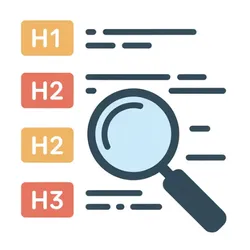
Heading structure analyzer that pulls H1-H6 tags from any URL, flags missing headings, duplicate H1s, and skipped levels, so SEO teams can fix hierarchy problems before rankings drop.

Heading Structure Analyzer: Audit H1-H6 Hierarchy on Any Web Page
The heading structure of a page matters for SEO. Google uses heading tags to understand content organization, and common problems like a missing H1, duplicate H1s, or skipped heading levels are easy to fix once you know they exist. Finding them manually across hundreds of pages is not.
This actor fetches any URL, walks the DOM in document order, and returns every heading tag (H1 through H6) with its level, text, and position. It then checks the sequence for structural issues and lists them plainly. Run it on one page or batch-process up to 1,000 URLs in a single run.
Use cases
- SEO auditing: scan an entire site for broken heading hierarchy before publishing or after a CMS migration
- Content review: verify that blog posts and landing pages follow a logical H1-H2-H3 outline
- Technical SEO reports: pull heading data for all pages into a spreadsheet for client deliverables
- Pre-publish QA: check heading structure on new pages as part of a publishing checklist
- Competitor research: extract the heading outline from competitor pages to understand their content structure
Input
| Parameter | Type | Default | Description |
|---|---|---|---|
url | string | - | Single URL to analyze |
urls | array | - | List of URLs to analyze, one per line |
maxUrls | integer | 100 | Maximum number of URLs to process per run |
timeoutSecs | integer | 300 | Overall actor timeout in seconds (max 3600) |
requestTimeoutSecs | integer | 30 | Per-request timeout in seconds (max 120) |
proxyConfiguration | object | Datacenter (Anywhere) | Proxy type and location for requests. Supports Datacenter, Residential, Special, and custom proxies. Optional. |
Example input
What data does this actor extract?
The actor stores one result per URL in a dataset. Each entry contains:
| Field | Type | Description |
|---|---|---|
url | string | Final URL after any redirects |
inputUrl | string | Original URL provided as input |
pageTitle | string | HTML page title |
h1Count | integer | Number of H1 tags |
h2Count | integer | Number of H2 tags |
h3Count | integer | Number of H3 tags |
h4Count | integer | Number of H4 tags |
h5Count | integer | Number of H5 tags |
h6Count | integer | Number of H6 tags |
headingTotalCount | integer | Total headings across all levels |
headingDepth | integer | Deepest heading level used (1-6) |
hasMissingH1 | boolean | True if no H1 tag exists |
hasMultipleH1 | boolean | True if more than one H1 exists |
skippedLevels | array | Heading levels skipped in the hierarchy |
hierarchyIssues | array | Plain-language descriptions of each issue found |
h1Texts | array | Text content of each H1 tag |
headings | array | All headings in document order with level, text, and position |
statusCode | integer | HTTP status code for the page request |
errorMessage | string | Error message if the page could not be fetched |
scrapedAt | string | ISO 8601 timestamp of when the page was analyzed |
How it works
- Reads the
urlandurlsinputs, deduplicates them, and caps the list atmaxUrls - For each URL, sends an HTTP GET request with a realistic browser User-Agent
- Parses the response HTML with BeautifulSoup and finds all H1-H6 tags in document order
- Counts headings by level, records each heading's text and position
- Walks the heading sequence to detect missing H1s, multiple H1s, and skipped levels
- Pushes one result record per URL to the Apify dataset
Integrations
Connect Heading Structure Analyzer with other apps using Apify integrations. You can pipe results into Google Sheets, Zapier, Make, Slack, Airbyte, GitHub, or any tool that reads from the Apify API. You can also set up webhooks to trigger downstream actions when a run completes.
FAQ
Does this actor work on JavaScript-rendered pages? It works on standard server-rendered HTML. If the page requires JavaScript to render headings (single-page apps, React/Vue frontends), the headings may not appear in the raw HTML. For JS-heavy pages, consider a browser-based scraping approach.
What counts as a heading hierarchy issue?
Three things: no H1 on the page, more than one H1, and skipped heading levels (e.g. the first heading after an H2 is an H4, skipping H3). All three are listed in the hierarchyIssues field with plain-language descriptions.
How many URLs can it process per run?
Up to 1,000 URLs. Set maxUrls to cap the count if you want shorter runs during testing.
Do I need a proxy? Most public websites work fine without one. Enable datacenter proxies if you are hitting pages that rate-limit or block scrapers. Switch to residential proxies for sites that block datacenter IPs.
Why is errorMessage set but hierarchyIssues is empty?
errorMessage fires when the page could not be fetched at all (network error, HTTP 4xx/5xx). hierarchyIssues only applies when the page loaded successfully but its heading structure has problems. They are independent.
Run heading structure analysis at scale
Manual heading audits break down past a few dozen pages. Heading Structure Analyzer runs the same check across hundreds of URLs in minutes and returns structured data you can sort, filter, and export. Pair it with a sitemap scraper to cover an entire site in one workflow.


