

Otodom Scraper - Polish Real Estate Listings
Pricing
from $1.50 / 1,000 listings
Otodom Scraper - Polish Real Estate Listings
Scrape verified Otodom.pl listings for sale or rent using structured filters. Get compact prices, areas, rooms and locations, plus details and raw data.
Pricing
from $1.50 / 1,000 listings
Rating
0.0
(0)
Developer

Amadeusz
Maintained by CommunityActor stats
0
Bookmarked
2
Total users
1
Monthly active users
20 days ago
Last modified
Categories
Share
Collect verified live Otodom.pl listings for market research, price monitoring and lead lists. Use structured location and filter fields from Console, API or MCP; copied result URLs remain an advanced option. Results are compact, deduplicated and ready for JSON, CSV, Excel or AI-agent workflows.
Run Otodom Scraper · Input schema · Output schema
Quick start
- Set Location, Estate type and Transaction.
- Add price, area, room, market, building, owner, date or sorting filters.
- Set Max items. Enable Enrich with offer details only when you need full descriptions and attributes.
- Click Start.
- Export the Overview or Enriched details table, or read it through the API.
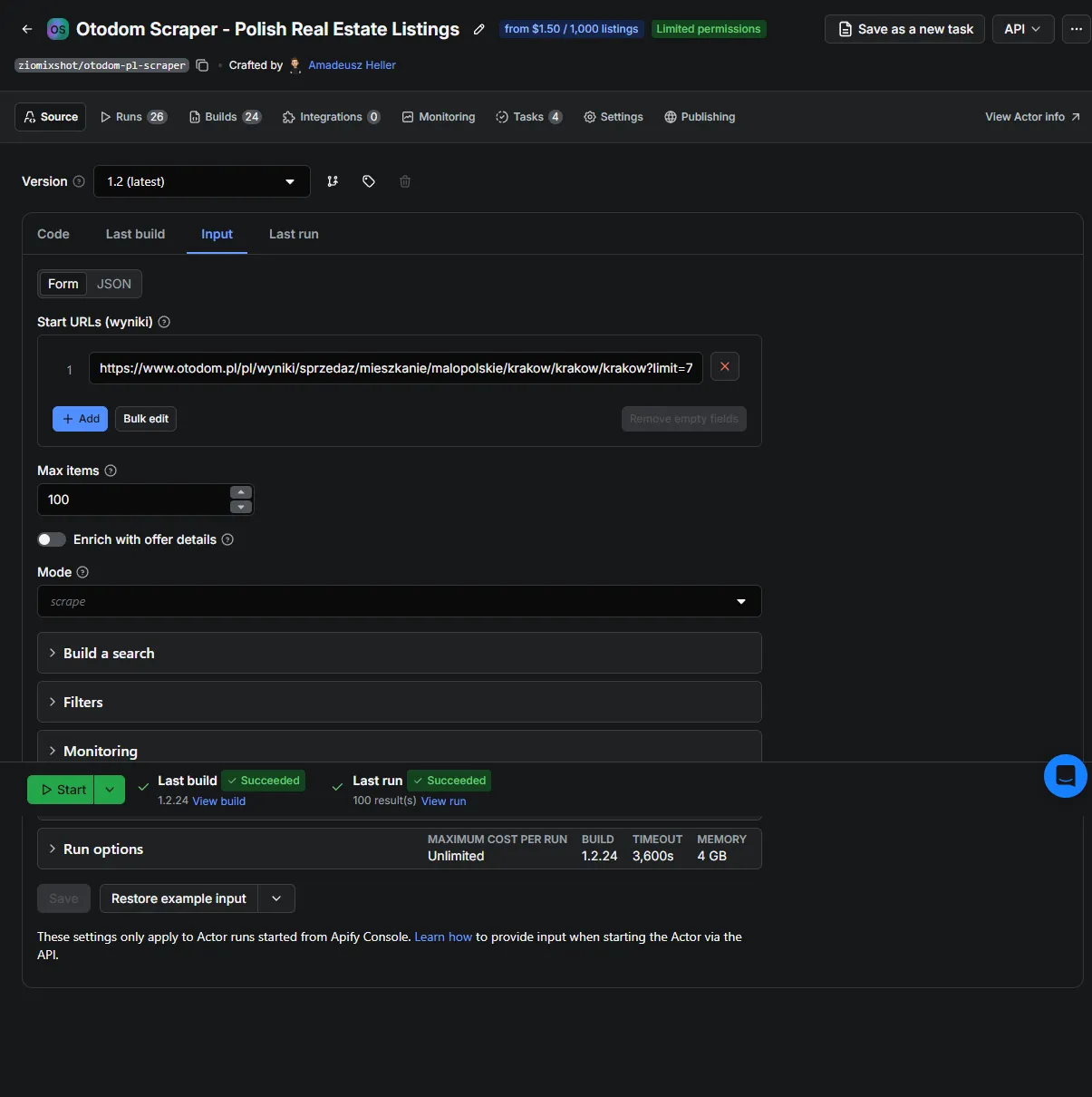
The default demo collects up to 100 Kraków apartment-sale listings. An API run with no target uses the same bounded demo instead of starting an unlimited nationwide crawl.
Ready-to-use recipes
1. Build a search from structured input
This is the primary path for Console, API and MCP clients.
Common cached locations work without live autocomplete.
2. Use one browser search URL
As an advanced alternative, copy a complete Otodom results URL. Its path and all query parameters take full priority over structured search fields.
If an uncommon location cannot be resolved from structured input, use this path or a direct searchingCriteria.
3. Collect several searches in one run
URLs run sequentially. Listing IDs are deduplicated across the whole run.
4. Estimate result count before collecting
The result is a free recordType: "estimate" record in both the default dataset and named status output. The live SSR result-page total is authoritative; CountAds is only an optional control measurement.
5. Monitor only listing IDs not seen before
Save this input as an Actor Task and attach an Apify Schedule. Every scheduled run must use the same named key-value store and key. Run 1 publishes unseen IDs; later runs publish only IDs not stored before.
Monitoring currently detects new IDs only. It does not report price changes, updated descriptions or expired listings.
Use a separate named store for each monitored search. Leaving seenStoreName empty uses the run's default store, so independent runs do not share history. The ID list grows without automatic retention. By default, monitoring stops after the first page containing only seen IDs; increase stopMonitorOnAllSeenPages when the search order does not reliably put new listings first.
6. Call the synchronous API
The Actor also works through the Apify MCP server, so agents can inspect the input and output schemas before running it.
Input reference
| Field | Purpose |
|---|---|
locationQuery | Primary target: a Polish city, district or region. |
estate, transaction | Property and sale/rent selection. |
maxItems | Hard stop for verified unique listing rows and listing charges. |
enrichDetails | Adds normalized offer-page description, features, status and images. |
includeRawData | Opt-in raw and detailRaw diagnostics; disabled by default. |
countOnly | Returns an estimate instead of collecting listing rows. |
mode | scrape or monitor. |
seenStoreName, seenIdsKey | Persistent state shared by monitor runs. |
startUrls | Advanced array of copied /pl/wyniki/ URLs; each URL fully replaces structured search fields. |
Filters for price, area, rooms, market, building type, owner type, date and sorting are available in the full input schema.
Output contract
Every dataset item has a recordType discriminator:
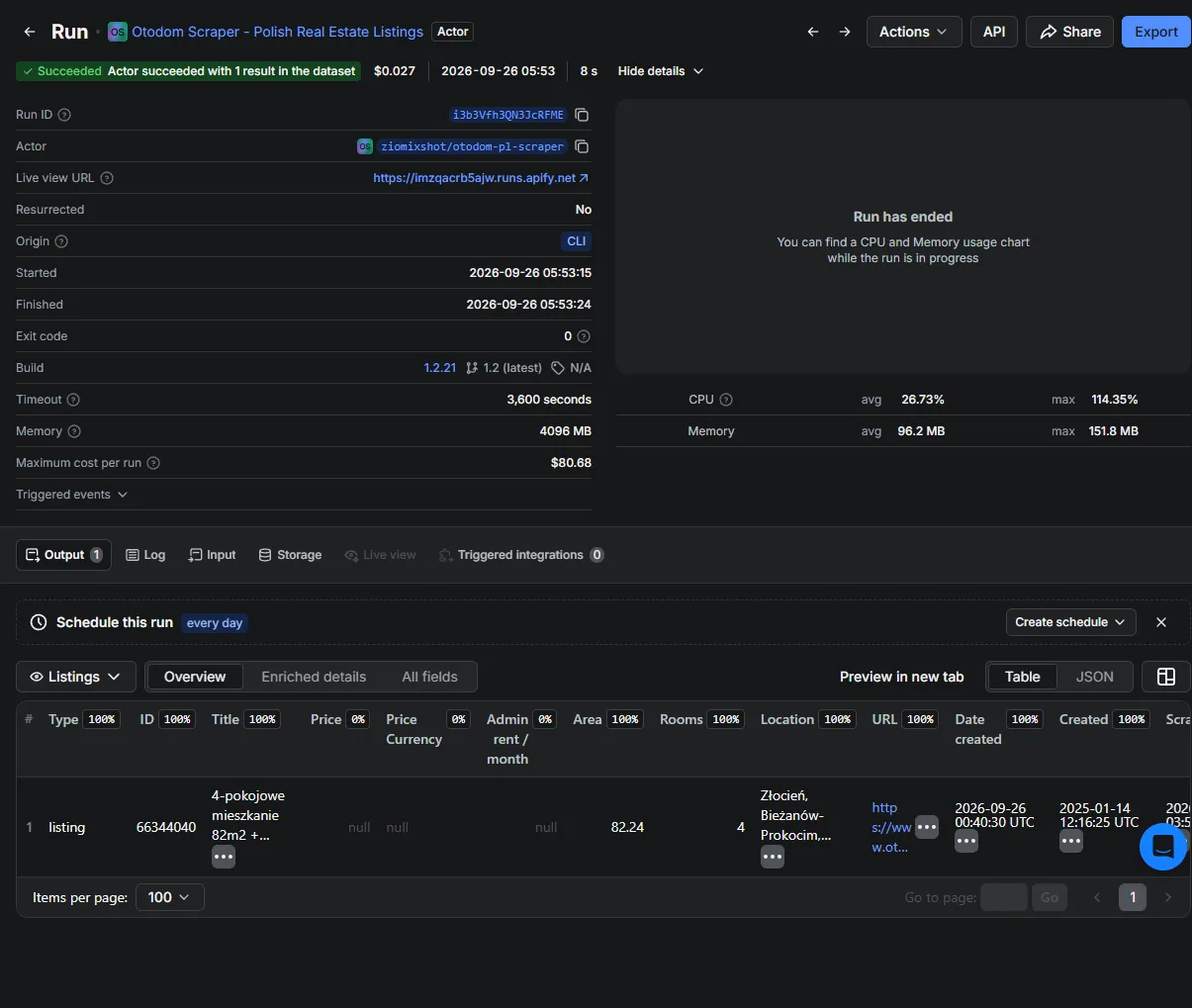
listing- normalized Otodom listing;estimate-countOnlyresult;status- actionable soft-fail status.
Normal scrape and monitor runs also write a run summary to the named status output (OUTPUT key-value record). Use the Overview view for core columns and Enriched details for offer-page fields.
BREAKING CHANGE in v2: listing rows contain only normalized public fields. Keys without values and empty arrays are omitted. Legacy aliases and source-shaped detail* fields are removed.
BREAKING CHANGES in v2.1:
dateCreated,createdAtFirst,pushedUpAtandmodifiedAtare always real UTC in one format,YYYY-MM-DDTHH:mm:ssZ. Before v2.1 some responses returned Europe/Warsaw local time labelledZ, so values were 1-2 hours too late, and formats were mixed (Z,+00:00).flooruses one vocabulary (CELLAR,GROUND,FIRSTtoTENTH,ABOVE_TENTH,GARRET) with and withoutenrichDetails. Rows without enrichment no longer return"FALSE", and enriched rows returnFOURTHinstead ofFLOOR_4.estate: BUILDINGis removed; it never matched an Otodom category.HALL(halls and warehouses) now works, andOFFICEsearches office premises.
For SELL, price is the sale price. administrativeRent is a separate monthly administrative rent in PLN. Estimate and fail-closed status records are free and use their own recordType.
raw and detailRaw appear only with includeRawData: true. They are unstable diagnostics; build integrations from normalized fields.
Pricing
Pay per event: empty results, duplicates, count estimates and soft-fail records are not charged.
| Event | Price |
|---|---|
| Listing | $1.50 per 1,000 unique listings |
| Listing details | $2.25 per 1,000 successfully enriched listings |
| Listing plus details | $3.75 per 1,000 full rows |
maxItems caps listing rows. Apify's maximum-cost-per-run setting can add an account-level spending limit.
Verified performance snapshot
Observed on 2026-09-26 for a whole-Poland apartment-sale search using build 1.2.10, Polish residential proxies, limit: 72, maxItems: 20000 and maxConcurrency: 16:
- 20,000 / 20,000 requested listing rows were pushed from 344 result pages;
- runtime was approximately 73 seconds and compute usage approximately 0.08 CU;
failedPageswas empty; the run saw no HTTP 403/429 and did not engage adaptive throttling.
Listing pages have up to five attempts with a new proxy session and 1/2/4/8-second backoff before a page is recorded in failedPages. A separate transient-connection test exercised that recovery path; the 73-second benchmark itself did not need retries.
In a 2,000-row Kraków staging run on 2026-09-25, 236 repeated listing appearances were skipped and the final dataset contained no duplicate IDs. Billing happens only after this deduplication. Empty pages, duplicate IDs, count estimates and soft-fail records do not emit a chargeable listing event.
These are dated measurements of those inputs and platform conditions, not a guarantee for every location, result volume or future Otodom version.
Reliability and limitations
- The Actor paginates until the last page, a configured limit or repeated listing IDs. Otodom has no observed 1,000-result cap, but a moving search index can still change during a long crawl.
- Search pages use Polish residential proxies. The proxy choice is locked because datacenter routes were unreliable in project tests.
- Listing pages retry transient failures up to five times. Any page still skipped is listed in
failedPagesin the namedstatusoutput. - Deduplication is by Otodom listing ID within a run. Monitor mode extends that ID set across runs.
- Live SSR must confirm every requested filter. An unconfirmed filter returns
FILTER_VERIFICATION_FAILEDwithout paid listing rows. - Investment/HPR cards, including cards that wrap a real advert, and individual records that fail verifiable predicates are excluded before charging. Before v2.1 such wrapper cards could appear as phantom duplicates (ID
9…00067, date 1999) and were charged. roomsNumber: ["SIX_OR_MORE"]is confirmed against the six values Otodom applies for it.roomsis the exact count for 6 to 10 rooms; more than ten rooms is reported as11.- Monitor state created before v2.1 may contain phantom IDs; they are harmless and never match a real listing.
- Phone-related keys and phone contact entries are removed from retained raw search and detail objects.
- Otodom can change page or API structures. A successful run proves the observed result, not future availability.
Development
Runtime and CI use Node.js 20.
Run npm run quality:audit with APIFY_TOKEN and an optional ACTOR_BUILD before promoting a release. Pushes to main test and deploy through .github/workflows/deploy-apify.yml, then synchronize the public example input. The workflow requires the APIFY_TOKEN GitHub Actions secret.
Reverse-engineering artifacts are in docs/openapi/; current product decisions and verified evidence are tracked in docs/backlog.md and docs/strategia.md.
FAQ
How fresh are the results?
Listings are fetched from Otodom during each run. Timestamps are UTC and identify both the source publication time and scrapedAt.
Why is the price field missing?
Otodom can hide a listing price. Output v2 preserves that absence by omitting the field instead of emitting null or inventing a value.
Does the Actor collect seller phone numbers?
No. Phone-related keys and phone contact entries are stripped from both normalized and retained raw output.
How do I report a failure?
Open the Actor's Issues tab and include the run URL. Shared run logs are the fastest way to reproduce proxy or source-site failures.


