

YouTube Email Scraper & Finder (Public Channel Emails)
Pricing
from $10.00 / 1,000 public emails
YouTube Email Scraper & Finder (Public Channel Emails)
Find the business emails YouTube creators publish themselves: channel description, About links and their website's contact pages. Search by niche or paste channels, filter by country and subscribers. Every email has its source and confidence. Pay per unique email only.
Pricing
from $10.00 / 1,000 public emails
Rating
0.0
(0)
Developer

Badr Bouargan
Maintained by CommunityActor stats
0
Bookmarked
2
Total users
1
Monthly active users
2 days ago
Last modified
Categories
Features
Share
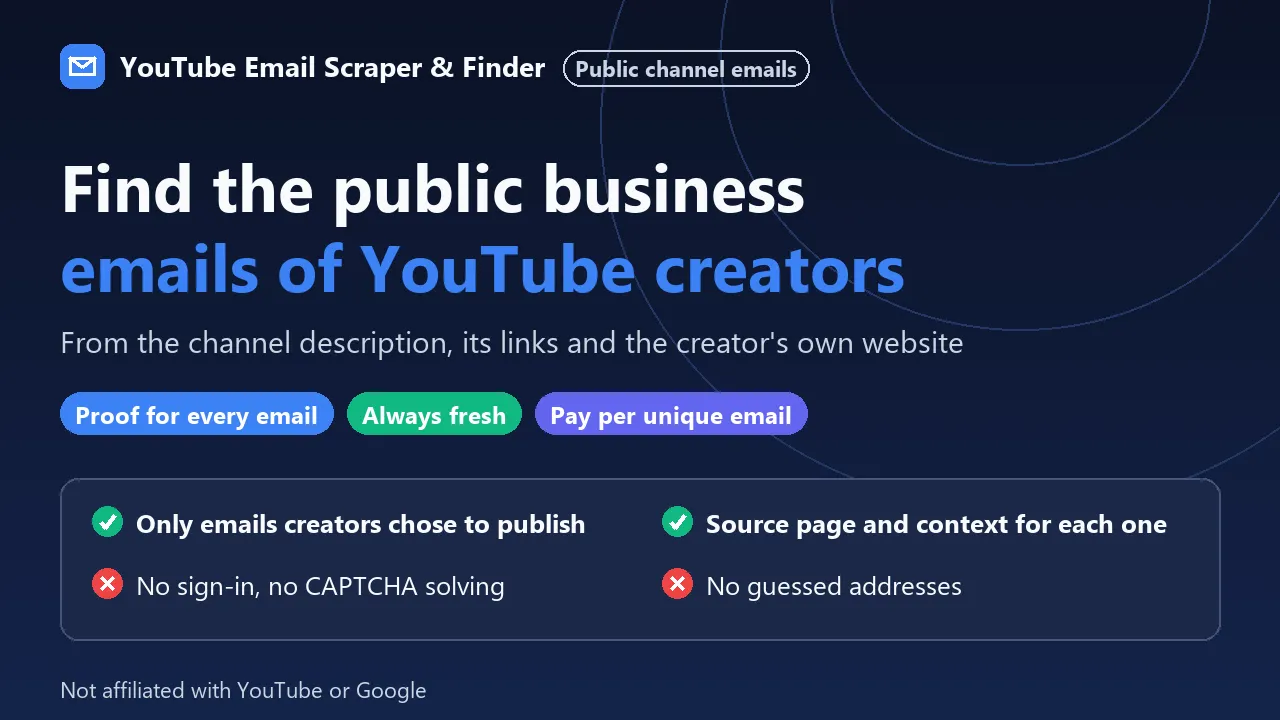
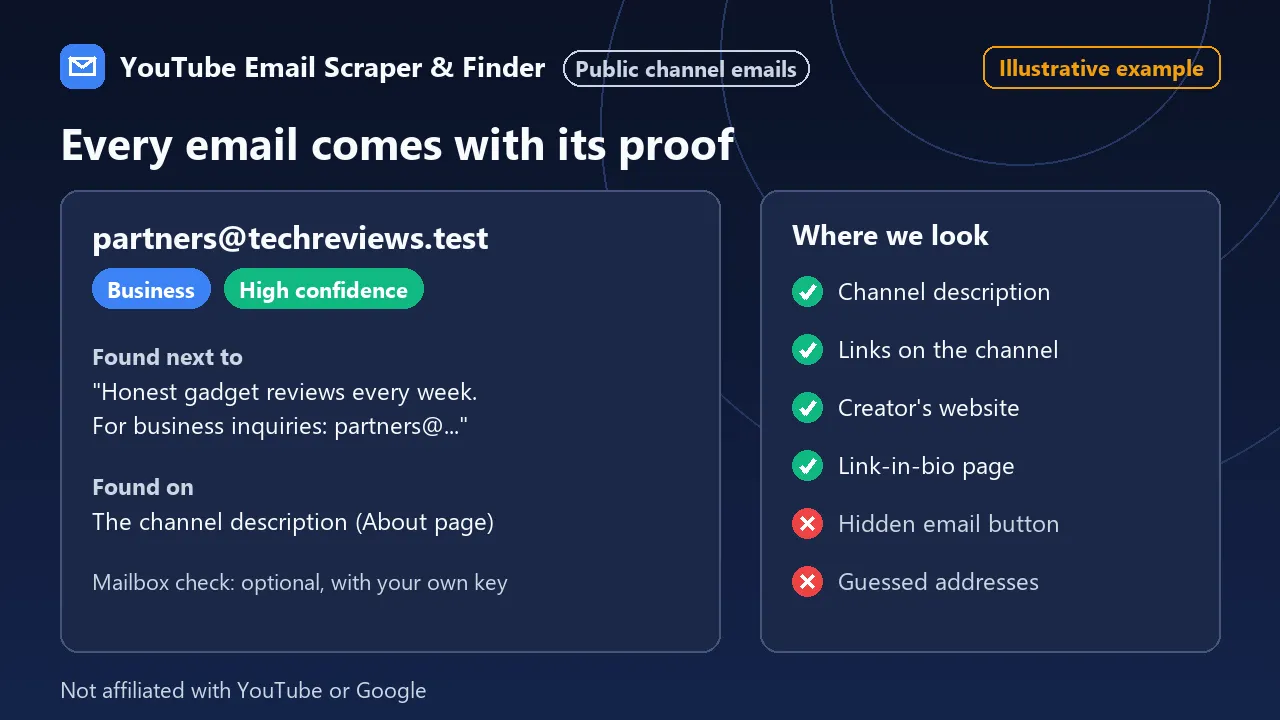
Find the business emails YouTube creators publish themselves — with the proof of where each one was found.
✅ Public emails only: channel description, About links, and the creator's own website contact pages ✅ Every email comes with its source URL, context snippet, category and confidence ✅ Always fresh: every run reads live pages — no cache, no stored email database, no "fresh data" surcharge ✅ Pay only per unique email delivered — channels without an email cost nothing
1. What this Actor does
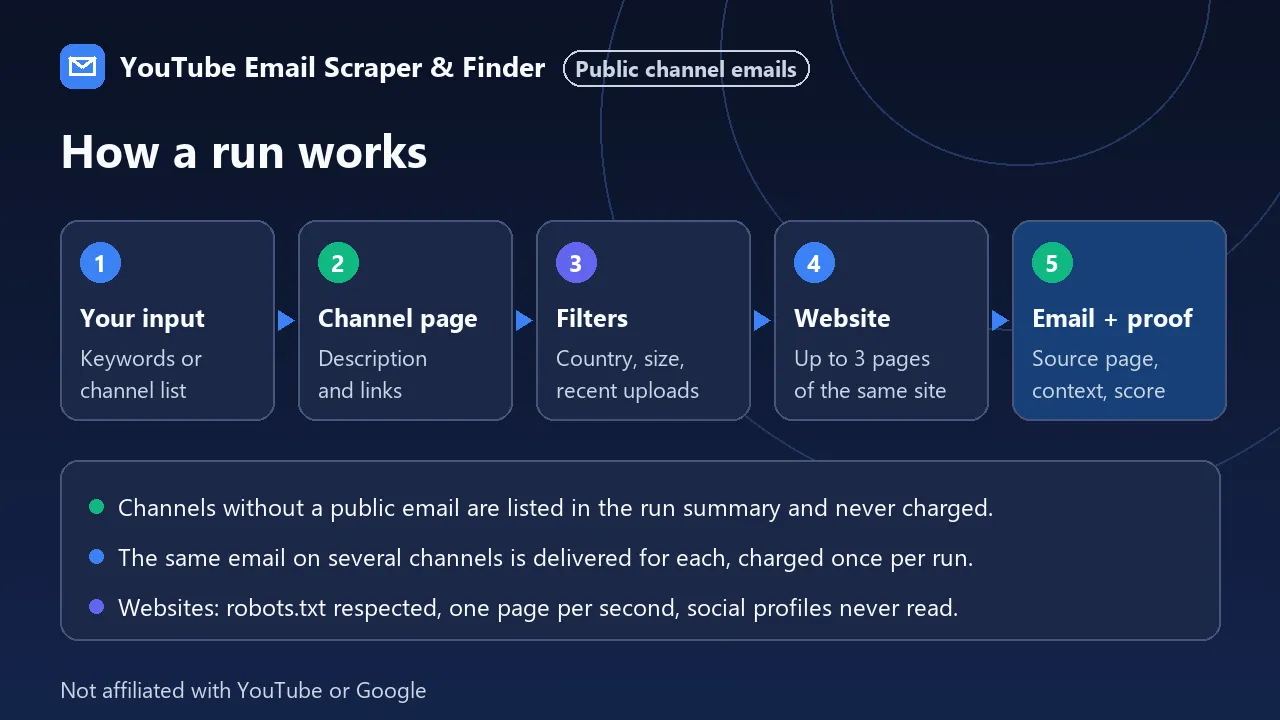
You give it YouTube channels (links, @handles, channel IDs, or a whole list) or niche keywords. For each channel it reads the public About page, looks for an email in the channel description and the About links, and — when needed — opens the website the channel links to (home page, then its contact / about / imprint page, at most 3 pages of the same site). Each email is normalised, de-duplicated, classified (business, general, support, other), scored (high / medium / low confidence) and delivered with the exact page it came from.
Honest limit, said up front: we do not reveal the hidden YouTube email. Many creators put their address behind YouTube's "View email address" button, which needs a Google sign-in and a CAPTCHA. This Actor never signs in, never uses cookies of an account and never solves CAPTCHAs. It tells you when a channel has that button (
hasHiddenEmailButton: true) so you can open the channel yourself.
2. Why choose it
| 🔎 Evidence for every email | sourceUrl, sourceType, a ~160-character emailContext and a confidence level built only from evidence |
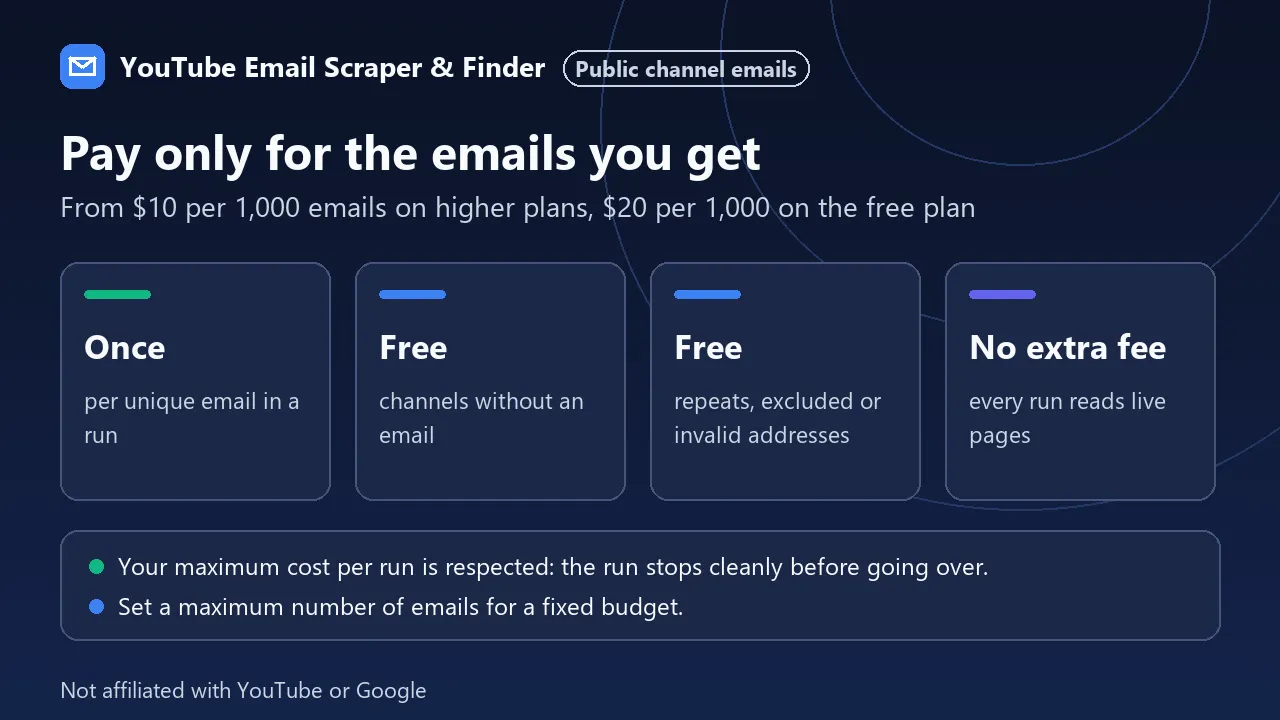
| 💸 Fair billing | one email event per unique address per run; an agency email shared by 10 channels is charged once; no charge for channels without email, invalid or excluded addresses |
| 🟢 Always live | no vendor cache: what you get was on the page during your run |
| 🛡️ GDPR-minded defaults | personal-looking addresses excluded by default, a looksPersonal marker when you keep them, nothing stored outside your run |
| 🤝 Polite crawling | robots.txt respected, one request per second per site, no proxy rotation against websites, no retry on 403 |
| 🧰 Flat, export-ready rows | JSON, CSV, Excel from the dataset; an interactive visual report; a run summary with the hit rate |
3. Main features
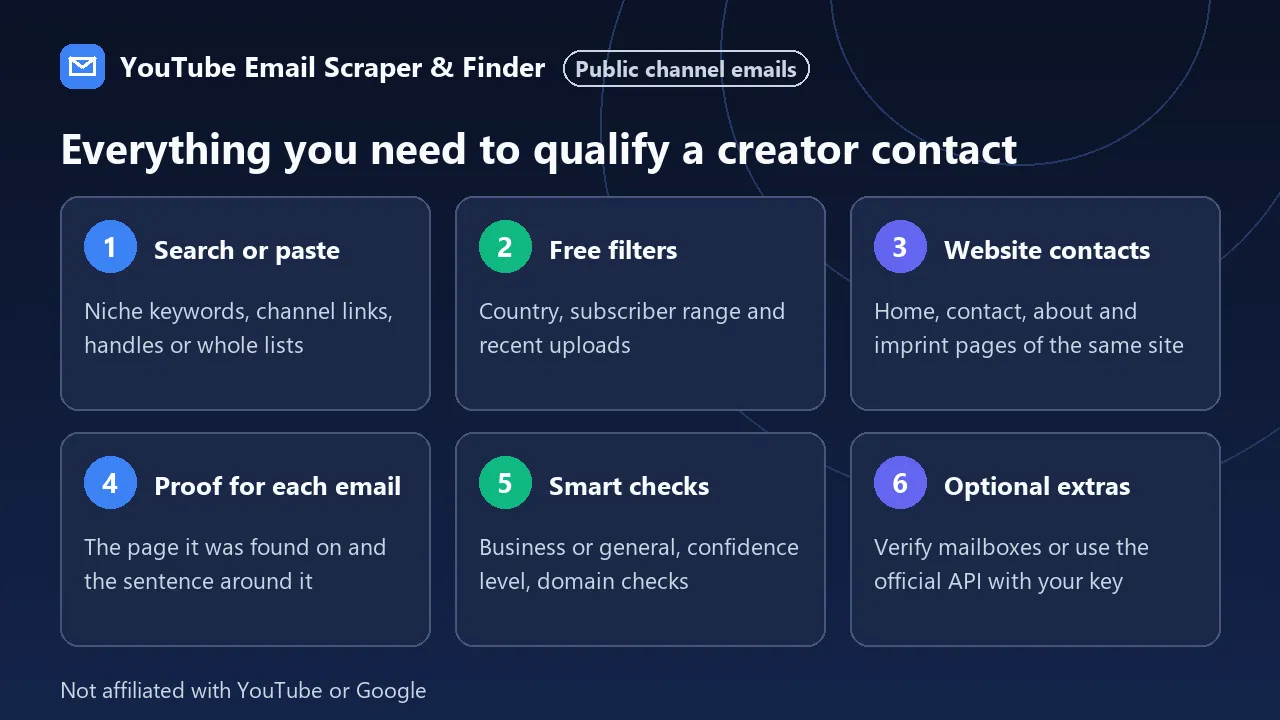
- Inputs: several search keywords in one run, channel URLs (
/@handle,/channel/UC…,/c/…,/user/…), bare@handlesandUC…IDs, lists pasted on one line. Video or playlist links are reported inFAILED_INPUTS(paste the channel instead). - Channel search by niche: each keyword searches YouTube for channels (type filter "Channel"), with automatic pagination up to
maxChannelsPerSearch(1–500). - Filters (free, before any website is read): channel country (About page), minimum / maximum subscribers, recent upload activity (
activeWithinDays), search region and language hints. - Sources read: channel description, About links (YouTube's
/redirect?q=wrapper is decoded without visiting it), the creator's own website (home + contact / about / imprint, same site), link-in-bio pages (Linktree, Beacons, Carrd…; one page). - Email extraction: plain text,
mailto:links, Cloudflare-protected addresses, "name [at] site [dot] com" writing. Template / platform addresses (noreply@,@example.com, image names…) are ignored. - Limits and safety stops:
maxChannels(default 500, maximum 10,000 channels per run),maxChannelsPerSearch,maxEmails, websites per channel, pages per site, Apify's Maximum cost per run, andstopAfterChannelsWithoutEmail(default 200: the run ends when that many checked channels in a row show no public email, so a niche without contacts does not keep running; 0 = never). - Progress: live status message ("Checked 12/50 channels · 5 unique emails · …"), a live visual report, a resumable state after a platform migration.
4. Advanced features
- Email intelligence: syntax check, free MX lookup, disposable-domain and role-address flags; category; confidence from the evidence; duplicates merged per channel (
otherSources) and across channels (duplicateInRun). - Optional mailbox verification — your own key (Hunter.io or Reoon):
verificationStatusbecomesvalid,invalid,riskyorunknown. The provider bills its credits to your key; this Actor adds no charge and has no managed key. - Optional official mode — your own YouTube Data API key: channel search and channel metadata (exact subscriber count, country, latest upload) through the official API. The API returns no email and no About links, so emails still come only from public text.
- Source health:
websiteStatustells you when a linked site was blocked, rate-limited, gone (404), redirected off-site, disallowed by robots.txt or unreachable — outdated links are visible instead of silently empty. - Reliability: each refused YouTube request is retried with a new datacenter IP (up to 8 attempts in 60 s); an opt-in residential last resort (
maxEnhancedRecoveries, off by default).
5. How to use it (step by step)
- Open the Input tab.
- Type one or more search keywords (e.g.
real estate investing) and/or paste channels. - Optional: set filters (country, subscribers, activity) and the number of channels per keyword.
- Keep "Exclude personal-looking emails" on unless you have a lawful reason to process them.
- Set Maximum cost per run (Run options) and, if you like, Stop after N unique emails.
- Click Start. Open the Output tab: Emails, By channel, Visual report, Run summary.
- Export as JSON, CSV or Excel, or connect the dataset to your CRM through the Apify API / integrations.
6. Input examples
Search two niches, US channels with 10K–1M subscribers that uploaded in the last 60 days:
Check a list of channels, always read their websites, verify with your own Reoon key:
7. Output example
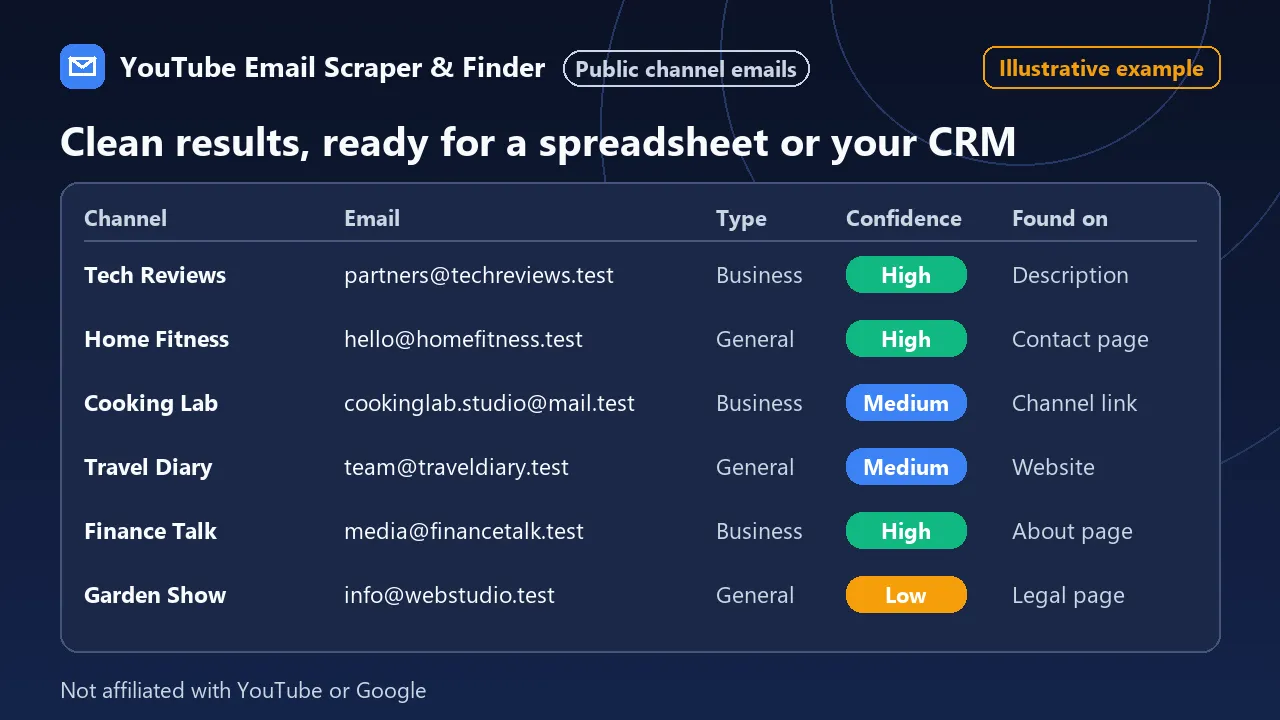
One row per (channel, email). Example data — not a real channel:
sourceType values: description, about-link, website-home, website-contact, website-about, website-imprint, link-in-bio.
International domains are supported: email keeps the address as published (e.g. info@müller.de), emailAscii is its punycode form (info@xn--mller-kva.de, used for dedupe, the MX check, verification and billing: one address is charged once whatever form it was published in) and emailDisplay its readable form. For ordinary addresses the three are identical.
Run summary (RUN_SUMMARY): stopReason (budget, maxEmails, maxChannels, tooManyChannelsWithoutEmail or empty), channels checked, channels with / without a public email, hit rate, channels with the hidden-email button, emails by source and category, excluded personal-looking addresses, billing (uniqueEmailsDelivered, emailsCharged, duplicateRowsNotCharged), website statuses, and the list of channels without a public email (up to 500, never charged). FAILED_INPUTS: inputs that could not be read, with a stable code (INVALID_INPUT, NOT_A_CHANNEL, SOURCE_NOT_FOUND, BLOCKED_BY_YOUTUBE, UNEXPECTED_ERROR…), never charged.
8. Email discovery, explained
| Confidence | When |
|---|---|
| high | in the creator's own description / About links next to words like business inquiries, sponsorships, contact; or on the creator's site, on the site's own domain, on a contact page or next to such words |
| medium | in the description without such words; on the site's own domain; a free-mail address on the creator's own site or link-in-bio page |
| low | on the website but with another organisation's domain (a web agency's footer, a platform address) |
Found in two places or more: one level up.
9. Pricing
Pay per event: one email event per unique public email delivered. Platform usage is included.
| Apify plan | Price per email | Per 1,000 emails |
|---|---|---|
| Free | $0.020 | $20 |
| Starter | $0.016 | $16 |
| Scale | $0.013 | $13 |
| Business and above | $0.010 | $10 |
- Not charged: channels checked without an email, the list of channels without email, repeated rows of an email already delivered in the run (an email shared by several channels is charged once), excluded personal-looking addresses, invalid addresses, failed inputs, email verification and official API mode (both use your own key).
- No "fresh data" surcharge: every run is fresh by design.
- Your Maximum cost per run is respected: the run stops cleanly before the next email would exceed it. Combine it with
maxEmailsfor a fixed budget. - Example: 200 channels checked, 70 unique emails delivered on the Starter plan = 70 × $0.016 = $1.12.
- The Pricing tab of this Actor is the reference for current prices.
What to expect. In our niche-search tests, 12–46% of channels published a public email, depending on the niche. (About 46% for a business niche such as real estate investing, about 12% for a gaming niche.) You pay only for the emails found.
10. FAQ
Why don't you return the hidden "View email address" emails? Because they require signing in to a Google account and solving a CAPTCHA — an access control. We only collect what a creator published openly. Channels with the button are flagged.
Why is my hit rate low? Many creators publish no email at all, or only behind the hidden button. The share varies a lot by niche: in our niche-search tests about 12% for a gaming niche and about 46% for a business niche. If 200 channels in a row show no public email, the run stops by itself (stopAfterChannelsWithoutEmail). The run summary shows your exact hit rate, and you pay nothing for channels without an email.
Is the data fresh? Yes. There is no cache: each run reads the live pages.
Do you guess emails like firstname@domain? Never. Every address was published on a page we read, and sourceUrl shows which one.
Why was an email excluded? It looked like a private person's mailbox (e.g. jane.doe@…) while "Exclude personal-looking emails" is on. Turn it off to receive such addresses with looksPersonal: true.
Can I use the official YouTube API? Yes, with your own key (youtubeApiKey) for search and metadata. It does not provide emails.
Is a free MX check a verification? No. It says the domain can receive mail. For mailbox verification, add your own Hunter or Reoon key.
11. How it compares with other approaches
Based on publicly documented methods of email-finding tools for YouTube (no vendor named; prices change, so none are quoted):
| Approach | What you get | Trade-offs |
|---|---|---|
| Hidden-button tools (sign in + CAPTCHA solving, often with a cache) | also the emails behind "View email address" | relies on logged-in accounts and CAPTCHA solving; cached results may be old; usually the highest price per email |
| Basic public scrapers (description / About only) | emails written on YouTube | often no website pages, no evidence, no confidence, no GDPR options |
| This Actor (public sources + evidence) | description, About links, creator website contact pages, link-in-bio, with source URL, context, confidence, category | does not reveal hidden-button emails; hit rate depends on what creators publish |
12. Privacy & compliance (GDPR)
- Public data only: the channel's public pages and the websites the creator links to. No login, no cookies of an account, no CAPTCHA solving, no access controls bypassed, robots.txt respected.
- Only emails published for contact: from the creator's own description, links and site pages — never from comments or third-party sites.
- Personal data: a creator's email is often personal data even when published for business. You are the controller of the data you collect: have a lawful basis (often legitimate interest with a documented balancing test), inform the people concerned where their data came from (GDPR art. 14), honour objections and opt-outs at once, keep only what you need. Several countries require prior consent for commercial email to individuals (ePrivacy / PECR / UWG); in the US follow CAN-SPAM.
- No bulk unsolicited messaging: use these contacts for relevant one-to-one partnership outreach. The Actor has no sending feature.
- Nothing kept outside your run: no email database, no cache. The resume state stores only hashes of delivered emails, in your own run storage.
- Keys (YouTube API, Hunter, Reoon) are secret inputs, stored encrypted by Apify and redacted from logs and outputs.
- This Actor is independent and not affiliated with, endorsed or sponsored by YouTube or Google. This section is not legal advice.
13. Limitations
- Hidden-button emails are not collected (see above).
- Subscriber counts on public pages are rounded by YouTube (21.4M); the API mode gives exact counts.
- The country filter uses the country the creator set; channels without one are excluded when the filter is on. YouTube publishes no reliable channel language, so
searchLanguageis a search hint only. activeWithinDaysuses YouTube's approximate upload date ("3 weeks ago").- Websites that block robots (403), rate-limit us for long, disallow crawling in robots.txt or whose robots.txt does not answer are not read (
websiteStatustells you). Social profiles (Instagram, TikTok, X, Facebook…) are never read. - At most 3 pages per site and 5 sites per channel; JavaScript-only sites may show no email in their HTML.
- YouTube can change its page structure; the parser is tested on recorded structures and fails safely (
BLOCKED_BY_YOUTUBE/SOURCE_NOT_FOUND, never charged).
Related Actors
Other Actors by the same developer that work well with this one:
- YouTube Scraper – videos, channels, comments and transcripts of the same creators.
- YouTube AI Summary & Channel Analytics – check a creator's topics and engagement before you reach out.
- Business Email Finder – more e-mails from the websites linked on the channels.
15. Start finding creator contacts
Type a niche, keep the GDPR-safe defaults, set your maximum cost, and click Start. You only pay for unique public emails delivered — with the proof of where each one came from. Questions or ideas? Open an issue on the Issues tab.


