
Agoda Activities Scraper
Pricing
from $2.10 / 1,000 results
Agoda Activities Scraper
[💰$3 / 1K] ⚡ Fast, cheap Agoda Activities scraper. No login, no API key. Tours, attractions, tickets, transfers, eSIMs by city, keyword or URL in 60 currencies: every package with price and time slot, 30-day price calendar, rating, reviews, bookings, photos, GPS.
Pricing
from $2.10 / 1,000 results
Rating
0.0
(0)
Developer

Aboo Script
Maintained by CommunityActor stats
0
Bookmarked
2
Total users
1
Monthly active users
21 hours ago
Last modified
Categories
Share
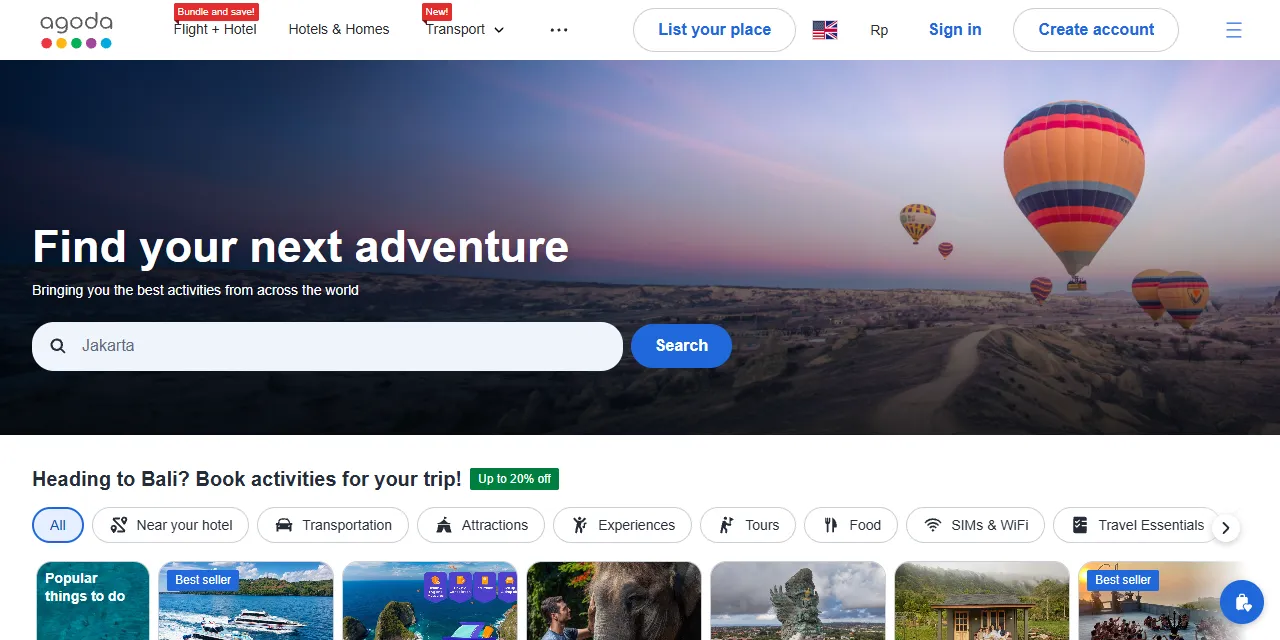
Agoda Activities Scraper extracts tours, attractions, tickets, transfers, and eSIMs from Agoda Activities into clean, structured data you can download as JSON, CSV, Excel, or HTML. Type a city name or keyword, or paste an Agoda Activities search or activity page, and get one row per activity with its location, categories, rating, reviews, bookings, photos, price, every package option with its own price and time slot, and a 30-day price calendar. No account or login required.
Introduction
Agoda is one of the largest online travel agencies in Asia. Agoda Activities lists tens of thousands of things to do around the world: theme park and museum tickets, city tours, desert safaris, cruises, airport transfers, SIM cards, and more, often with several packages and time slots per activity.
This Agoda scraper turns those listings into a ready-to-use dataset. Use it as an Agoda Activities API alternative: compare prices across packages and dates, track discounts, or build a catalog of things to do in any city.
What data can you extract from Agoda Activities?
- 🎟️ Activity title, ID, and URL
- 📍 City, country, address, postal code, and GPS coordinates
- 🗂️ Categories and subcategories (Attractions, Tours, Food and Drinks, Transportation, and more)
- 📝 Description, highlight, and additional information (overview, what to expect, rules)
- ⭐ Rating, review count, booking count, and badges such as Best Seller or Instant Confirmation
- ⏱️ Duration
- 🖼️ Main image and the full photo gallery
- 💰 Lowest price, original price, discount, and currency
- ✅ Cancellation policy, free cancellation, and instant confirmation
- 🕒 Opening hours notes
- 📦 Every package option for the travel date: title, description, type, time slot, price, original price, price unit (adult, child, person, ticket), seats left, minimum and maximum travelers, traveler types with ages, cancellation, provider, inclusions, and exclusions
- 📅 Price calendar: the lowest price and availability for each of the next 30 days
Use Cases
- 💹 Price monitoring: track activity and package prices across dates and currencies.
- 🧭 Travel apps and itineraries: build a catalog of things to do per city with photos, ratings, and prices.
- 📊 Market research: compare categories, providers, discounts, and bookings across destinations.
- 🏷️ Competitor analysis for tour operators: see how similar tours are packaged and priced.
- 🤖 AI and recommendation datasets: train models on descriptions, categories, and traveler ratings.
How to scrape Agoda Activities step by step
- Type city names or keywords into Search activities, or paste Agoda Activities URLs into Start URLs.
- Set Maximum number of activities per search or URL.
- Pick the Currency, and optionally a Travel date and search filters.
- Click Start and wait for the run to finish.
- Download your data in JSON, CSV, Excel, or HTML from the Output tab.
Input
- Start URLs: Agoda Activities URLs. Supported pages:
- A city search page, with any filters you set on Agoda (category, subcategory, duration, price, rating, free cancellation, instant confirmation, sort), such as
https://www.agoda.com/activities/search?cityId=2994&category=3. Apageparameter starts from that page. - A keyword search page, such as
https://www.agoda.com/activities/search?keyword=desert%20safari. - An activity page, such as
https://www.agoda.com/activities/detail?activityId=1033770.
- A city search page, with any filters you set on Agoda (category, subcategory, duration, price, rating, free cancellation, instant confirmation, sort), such as
- Search activities: city names (Dubai, Bali, Bangkok) or keywords (desert safari, Universal Studios). A city name returns every activity of that city; other text uses the Agoda keyword search.
- Maximum number of activities: how many activities to collect for each start URL or search. Set 0 to get every activity.
- Include details and packages: on by default. Turn it off for a faster list with the main price only (no photo gallery, packages, or price calendar).
- Currency: currency of all prices (60 currencies). A
currencyin a start URL is used for that URL. - Travel date: date of the package prices and the start of the price calendar. Leave it empty to use the first day each activity can be booked.
- Search filters (for search queries): category, duration, minimum and maximum price, minimum rating, free cancellation only, instant confirmation only, and sort order. Start URLs keep the filters of their own URL.
You can use start URLs, searches, or both in the same run.
Input Examples
Scrape attractions in Dubai and activities in Bali:
Find tours with free cancellation for a travel date, cheapest first:
Output
Each activity is saved as one item in the dataset. Here is an example of a single item (long text and lists are shortened):
With Include details and packages turned off, the same fields are returned from the search results, with an empty package list, price calendar, photo gallery of one image, and no additional information.
You can download the dataset in JSON, CSV, Excel, XML, or HTML, or access it through the Apify API.
Notes
- Only Agoda Activities search and activity pages are supported. Other URLs (for example hotel pages or the Activities home page) are skipped with a warning.
- Agoda shows at most 1,000 results for a keyword search. A city name in Search activities, or a city search URL, returns every activity of the city (for example more than 6,500 in Dubai).
- Package prices are the prices Agoda shows by default for each option (usually per adult, per person, or per ticket) on the travel date.
- Without a travel date, packages are read for the first day each activity can be booked; same-day booking is often closed, so this can be tomorrow.
- Agoda sorts city results by its own ranking, which can start with regional SIM cards or eSIMs.
- Missing values are returned as
nullor an empty list; for example, many activities have no exact address or map position. - An activity reached from several start URLs or searches is saved only once.
- Need reviews, prices per traveler type, or other data without these limits? Ask for a custom version using the contact below.
Why use the Agoda Activities Scraper?
- ✅ No login needed: works with public data only, so there is no account to manage.
- 📦 Every package, not just the cheapest: each option with its price, time slot, seats left, and inclusions.
- 📅 30-day price calendar for every activity.
- 🌍 Any city, 60 currencies: search by city name or keyword, with Agoda's own filters.
- ⚡ Fast list mode: turn off details for quick price and rating lists of whole cities.
- 🔄 Ready for automation: schedule runs, export to Google Sheets, or connect to Make, Zapier, and n8n.
FAQ
How many activities can I scrape?
As many as Agoda lists. Type a city name in Search activities and set Maximum number of activities to 0 to get every activity of that city.
Can I get prices for a specific date?
Yes. Set Travel date and every package price is read for that day. The price calendar also starts on that date.
Do I need an Agoda account?
No. The actor only collects publicly available data. You do not need to log in or provide any account details.
Can I scrape data on a schedule?
Yes. Use Apify Schedules to run the actor every day or week and track price changes automatically.
Can I get a custom or private version?
Yes. The actor can be customized for your workflow, delivered as a private version, or a new scraper can be built for a different website. Use the contact details below.
Need to scrape other travel and event data?
- Ticketmaster Scraper: concerts, sports, theater, and other events from Ticketmaster with dates, venues, and ticket prices.
Need help or want a custom solution?
- 📧 Email: aboo.script@gmail.com
- 🧩 More scrapers: Apify profile
Image Credit
Image credit: Agoda


