

WIPO Global Brand Database Scraper
Pricing
from $2.80 / 1,000 results
WIPO Global Brand Database Scraper
[💰$4 / 1K] ⚡ Fast, cheap WIPO Global Brand Database scraper. No login, no API key. Search 55M+ trademarks from ~90 IP offices by brand name or URL, filter by office, status, Nice class: owner, address, attorney, status, dates, goods & services and logo.
Pricing
from $2.80 / 1,000 results
Rating
0.0
(0)
Developer

Aboo Script
Maintained by CommunityActor stats
0
Bookmarked
3
Total users
2
Monthly active users
10 days ago
Last modified
Categories
Features
Share
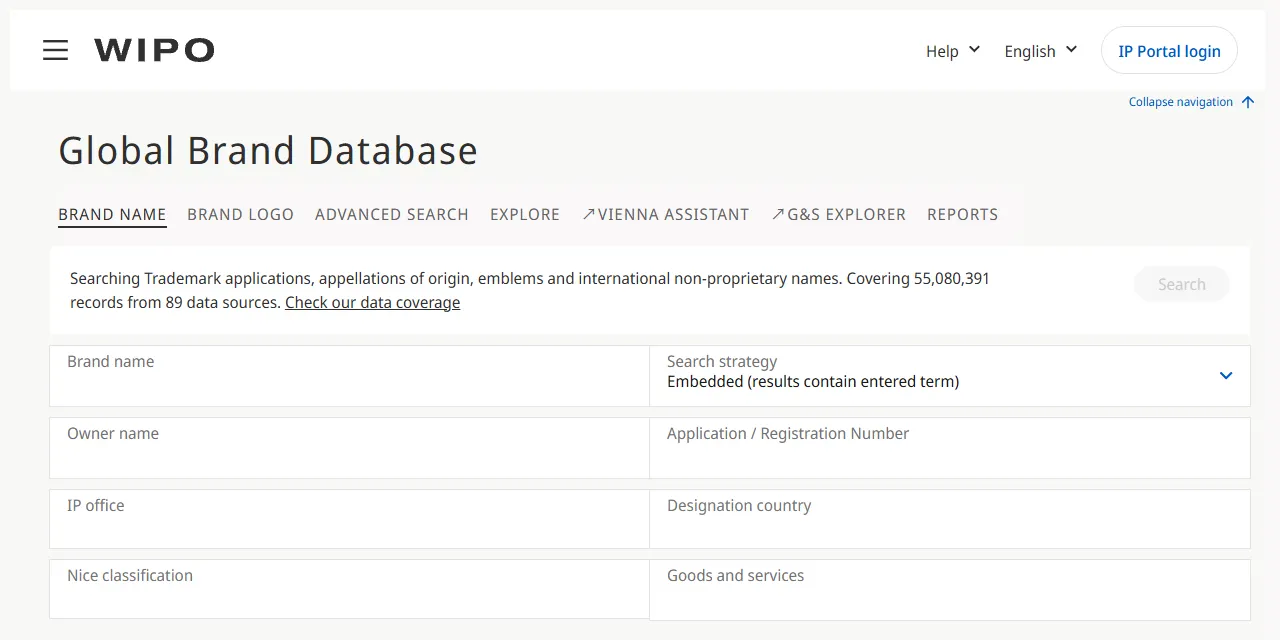
WIPO Global Brand Database Scraper extracts trademark records from the WIPO Global Brand Database into clean, structured data you can download as JSON, CSV, Excel, or HTML. Paste a Global Brand Database search URL or type a few brand names, and get the brand name, logo, owner, representative, status, Nice classes, goods and services, and every filing date for each trademark. No account or login required.
Introduction
The WIPO Global Brand Database is the free trademark search service of the World Intellectual Property Organization. It brings together more than 55 million trademarks, appellations of origin, and emblems from about 90 national and regional IP offices, including the USPTO, EUIPO, UK IPO, Japan, Korea, and international registrations under the Madrid System. Brand owners, trademark attorneys, and researchers use it to check if a name is already taken and to follow who owns which brand.
This actor collects the same public information you see in your browser and turns it into a ready-to-use dataset. You can run it once, schedule it to run daily, or connect it to your own tools.
What data can you extract from the WIPO Global Brand Database?
- 🏷️ Brand name in every language it was filed in, plus the brand logo image
- 📋 IP office, trademark type, kind of mark, and mark type (word, figurative, combined)
- 🚦 Status (registered, pending, expired, ended) and the office's own status wording
- 📅 Application, registration, publication, expiry, status, and termination dates
- 🔢 Application number, registration number, and WIPO record ID
- 🗂️ Nice classes with the goods and services wording for each class, and Vienna codes for logos
- 🏢 Applicants and owners: name, kind, country, and street address, city, and postal code when the office publishes them
- ⚖️ Representatives (attorneys or agents) and the correspondence contact
- 🌍 Designated countries, priority claims, gazette publications, and the history of events on the file
- 🔗 Direct link to each trademark page on the Global Brand Database
Use Cases
- 📈 Trademark clearance: check if a brand name is already registered or pending in the markets you care about before you launch.
- 🕵️ Brand monitoring: follow new filings that look like your brand and spot them while they can still be opposed.
- 🤝 Lead generation: build lists of brand owners and trademark attorneys by office, class, or status.
- 🗂️ Portfolio research: collect every trademark of a company or a competitor, with renewal and expiry dates.
- 🤖 AI and automation: feed clean, structured trademark data into spreadsheets, dashboards, or AI workflows.
How to scrape the WIPO Global Brand Database step by step
- Paste one or more Global Brand Database results URLs into Start URLs, or type brand names into Search queries.
- Optionally pick IP offices, Status, Nice classes, Designated countries, and Sort by for your search queries.
- Set Maximum number of results to how many trademarks you want per URL or per query.
- Click Start and wait for the run to finish.
- Download your data in JSON, CSV, Excel, or HTML from the Output tab.
Input
- Start URLs: Global Brand Database URLs to scrape. Supported pages: results pages of the brand name, quick, advanced, goods and services, and explore searches, and single trademark pages. Every filter you apply on the website (office, status, class, country, dates, sort order, and so on) is kept in the results.
- Search queries: brand names to search for, one per line. Each query is scraped separately, the same way as the brand name search on the website.
- Maximum number of results: how many trademarks to collect for each start URL or search query. Set 0 to collect everything the site shows for that search.
- IP offices: only trademarks filed at these offices, as two-letter codes (for example US, EM for the European Union, WO for international registrations).
- Status: only trademarks with these statuses (Registered, Pending, Expired, Ended, Unknown).
- Nice classes: only trademarks in these classes of goods and services, numbers from 1 to 45.
- Designated countries: only trademarks that are protected in these countries, as two-letter codes.
- Sort by: most relevant first, or by application, registration, or expiry date.
The filters apply to search queries only; start URLs keep the filters already in the URL. You can use start URLs, search queries, or both in the same run.
Input Examples
Scrape a Global Brand Database results page (registered NIKE trademarks at the USPTO):
Search by brand name:
Output
Each trademark is saved as one item in the dataset. Here is an example of a single item:
Items from other offices also fill events (for example { "date": "2006-11-07T00:00:00Z", "officeKind": "REGISTERED-PRINCIPAL REGISTER", "gbdKind": null }) and priorities (countryCode, number, date).
You can download the dataset in JSON, CSV, Excel, XML, or HTML, or access it through the Apify API.
Notes
- The Global Brand Database shows at most 360 results for one search. To collect more, split a broad search into smaller ones with filters such as office, status, Nice class, or country.
- Brand logo search (search by image) pages are not supported; other unsupported URLs are skipped with a warning.
- The data each office publishes differs: some offices give no expiry date, no representative, or no event history, so those fields are
nullor empty. - Full postal addresses are shown only as images on the website, so
address,city, andpostalCodeare filled only when the office also publishes the address as text. - When the goods and services wording exists in English, only the English wording is returned; otherwise it is returned in the languages the office published.
- The logo is saved with the run and
logoUrllinks to it; trademarks without a logo (word marks) havelogoUrlset tonull. - Status values follow the database: for example, the USPTO uses Ended instead of Expired.
Why use the WIPO Global Brand Database Scraper?
- ✅ No login needed: works with public data only, so there is no account to manage.
- 🌍 All offices in one place: national, regional, and international registrations from about 90 IP offices, not just one country.
- 🎯 Keeps your filters: paste any results URL from your browser and get exactly what you see there.
- 🧹 Clean data: dates use one standard format, classes are numbers, and parties are split into name, country, and address fields.
- 💸 Pay for what you need: set a result limit per URL or query and keep every run small and cheap.
- 🔄 Ready for automation: schedule runs, export to Google Sheets, or connect to Make, Zapier, and n8n.
FAQ
How many results can I scrape?
You can set any number in Maximum number of results, or 0 for no limit. The actor keeps going until it reaches your limit or runs out of results. See Notes for the limit set by the Global Brand Database.
Do I need a WIPO account?
No. The actor only collects publicly available data. You do not need to log in or provide any account details.
Can I monitor new trademark filings on a schedule?
Yes. Search a brand name sorted by newest application date and use Apify Schedules to run the actor every day or week, so new filings show up automatically.
Why are some fields empty?
Each IP office shares a different set of information with the database. When a field is not available for a trademark, it is returned as null or an empty list.
Can I request a new feature or filter?
Yes. Right now the actor supports start URLs, brand name searches, and office, status, class, country, and sort filters. If you need other inputs, such as owner name search or date ranges, get in touch and they can be added.
Can I get a custom or private version?
Yes. The actor can be customized for your workflow, delivered as a private version, or a new scraper can be built for a different website. Use the contact details below.
Need help or want a custom solution?
- 📧 Email: aboo.script@gmail.com
- 🧩 More scrapers: Apify profile
Image Credit
Image credit: WIPO Global Brand Database


